

Glowforge Aura Basswood Settings 3mm 2026
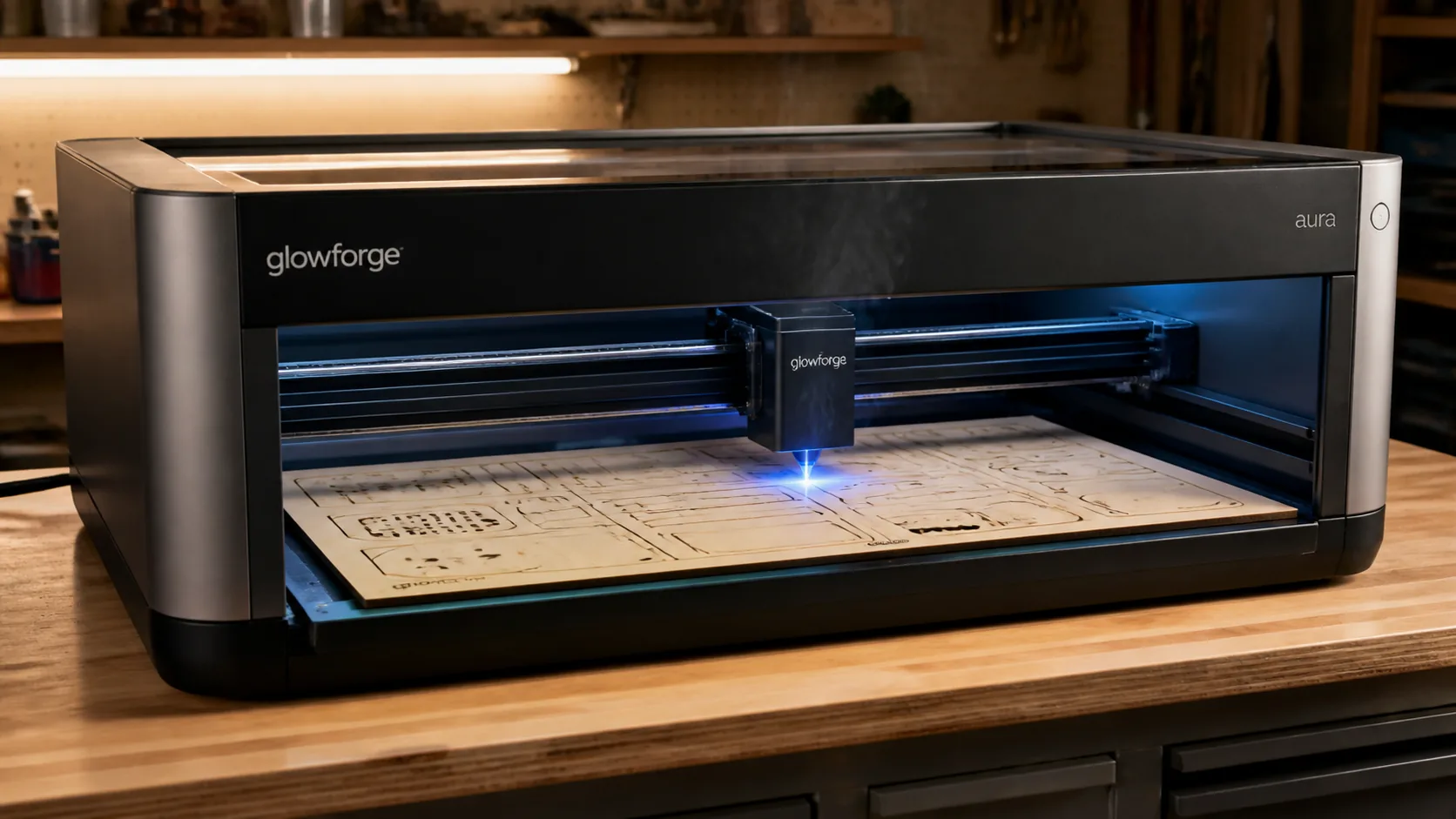
Glowforge Aura requires 2 passes at 3 mm/s, 100% power to cut through 3mm basswood plywood, compared to 1 pass on CO2 models. This guide covers exact Aura settings for clean cuts and engraving, step-by-step prep, troubleshooting, and where to source void-free basswood sheets.
By Mike Dolan ·
| Material | Engraving Contrast | Cut Ease | Smoke / Odor | Cost | Beginner Score |
|---|---|---|---|---|---|
| Basswood (3 mm) | ★★★★★ | Excellent — 1 pass | Low | $ | ★★★★★ |
| Baltic Birch Plywood | ★★★★ | Good — 2–3 passes | Medium | $$ | ★★★★ |
| MDF | ★★★ | Good — 1–2 passes | High (formaldehyde) | $ | ★★ |
| Pine / Soft Plywood | ★★★ | Poor — resin deposits | Medium-High | $ | ★★ |
Why Is Basswood the Best Wood for Glowforge Aura?
The Glowforge Aura’s 6W diode laser operates at lower wattage than CO2 machines, which makes material choice critical — any wood that requires extra passes or produces heavy residue will tax the diode head and slow your workflow. Basswood’s naturally clean combustion profile is a near-perfect match for the Aura’s enclosed design and built-in air filter.
- Low resin — basswood contains minimal sap and pitch, so the Aura’s lens stays cleaner longer and the machine’s internal air filter handles smoke load without clogging prematurely
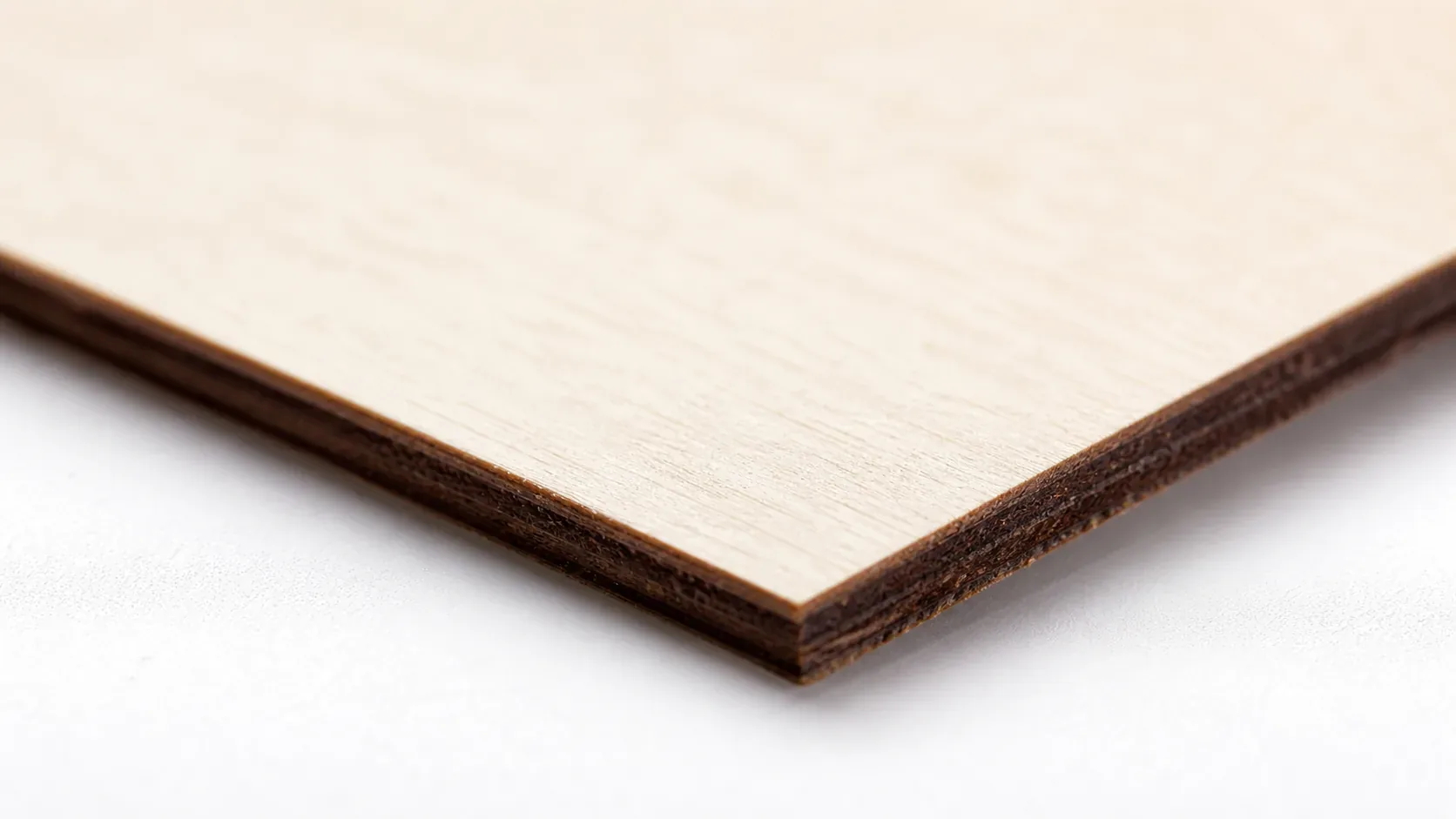
- Consistent density — the same settings work batch after batch without retuning; void-free sheets like Crafteker’s 3mm laser-grade basswood eliminate the density surprises that cause incomplete cuts mid-project
- Minimal char — produces clean cut edges with air assist enabled, leaving the warm chocolate-brown kerf characteristic of well-dialed diode cutting rather than blackened, crumbly borders
- Light, workable surface — the pale ivory face sands smooth in seconds, accepts acrylic paint, wood stain, and resin evenly, and shows engraved detail with strong contrast at 40% power
- No toxic fumes — unlike MDF or treated plywood, pure basswood emits no formaldehyde or chemical off-gassing, making it safe for indoor Aura use with the standard built-in ventilation or a basic window exhaust setup
What Are the Best Glowforge Aura Settings for 3mm Basswood?
All settings below are for Crafteker 3mm basswood sheets (12×12 inch, laser-grade). Use the Laser Settings Calculator to fine-tune for your specific unit if results differ.
| Machine | Cut Speed | Cut Power | Passes | Engrave Speed | Engrave Power | Air Assist |
|---|---|---|---|---|---|---|
| Glowforge Aura (Diode 6W) | 3 mm/s | 100% | 2 passes | 100 mm/s | 40% | Recommended |
Note: Air assist is strongly recommended for the Glowforge Aura. The Aura’s open-frame diode laser is particularly vulnerable to smoke and resin deposits on the lens, and running air assist actively clears combustion gases from the cut path — keeping optics cleaner and edges sharper across both passes. Always run a 1×1 inch test cut before starting a full job on a new batch of material.
The Crafteker 12-pack basswood sheets are purpose-built for diode lasers like the Glowforge Aura — 12×12 inch, 3mm, laser-grade, void-free. $24.99 for 12 sheets ($2.08/sheet).
How Do I Get Clean Cuts on the Glowforge Aura? Step-by-Step
Clean cuts on the Glowforge Aura come down to three things: accurate focus, consistent air assist, and flat material. Follow these steps for reliable results:
- Set focus accurately. The Glowforge Aura uses a fixed-focus diode system — use the physical focus card included with the machine to set the correct working distance between the lens and the material surface before every session. Even a 0.5mm deviation at this wattage is enough to scatter the beam and prevent a clean cut through the full 3mm depth.
- Enable air assist. The Aura has a built-in air assist fan that activates through the Glowforge app — confirm it is enabled before starting the job. Without it, smoke residue settles on the lens mid-cut, reducing effective power on the second pass and leaving scorched, ragged edges rather than clean kerf walls.
- Secure the basswood flat. Pin or tape the sheet at all four corners directly to the Aura’s honeycomb bed so it cannot bow or shift between the first and second pass — any vertical movement between passes throws the second beam off the first kerf line.
- Run a test cut first. Cut a small square or circle from a corner of the sheet before the full job. This confirms focus and power before you commit the whole sheet.
- Do not increase passes to compensate for failed cuts. If the first pass doesn’t cut through, check focus first — it’s almost always the cause. Extra passes at wrong focus just char the edges.
- Clean the lens every 3–5 hours. The Glowforge Aura’s diode lens is accessed by removing the laser head cover — a two-minute process outlined in the Glowforge app’s maintenance guide. Even a thin film of basswood smoke residue causes 10–20% power loss. Use IPA on a cotton swab and allow to fully dry before resuming cuts.
How Does the Glowforge Aura Compare to Other Lasers for Basswood?
The Glowforge Aura’s 6W diode laser cuts 3mm basswood at 3 mm/s with 2 passes, while the Glowforge Plus (40W CO2) completes the same cut in a single pass at significantly higher speeds — making the Plus the better choice for high-volume batch production. The K40 (40W CO2) also cuts in one pass and has a lower entry price, but lacks the Aura’s software polish and cloud-based workflow. For hobbyists, small-run Etsy sellers, or anyone cutting fewer than 20–30 pieces per session, the Aura’s precision and diode efficiency are entirely sufficient; only batch cutters producing 50+ pieces per hour will feel the throughput gap enough to justify upgrading to a CO2 system.
Why Isn’t My Glowforge Aura Cutting Through Basswood Cleanly?
Most incomplete cuts and excessive charring on the Glowforge Aura trace back to these four issues:
- Focus is off: Use the Aura’s built-in autofocus before every job, and confirm the material height is entered correctly in the Glowforge app — even a 0.5mm error at 6W diode power is enough to lose cut-through on the second pass.
- Air assist not running: Without active air flow, smoke and char re-deposit in the kerf as the laser cuts, blocking the beam. On the Aura, verify the built-in air assist nozzle is unobstructed and that the internal pump is audibly running before starting the job.
- Inconsistent material: Craft-store plywood has glue pockets and variable density. Laser-grade basswood eliminates this variable — consistent wood means consistent 2-pass cuts every time.
- Dirty lens: The Aura’s diode lens should be cleaned after every 3–5 hours of cutting — remove the laser head cover, apply a drop of 90%+ isopropyl alcohol to a lint-free cotton swab, and wipe the lens in a single gentle circular pass.
Where to Buy Basswood Sheets for the Glowforge Aura
Crafteker 3mm basswood sheets are the best match for the Glowforge Aura — 12×12 inch, laser-grade, void-free, and pre-sanded. At $24.99 for 12 sheets ($2.08/sheet), it’s the most cost-effective option for consistent 2-pass results. The uniform quality means the settings in this guide work reliably without re-tuning every batch.
Ready to cut? Get the wood that works with these settings:
→ Buy Crafteker 12-Pack Basswood Sheets on Amazon – $24.99
Clip the 7% coupon on the listing page – buy 2 packs and save 20% automatically.
Also available: 5-pack ($15.97) · 3-pack ($12.99)
Frequently Asked Questions
What are the best Glowforge Aura settings for 3mm basswood?
Cut at 3 mm/s, 100% power, 2 passes. Engrave at 100 mm/s, 40% power, 1 pass at 254 DPI. Use air assist for both operations. Clean, brown-edged cuts with minimal charring result from these verified diode settings.
Is Glowforge Aura good for cutting basswood?
Yes, the Aura’s 6W diode laser cuts 3mm basswood effectively, though it requires 2 passes compared to 1 pass on CO2 models. The lower wattage means slower cutting but excellent precision and minimal thermal distortion on thin, delicate materials.
What is the best wood for the Glowforge Aura laser?
3mm laser-grade basswood sheets from Crafteker. Basswood has low resin content for clean burns and consistent density across sheets. At $2.25 per sheet in the 12-pack, it’s the most affordable premium wood for the Aura.
Can Glowforge Aura cut 3mm basswood in one pass?
No. The Glowforge Aura requires 2 passes at 3 mm/s, 100% power to cut through 3mm basswood due to its 6W diode output. CO2 lasers like the Glowforge Plus cut through in a single pass.
Where can I buy basswood sheets for the Glowforge Aura?
Crafteker on Amazon: 3-pack $12.99, 5-pack $15.97, 12-pack $24.99 ($2.08/sheet). All sheets are 12×12 inch, 3mm, void-free, and laser-grade. The 12-pack offers the best value for regular cutting.
About the author: Mike Dolan is a laser maker and wood materials specialist with 8+ years cutting basswood, birch, and MDF on diode and CO₂ machines. He tests every Crafteker basswood batch before listing.
Finally found the exact settings that work on my Aura. The 2-pass technique at full power cuts clean through Crafteker’s 3mm sheets without any charring — way better than my first few experiments at lower power. Using their 12-pack now because the per-sheet cost beats everything else I’ve found.