

6 Tips for Nesting Basswood Parts Efficiently in 2026
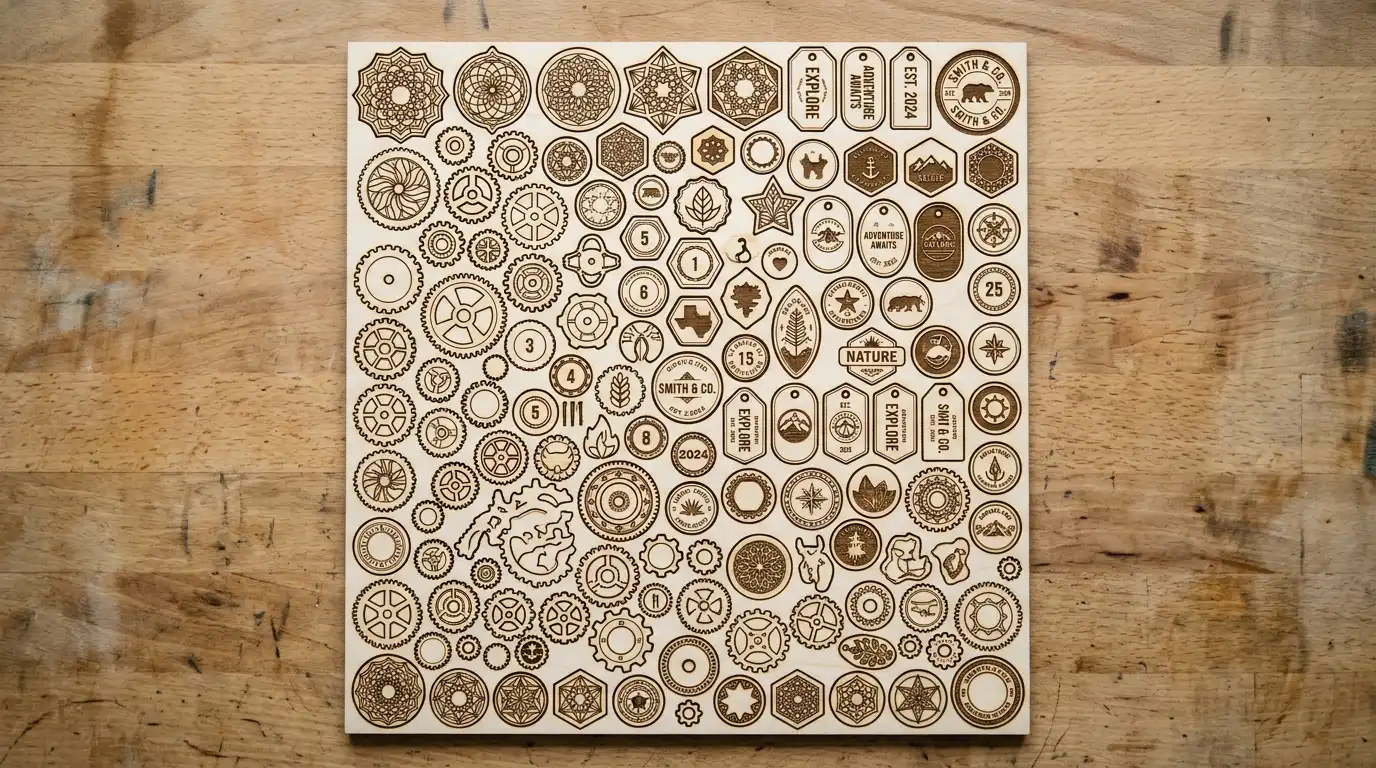
Nesting is arranging part shapes on a sheet so they pack tightly and minimize scrap before cutting starts – allowing rotation and mirroring is commonly reported to improve material utilization by 10-20% over a fixed grid. In this guide, you’ll learn manual layout tricks, when to use nesting software, and how to handle kerf spacing so parts don’t fuse together mid-cut.
By Mike Dolan ·
Quick Answer: Nesting basswood sheets means arranging parts tightly with roughly 2mm kerf spacing and allowing rotation to improve material utilization by 10-20% over fixed grids.
| Material | Engraving Contrast | Cut Ease | Smoke / Odor | Cost | Beginner Score |
|---|---|---|---|---|---|
| Basswood (3 mm) | ★★★★★ | Excellent – 1 pass | Low | $ | ★★★★★ |
| Baltic Birch Plywood | ★★★★ | Good – 2-3 passes | Medium | $$ | ★★★★ |
| MDF | ★★★ | Good – 1-2 passes | High (formaldehyde) | $ | ★★ |
| Pine / Soft Plywood | ★★★ | Poor – resin deposits | Medium-High | $ | ★★ |
What Is Nesting and Why It Matters for 12×12 Basswood Sheets
Nesting is arranging part shapes on a sheet so they pack tightly and minimize scrap before you ever hit cut. It’s the planning step most beginners skip – and the one that decides whether a sheet yields four projects or seven.
I used to lay parts out by eye, one job at a time – wasted almost half a sheet on a batch of small keychain blanks before I started planning layouts ahead of time. Basswood is lightweight and affordable per sheet, but that affordability disappears fast if half of every sheet ends up as unusable scrap.
According to USDA Forest Products Laboratory data, basswood is one of the lowest-density domestic hardwoods – part of why it’s priced accessibly per sheet and why squeezing maximum value out of every 12×12 inch piece matters for small-batch makers. For more on getting clean results once your layout is set, see our basswood laser cutting settings guide, and if you’re planning a production run, our most profitable laser cutting projects guide covers batching strategy too.
- Nesting – arranging parts to pack tightly and minimize scrap before cutting starts
- Low density – basswood’s light weight keeps per-sheet cost accessible, which rewards efficient layouts
- Consistent density – laser-grade basswood behaves predictably across a full nested layout, no surprise dense spots
- Fine, even grain – tightly packed parts still cut clean without grain irregularities throwing off adjacent cuts
- No toxic fumes – safe for indoor use with basic ventilation, even on long nested production runs
Manual vs Software Nesting: Which Do You Need for Basswood?
Here’s the quick decision guide for picking the right approach. This is general nesting-technique knowledge, not Crafteker lab-tested cutting settings – once your layout is set, use the Laser Settings Calculator for actual cut speed and power.
| Situation | Best Approach | Why |
|---|---|---|
| Simple few-part jobs | Manual layout | Fast, no software needed |
| Many small or irregular parts | Nesting software | Auto-arranges for higher yield |
| Repeatable production runs | Saved template | Reuse the same layout every batch |
| Irregular or organic shapes | Software with rotation | Meaningfully better utilization |
| One-off rectangles or circles | Manual grid layout | No benefit from software here |
The Crafteker 12-pack basswood sheets are 12×12 inch – the standard format most nesting software and tutorials are built around. $24.99 for 12 sheets ($2.08/sheet).
How to Nest Parts on a 12×12 Basswood Sheet: Step-by-Step
Six steps take you from a pile of design files to a sheet that’s cut efficiently the first time:
- List and measure every part you need for the batch before arranging anything. Guessing at sizes as you go is how sheets end up half-empty.
- Place the largest parts first, then fill the remaining gaps with smaller ones. Working small-to-large traps awkward empty spaces you can’t use.
- Leave kerf spacing between parts. Roughly 2mm is a commonly cited safe general-purpose value for wood on a CO2 laser, though you should verify it on your own machine.
- Allow rotation and mirroring where your software supports it. This is commonly reported to improve material utilization by roughly 10-20% versus a fixed grid.
- Use common-line cutting where the geometry allows. Sharing cut lines between adjacent parts reduces total cut length, though it takes careful file prep to set up correctly.
- Save the finished layout as a reusable template. I skipped kerf spacing once on a tightly packed layout – two parts that were supposed to separate cleanly ended up fused together by char at the shared edge.

Manual Nesting vs Nesting Software: Which Wastes Less Basswood?
Nesting software that allows rotation generally achieves noticeably better material utilization than a fixed manual grid – the commonly cited range is 10-20% better, mostly because software can tuck irregular shapes into gaps a human eye tends to skip over.
That said, manual layout is faster and perfectly fine for very simple few-part jobs, where the time spent opening and configuring software isn’t worth the marginal material savings. Save the software for batches with more than a handful of parts, or anything with irregular or organic shapes.
Common Mistakes Nesting Parts on Basswood Sheets
A cramped sheet doesn’t have to mean a ruined one – most nesting problems trace back to one of these four fixable mistakes:
- Skipping kerf spacing entirely: Parts touch, burn together, or fail to separate cleanly. Always leave a small gap, even on a tight layout.
- Using only a fixed grid layout: Ignoring rotation wastes usable space around irregular shapes that could otherwise interlock.
- Treating every job as a fresh sheet: Not batching similar jobs or planning to use remnants from previous cuts leaves easy material savings on the table.
- Packing parts too tightly: Thin webs of material between parts can warp or shift mid-cut, compromising the structural integrity of the sheet during the job.
Where to Buy Basswood for Nested Laser Cut Projects
Crafteker 3mm basswood sheets are 12×12 inch – the standard format most nesting software and tutorials are built around, which makes planning efficient layouts straightforward. Laser-grade, void-free, and pre-sanded. $24.99 for 12 sheets ($2.08/sheet).
Ready to cut? Get the wood that works with these settings:
→ Buy Crafteker 12-Pack Basswood Sheets on Amazon – $24.99
Clip the 7% coupon on the listing page – buy 2 packs and save 20% automatically.
Also available: 5-pack ($15.97) · 3-pack ($12.99)
Frequently Asked Questions
What is nesting in laser cutting?
Nesting is arranging part shapes on a sheet to pack them tightly and minimize scrap before cutting. It’s the planning step that happens before you hit the laser button.
How much spacing should I leave between parts when nesting on basswood?
Roughly 2mm is a commonly cited safe general-purpose starting point for wood on a CO2 laser, but verify on your own machine and material batch. Test a few parts first to make sure they separate cleanly.
Does rotating parts really reduce waste?
Yes. Allowing rotation and mirroring is commonly reported to improve material utilization by roughly 10-20% versus a fixed grid layout, especially with irregular or organic shapes.
Do I need special software to nest parts efficiently?
Not for simple few-part jobs – manual layout is fast and fine. But dedicated nesting software helps significantly once you’re arranging many small or irregular parts. Free and paid options exist for DXF and SVG files.
Where can I buy basswood sheets for laser cutting?
Crafteker on Amazon: 3-pack $12.99, 5-pack $15.97, 12-pack $24.99 (best value at $2.08/sheet). The 12×12 inch size is the standard format most nesting software is built around. Clip the 7% coupon on the listing page.
About the author: Mike Dolan is a laser maker and wood materials specialist with 8+ years cutting basswood, birch, and MDF on diode and CO₂ machines. He tests every Crafteker basswood batch before listing.
Quick note: the spacing and utilization figures in this guide (2mm kerf, 10-20% improvement from rotation) are general nesting-community findings, not Crafteker’s own lab-tested data. Every machine and material batch is different, so verify kerf spacing on your own scrap before running a full production batch. That’s how you avoid the fused-edge surprise we’ve all had.