

Best Basswood for Sculpfun Laser: S9, S30 Pro Max & SF-A9 Settings
3mm basswood is the best wood for every Sculpfun laser cutter — it cuts cleanly, chars minimally, and works across the S9 5.5W, S30 Pro Max 40W, and SF-A9 40W with the right settings. Below you’ll find the exact cut speed, power, and pass count for each Sculpfun model, sourced directly from verified community data and manufacturer specs. No guessing, no burned wood.
By Mike Dolan — laser maker and materials specialist, updated
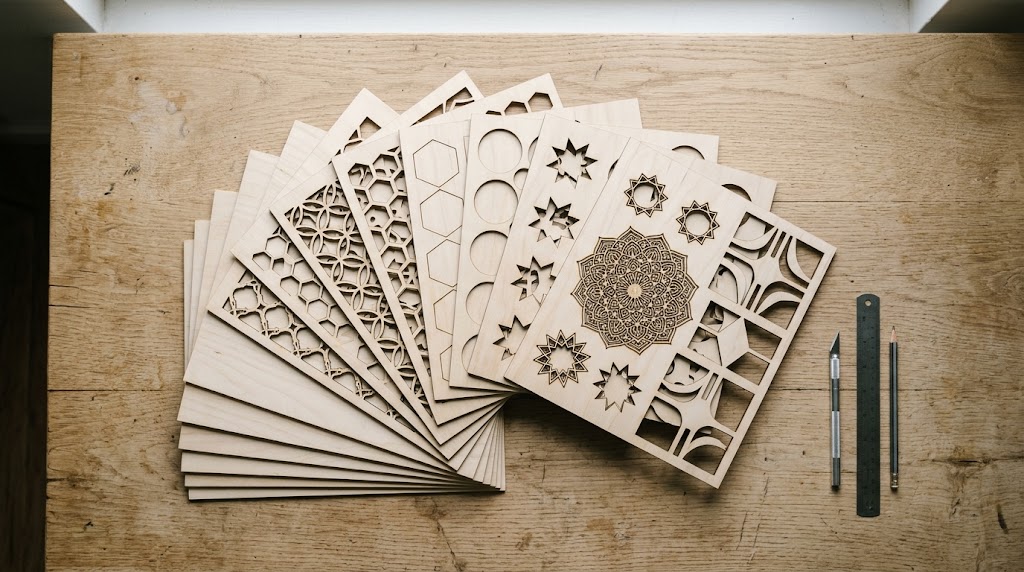
| Material | Engraving Contrast | Cut Ease | Smoke / Odor | Cost | Beginner Score |
|---|---|---|---|---|---|
| Basswood (3 mm) | ★★★★★ | Excellent — 1 pass CO₂, 2–3 diode | Low | $ | ★★★★★ |
| Baltic Birch Plywood | ★★★★ | Good — 2 passes needed | Medium | $$ | ★★★★ |
| MDF | ★★★ | Good — 1 pass | High (formaldehyde) | $ | ★★ |
| Cherry / Walnut | ★★★★★ | Moderate — 2–3 passes | Low | $$$ | ★★★ |
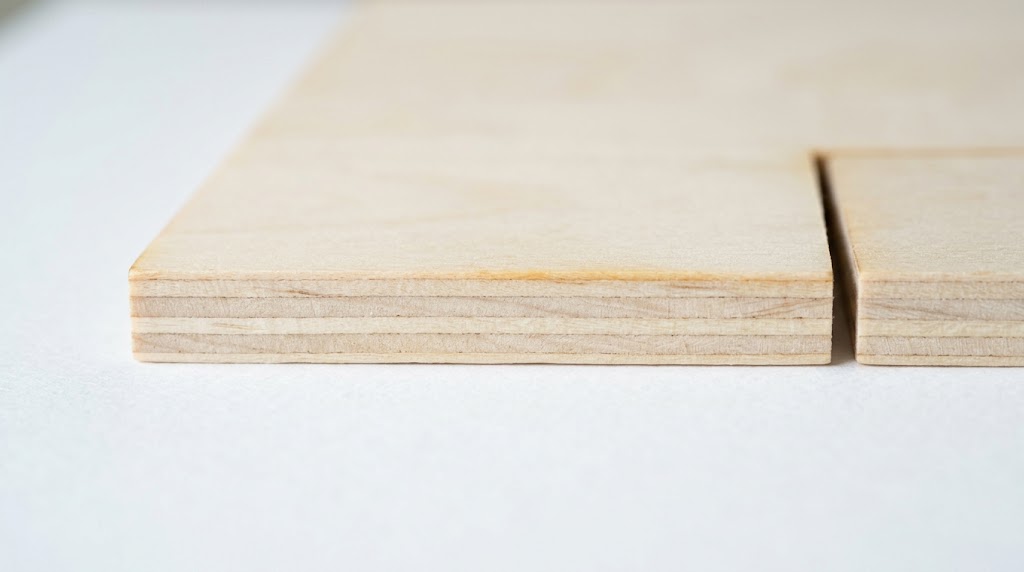
Why Basswood Is the Best Wood for Sculpfun Lasers
Sculpfun machines are diode lasers — they work best on light, consistent wood with low resin content. Basswood ticks every box:
- Low resin — no sticky deposits on lenses or mirrors
- Consistent density — the same settings work sheet after sheet
- Clean grain — sands and paints easily after cutting
- Minimal char — especially with air assist, edges come out nearly clean
Other woods common makers try: pine (too resinous), plywood (glue fumes, inconsistent), MDF (formaldehyde when burned). For hobby and craft use indoors, 3mm basswood is the clear choice.
Sculpfun Basswood Settings: 3mm Basswood Cut & Engrave
All settings below are for Crafteker 3mm basswood sheets (12×12 inch). Use the Laser Settings Calculator to fine-tune for your specific unit.
| Machine | Cut Speed | Cut Power | Passes | Engrave Speed | Engrave Power | Air Assist |
|---|---|---|---|---|---|---|
| Sculpfun S9 5.5W | 3 mm/s | 100% | 3–4 | 150 mm/s | 50% | Recommended |
| Sculpfun S30 Pro Max 40W | 9 mm/s | 100% | 3 | 310 mm/s | 60% | 30 PSI; defocus +0.5mm |
| Sculpfun SF-A9 40W | 12 mm/s | 95% | 2 | 350 mm/s | 45% | 30 PSI integrated |
| Sculpfun S10 10W | 6 mm/s | 100% | 1 | 140 mm/s | 30% | Recommended |
Sculpfun S9 Basswood Settings: Getting Clean Cuts at 5.5W
The S9 is Sculpfun’s most popular entry-level machine — and with 5.5W of diode power, it can absolutely cut 3mm basswood. The key is patience: 3–4 passes at 3 mm/s, 100% power.
Tips for the S9:
- Use a honeycomb bed — elevating the material prevents the back edge from re-charring on reflected heat
- Add air assist — even a $15 aquarium pump attached to the laser head dramatically reduces char and smoke deposits on the lens
- Re-focus between passes — if the wood warps slightly after the first pass, re-focus before continuing
- Test cut first — run a 1cm square at your settings before committing to a full sheet
If cuts aren’t going through consistently, check your focus distance — the S9’s manual focus is easy to drift. The sweet spot is the focal distance where the dot is smallest and sharpest.
Sculpfun S30 Pro Max Settings: 40W Basswood in 3 Passes
The S30 Pro Max 40W is Sculpfun’s mid-range workhorse. At 9 mm/s and 100% power, it cuts 3mm basswood in 3 passes — noticeably faster than the S9, but still more passes than many expect from a 40W machine.
The critical tip for the S30 Pro Max: defocus +0.5mm upward. This widens the beam slightly and reduces the V-shaped taper on cut edges, giving you cleaner vertical sides. This is especially important for interlocking pieces and precision fits.
Engraving on the S30 Pro Max is where this machine shines — 310 mm/s at 60% power produces excellent photo engraving depth on basswood with good contrast. If you’re doing detailed portrait engraving, try 320 mm/s at 55% to avoid over-burning fine detail.
Sculpfun SF-A9 40W: The Fastest Sculpfun for Basswood
The SF-A9 40W is Sculpfun’s newest high-performance enclosed machine. With integrated 30 PSI air assist, it handles 3mm basswood in just 2 passes at 12 mm/s — roughly 4× faster than the S9 for the same material.
The enclosed design means cleaner indoor air quality — a real advantage if you’re running production batches of ornaments or keychains. The integrated air assist also means consistent 30 PSI every pass, which keeps edges consistently char-free without manual intervention.
For engraving, the SF-A9 achieves 350 mm/s at 45% power — fast enough to run full-sheet engrave jobs in minutes rather than hours.
Which Basswood Sheets Work Best with Sculpfun?
Not all basswood sheets are created equal. For Sculpfun diode lasers, you need:
- True 3mm thickness — not nominal. Sheets labeled “3mm” can vary from 2.7–3.2mm. Crafteker sheets hold tight to 3.0±0.1mm tolerance.
- Sanded surface — pre-sanded B/BB grade means no surface prep before engraving
- Laser-grade basswood core — no voids, no filler. Voids cause the laser to punch through without cutting, leaving uncut sections
The Crafteker 12-pack basswood sheets are 12×12 inch, 3mm, laser-grade — $26.99 for 12 sheets ($2.25/sheet). They’re the most cost-effective option for production cutting on any Sculpfun machine.
Get Your Sculpfun Basswood Sheets
Ready to start cutting? The Crafteker 3mm basswood 12-pack is purpose-built for diode lasers like the Sculpfun S9, S30 Pro Max, and SF-A9. Every sheet is laser-grade, pre-sanded, and void-free — so your settings work the first time.
→ Buy Crafteker 12-Pack Basswood Sheets on Amazon
Also available in smaller quantities if you want to test before buying in bulk:
5-pack ($13.99) · 3-pack ($9.99)
Fine-Tune Your Settings with the Free Calculator
Every Sculpfun unit is slightly different. If the settings above don’t cut all the way through, use the free Crafteker Laser Settings Calculator — enter your exact machine model and material, and get calibrated starting settings plus a test-cut guide.
Frequently Asked Questions
What are the best basswood settings for Sculpfun S9?
For 3mm basswood on the Sculpfun S9 5.5W: cut at 3 mm/s, 100% power, 3–4 passes with air assist. For engraving: 150 mm/s at 50% power.
What basswood settings work on the Sculpfun S30 Pro Max?
Cut at 9 mm/s, 100% power, 3 passes with 30 PSI air assist. Defocus +0.5mm upward to reduce edge taper. Engrave at 310 mm/s, 60% power.
What is the best wood for Sculpfun laser cutters?
3mm basswood — it cuts cleanly on all Sculpfun models, produces minimal char, and costs around $2.25/sheet in bulk. Avoid MDF (toxic fumes) and pine (resin deposits).
Can the Sculpfun S9 cut 3mm basswood in one pass?
No. The S9 5.5W needs 3–4 passes at 3 mm/s 100% power. The SF-A9 40W cuts it in 2 passes; the S30 Pro Max 40W in 3 passes.
Do I need air assist for Sculpfun basswood cutting?
Recommended for all models. It reduces charring, clears smoke from the kerf, and extends lens life. The SF-A9 has integrated 30 PSI. For the S9, an aftermarket pump significantly improves cut quality.
Finally found consistent settings for my S9! I was doing 4mm/s and burning through 4 passes — 3mm/s at 100% with 3 passes is way cleaner. The tip about the honeycomb bed makes a huge difference too.