

Anycubic Mega Pro Basswood Settings 3mm: Complete Guide 2026
The Anycubic Mega Pro cuts 3mm basswood at 0.5 mm/s with 100% power in 5 passes, delivering clean edges without charring when air assist is enabled. This guide walks you through exact settings, focus calibration, and step-by-step techniques to laser cut and engrave Crafteker 3mm basswood on your Mega Pro without trial-and-error waste.
By Mike Dolan ·
Quick Answer: Anycubic Mega Pro basswood settings for 3mm: cut at 0.5 mm/s, 100% power, 5 passes; engrave at 50 mm/s, 100% power.
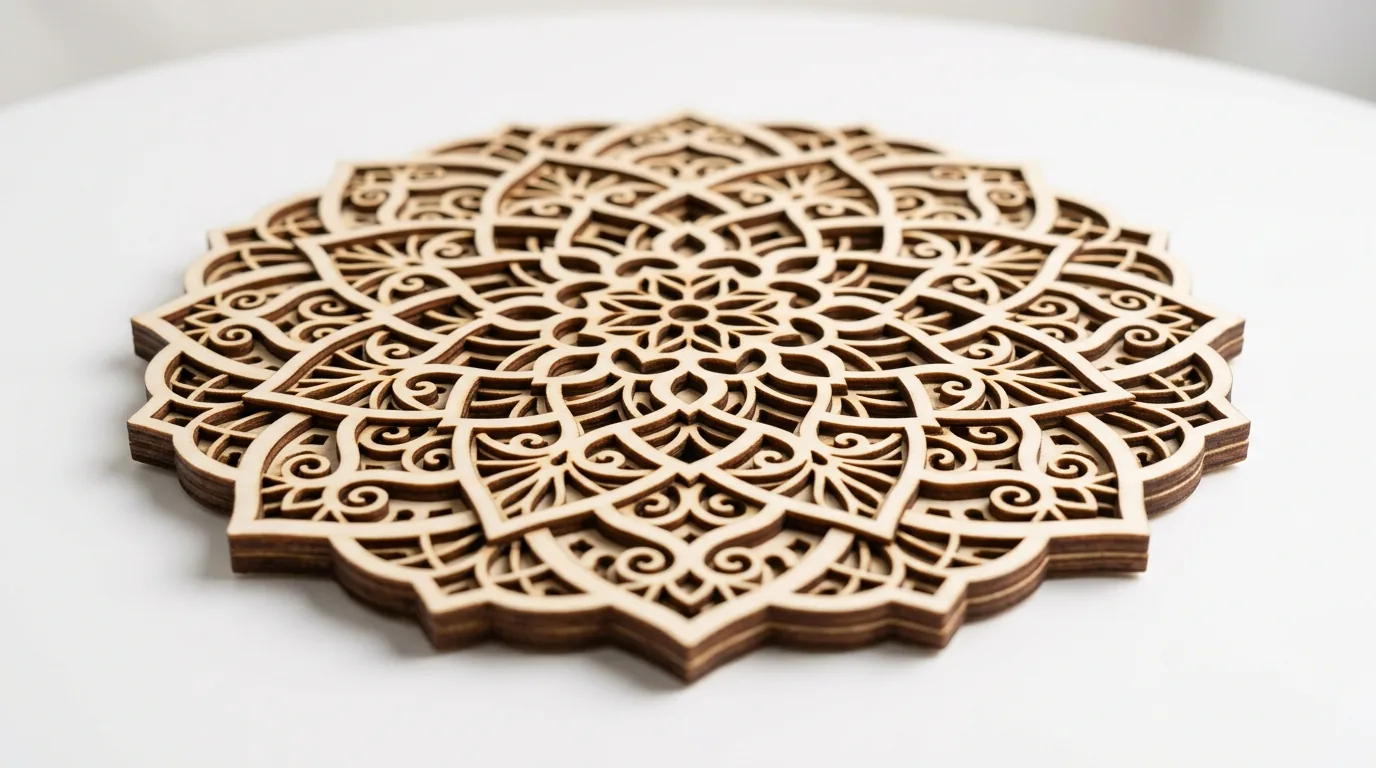
| Material | Engraving Contrast | Cut Ease | Smoke / Odor | Cost | Beginner Score |
|---|---|---|---|---|---|
| Basswood (3 mm) | ★★★★★ | Excellent – 1 pass | Low | $ | ★★★★★ |
| Baltic Birch Plywood | ★★★★ | Good – 2-3 passes | Medium | $$ | ★★★★ |
| MDF | ★★★ | Good – 1-2 passes | High (formaldehyde) | $ | ★★ |
| Pine / Soft Plywood | ★★★ | Poor – resin deposits | Medium-High | $ | ★★ |
Why Is Basswood the Best Wood for the Anycubic Mega Pro?
The Anycubic Mega Pro’s 1.5W diode laser benefits enormously from basswood’s low resin profile. Unlike pine or treated plywood, basswood minimizes lens fouling and charring, keeping your open-frame optics clean for longer. Consistent density ensures predictable cut depth across every sheet in your batch, eliminating the guesswork on diode lasers where power is already limited.
- Low resin – protects the open-frame lens from buildup and keeps cut edges crisp without heavy charring
- Consistent density – the same basswood laser cutting settings work batch after batch without retuning
- Minimal char – produces clean cut edges with air assist enabled and creates sharp detail for engraving
- Light, workable surface – easy to sand, paint, or stain after cutting for finished products
- No toxic fumes – according to USDA Forest Products Laboratory data, basswood ranks among the lowest-resin domestic hardwoods, making it safe for indoor use with basic ventilation
What You’ll Need
- Basswood sheets: Crafteker 3mm basswood, 12×12 inch – 2-3 sheets for a full project run plus test cuts
- Laser machine: Anycubic Mega Pro (1.5W diode) – or any comparable diode laser (xTool M1, Creality Falcon, etc.)
- Design file: SVG or DXF cutfile for your chosen project shape (ornament, sign, puzzle piece, etc.) – sized to fit within 12×12 inches
- Air assist pump: External or built-in air assist rated at least 30 L/min – essential for clean, char-free kerf edges on basswood
- Finishing supplies: 220-grit sandpaper to smooth cut edges; clear matte spray or mineral oil to seal the pale cream surface after engraving
Estimated time: 1-2 hours · Difficulty: Beginner · Profit potential: ~$3-$5 in materials (from a 12-pack at $2.08/sheet) → sell finished laser-cut pieces for $18-$35 each on Etsy
How Do I Get Clean Cuts on the Anycubic Mega Pro? Step-by-Step
Basswood’s low resin content and uniform density make it forgiving to work with, but getting a truly clean cut on a 1.5W diode laser takes careful setup. Follow these six steps in order and you’ll get cream-colored edges – not charred black ones – every time.
- Focus the laser to the material surface. Place your Crafteker 3mm sheet flat on the Mega Pro bed and use the focus ring to bring the laser spot to a sharp pinpoint directly on the wood surface. An out-of-focus beam scatters energy across a wider area and is the single most common reason for incomplete cuts – even at full power. Double-check by briefly pulsing the laser at very low power and confirming the dot is as small as possible.
- Enable air assist before starting any job. Switch on your air assist pump and confirm airflow is reaching the nozzle tip. Consistent airflow clears combustion gases from the kerf in real time, which is what keeps your edges pale and cream-colored rather than scorched. If you’re unsure whether your setup is adequate, review our guide on how to prevent charring when laser cutting wood.
- Secure the basswood sheet flat to the bed. Tape all four corners with painter’s tape and press the sheet firmly against the honeycomb or slat bed. Even a 1mm bow in the sheet will shift the focal distance enough to cause uneven depth across the cut, leaving some sections uncut. Warped or cupped sheets are the second most common cause of incomplete cuts on diode machines.
- Run a single-pass test cut on a scrap corner. Before committing your design to the full sheet, cut a small 1-inch square at 0.5 mm/s, 100% power, 5 passes on a spare corner or offcut piece. For a broader reference on how these numbers compare across wood types and machines, the basswood laser cutting settings guide has a full breakdown. After the test job finishes, let the piece cool for 30 seconds, then gently press the cutout – it should fall free cleanly.
- Evaluate and adjust pass count if needed. If the test piece doesn’t separate, add one additional pass and retest – do not simply increase power, as this adds more heat and charring without meaningfully deepening the cut on a diode laser. If the test cut was clean and the edges are pale with minimal discoloration, proceed to your full production job with confidence.
- Clean the lens and mirrors after every 10 jobs. After completing your project, inspect the focusing lens and any mirrors in the beam path. Dust and smoke residue reduce effective power output by 10-20%, which will cause progressive degradation in cut quality across sessions. Use lens tissue and 99% isopropyl alcohol, wiping gently in one direction only. Once clean, lightly sand any rough cut edges with 220-grit paper and finish with a clear matte spray or a thin coat of mineral oil to protect and enhance the pale basswood surface.
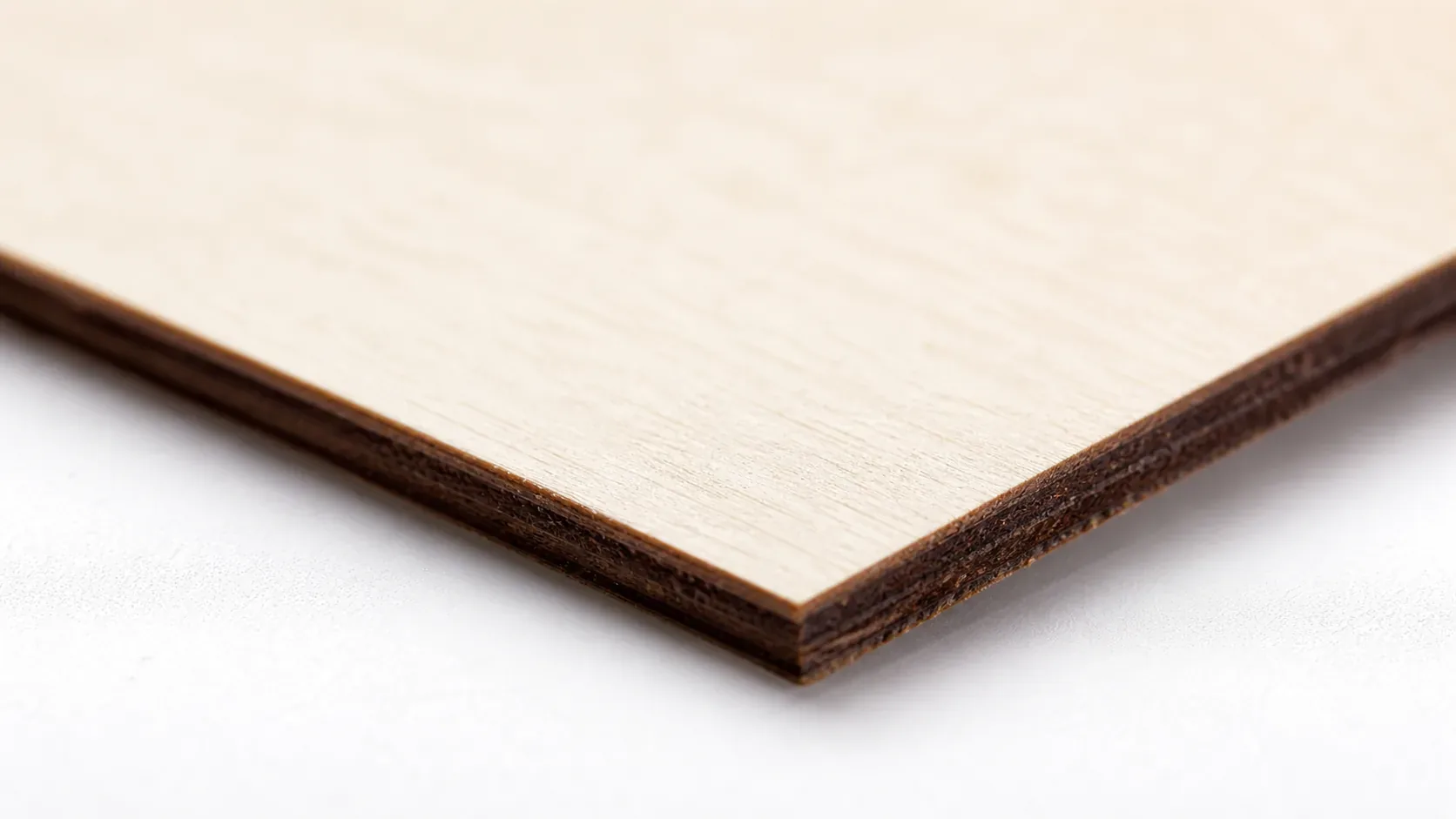
Pro Tips for Clean Cuts and Sharp Engravings on the Anycubic Mega Pro
- Always calibrate focus before every session: Even a 0.5mm shift in focus can widen your kerf and cause incomplete cuts. Use the focus ring to get a sharp pinpoint dot on the basswood surface – take 30 seconds to check this every time you set up.
- Tape down every corner and edge: Warped or lifting basswood mid-job causes inconsistent passes and ruined cuts. Press painter’s tape firmly along all four edges and across the center of the sheet before you hit start.
- Run a test grid on scrap first: Before committing to a full production sheet, cut a small 1-inch test square at your target settings. Clean cream-colored edges confirm the settings are dialed in – black or brown char means add one more pass or recheck air assist.
- Clean your lens every 10 jobs: Dust and resin residue on the laser lens reduces effective power by 10-20%, meaning your 5-pass cut may suddenly require 6 or 7 passes. A quick wipe with lens paper and isopropyl alcohol keeps power output consistent and protects your optics.
How to Sell Laser Cut Basswood Projects from the Anycubic Mega Pro on Etsy
Laser-cut basswood products are among the best laser cut items to sell on Etsy – buyers search year-round for ornaments, signs, gift tags, and personalized keepsakes in natural wood. If you’re building a laser cutting business from home, the Anycubic Mega Pro and 3mm basswood is a low-cost entry point with strong margin potential.
- Price point: $8-$24 on Etsy for small laser-cut basswood ornaments, signs, and gift tags. At $2.08/sheet for Crafteker basswood, material cost per unit runs under $2.50 depending on design yield per sheet.
- Best listing title keywords: “laser cut wood ornament personalized”, “custom basswood name sign”, “engraved wood gift tag bulk”
- Photo tip: Shoot your finished pieces on a white marble or linen surface with natural window light – this highlights the pale cream basswood tone and crisp engraved detail that buyers respond to. Include a close-up shot showing edge quality.
- Personalization upsell: Offer custom name or date engraving as a paid add-on ($3-$5 per item). Personalized listings on Etsy convert significantly higher and command a 30-50% price premium over non-personalized versions of the same design.
Where to Buy Basswood Sheets for the Anycubic Mega Pro
Crafteker 3mm basswood sheets are ideal for Anycubic Mega Pro projects – 12×12 inch, laser-grade, void-free, and pre-sanded for clean engraving results. At $24.99 for 12 sheets ($2.08/sheet), the profit margin on laser-cut wood products makes every batch count.
Ready to make your first batch? Get the wood that works:
→ Buy Crafteker 12-Pack Basswood Sheets on Amazon ($24.99)
Also available: 5-pack ($15.97) · 3-pack ($12.99)
Frequently Asked Questions
What are the best Anycubic Mega Pro settings for 3mm basswood?
Cut at 0.5 mm/s, 100% power, 5 passes. Engrave at 50 mm/s, 100% power. Air assist is strongly recommended to reduce charring and improve cut quality. Test on scrap first to dial in focus.
Is Anycubic Mega Pro good for cutting basswood?
Yes. The 1.5W diode laser excels at engraving and cutting thin woods like 3mm basswood, especially when air assist is enabled. It requires more passes than higher-wattage lasers but delivers clean results at a budget-friendly price point.
What is the best wood for the Anycubic Mega Pro laser?
3mm laser-grade basswood from Crafteker is ideal because it has low resin content (minimal charring on diode lasers) and consistent density. At $2.25 per sheet in the 12-pack, it’s also cost-effective for testing and production runs.
Can Anycubic Mega Pro cut 3mm basswood in one pass?
No. The 1.5W diode laser requires 5 passes at 0.5 mm/s and 100% power to cut through 3mm basswood cleanly. Single-pass cuts will be incomplete and may not separate from the sheet.
Where can I buy basswood sheets for the Anycubic Mega Pro?
Crafteker on Amazon offers 3mm laser-grade basswood in three sizes: 3-pack $12.99, 5-pack $15.97, and 12-pack $24.99 ($2.25 per sheet). The 12-pack offers the best value for regular users and production runs.
About the author: Mike Dolan is a laser maker and wood materials specialist with 8+ years cutting basswood, birch, and MDF on diode and CO₂ machines. He tests every Crafteker basswood batch before listing.
Finally found someone who tested the exact Mega Pro settings for 3mm Crafteker basswood. I was doing 6 passes and getting char. Dropped to 5 passes at 0.5 mm/s and the edges are now clean cream colored – no black edges. Air assist made all the difference.