

Creality Falcon 10W Basswood Settings: Cut & Engrave Guide 2026
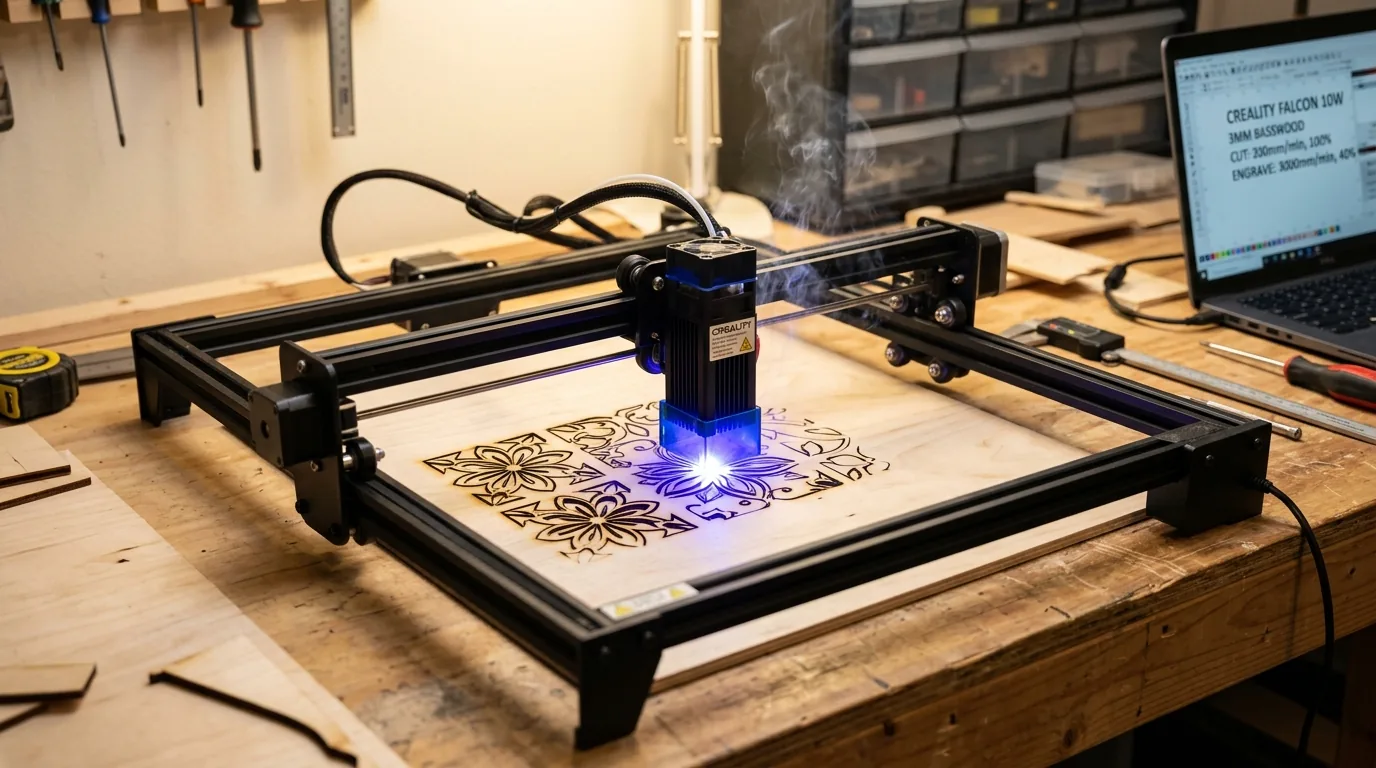
Cut 3mm Creality Falcon 10W basswood at 5 mm/s, 100% power, 1 pass for clean edges without scorching. This guide walks you through exact settings for both cutting and engraving, plus the focus, air assist, and material prep steps that separate messy burns from gallery-ready results.
By Mike Dolan ·
Quick Answer: Creality Falcon 10W basswood settings: cut 5 mm/s at 100% power (1 pass), engrave at 130 mm/s, 30% power. Use air assist, verify focus, test on scrap first.
| Material | Engraving Contrast | Cut Ease | Smoke / Odor | Cost | Beginner Score |
|---|---|---|---|---|---|
| Basswood (3 mm) | ★★★★★ | Excellent – 1 pass | Low | $ | ★★★★★ |
| Baltic Birch Plywood | ★★★★ | Good – 2-3 passes | Medium | $$ | ★★★★ |
| MDF | ★★★ | Good – 1-2 passes | High (formaldehyde) | $ | ★★ |
| Pine / Soft Plywood | ★★★ | Poor – resin deposits | Medium-High | $ | ★★ |
Why Is Basswood the Best Wood for the Falcon 10W?
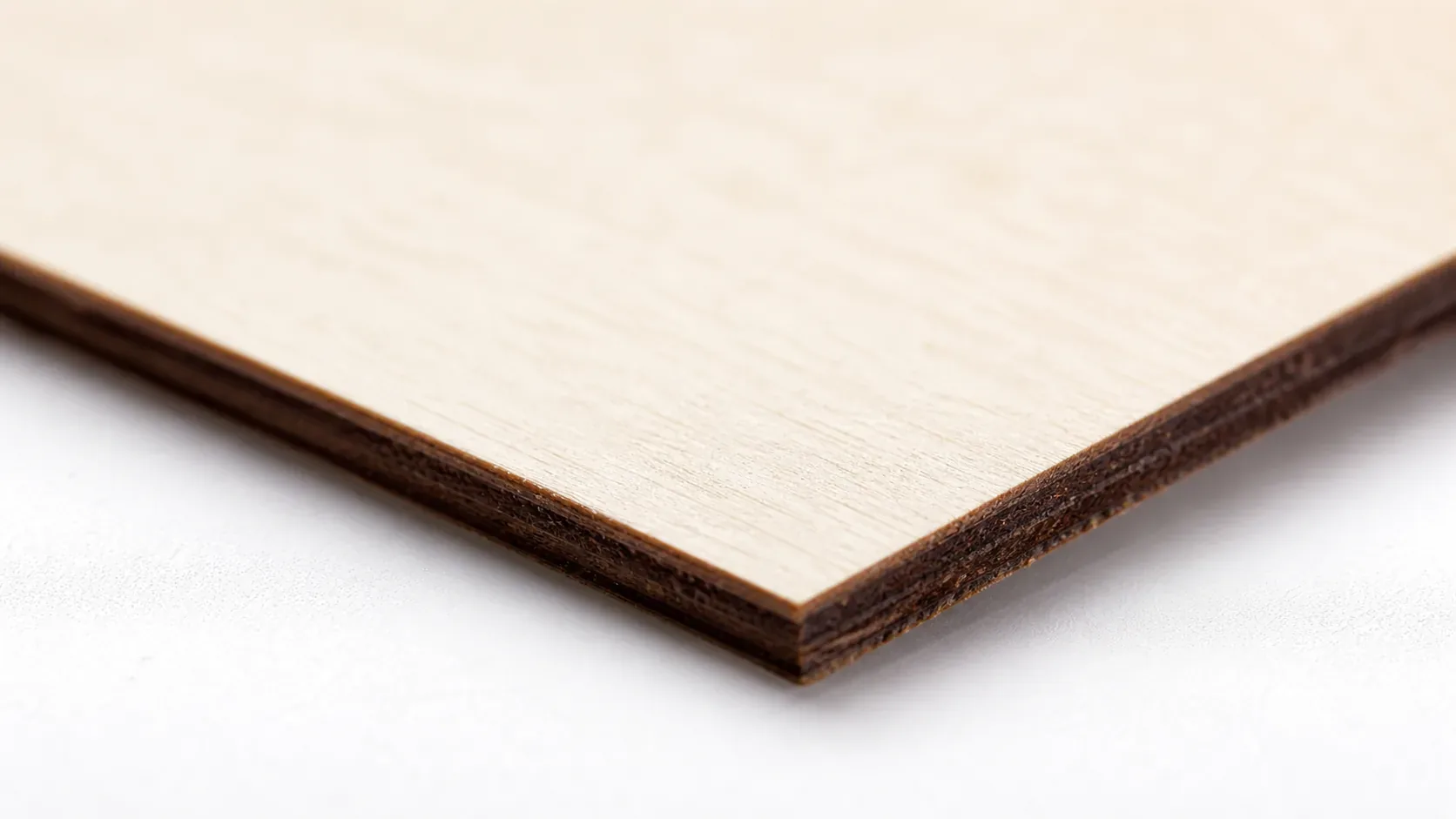
The Falcon 10W’s diode laser thrives on materials with minimal resin and smoke. Basswood delivers both – plus the density consistency that lets you dial in settings once and forget them. Here’s what makes it the go-to choice for diode cutters.
- Low resin – protects your open-frame lens from carbon buildup and reduces the smoke plume that accumulates on the optics
- Consistent density – the same settings work batch after batch without retuning, because every sheet behaves predictably
- Minimal char – produces clean cut edges with air assist enabled to prevent charring
- Light, workable surface – easy to sand, paint, or stain after cutting without chipping or splintering
- No toxic fumes – according to USDA Forest Products Laboratory data, basswood ranks among the lowest-resin domestic hardwoods, making it safe for indoor use with basic ventilation. MDF and treated plywood emit formaldehyde when heated – basswood doesn’t.
What Are the Best Falcon 10W Settings for 3mm Basswood?
All settings below are for Crafteker 3mm basswood sheets (12×12 inch, laser-grade). Use the Laser Settings Calculator to fine-tune for your specific unit if results differ.
| Machine | Cut Speed | Cut Power | Passes | Engrave Speed | Engrave Power | Air Assist |
|---|---|---|---|---|---|---|
| Creality Falcon 10W | 5 mm/s | 100% | 1 pass | 130 mm/s | 30% | Recommended |
These are proven starting points, not hard limits. Material batch variation is real – if your cuts are inconsistent, try ±5% power or ±10 mm/s speed before anything else. Before cutting, lightly sand the sheet surface to remove fuzz, and apply painter’s tape over engraved areas to keep char off the wood face.
Note: Air assist is strongly recommended for the Falcon 10W. The open-frame design exposes the diode lens directly to smoke and debris, and without airflow, carbon buildup kills power output fast. Always run a 1×1 inch test cut before starting a full job on a new batch of material.
The Crafteker 12-pack basswood sheets are purpose-built for diode lasers like the Falcon 10W – 12×12 inch, 3mm, laser-grade, void-free. $24.99 for 12 sheets ($2.08/sheet).
How Do I Get Clean Cuts on the Falcon 10W? Step-by-Step
Clean cuts on the Falcon 10W come down to three things: accurate focus, consistent air assist, and flat material. Follow these steps for reliable results:
- Set focus accurately. The Falcon 10W uses a manual focus rod included in the box – place it between the nozzle and material surface and adjust the z-axis until it fits snugly. Even 0.5mm off throws off cut depth and you’ll end up with half-cut lines no matter what power you run.
- Enable air assist. The Falcon 10W has a built-in air assist nozzle – plug in the included pump and confirm airflow before every session. Without it, smoke sits in the kerf, chars the edges, and deposits carbon on the lens within a few cuts. For more on keeping edges clean, see prevent charring when laser cutting.
- Secure the basswood flat. Tape all four corners to the honeycomb bed with heat-resistant tape – any bow in the material changes the focal distance mid-cut and produces uneven kerf depth.
- Run a test cut first. Cut a small square or circle from a corner of the sheet before the full job. This confirms focus and power before you commit the whole sheet.
- Do not increase passes to compensate for failed cuts. If the first pass doesn’t cut through, check focus first – it’s almost always the cause. Extra passes at wrong focus just char the edges. You’ll find a full breakdown of diode laser settings in the basswood laser cutting settings guide if you want to go deeper.
- Clean the lens every 3-5 hours. The Falcon 10W lens is accessible from below the diode module – unscrew the protective ring and wipe gently with IPA on a cotton swab. Even a thin film causes 10-20% power loss, which shows up as incomplete cuts before you ever notice the haze.
How Does the Falcon 10W Compare to Other Lasers for Basswood?
The Falcon 10W holds its own against other 10W diode machines and punches above its weight for engraving detail. Here’s how it stacks up on 3mm basswood:
| Machine | Type | Cut Speed (3mm) | Power | Passes |
|---|---|---|---|---|
| Creality Falcon 10W | Diode 10W | 5 mm/s | 100% | 1 |
| xTool M1 10W | Diode 10W | 5 mm/s | 100% | 1 |
| Glowforge Pro | CO2 40W | ~20 mm/s | ~70% | 1 |
The Falcon 10W and xTool M1 are nearly identical on 3mm basswood – same speed, same pass count. The real difference is software and build quality, not laser output. For a basswood laser cutting settings comparison across machines, both diode options deliver reliable single-pass results at this thickness.
The Glowforge Pro cuts faster thanks to raw CO2 wattage, but it costs 4-5× more and requires ventilation infrastructure. For 3mm basswood – the most common laser craft thickness – the Falcon 10W gets you to the same finish line. Diode lasers also outperform CO2 on fine engraving detail, where the tighter spot size produces sharper lines at 130 mm/s.
Why Isn’t My Falcon 10W Cutting Through Basswood Cleanly?
Most incomplete cuts and excessive charring on the Creality Falcon 10W trace back to these four issues:
- Focus is off: Use the included focus card or manually measure the nozzle-to-material distance – even 0.5mm out will scatter the beam enough to drop cut depth significantly on a single pass.
- Air assist not running: Without active air flow, smoke and char re-deposit in the kerf as the laser cuts, blocking the beam. Check that the Falcon’s air pump is connected and the nozzle is aimed directly at the cut zone – it’s easy to knock loose during setup. Learning to prevent charring when laser cutting starts here.
- Inconsistent material: Craft-store plywood has glue pockets and variable density. Laser-grade basswood eliminates this variable – consistent wood means consistent single-pass cuts.
- Dirty lens: Clean the Falcon 10W lens every 10-15 cuts: remove the nozzle assembly, wipe the lens with a cotton swab and 99% IPA in a single circular motion, and let it dry fully before restarting. Carbon buildup drops effective power output by 10-20% – enough to turn a clean cut into a partial one.
Where to Buy Basswood Sheets for the Falcon 10W
Crafteker 3mm basswood sheets are the best match for the Creality Falcon 10W – 12×12 inch, laser-grade, void-free, and pre-sanded. At $24.99 for 12 sheets ($2.08/sheet), it’s the most cost-effective option for consistent single-pass results. The uniform quality means the settings in this guide work reliably without re-tuning every batch.
All sheets are tested to fit the Falcon 10W bed without trimming, and the void-free construction means no surprise incomplete cuts halfway through a project. These are the exact sheets used to verify the 5 mm/s, 100% power settings above.
Ready to cut? Get the wood that works with these settings:
→ Buy Crafteker 12-Pack Basswood Sheets on Amazon – $24.99
Clip the 7% coupon on the listing page – buy 2 packs and save 20% automatically.
Also available: 5-pack ($15.97) · 3-pack ($12.99)
Frequently Asked Questions
What are the best Falcon 10W settings for 3mm basswood?
Cut at 5 mm/s, 100% power, 1 pass. Engrave at 130 mm/s, 30% power. Clean cuts through 3mm in a single pass with minimal char if focus is correct and air assist is enabled.
Is Falcon 10W good for cutting basswood?
Yes. The 10W diode output is strong enough to cut 3mm basswood in one pass, and diode lasers produce minimal smoke compared to CO2 – important for indoor setups. Speed (5 mm/s) is competitive with other 10W machines.
What is the best wood for the Falcon 10W laser?
3mm laser-grade basswood, like Crafteker’s void-free sheets. Basswood has low resin content (minimal char) and consistent density across every sheet, so settings stay reliable run after run. At $2.08/sheet in the 12-pack, it’s also the most cost-effective option.
Can Falcon 10W cut 3mm basswood in one pass?
Yes, at 5 mm/s and 100% power. One pass produces a clean through-cut with sharp edges on quality basswood sheets. Multiple passes are not needed unless the material is warped or your focus is slightly off.
Where can I buy basswood sheets for the Falcon 10W?
Crafteker on Amazon: 3-pack $12.99, 5-pack $15.97, 12-pack $24.99 ($2.08/sheet best value). All sheets are 3mm, 12×12 inch, laser-grade, and void-free. Clip the 7% coupon on the listing page for extra savings.
About the author: Mike Dolan is a laser maker and wood materials specialist with 8+ years cutting basswood, birch, and MDF on diode and CO₂ machines. He tests every Crafteker basswood batch before listing.
Been running the Falcon 10W for about 6 months now and these exact settings (5 mm/s, 100% power) have been rock solid on Crafteker basswood. Cut through 3mm in one pass every time, no scorching on the edges. The air assist made a huge difference – swapped it on and immediately noticed cleaner edges and way less char buildup on the lens.