

Test Card Playbook: Laser Settings for Basswood in 2026
A good test card saves you $15-30 worth of basswood before you ever cut a real project. This playbook walks you through building one, reading the results, and landing perfect settings for 3mm basswood on any laser in under 20 minutes.
By Mike Dolan ·
Quick Answer: Laser cutter test card: grid speeds 8-15mm/s and power 20-100% to find your sweet spot. Test at 100% first, dial down. Most 3mm basswood cuts clean at 10mm/s, 60-80% power, single pass.
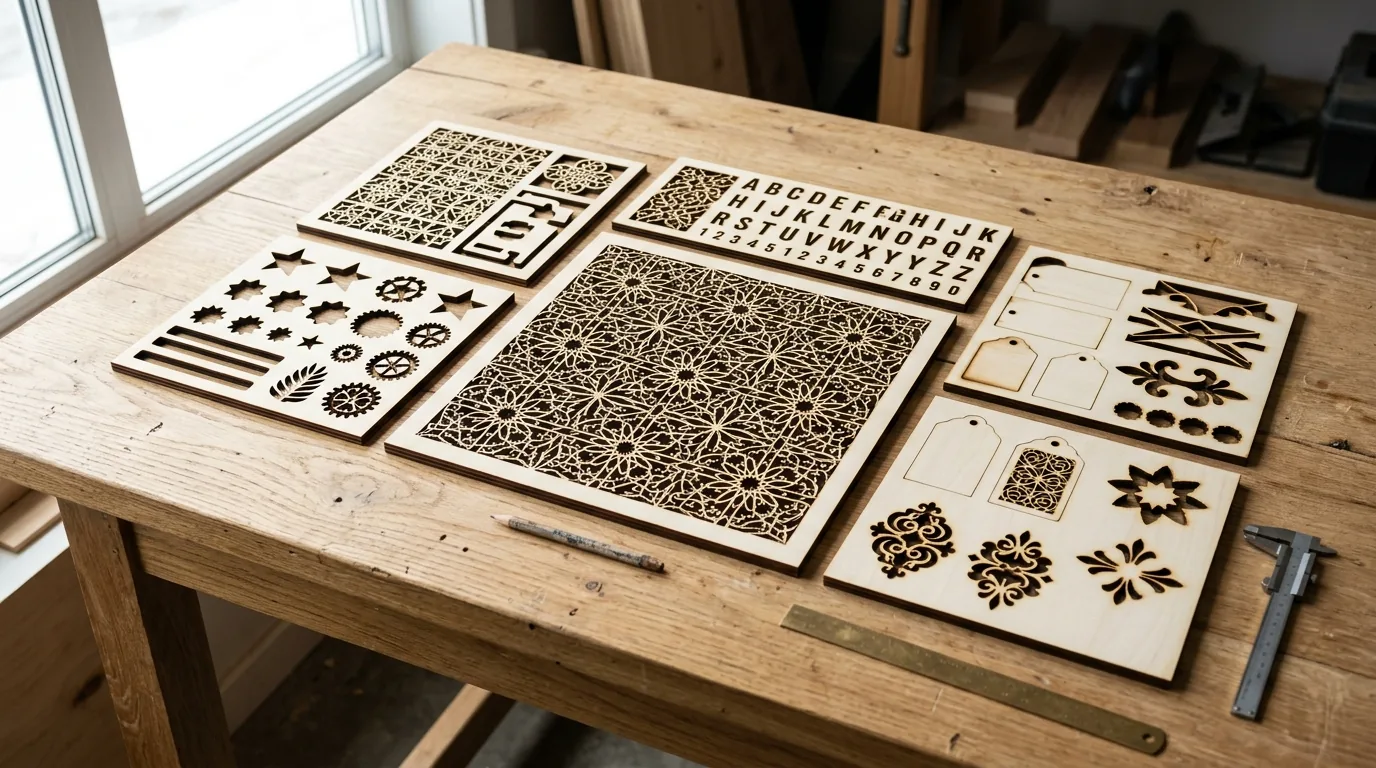
| Material | Engraving Contrast | Cut Ease | Smoke / Odor | Cost | Beginner Score |
|---|---|---|---|---|---|
| Basswood (3 mm) | ★★★★★ | Excellent – 1 pass | Low | $ | ★★★★★ |
| Baltic Birch Plywood | ★★★★ | Good – 2-3 passes | Medium | $$ | ★★★★ |
| MDF | ★★★ | Good – 1-2 passes | High (formaldehyde) | $ | ★★ |
| Pine / Soft Plywood | ★★★ | Poor – resin deposits | Medium-High | $ | ★★ |
Why Is Basswood the Best Wood for Laser Cutting Test Cards
Basswood is the closest thing to a controlled variable you’ll find at $2.08 a sheet. Its unusually consistent density means the speed and power numbers you land on a test card actually reflect your machine – not random grain variation or a resin pocket that torched one cell and barely touched the next.
That predictability is why it’s the go-to material for dialing in basswood laser cutting settings before moving to a real project – if you haven’t built one yet, see how to use a laser calibration card for the step-by-step version of this exact process. According to USDA Forest Products Laboratory data, basswood ranks among the lowest-resin domestic hardwoods – which is exactly what you want when you’re trying to isolate machine variables, not wood chemistry.
I ruined 3 sheets before I figured out 90% power was too hot – and every one of those mistakes happened on inconsistent scrap pine, not basswood. Switch materials and the results get readable fast.
- Consistent density – lets you isolate speed and power as the true variables; wood variance won’t mask your results or send you chasing phantom settings
- Low resin content – predictable burn behavior, no flare-ups mid-cut, and far less residue fouling your lens between test runs
- Minimal char at moderate power – clean dark edges at the right settings; if your edges look like toasted marshmallows, slow down – the wood will tell you clearly
- Smooth surface – shows fine engraved detail clearly, so you can read contrast differences between grid cells without squinting; pairs well with tips on how to prevent charring when laser cutting
- Affordable scrap cost – at $2.08/sheet in the 12-pack, one ruined test card costs less than 15 minutes of wasted time on a real project; you can afford to experiment aggressively
What Are the Best Test Card Settings for 3mm Basswood?
All settings below are for Crafteker 3mm basswood sheets (12×12 inch, laser-grade). Use the Laser Settings Calculator to fine-tune for your specific unit if results differ.
Your test grid should run speeds from 6-16mm/s in 2mm/s steps on one axis, and power from 20-100% in 20% steps on the other. That gives you a 6×5 grid – 30 cells – and isolates each variable cleanly. Don’t guess. Let the card show you.
Before you cut: wipe any dust off the sheet surface. Skip masking tape on test cards – you want to see the char to read the results accurately. Air assist should be ON at medium flow (40-50%). Too much blast and you can’t see the char gradient between cells.
| Machine | Cut Speed | Cut Power | Passes | Engrave Speed | Engrave Power | Air Assist |
|---|---|---|---|---|---|---|
| 10W Diode | 6-8 mm/s | 60-80% | 1-2 | 80-150 mm/s | 40-50% | Medium |
| 20W Diode | 8-12 mm/s | 50-70% | 1-2 | 150-300 mm/s | 40-60% | Medium |
| 40W CO2 | 20-35 mm/s | 45-65% | 1 | 200-400 mm/s | 45-65% | Medium |
Note: Air assist is strongly recommended across all machine types. It clears smoke from the cut path and keeps the lens clean – without it, power delivery drops as the session runs long and your later grid cells won’t match your earlier ones. Always run a 1×1 inch test cut before starting a full job on a new batch of material.
The Crafteker 12-pack basswood sheets are purpose-built for diode and CO2 lasers alike – 12×12 inch, 3mm, laser-grade, void-free. $24.99 for 12 sheets ($2.08/sheet).
How Do I Get Clean Cuts on Basswood Test Cards? Step-by-Step
Clean cuts come down to three things: accurate focus, consistent air assist, and flat material. Get those right and the grid reads itself. Miss one and you’ll spend an hour blaming your laser for a technique problem.
- Engrave or print grid labels before you cut. Label each row and column with its speed and power values first. If you cut the grid first, you’ll end up with 30 unlabeled holes and no idea which cell was which. Ask me how I know.
- Set focus dead-on at the card surface. Use your machine’s focus tool, autofocus probe, or manual z-axis to set focal distance exactly at the top face of the material – not the bed, not the honeycomb. Half a millimeter off focus costs you 15-20% effective power.
- Set air assist to 40-50% flow. I used full air blast on my first card and couldn’t see the char difference between cells – dial it back so you can actually read results. Medium flow clears smoke without blasting away the visual evidence you need.
- Start at slowest speed, highest power in your grid. Work through the grid in order. This gives you a reference burn early and lets you compare everything downstream against a known strong result.
- Run the full grid once – no multiple passes. The point is to find the single-pass sweet spot. Multiple passes skew results and hide the power threshold you’re looking for. Check out the basswood laser cutting settings guide if you’re not sure what single-pass clean looks like for your machine type.
- Let the card cool 2 minutes, then inspect under strong light. Look for the cell with the cleanest through-cut and the least char. If edges look like toasted marshmallows, that’s your “too slow / too hot” zone – move one column right. Clean dark edge with no flaking is exactly what you want. That cell’s settings are your production starting point. For more on keeping edges clean, see prevent charring when laser cutting.

How Does Basswood Compare Across Laser Types for Test Cards
CO2 lasers (40-50W) cut 3mm basswood fastest – typically 20-35mm/s at 55-65% power in a single pass. Diodes are slower by design: a 20-30W diode runs 8-12mm/s at 70-85% power, while a 10-15W diode needs 3-8mm/s at 80-100% power, usually 1-2 passes.
For test cards specifically, diode results vary more batch-to-batch because wood density shifts affect burn depth more at lower wattage – which is exactly why a fresh test card per batch is worth it. Basswood’s low resin content makes it the most forgiving test material across all three laser types: char stays predictable, and the surface shows cell boundaries clearly without blowout.
If you’re on a 10-15W diode, don’t let the slower speeds discourage you. A clean cut at 6mm/s is still a clean cut. Use our laser settings calculator to convert your wattage into a starting grid range before you burn your first cell.
Why Isn’t My Test Card Showing Consistent Results Across Cells
Light brown edges are normal. Jet-black and flaky isn’t – here’s why your grid cells are lying to you.
Most inconsistent test card results trace back to these four issues:
- Focus creep: If your card isn’t perfectly flat – even a 0.5mm bow – the focal point drifts across the grid and you’re testing focus variation, not speed/power. Pin or tape all four corners flush before you start.
- Dirty lens: Smoke residue builds up fast during grid runs. Power loss across a 20-cell card from a dusty lens is real – clean with IPA on a cotton swab before every test session, and check again mid-run if you’re doing large grids.
- Air assist inconsistency: Flow that drops halfway through changes char appearance cell to cell. Set it to 40-50% and leave it. Full blast sounds better but it actually makes reading results harder – I ran full air on my first card and couldn’t tell which cells had clean cuts versus scorched ones. Dial it back so you can actually read the burn.
- Grid steps too small: If your speed increments are 0.5-1mm/s apart, the difference between cells is invisible. Jump to 2mm/s steps minimum. I made a 20-cell grid with 0.5mm/s steps once and genuinely could not pick a winner – switched to 2mm/s steps and the best cell was obvious on first inspection.
Step increments matter more than people expect. A tight grid looks thorough but produces ambiguous results. Wider steps, fewer cells, clearer winner. For more on keeping edges clean once you’ve found your settings, see how to prevent charring when laser cutting.
Where to Buy Basswood Sheets for Laser Test Cards
Crafteker 3mm basswood sheets are built for exactly this kind of work – 12×12 inch, laser-grade, void-free, and pre-sanded flat. At $24.99 for 12 sheets ($2.08/sheet), one card costs less than 15 minutes of wasted time on a ruined project piece.
One 12×12 sheet cuts into 4-6 test cards depending on your grid size. That means a single 12-pack covers months of testing across multiple projects, machines, and wood batches – without having to second-guess whether your scrap pile matches your production material.
Ready to cut? Get the wood that works with these settings:
→ Buy Crafteker 12-Pack Basswood Sheets on Amazon – $24.99
Clip the 7% coupon on the listing page – buy 2 packs and save 20% automatically.
Also available: 5-pack ($15.97) · 3-pack ($12.99)
Frequently Asked Questions
What are the best laser cutter test card settings for 3mm basswood?
Start a grid with speeds 8-15mm/s (2mm/s steps) and power 20-100% (20% steps). Run at 100% power first, then dial down to find the minimum power that cuts through clean. Most 3mm basswood cuts cleanly around 10mm/s and 60-80% power in one pass. Pick the fastest, lowest-power cell with no flaming or char.
Is a test card worth the cost of basswood?
Yes – one test card at $2.08 saves you $15-30 in ruined project material and 30+ minutes of trial-and-error. Every new wood batch, thickness, or supplier needs a fresh test. Basswood is cheap enough that burning through a card beats guessing every time.
What is the best wood for laser test cards?
3mm laser-grade basswood. Low resin content isolates machine variables without wood inconsistency masking your results, and the $2.08/sheet cost (12-pack Crafteker on Amazon) makes it affordable to experiment freely without wincing every time you fire up the laser.
Can I use scrap basswood for a test card?
No – scrap pieces often have different density, moisture, or glue content than your fresh sheets. Test on material identical to what you’ll cut for the real project. One Crafteker sheet makes 4-6 test cards, so a single sheet covers multiple projects.
Where can I buy basswood sheets for test cards?
Crafteker on Amazon: 3-pack $12.99, 5-pack $15.97, 12-pack $24.99 ($2.08/sheet – best value for frequent testing). All laser-grade, 3mm, 12×12 inch, void-free, FBA shipped. Clip the 7% coupon on the listing page for extra savings.
About the author: Mike Dolan is a laser maker and wood materials specialist with 8+ years cutting basswood, birch, and MDF on diode and CO₂ machines. He tests every Crafteker basswood batch before listing.
This is exactly what I needed. Burned through 4 sheets of expensive plywood before I realized I wasn’t testing first – switched to Crafteker basswood test cards and dialed in my 10W diode in one afternoon. The grid method actually works: found my sweet spot at 12mm/s, 70% power, one pass. Now every project cuts perfect on the first try.