

5 Signs Your Bidirectional Basswood Engraving Is Off (2026)
Yes - scan direction can make vertical edges look doubled, shifted, or soft when bidirectional raster engraving is not aligned on basswood. Use a scrap test pattern to decide whether to calibrate scanning offset, reduce motion stress, or choose one-way engraving for detail.
This post contains affiliate links. As an Amazon Associate I earn from qualifying purchases, at no extra cost to you. Learn more.
By Mike Dolan ·
Quick Answer: These 5 checks help you diagnose bidirectional basswood ghosting and choose crisp one-way scanning or faster two-way filling.
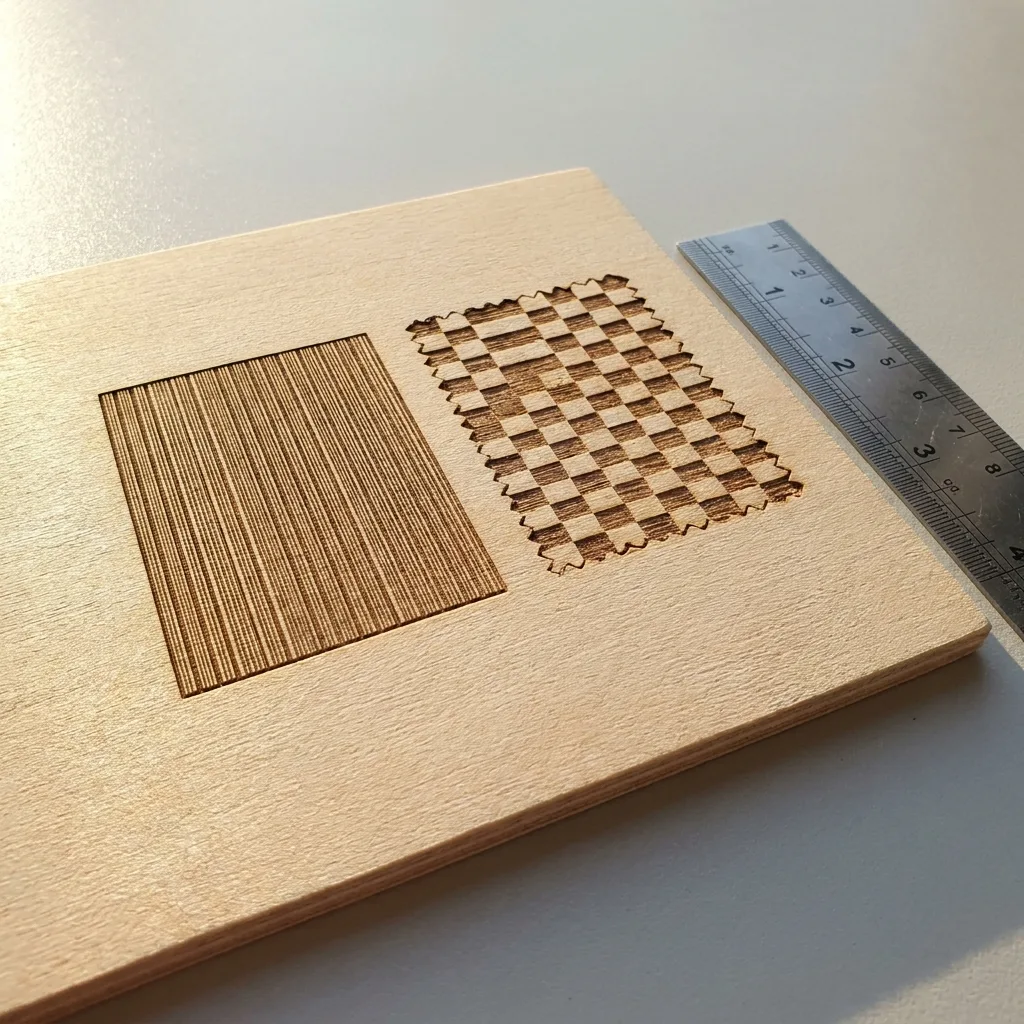
Why Scan Direction Matters on 3mm Basswood
On 3mm 3-ply basswood plywood, clean raster edges make a noticeable difference in text, fine logos, and filled artwork. Crafteker 12×12 inch basswood sheets provide a practical format for scrap calibration tests, but wood density and surface variation still mean you should test each batch.
5 Signs Your Bidirectional Scanning Is Off
Bidirectional alignment is likely off when opposite scan directions no longer place marks in the same position. Before changing settings, engrave a small sample on scrap basswood and inspect it under good light. The five clues below help separate a directional issue from focus, material, or mechanical movement.
- Jagged vertical edges. Straight upright edges look stair-stepped, wavy, or uneven rather than clean and continuous.
- Doubled or ghosted lines. A vertical line has a faint shadow beside it because left-to-right and right-to-left marks land in slightly different places.
- Fuzzy text. Small lettering appears soft, thick, or doubled, especially on upright strokes that reveal even a small directional shift.
- Banding stripes. Filled areas show visible horizontal scan rows, uneven tone, or repeating light and dark stripes.
- Shapes look wider on one side. Circles, boxes, and filled shapes gain a soft extension or darker edge along one side.
Ghosting most often points to scanning offset because the two directions are separated by a repeatable distance. Wobble, inconsistent bands, or errors that change across the bed can instead suggest focus variation, loose mechanics, vibration, or movement in the material. Diagnose the pattern before treating it as a software-only fault.
Bidirectional vs Unidirectional Raster Engraving
Bidirectional, or two-way, raster engraving fires the laser on left-to-right and right-to-left passes, so both directions mark the basswood. That can reduce engraving time and suits larger filled graphics where a tiny edge shift will not show. It also creates the possibility that opposite-direction marks will land slightly apart.
Unidirectional, or one-way, engraving marks in one direction and returns without engraving. It usually takes longer, but removes the directional mismatch and is safer for crisp small text, fine vertical edges, detailed outlines, and sharp artwork. Total time still depends on travel, acceleration, overscanning, controller behavior, and artwork geometry, so test on scrap rather than assuming two-way is faster. For file setup context, see the LightBurn workflow guide.
Line Interval Basics: Spacing, Darkness, and Banding
Line interval is the spacing between adjacent raster scan lines. A closer interval packs more lines into the same area, often making basswood darker and more solid. It also adds runtime, overlap, and heat buildup, which can deepen scorching. A wider interval can shorten the job, but excessive spacing leaves gaps or visible horizontal banding.
Line interval cannot correct directional ghosting, although poor spacing can make that artifact easier to see. Power and speed changes also alter the result, so compare samples from the same basswood batch. Use the DPI guide for photo engraving to connect resolution and spacing, the test card playbook for organized samples, and the engraving depth guide if added heat changes the surface character.
4-Step Test and Fix Routine for Raster Alignment
A controlled raster alignment test isolates directional separation before you alter production artwork. Use scrap from the same basswood batch, and keep the planned settings unchanged during the first pass. This makes the result useful for deciding between calibration, a motion adjustment, or one-way engraving.
- Engrave a simple pattern. Use narrow vertical lines and repeated vertical edges on scrap basswood with the same bidirectional mode, speed, acceleration, focus, and line interval planned for the job.
- Compare the edges closely. Look for a shadow, split line, uneven width, or a different result from opposite scan directions.
- Calibrate or change scan direction. If the pattern shows directional separation, use LightBurn’s Scanning Offset Adjustment (in the device settings, exact location depends on your version) for the intended speed, or switch critical artwork to one-way engraving. Scan-offset correction is speed-dependent, so do not copy values from another machine.
- Re-test and record the result. Keep notes on the machine, material batch, scan direction, speed, acceleration, power, focus, and line interval. Repeat calibration after motion, controller, or hardware changes.
Keep a repeatable test file with your production records, and rerun it after motion, controller, or hardware changes. Material faces can react differently, so the front and back face engraving guide helps you compare the side you intend to engrave. Simple practice artwork from the free Crafteker laser file bundle can also reveal edge quality before a customer job. If you sell or ship finished work, check marketplace and carrier rules yourself.
4 Raster Engraving Problems and Fixes
Raster defects usually reveal whether calibration, motion demand, spacing, focus, or mechanics need attention. Start with a test pattern rather than changing several controls at once. A clean vertical-line sample gives you a baseline, while repeated flaws across the bed suggest that software correction alone may not solve the problem.
- Offset changes with speed. Cause: The motion system has a finite response time, so scanning offset can vary as speed changes. Fix: Create or update LightBurn Scanning Offset Adjustment values for the production speed, then validate them on scrap.
- Ghosting appears only at fast speeds. Cause: Higher motion demand can make direction changes more visible. Fix: Reduce motion stress, consider lower acceleration where appropriate, and use one-way scanning for detail that remains soft. If supported, overscanning lets the head travel beyond the artwork before reversing; its menu location varies by controller or LightBurn workflow.
- Banding remains after the offset fix. Cause: Line interval, focus, material variation, or Y-axis motion may be causing uneven coverage. Fix: Test a closer interval if coverage is weak, while watching for excess overlap, darkening, and heat buildup on basswood.
- Text is still soft. Cause: Loose belts, pulley set screws, mounts, rails, frame flex, or visible head wobble can blur marks beyond what software can correct. Fix: Inspect the mechanics, retest the vertical-line pattern after each adjustment, and use one-way engraving if the text remains unacceptable.
After every adjustment, repeat the same vertical-line pattern and compare it with the earlier sample. The diode laser accessories guide can help identify tools for routine setup checks, but accessories do not replace tight mechanics, correct focus, or speed-specific calibration. Keep one-way scanning for detail that remains unacceptable in two-way mode.
Where to Get 3mm Basswood for Test Patterns
Crafteker 3mm basswood sheets are 12×12 inch, laser-grade, void-free and pre-sanded: a pale, even surface for engraving and paint, and consistent sheets for repeat batches. At $24.99 for 12 sheets ($2.08/sheet), test pieces cost very little. Need designs? Grab the free Crafteker laser file bundle.
Ready to run your scan test?
Tools & Materials Used

Laser-ready basswood for the projects in this guide.
Checking small offsets on a test pattern.
Holding test scraps flat on the bed.
Cleaner engraving. Check compatibility with your machine.
Eye protection. Match the wavelength of your laser.
Frequently Asked Questions
What causes two-way laser engraving ghosting on basswood?
Ghosting happens when marks made left-to-right and right-to-left do not land in the same position. Motion lag, speed-dependent scanning offset, acceleration, loose belts, pulley play, frame flex, and vibration can all contribute.
Where is LightBurn Scanning Offset Adjustment?
LightBurn provides Scanning Offset Adjustment in Device Settings under the Basic Settings tab. Use its documented scan-test process and calibrate on scrap at the speed you plan to use.
Should I use one-way laser engraving for text?
One-way engraving is generally the safer option for small text, fine vertical strokes, and detailed edges because it does not combine marks from opposite scan directions. It usually takes longer than bidirectional engraving.
Can overscanning fix blurry raster edges?
Overscanning can help keep acceleration and direction reversal outside the artwork when your machine supports it, but it cannot fix loose belts, loose screws, wobble, or frame flex. The exact menu location for Overscanning may vary.
Why does my basswood engraving have horizontal banding?
Banding can come from a line interval that is too wide, uneven focus, inconsistent motion, material variation, or mechanical wobble. Test line spacing on scrap and inspect the machine before assuming a software-only fix.
About the author: Mike Dolan is a laser maker and wood materials specialist with 8+ years cutting basswood, birch, and MDF on diode and CO₂ machines.
Run the vertical-line test on a scrap from the same sheet you will engrave. If the left and right edges of the lines do not line up, fix the scanning offset before you touch speed or power.