
6 Checks for Etsy Personalization Before Laser Basswood (2026)
A checking routine for Etsy personalization catches typos, missing accents, and font problems before they reach the laser, so you do not burn a wrong name into 3mm basswood plywood. Run the text through a short set of checks before you open the laser software, and confirm with the buyer through Etsy Messages whenever the wording is unclear.
This post contains affiliate links. As an Amazon Associate I earn from qualifying purchases, at no extra cost to you. Learn more.
By Mike Dolan ·
Quick Answer: This 6-step checking routine walks personalized Etsy text from the original order message to a laser-ready file on 3mm basswood without retyping or guessing.
Why Check Personalization Before You Cut
A wrong letter in a personalized name turns a sheet of 3mm basswood plywood into scrap and leaves the buyer waiting on a replacement. Checking the file before you press start takes a few minutes; recutting a 12×12 inch sheet costs the material, the time, and the buyer’s patience.
The 6-Step Checking Routine for Personalized Orders
This routine moves a personalized order from the Etsy message to the laser bed in six checks, each one catching a different kind of mistake before it reaches the material. Running through all six takes a few minutes and fits into a broader personalized orders workflow without slowing down a busy queue.
- Copy the text from the order. Open the Etsy order message and copy the buyer’s personalization text directly from where they typed it, rather than reading it and typing it fresh.
- Paste it into the design file. Paste the copied text into your design software instead of retyping it, since retyping is where most wrong letters get introduced.
- Compare letter by letter. Check the pasted text against the order one character at a time, looking at capital letters, apostrophes, accents, punctuation, and spacing separately rather than reading the whole word at a glance.
- Confirm the font renders every character. Look at each letter in the chosen font and make sure none show up as a blank box or a substitute symbol, which happens most often with accented letters or unusual punctuation.
- Check fit and stroke width. Make sure the text sits inside the piece with margins on all sides and that any thin letter strokes are not so fine they risk failing to hold up on 3mm basswood plywood.
- Read it aloud and test on scrap. Read the final text aloud against the approved order, then run a quick sample on scrap or use a preview and frame check before pressing start.
Wood behavior shifts with grain direction, moisture, and material batch, so a scrap test is worth doing even when the file looks correct on screen. The free Crafteker laser file bundle includes layouts you can use to practice this check before running it on paying orders.
What to Ask the Buyer When the Text Is Unclear
When spelling, spacing, capitalization, or intent isn’t clear from the order message, ask the buyer directly through Etsy Messages instead of guessing. This matters most for the free-text fields covered in the Etsy custom options guide, where buyers type in their own wording with no fixed options to pick from.
- Confirm exact spelling. Ask the buyer to spell out the name or phrase exactly as they want it engraved, including any accents or apostrophes.
- Confirm capitalization. Ask whether they want all capital letters, all lowercase, or a specific mix, since the order message doesn’t always make this obvious.
- Confirm dates and formatting. Ask them to confirm the exact date or text format they want, especially when numbers, abbreviations, or punctuation could be read more than one way.
Whatever the buyer sends back in Messages becomes the reference you check the file against later, especially if a question comes up after the order ships. Etsy’s own messaging and policy pages cover current rules for buyer-seller communication, so check those directly rather than relying on habit alone.
5 Common Personalization Mistakes and How to Fix Them
These five mistakes account for most of the typos and layout problems that show up in personalized Etsy orders, and each one has a fix that takes only a moment to apply once you know what to look for.
- Retyped names that introduce a typo. Cause: the seller read the buyer’s message and typed the name again instead of copying it. Fix: paste the text straight from the order into the design file instead of retyping it.
- Swapped or transposed letters. Cause: two letters get reversed during editing and are easy to miss on a quick read. Fix: compare the file against the order letter by letter rather than scanning the whole word at once.
- Missing or altered accents or apostrophes. Cause: these marks are small and get skipped during a fast proofread. Fix: check every accent, apostrophe, and punctuation mark in the file against the order one at a time.
- A font that won’t render a requested character. Cause: some fonts don’t include glyphs for accented letters or less common punctuation. Fix: check the font preview shows every character correctly before exporting. For very thin strokes, see the minimum feature size guide.
- Text placed too close to the edge. Cause: the design was sized on screen without checking it against the actual piece boundary. Fix: check margins against the real product outline using a preview or frame check, which a camera alignment guide can help make repeatable.
Keep an Approved-Text Record and Name Files by Order Number
Saving the buyer’s approved wording separately from the design file gives you a reference to check against if a question comes up after the order ships. Keep a record of the exact text, including any clarification exchanged through Etsy Messages, somewhere apart from the design file itself, since Messages can get buried in a busy inbox and the file alone doesn’t show what was discussed.
Name each design file so it includes the Etsy order number along with a short product identifier. This makes it straightforward to match the right file to the right order at a glance, rather than opening several files to figure out which one belongs to which customer. A simple order tracking system makes this habit easier to keep up as order volume grows.
Summary
This routine reduces avoidable personalization mistakes on Etsy orders headed for 3mm basswood plywood, though it won’t catch every possible error on its own. Copying text instead of retyping it, checking it letter by letter, confirming the font and fit, and reading the final text aloud before pressing start cover most of the common ways a name or phrase goes wrong.
None of these steps guarantee a particular outcome, and they don’t replace Etsy’s own marketplace rules or any carrier’s shipping rules, which are worth checking directly. Test on scrap before running a final piece, since wood grain, moisture, and batch can all affect how the engraving turns out. The test card playbook is a good place to start if scrap testing isn’t already part of your process.
Where to Get 3mm Basswood for Personalized Orders
Crafteker 3mm basswood sheets are 12×12 inch, laser-grade, void-free and pre-sanded: a pale, even surface for engraving and paint, and consistent sheets for repeat batches. At $24.99 for 12 sheets ($2.08/sheet), test pieces cost very little. Need designs? Grab the free Crafteker laser file bundle.
Ready to test your first name tag?
Tools & Materials Used
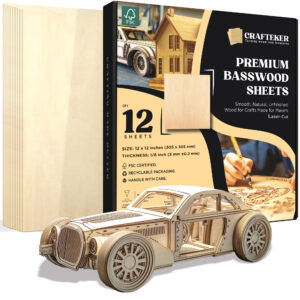
Laser-ready basswood for the projects in this guide.
Measuring sheet thickness and checking part size before a batch.
Masking against soot. Test on scrap first.
Lens care. Follow your machine manual.
Frequently Asked Questions
Why should I paste the buyer’s text instead of retyping it?
Retyping gives you a chance to introduce a typo, drop a letter, or change capitalization without noticing. Pasting the text directly from the order message keeps the original wording intact so your letter-by-letter check has something reliable to compare against.
What characters are easiest to miss when checking personalized text?
Apostrophes, accents, capitalization, and spacing are the most commonly overlooked details, since they are easy to skim past when you are reading for overall sense rather than checking character by character.
How do I know if a font will engrave a special character correctly?
Check the font preview in your design software and confirm the exact character from the order appears as intended, not as a blank box or a substitute symbol. If the font does not support a character, switch fonts or adjust before sending the file to the laser.
Why test on scrap before engraving the final 3mm basswood sheet?
Wood grain, moisture content, and material batch can all affect how an engraving turns out, even when the file itself is correct. A quick sample on scrap lets you confirm the result before committing the final 3mm basswood piece.
What should I do if the buyer’s personalization request is unclear?
Message the buyer through Etsy Messages to confirm the exact text, spelling, and formatting they want. Save that confirmation as your own record so you have something to check against if a question comes up later.
About the author: Mike Dolan is a laser maker and wood materials specialist with 8+ years cutting basswood, birch, and MDF on diode and CO₂ machines.
Copy the buyer’s text from the order, paste it into the file and compare it letter by letter before cutting. Test on scrap basswood first.