

Laser Cut City Skyline Wall Art in Basswood 2026
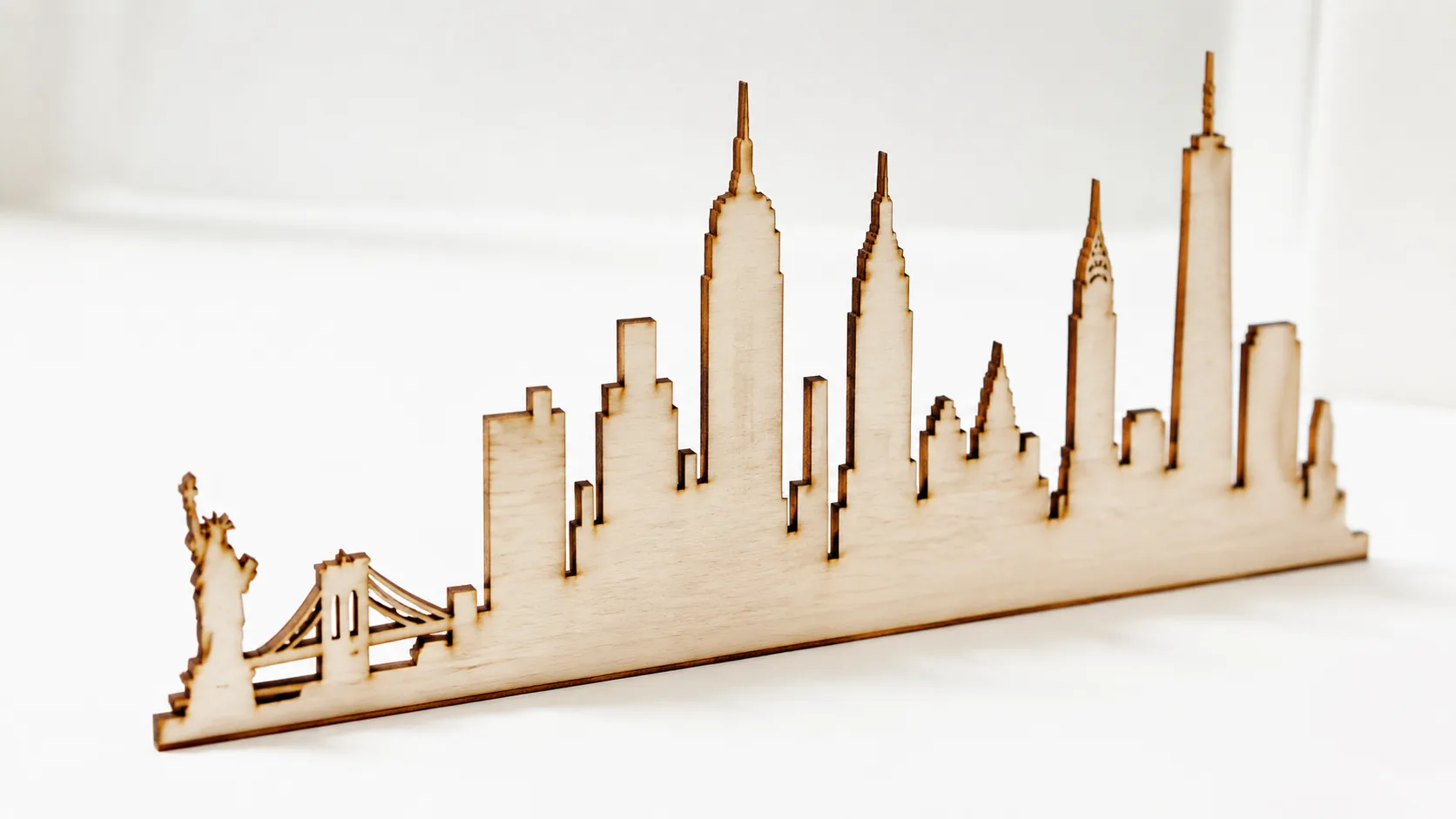
You can make a laser-cut city skyline on 12×12 inch, 3mm Crafteker basswood sheets and sell finished pieces on Etsy for $25–$45 each, with material costs around $2.25 per sheet. This guide walks you through the design selection, cutting settings, production workflow, and proven Etsy pricing strategies to turn skyline art into a profitable side business.
By Mike Dolan ·
| Material | Engraving Contrast | Cut Ease | Smoke / Odor | Cost | Beginner Score |
|---|---|---|---|---|---|
| Basswood (3 mm) | ★★★★★ | Excellent — 1 pass | Low | $ | ★★★★★ |
| Baltic Birch Plywood | ★★★★ | Good — 2–3 passes | Medium | $$ | ★★★★ |
| MDF | ★★★ | Good — 1–2 passes | High (formaldehyde) | $ | ★★ |
| Pine / Soft Plywood | ★★★ | Poor — resin deposits | Medium-High | $ | ★★ |
Why Makers Choose Basswood for City Skyline Projects
Basswood has become the go-to material for laser-cut wall art because it combines predictable cutting behavior with a finish quality that looks genuinely premium — qualities that matter most when you’re producing pieces for sale. According to USDA Forest Products Laboratory data, basswood ranks among the lowest-resin domestic hardwoods, which directly translates to cleaner cuts, less lens contamination, and a more consistent workflow across every production run. Whether you’re dialing in your first basswood laser cutting settings or scaling up to batch production, these five properties explain why serious makers rarely switch to anything else for skyline work — and why basswood consistently tops lists of the best laser cut items to sell on Etsy.
- Low resin — minimal sticky residue means your laser optics stay cleaner longer, especially critical during the intricate, sustained cuts that detailed city skyline silhouettes demand
- Consistent density — the same settings work batch after batch without retuning, so once you’ve verified your speed and power, every sheet in a 12-pack performs identically
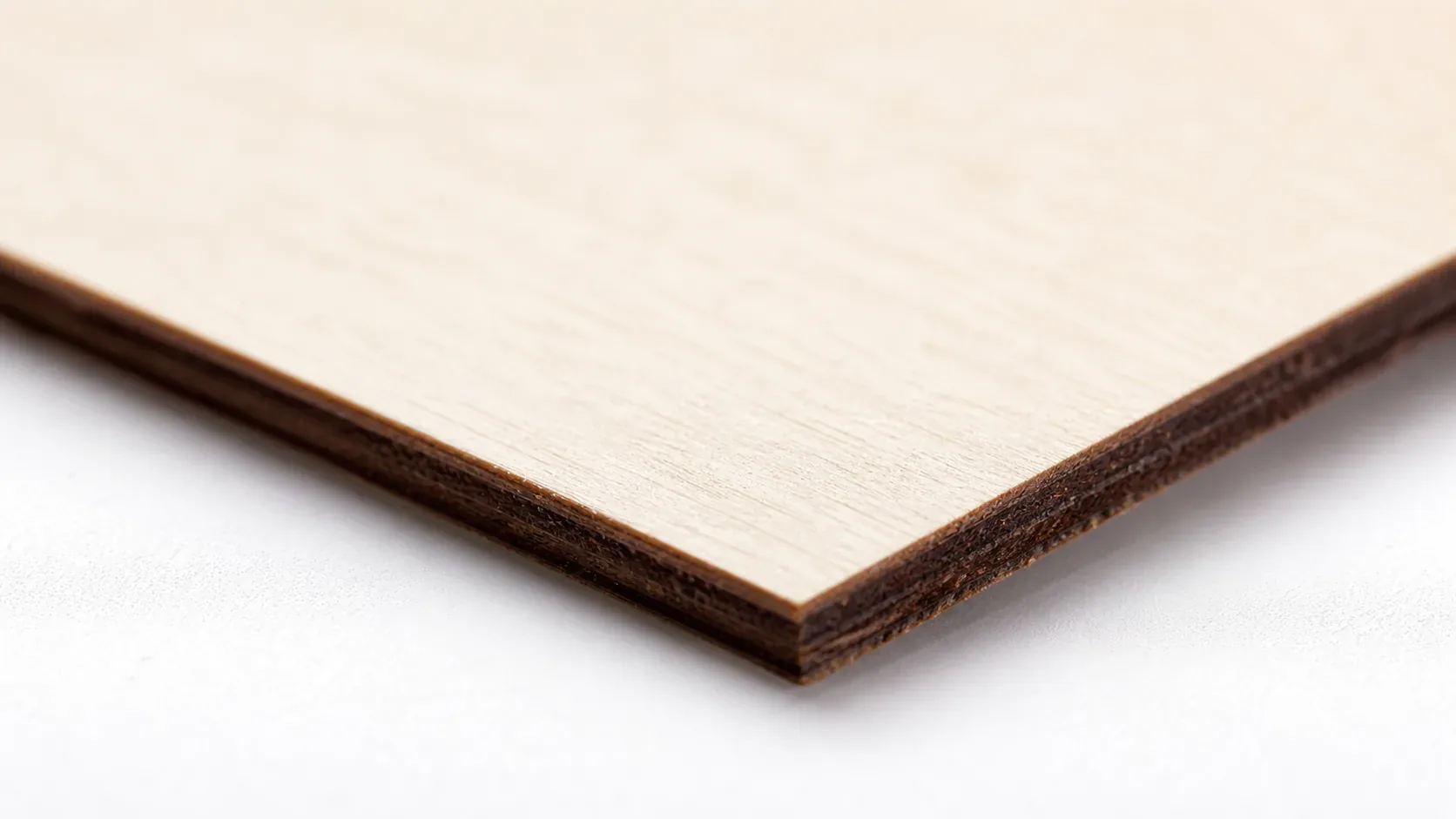
- Minimal char — the laser produces a warm chocolate-brown edge rather than harsh black char, giving finished wall art a professional, intentional look right off the cutting bed with no additional cleanup
- Light, workable surface — the pale cream face takes stain, oil, and paint evenly, and fine architectural details like window grids engrave cleanly without blowout or fuzz
- No toxic fumes — unlike MDF or treated plywood, basswood produces non-toxic smoke during cutting, making it safe for home studio laser work with basic ventilation in place
What You’ll Need
- Basswood sheets: Crafteker 3mm basswood, 12×12 inch — 1 sheet per skyline (12-pack recommended for production runs at $2.08/sheet)
- Laser machine: Any diode or CO2 laser (xTool, Glowforge, Creality Falcon, OMTech, etc.)
- Design file: City skyline SVG or DXF vector — free options on Etsy, Design Bundles, or draw your own in Inkscape/LightBurn
- Masking tape: Painter’s tape for the back face of each sheet to reduce char blowback during cutting
- Finishing supplies: 220-grit sandpaper, wood stain or tung oil (optional), felt furniture pads or sawtooth hangers for wall mounting
Estimated time: 1–2 hours per batch of 4 · Difficulty: Beginner · Profit potential: $2.25 materials → sell for $25–$45 on Etsy
Step-by-Step: Making City Skyline Wall Art from 3mm Basswood
Basswood’s low resin content and consistent density make it unusually forgiving for skyline silhouettes — intricate spires, antenna towers, and window cutouts all hold their shape cleanly without the charring or edge fuzz you get with cheap craft plywood. Follow these six steps from raw sheet to finished wall piece.
- Choose and prep your design file. Download a city skyline SVG or DXF (NYC, Chicago, and London silhouettes are top Etsy sellers). Open it in LightBurn or your laser software and check for nested shapes — a well-nested 12×12 layout can fit 2–4 smaller skylines per sheet, cutting your per-unit material cost in half.
- Prep the basswood sheet. Lightly sand the face with 220-grit to remove any factory coating, then apply painter’s tape to the back side to catch char blowback. Place the sheet flat on your laser bed — Crafteker sheets arrive flat and dry, so no warping corrections should be needed. Set your focal distance per your machine’s spec.
- Run a test cut on scrap. Before committing a full sheet, cut a small section of your skyline on a scrap offcut. You’re looking for single-pass penetration all the way through and warm chocolate-brown edges — not black char. Review the basswood laser cutting settings guide if your test shows uneven depth or excessive burning, and dial in your exact wattage using the laser settings calculator.
- Load and nest your full design. Confirm your artwork fits within the 12×12 sheet boundary with at least 5mm clearance from all edges. If you’re producing multiples, nest skylines side by side — even a 3mm gap between designs is enough for safe separation. Lock your material flat with hold-down pins if your bed allows.
- Run the full cut and monitor the first pass. Start the job and watch the first 30 seconds closely — check edge color and that the beam is tracking true to your vectors. CO2 laser users (40–50W) will typically complete a single-layer skyline in 3–8 minutes; diode laser users should expect 10–20 minutes at multi-pass settings. Do not leave the machine unattended during the cut.
- Finish and mount your skyline. Peel the painter’s tape from the back and remove the cut piece from the sheet. Lightly sand the laser-cut edges with 220-grit if any micro-fibers are present — this takes under a minute per piece. Apply a thin coat of tung oil or a light wood stain to deepen the grain if desired, or leave natural for a pale ivory look. Attach two sawtooth hangers or adhesive felt pads to the back, and the piece is ready to photograph and list.
Common Mistakes When Laser Cutting Basswood for City Skylines
- Test before every production run: CO2 and diode lasers behave very differently on basswood — even a humidity shift or lens cleaning changes your results. Always burn a test cut on a scrap strip at your target settings before committing a full sheet. A 2-minute test saves a $2.25 sheet and 20 minutes of finish work.
- Store sheets flat and let them acclimate: Moisture is the enemy of a clean cut. Warped or damp basswood causes uneven penetration and heavy black char on edges. Keep Crafteker sheets flat in a dry space and let them sit in your studio for 24 hours before cutting — especially if shipping brought them through cold or humid conditions.
- Nest your designs to maximize each sheet: A single 12×12 sheet can hold one full-size city skyline or 2–4 smaller nested designs. Plan your layout in your software before cutting — poor nesting is the fastest way to slash your margin per batch. At $2.08/sheet, wasted material adds up quickly across a production run.
- Mask the back to protect your finish: Apply painter’s tape to the back face of the sheet before cutting. It reduces char fallout on the underside and keeps your finish surface cleaner — especially important if you plan to stain or oil the piece before mounting.
How Much Can You Earn Selling City Skyline Art on Etsy?
City skyline wall art is a proven Etsy category with consistent search demand from home décor buyers, gift shoppers, and city-proud customers looking for personalized pieces. If you’re building a laser cutting business from home, skylines are one of the most profitable laser cutting projects you can run — low material cost, high perceived value, and easy to batch.
- Price point: $20–$35 for single-layer skylines; $40–$65 for 3D layered designs with LED backing. At $2.08/sheet for Crafteker basswood, material cost per unit is under $5 all-in (including finishing and packaging), leaving margins above 80% at mid-range retail prices.
- Best listing title keywords: “laser cut city skyline wall art”, “personalized skyline wood sign”, “custom city silhouette home decor”
- Photo tip: Shoot your finished skyline flat on a white or light linen surface with natural window light to the side — this highlights the warm chocolate-brown laser edges and fine cut detail that buyers respond to. Include a lifestyle shot hung on a wall for scale.
- Personalization upsell: Offer to engrave a city name, year, or custom coordinates beneath the skyline for an extra $8–$15. Personalized listings consistently outperform generic ones in Etsy search ranking and convert at a higher rate — it’s the single easiest way to increase average order value without changing your production process.
Where to Buy Basswood Sheets for City Skyline Projects
Crafteker 3mm basswood sheets are ideal for city skyline wall art — 12×12 inch, laser-grade, void-free, and pre-sanded for clean engraving results. At $24.99 for 12 sheets ($2.08/sheet), the profit margin on skyline art makes every batch count.
Ready to make your first batch? Get the wood that works:
→ Buy Crafteker 12-Pack Basswood Sheets on Amazon – $24.99
Clip the 7% coupon on the listing page – buy 2 packs and save 20% automatically.
Also available: 5-pack ($15.97) · 3-pack ($12.99)
Frequently Asked Questions
How much can I sell city skyline art for on Etsy?
Single-layer skylines typically sell for $20–$35, while 3D layered designs with LED backing command $40–$65. Using Crafteker basswood at $2.08/sheet, your material cost per 12×12 skyline is around $2.25, plus $0.50 finishing and $1.50 packaging—leaving a realistic margin of $24–$50 profit per sale at the mid-range price of $28.
What size basswood do I need for city skyline art?
12×12 inch, 3mm—the standard for single skylines and wall-hanging pieces. Crafteker sheets fit this spec exactly. One 12×12 sheet holds one full-size skyline or 2–4 nested smaller designs, making per-unit material cost highly efficient at $2.25 per sheet in the 12-pack.
How long does it take to laser cut a city skyline?
Cutting time depends on design complexity: simple outline skylines cut in 3–8 minutes on CO2 lasers (40–50W at 10–15 mm/s); detailed layered designs with fine window details may take 15–25 minutes. Add 10–15 minutes for finishing (sanding edges, staining, mounting). Production batches of 10 pieces take 2–3 hours total.
What laser settings should I use for city skyline art in basswood?
CO2 lasers (40–50W): 10–15 mm/s speed, 60–75% power, single pass. Diode lasers (5–20W): 5–10 mm/s, 80–100% power, 2–3 passes. Always test on scrap first. Use the Crafteker laser settings calculator at crafteker.com/laser-settings-calculator/ to dial in your exact machine and material.
Where can I buy basswood sheets for city skyline projects?
Crafteker on Amazon: 3-pack $12.99, 5-pack $15.97, 12-pack $24.99 ($2.08/sheet—best value for production runs). All sheets are 12×12 inch, 3mm, laser-grade, and void-free. The 12-pack is your sweet spot for serious Etsy makers.
About the author: Mike Dolan is a laser maker and wood materials specialist with 8+ years cutting basswood, birch, and MDF on diode and CO₂ machines. He tests every Crafteker basswood batch before listing.
Been doing city skylines on my CO2 at 12 mm/s, 70% power — cuts clean in one pass on Crafteker’s 3mm sheets. Switched to their 12-pack last year and my margins jumped from selling 5–6 pieces a month to moving 15–20. The void-free quality is real—no delamination surprises at cutoff time.