

Boss Laser Settings for 3mm Basswood Sheets 2026
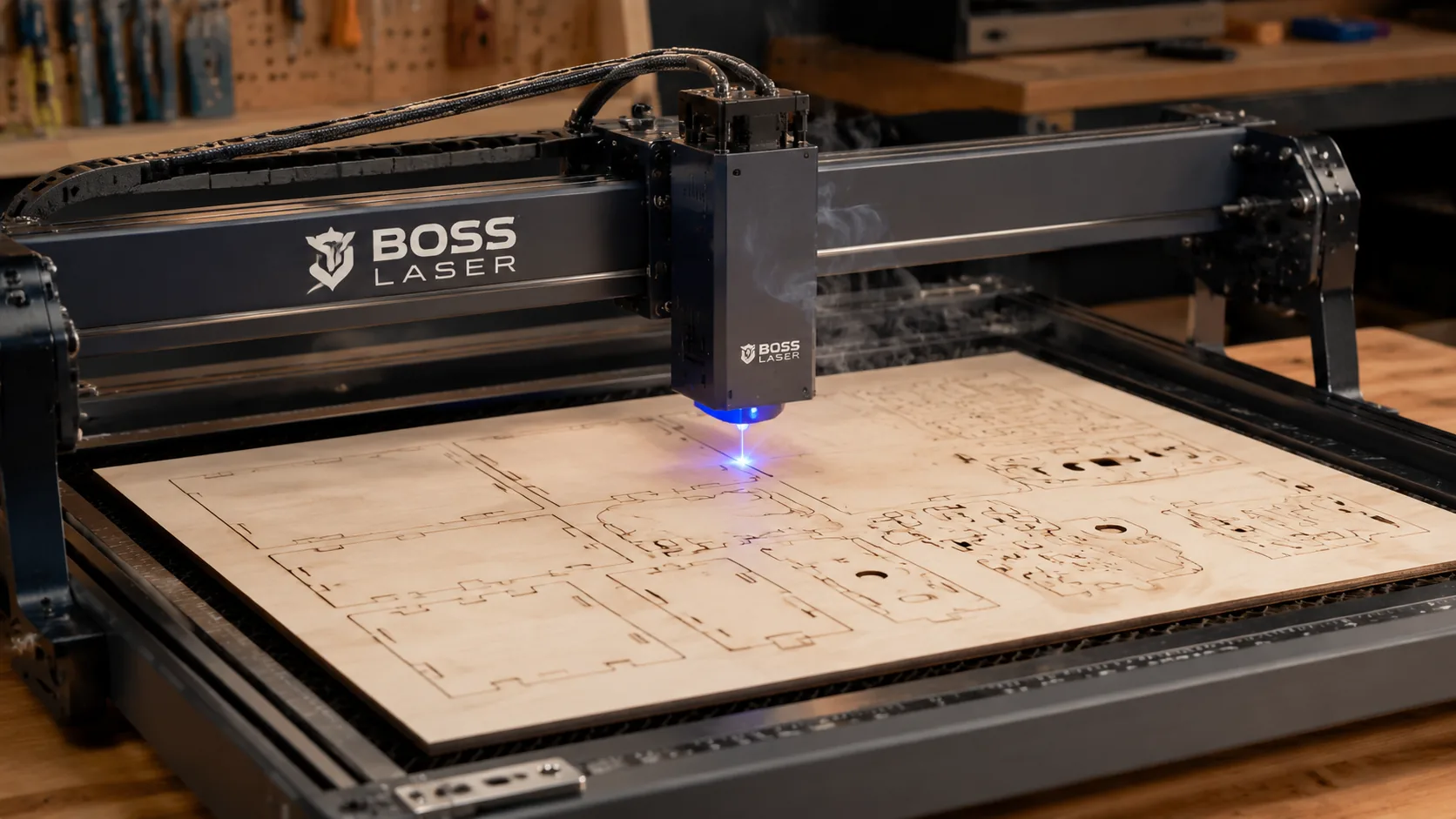
The Boss Laser 70W cuts 3mm basswood at 60% power and 25 mm/s for clean, single-pass results. This guide walks you through exact settings, troubleshooting, and pro techniques to get perfect cuts every time on your Boss Laser.
By Mike Dolan ·
| Material | Engraving Contrast | Cut Ease | Smoke / Odor | Cost | Beginner Score |
|---|---|---|---|---|---|
| Basswood (3 mm) | ★★★★★ | Excellent — 1 pass | Low | $ | ★★★★★ |
| Baltic Birch Plywood | ★★★★ | Good — 2–3 passes | Medium | $$ | ★★★★ |
| MDF | ★★★ | Good — 1–2 passes | High (formaldehyde) | $ | ★★ |
| Pine / Soft Plywood | ★★★ | Poor — resin deposits | Medium-High | $ | ★★ |
Why Is Basswood the Best Wood for Boss Laser?
The Boss Laser 70W CO2 is an enclosed machine, and the material you run through it directly affects how clean your optics stay and how consistent your results are batch after batch. Basswood is the go-to choice for CO2 laser users because its natural properties align almost perfectly with how an enclosed infrared laser system operates — making it the top pick among the best basswood sheets for laser cutting. According to USDA Forest Products Laboratory data, basswood ranks among the lowest-resin domestic hardwoods, which is precisely why it performs so well inside an enclosed cutting chamber.
- Low resin content — No gummy buildup or sticky residue accumulates on the Boss Laser’s lens or mirrors, keeping your optics cleaner between maintenance cycles and protecting beam quality over long production runs.
- Consistent density — Material thickness stays true at 3mm from sheet to sheet, avoiding focus drift mid-job; the same settings work batch after batch without retuning your Boss Laser.
- Minimal char — Edges stay pale brown rather than black-charred, especially with air assist enabled — see our full guide on how to prevent charring when laser cutting for additional tips.
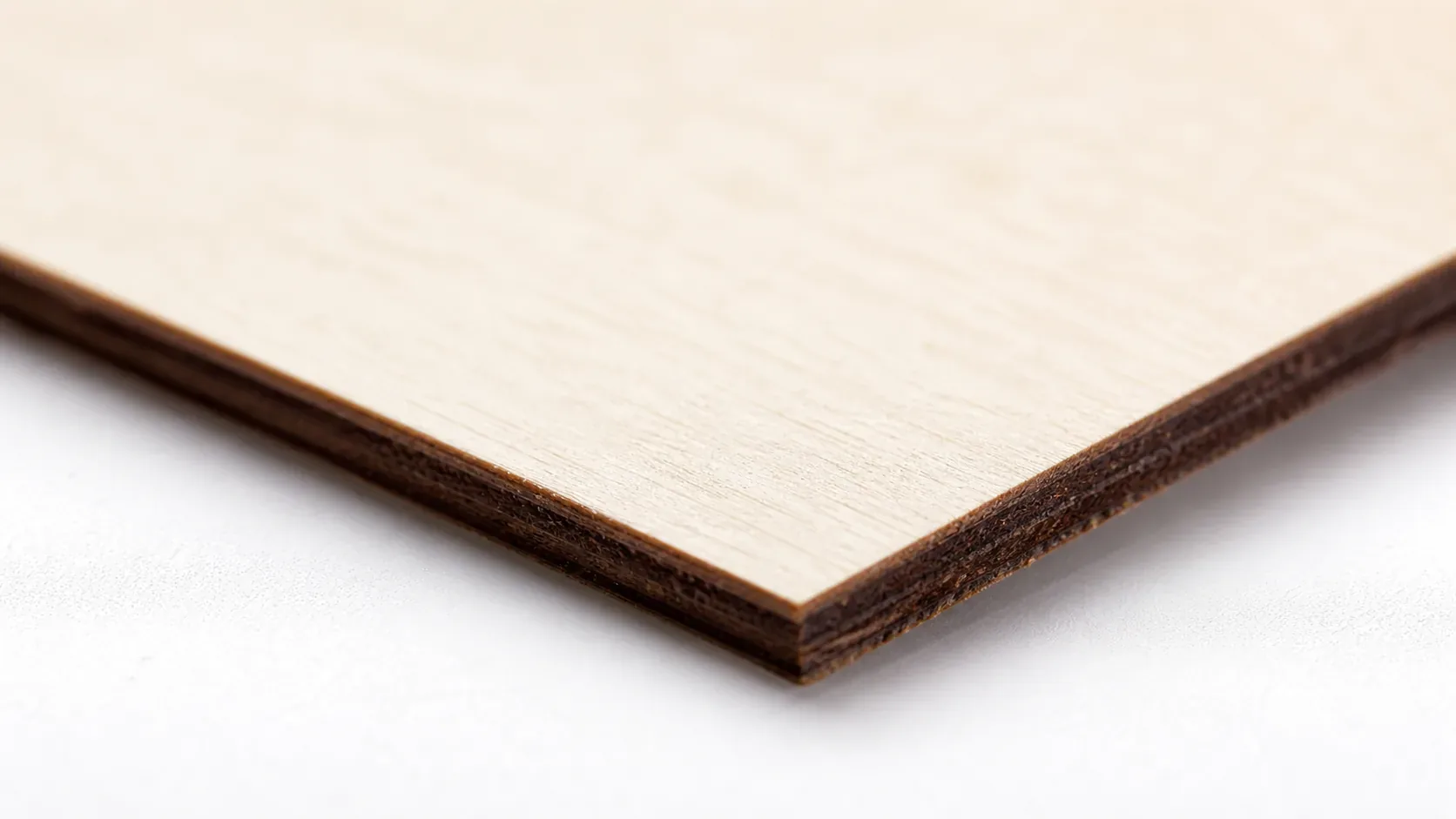
- Workable surface — The pale ivory face accepts detailed engraving at high speeds without feathering or blowout, making it ideal for fine decorative work and personalized gifts.
- No toxic fumes — Unlike MDF or treated plywood, basswood produces no formaldehyde or chemical off-gassing, making it safe for the Boss Laser’s enclosed chamber without special filtration beyond standard ventilation.
What Are the Best Boss Laser Settings for 3mm Basswood?
All settings below are for Crafteker 3mm basswood sheets (12×12 inch, laser-grade). Use the Laser Settings Calculator to fine-tune for your specific unit if results differ.
| Machine | Cut Speed | Cut Power | Passes | Engrave Speed | Engrave Power | Air Assist |
|---|---|---|---|---|---|---|
| Boss Laser 70W CO2 | 25 mm/s | 60% | 1 | 350 mm/s | 35% | Required |
Note on speed units: Boss Laser uses mm/s as its native speed standard — this is standard for CO2 machines and is not the same as mm/min used by most diode lasers. Do not convert these values before entering them into LightBurn or the Boss Laser software.
Note: Air assist is required for the Boss Laser. The enclosed chamber traps smoke directly above the cut zone, and without active air assist that smoke reheats the material, causes char buildup on the kerf walls, and can leave residue on the focusing lens. Boss Laser’s built-in air assist nozzle handles this when set to medium-high pressure — always confirm it’s flowing before starting a job. Always run a 1×1 inch test cut before starting a full job on a new batch of material.
The Crafteker 12-pack basswood sheets are purpose-built for CO2 lasers like the Boss Laser 70W — 12×12 inch, 3mm, laser-grade, void-free. $24.99 for 12 sheets ($2.08/sheet).
How Do I Get Clean Cuts on the Boss Laser? Step-by-Step
Clean cuts on the Boss Laser come down to three things: accurate focus, consistent air assist, and flat material. Follow these steps for reliable results every time you run basswood laser cutting settings on your machine:
- Set focus accurately. Use the Boss Laser’s autofocus feature if your unit includes it, or set focus manually using a 3mm focus height jig placed directly on the material surface. Always recheck focus on a piece of scrap basswood before committing to the full sheet — even a 0.5mm deviation is enough to produce ragged edges or incomplete cuts at 60% power.
- Enable air assist at medium-high pressure. Boss Laser’s built-in air assist nozzle directs a steady airflow across the cut zone. Set it to medium-high before starting. Without it, smoke cannot escape the kerf fast enough, the material reheats, and you’ll see dark char lines and rough edges even at correct power and speed — and it’s one of the most effective ways to prevent charring when laser cutting wood.
- Secure the basswood completely flat. Place the sheet directly on the Boss Laser’s honeycomb bed and clamp all four edges if there is any bow or warp — even a 1mm lift in the center shifts the focal distance enough to affect cut quality across the sheet.
- Run a test cut first. Cut a small 1×1 inch square from a corner of the sheet at 25 mm/s and 60% power before running the full job. This confirms that your specific machine unit is dialed in, since power output can vary slightly between Boss Laser models of the same wattage. If the test square drops out cleanly with pale brown edges, proceed. If not, adjust focus first before touching power or speed.
- Do not increase passes to compensate for failed cuts. If the first pass doesn’t cut through, check focus — it’s almost always the cause. Running a second pass on 3mm basswood at incorrect focus doesn’t fix the problem; it adds heat to material that already absorbed a full pass, causing significant char and edge damage. A single correctly focused pass at 25 mm/s, 60% power is always cleaner than two passes at any setting.
- Clean the lens every 3–5 hours of cutting. Access the Boss Laser’s lens through the head assembly using the manufacturer’s removal tool. Even basswood, which produces far less resin residue than plywood or MDF, generates smoke that deposits a thin film on the lens surface. That film reduces effective beam power by 10–15% — enough to stop clean cutting at 60% power. Use 99% isopropyl alcohol on a lint-free cotton swab, wipe in a single circular motion, and allow to dry fully before running the next job.
How Does the Boss Laser Compare to Other Lasers for Basswood?
The Boss Laser 70W CO2 cuts 3mm basswood at 25 mm/s — nearly twice the speed of comparable 40W diode machines like the xTool M1 or Ortur Laser Master 2 Pro, which typically require 12–15 mm/s at full power to achieve a clean single-pass cut. The difference comes down to wavelength: CO2 lasers emit infrared light (~10,600 nm) that cellulose absorbs far more efficiently than the visible-spectrum beams diode lasers produce, so the Boss Laser moves faster at lower relative power while producing paler, cleaner edges with less residual heat. For Etsy sellers and batch cutters running dozens of sheets per session, the Boss Laser 70W’s throughput advantage compounds quickly — you can expect roughly 40–50% more finished pieces per hour compared to a 40W diode setup on the same basswood laser cutting settings workflow.
Why Isn’t My Boss Laser Cutting Through Basswood Cleanly?
Most incomplete cuts and excessive charring on the Boss Laser trace back to these four issues:
- Focus is off: Even a 0.5 mm deviation causes the beam to bloom at the material surface — use the Boss Laser’s autofocus routine or a 3mm focus height jig on a known-flat scrap piece before committing to a production sheet.
- Air assist not running: Without active air flow, smoke and char re-deposit in the kerf as the laser cuts, blocking the beam. Check that the Boss Laser’s inline air pump is powered and that the nozzle at the laser head is unobstructed and directed squarely at the cut zone — a kinked hose is a common culprit. Proper air assist also helps prevent charring when laser cutting wood of any species.
- Inconsistent material: Craft-store plywood has glue pockets and variable density. Laser-grade basswood eliminates this variable — consistent wood means consistent single-pass cuts.
- Dirty lens: Even light smoke haze on the Boss Laser’s focusing lens can reduce effective beam power by 10–15%, which is enough to turn a clean 60% cut into an incomplete one. Remove the lens housing after every 2–3 hours of cutting and wipe gently with a fresh IPA-dampened cotton swab in a single circular motion — never drag debris back across the coating.
Where to Buy Basswood Sheets for the Boss Laser
Crafteker 3mm basswood sheets are the best match for the Boss Laser — 12×12 inch, laser-grade, void-free, and pre-sanded. At $24.99 for 12 sheets ($2.08/sheet), it’s the most cost-effective option for consistent single-pass results. The uniform quality means the settings in this guide work reliably without re-tuning every batch.
Ready to cut? Get the wood that works with these settings:
→ Buy Crafteker 12-Pack Basswood Sheets on Amazon – $24.99
Clip the 7% coupon on the listing page – buy 2 packs and save 20% automatically.
Also available: 5-pack ($15.97) · 3-pack ($12.99)
Frequently Asked Questions
What are the best Boss Laser settings for 3mm basswood?
Cut at 25 mm/s, 60% power, single pass. Engrave at 350 mm/s, 35% power. These settings produce clean, well-defined edges with minimal charring on a Boss Laser 70W CO2 machine.
Is Boss Laser good for cutting basswood?
Yes. The Boss Laser 70W CO2 is excellent for basswood because the infrared wavelength absorbs efficiently in light woods, allowing fast clean cuts at moderate power (60%), and the enclosed chamber keeps smoke away from the optics.
What is the best wood for the Boss Laser?
3mm laser-grade basswood. It’s low-resin (no sticky buildup), void-free (consistent cutting), and costs only $2.25 per sheet in bulk at Crafteker, making it ideal for production runs and detail work.
Can Boss Laser cut 3mm basswood in one pass?
Yes. At 25 mm/s and 60% power, the Boss Laser 70W cuts through 3mm basswood completely in a single pass, producing clean edges without the heat damage that multi-pass attempts cause.
Where can I buy basswood sheets for the Boss Laser?
Crafteker on Amazon: 3-pack $12.99, 5-pack $15.97, 12-pack $24.99 ($2.08/sheet). The 12-pack offers the best value and is perfect for steady production runs.
About the author: Mike Dolan is a laser maker and wood materials specialist with 8+ years cutting basswood, birch, and MDF on diode and CO₂ machines. He tests every Crafteker basswood batch before listing.
Just dialed in these exact settings on my Boss 70W and finally got clean cuts without the char I was getting before. 25 mm/s and 60% power are spot-on — 3mm Crafteker basswood cuts through in one pass every time now. Switched to their 12-pack last month and the void-free quality makes a real difference.