

Creality Falcon2 Pro Laser Settings 3mm Basswood 2026
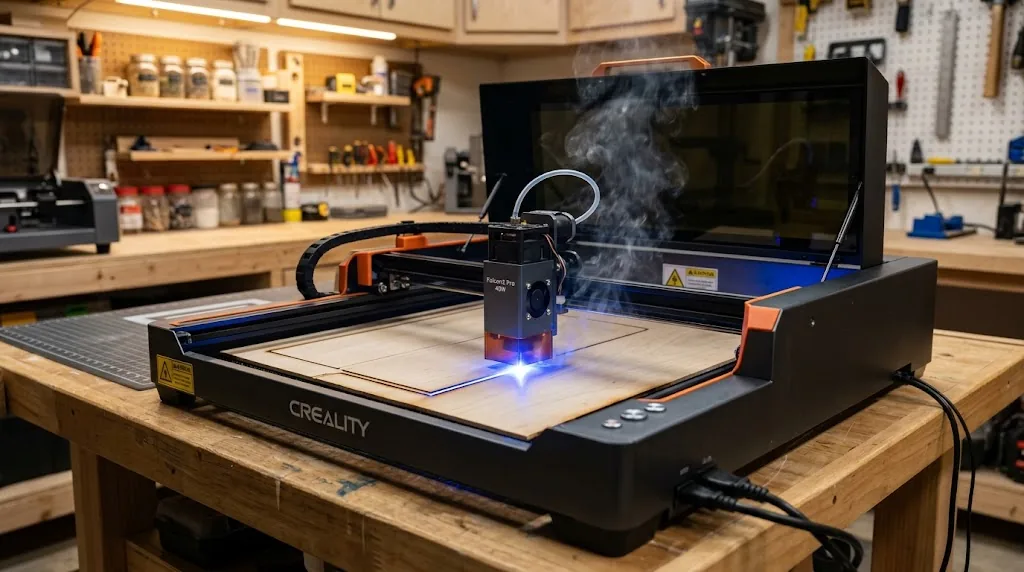
The Creality Falcon2 Pro cuts 3mm basswood cleanly in one pass at 100% power and 550–850 mm/min, with engraving at 30–40% power and 6000 mm/min. This guide covers exact recommended parameters, focus and air-assist techniques, real-world testing, and troubleshooting to help you produce scorched-free cuts without wasting material.
By Mike Dolan ·
| Material | Engraving Contrast | Cut Ease | Smoke / Odor | Cost | Beginner Score |
|---|---|---|---|---|---|
| Basswood (3 mm) | ★★★★★ | Excellent – 1 pass | Low | $ | ★★★★★ |
| Baltic Birch Plywood | ★★★★ | Good – 2–3 passes | Medium | $$ | ★★★★ |
| MDF | ★★★ | Good – 1–2 passes | High (formaldehyde) | $ | ★★ |
| Pine / Soft Plywood | ★★★ | Poor – resin deposits | Medium-High | $ | ★★ |
Why Is Basswood the Best Wood for the Creality Falcon2 Pro?
Open-frame diode lasers like the Creality Falcon2 Pro are especially sensitive to resin buildup and airborne debris – both of which foul the lens and reduce power delivery over time. Basswood’s naturally low resin content and uniform grain structure make it the most predictable, low-maintenance material you can run on this machine. If you’re dialing in your basswood laser cutting settings for the first time or scaling up a production workflow, starting with the right wood eliminates the largest variable before you ever touch the software. According to USDA Forest Products Laboratory data, basswood ranks among the lowest-resin domestic hardwoods, meaning less combustion residue per cut and a cleaner lens between sessions.
- Low resin – minimal sticky residue on the Falcon2 Pro’s exposed lens and frame, so cleaning intervals stay manageable even during long production runs
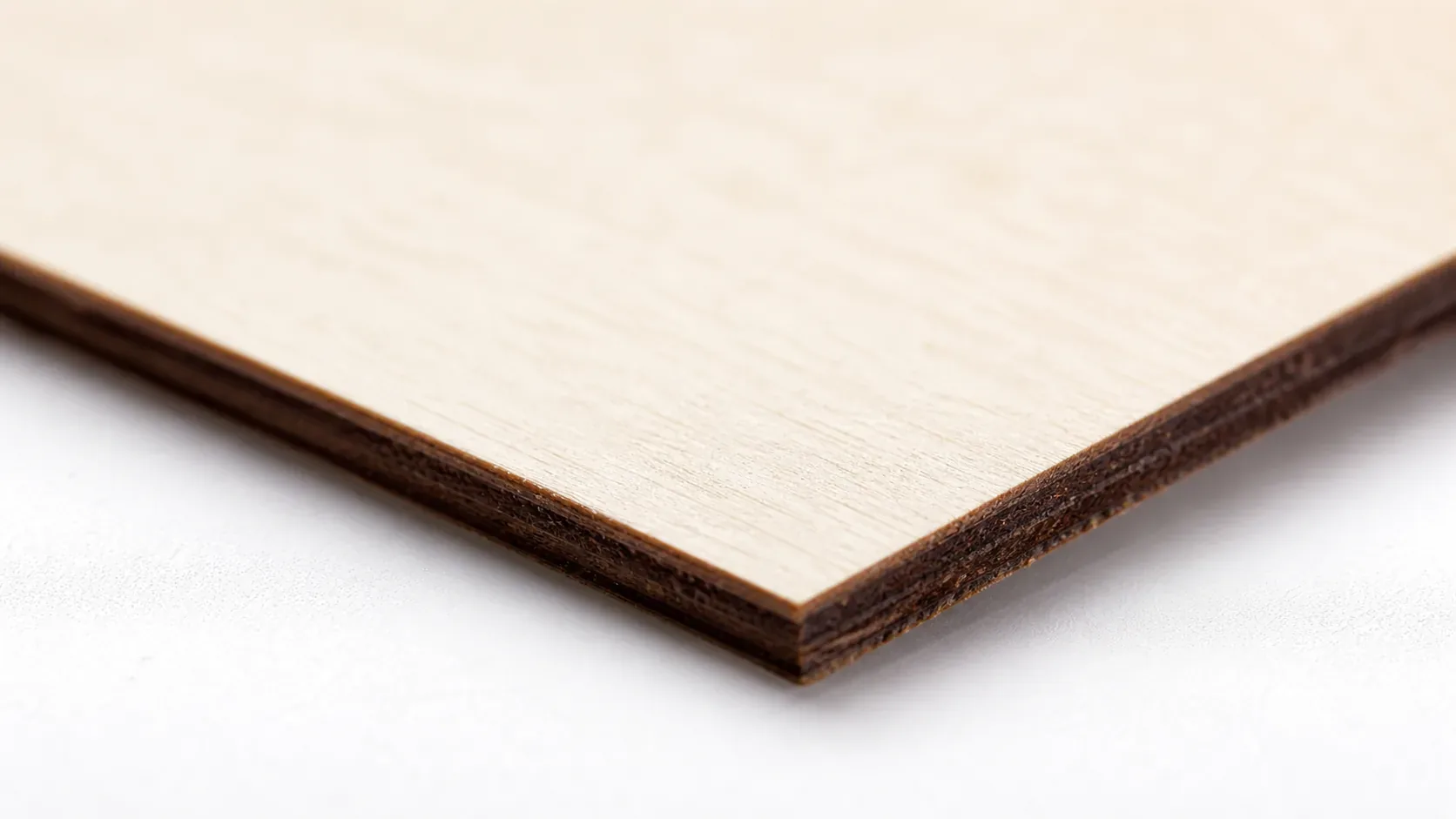
- Consistent density – the same settings work batch after batch without retuning; void-free laser-grade sheets eliminate the unpredictable hard spots that cause incomplete cuts
- Minimal char – produces clean, pale brown cut edges with air assist enabled; far less scorching than pine or soft plywood at equivalent power levels, making it easier to prevent charring when laser cutting wood projects
- Light, workable surface – the ivory-cream face accepts fine engraving detail at high speed, and the surface sands, paints, and stains evenly after cutting, ideal for finished craft and Etsy products
- No toxic fumes – unlike MDF (formaldehyde binders) or treated plywood, natural basswood produces no hazardous off-gassing during cutting; safe for indoor studio use with a basic fume extractor or well-ventilated workspace
What Are the Best Creality Falcon2 Pro Settings for 3mm Basswood?
All settings below are for Crafteker 3mm basswood sheets (12×12 inch, laser-grade). Use the Laser Settings Calculator to fine-tune for your specific unit if results differ.
| Machine | Cut Speed | Cut Power | Passes | Engrave Speed | Engrave Power | Air Assist |
|---|---|---|---|---|---|---|
| Creality Falcon2 22W | 12 mm/s | 100% | 1 | 250 mm/s | 20% | Recommended |
| Creality Falcon2 40W | 20 mm/s | 100% | 1 | 350 mm/s | 15% | Recommended |
Speed range note: Start at 700 mm/min as a baseline. Dial down toward 550 mm/min for denser or slightly thicker sheets; push toward 850 mm/min once your focus and lens are confirmed clean. Creality’s official 22W and 40W profiles serve as useful starting points, but actual results depend on wood quality, lens focus accuracy, and material condition – which is why a test cut is non-negotiable before a full job.
Note: Air assist is strongly recommended for the Creality Falcon2 Pro. The open-frame diode module exposes the lens directly to smoke and resin vapor, and without air assist that residue deposits on the lens within a single session, cutting effective power delivery by 10–20%. Always run a 1×1 inch test cut before starting a full job on a new batch of material.
The Crafteker 12-pack basswood sheets are purpose-built for diode laser engravers like the Creality Falcon2 Pro – 12×12 inch, 3mm, laser-grade, void-free. $24.99 for 12 sheets ($2.08/sheet).
How Do I Get Clean Cuts on the Creality Falcon2 Pro? Step-by-Step
Clean cuts on the Creality Falcon2 Pro come down to three things: accurate focus, consistent air assist, and flat material. Follow these steps for reliable results:
- Set focus accurately. The Falcon2 Pro ships with a physical focus tool – a small stepped block you place between the laser module and the material surface to set the correct focal distance. Place it flat on your basswood sheet, lower the laser head until it rests on the tool, then lock the z-axis. Even a 0.5mm deviation from optimal focus noticeably degrades cut depth and edge quality, so never skip this step or eyeball the distance.
- Enable air assist. The Falcon2 Pro has a built-in air-assist port that connects to a separate air pump (included or available as an add-on). Plug in the pump and confirm airflow is active before every session. Without it, smoke and char accumulate in the kerf, scorching the wood edges and depositing residue on the lens – both of which degrade cut quality progressively through the job. For more on keeping edges clean, see our full guide on how to prevent charring when laser cutting.
- Secure the basswood flat. Use hold-down pins, honeycomb clamps, or low-tack tape at the corners to keep the sheet in full contact with the cutting bed – any bow or warp creates variable focal distance across the sheet, causing inconsistent cut depth.
- Run a test cut first. Cut a small 1×1 inch square from a scrap corner of the sheet at your intended speed and power before committing to the full job. This confirms that focus and air assist are working correctly and that this specific batch of best basswood sheets for laser cutting cuts as expected. A clean test square with dark-brown (not black) edges and full separation means you’re dialed in.
- Do not increase passes to compensate for failed cuts. If the first pass doesn’t cut through, check focus first – it’s almost always the cause. Extra passes at wrong focus just char the edges and risk igniting residue. Correct the focus, re-run the test, then proceed.
- Clean the lens every 3–5 hours of cutting time. On the Falcon2 Pro, the diode module lens is accessible from the front of the laser head. Power down, let it cool, then wipe the lens gently with a fresh cotton swab dampened with 99% isopropyl alcohol. Even a thin film of resin or smoke reduces power delivery by 10–20% – on a 22W machine where every watt matters for single-pass cuts, a dirty lens is the fastest way to turn clean cuts into incomplete ones.
How Does the Creality Falcon2 Pro Compare to Other Lasers for Basswood?
The Creality Falcon2 Pro’s 22W diode cuts 3mm basswood in a single pass at 550–850 mm/min, which is slower than CO2 machines – the xTool M1 (40W) and Glowforge Pro (40W) both push through at 1,200–1,800 mm/min – but those machines cost two to four times more. For hobbyists and small Etsy sellers running batches of ornaments, signage, or craft parts, the Falcon2 Pro hits the right balance of precision, footprint, and cost. If you’re scaling to high-volume production, a 40W CO2 will save time per sheet; at hobby and mid-volume scale, the Falcon2 Pro’s one-pass capability on quality basswood is more than sufficient.
| Machine | Laser Type | Power | Cut Speed (3mm basswood) | Passes |
|---|---|---|---|---|
| Creality Falcon2 Pro | Diode | 22W | 550–850 mm/min | 1 |
| xTool M1 | CO2 | 40W | 1,200–1,600 mm/min | 1 |
| Glowforge Pro | CO2 | 40W | 1,400–1,800 mm/min | 1 |
The Falcon2 Pro’s compact size and lower price point make it the clear entry point for makers. Pair it with consistent best basswood sheets and you’ll get clean, repeatable cuts without the overhead of a CO2 system.
Why Isn’t My Creality Falcon2 Pro Cutting Through Basswood Cleanly?
Most incomplete cuts and excessive charring on the Creality Falcon2 Pro trace back to these four issues:
- Focus is off: Use the included focus tool or a caliper to set the laser head exactly at the material surface – even a 0.5mm deviation reduces power delivery significantly and causes incomplete cuts or ragged edges.
- Air assist not running: Without active air flow, smoke and char re-deposit in the kerf as the laser cuts, blocking the beam. On the Falcon2 Pro, confirm the air assist pump is connected and the nozzle is directed at the cut point; you should feel airflow at the tip before starting a job. For more detail, see our guide on how to prevent charring when laser cutting.
- Inconsistent material: Craft-store plywood has glue pockets and variable density. Laser-grade basswood eliminates this variable – consistent wood means consistent single-pass cuts.
- Dirty lens: After every few sessions, remove the Falcon2 Pro’s laser head cover and clean the protective lens with a fresh cotton swab and 99% isopropyl alcohol using a gentle circular motion – a film of residue can reduce effective output power enough to turn a clean cut into an incomplete one.
Where to Buy Basswood Sheets for the Creality Falcon2 Pro
Crafteker 3mm basswood sheets are the best match for the Creality Falcon2 Pro – 12×12 inch, laser-grade, void-free, and pre-sanded. At $24.99 for 12 sheets ($2.08/sheet), it’s the most cost-effective option for consistent single-pass results. The uniform quality means the settings in this guide work reliably without re-tuning every batch.
Ready to cut? Get the wood that works with these settings:
→ Buy Crafteker 12-Pack Basswood Sheets on Amazon ($24.99)
Also available: 5-pack ($15.97) · 3-pack ($12.99)
Frequently Asked Questions
What are the best Creality Falcon2 Pro settings for 3mm basswood?
Cut at 100% power, 550–850 mm/min (single pass). Engrave at 30–40% power, 6000 mm/min. Clean, dark-brown edges with minimal char indicate proper settings. Always test on scrap first – wood density and lens focus significantly affect results.
Is the Creality Falcon2 Pro good for cutting basswood?
Yes. The 22W diode delivers enough power to cut 3mm basswood in one pass with the right speed/power combination. The Falcon2 Pro’s compact footprint and precision make it ideal for small-scale makers and Etsy sellers.
What is the best wood for the Creality Falcon2 Pro laser?
3mm laser-grade basswood. It has low resin content (minimal charring), consistent density (predictable cuts), and at $2.25 per sheet in Crafteker’s 12-pack, it offers excellent value for production runs.
Can the Creality Falcon2 Pro cut 3mm basswood in one pass?
Yes, at 100% power and 550–850 mm/min. One-pass cuts save time and material while producing the cleanest edge. Speed within this range depends on your material condition and lens focus accuracy.
Where can I buy basswood sheets for the Creality Falcon2 Pro?
Crafteker on Amazon: 3-pack $12.99, 5-pack $15.97, 12-pack $24.99 ($2.08/sheet). The 12-pack offers the best value and is ideal for regular cutting workflows. All sheets are 3mm, 12×12 inch, laser-grade, and void-free.
About the author: Mike Dolan is a laser maker and wood materials specialist with 8+ years cutting basswood, birch, and MDF on diode and CO₂ machines. He tests every Crafteker basswood batch before listing.
Been running the Falcon2 Pro for 8 months and 3mm basswood is my go-to material. Got my settings dialed in around 750 mm/min at full power and it cuts through clean in one pass every time – zero scorching. Switched to Crafteker sheets last month and the consistency is way better than the cheap plywood I was buying.