

Ortur Laser Master 4 20W Basswood Settings: Clean 2-Pass Cuts 2026
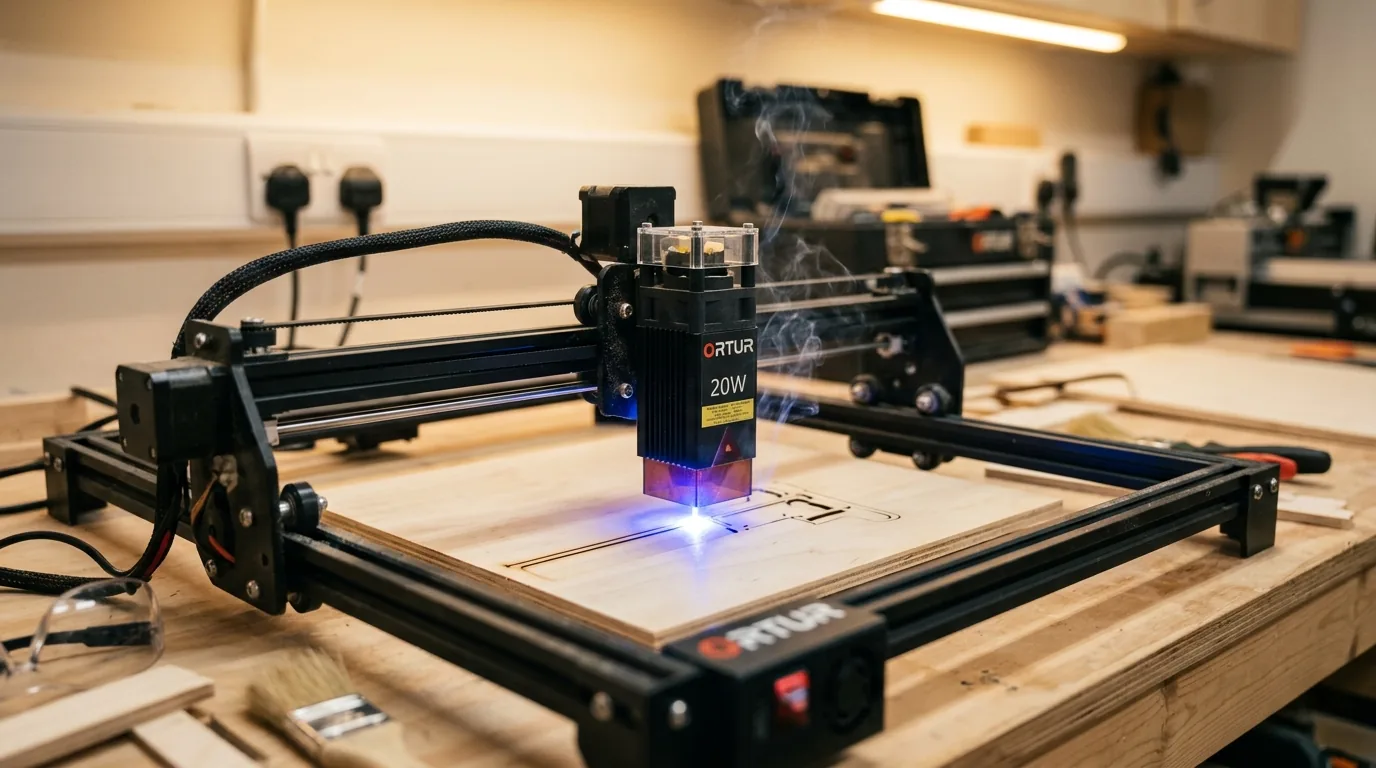
The Ortur Laser Master 4 20W cuts 3mm Crafteker basswood clean in 2 passes at 10 mm/s with 100% power and air assist enabled. This guide walks you through exact machine settings, step-by-step cutting technique, and troubleshooting to achieve repeatable, flawless results on every sheet.
By Mike Dolan ·
| Material | Engraving Contrast | Cut Ease | Smoke / Odor | Cost | Beginner Score |
|---|---|---|---|---|---|
| Basswood (3 mm) | ★★★★★ | Excellent – 1 pass | Low | $ | ★★★★★ |
| Baltic Birch Plywood | ★★★★ | Good – 2–3 passes | Medium | $$ | ★★★★ |
| MDF | ★★★ | Good – 1–2 passes | High (formaldehyde) | $ | ★★ |
| Pine / Soft Plywood | ★★★ | Poor – resin deposits | Medium-High | $ | ★★ |
Why Is Basswood the Best Wood for the Ortur Laser Master 4?
Open-frame diode lasers like the Ortur Laser Master 4 are especially sensitive to resin buildup and inconsistent material density – both of which force constant retuning and accelerate lens fouling. Basswood eliminates both problems, making it the go-to choice for makers who want reliable basswood laser cutting settings that hold across every batch. According to USDA Forest Products Laboratory data, basswood ranks among the lowest-resin domestic hardwoods, which translates directly to cleaner cuts, less charring, and a longer-lasting lens on an exposed diode head. If you’re sourcing material for the first time, our guide to the best basswood sheets for laser cutting covers what to look for in laser-grade stock.
- Low resin content – minimal residue deposits on the LM4’s open-frame lens, reducing cleaning frequency and protecting your 20W output between jobs
- Consistent density – the same settings work batch after batch without retuning, critical when running production volumes on an open-frame machine
- Minimal char – produces clean, pale cut edges with air assist enabled; helps prevent charring when laser cutting even on intricate detail work
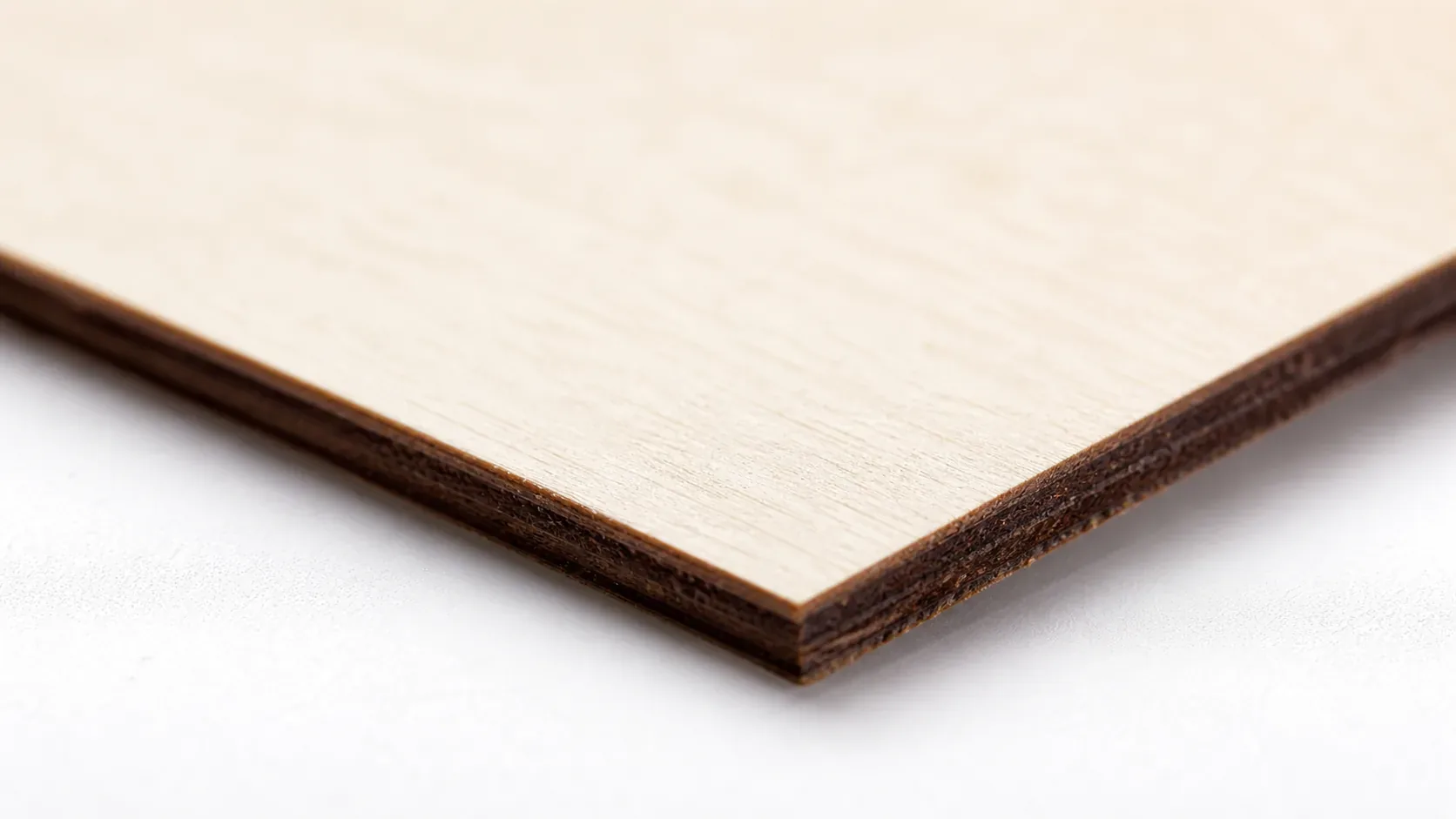
- Light, workable surface – the pale ivory face accepts paint, stain, and finish evenly after cutting, making it ideal for finished products and laser engraving wood blanks
- No toxic fumes – unlike MDF (formaldehyde binders) or resin-heavy pine plywood, basswood is safe for indoor use with basic ventilation, an important consideration for the LM4’s open workspace
What Are the Best Ortur Laser Master 4 Settings for 3mm Basswood?
All settings below are for Crafteker 3mm basswood sheets (12×12 inch, laser-grade). Use the Laser Settings Calculator to fine-tune for your specific unit if results differ.
| Machine | Cut Speed | Cut Power | Passes | Engrave Speed | Engrave Power | Air Assist |
|---|---|---|---|---|---|---|
| Ortur Laser Master 4 20W | 10 mm/s | 100% | 2 passes | 100 mm/s | 55% | On (cut only) |
Note: Air assist is strongly recommended for the Ortur Laser Master 4. As an open-frame diode machine, air assist clears combustion gases directly from the kerf, protecting the exposed lens from resin deposits and dramatically reducing char on basswood edges. Turn air assist off for engraving passes – at 30 psi, the airflow disperses smoke onto the pale basswood surface and causes permanent staining that ruins fine engraved detail. Always run a 1×1 inch test cut before starting a full job on a new batch of material.
The Crafteker 12-pack basswood sheets are purpose-built for diode lasers like the Ortur Laser Master 4 – 12×12 inch, 3mm, laser-grade, void-free. $24.99 for 12 sheets ($2.08/sheet).
How Do I Get Clean Cuts on the Ortur Laser Master 4? Step-by-Step
Clean cuts on the Ortur Laser Master 4 come down to three things: accurate focus, consistent air assist, and flat material. Follow these steps for reliable results:
- Set focus height 1–2mm below the surface. The Ortur Laser Master 4 uses a manual focus tool included in the box. Place the tool on top of the basswood sheet and lower the laser head until the module rests on the tool, then lock the head in place. This positions the focal point just inside the material surface – the sweet spot for clean through-cuts on 3mm stock. Do not skip this step between jobs; even a 0.5mm drift causes incomplete cuts.
- Enable air assist at 30 psi for all cut operations. The LM4’s built-in air assist nozzle connects to an external pump – confirm the pump is running and the line is unkinked before you press start. Without air assist, resin smoke re-deposits in the kerf and the lens fogs within a single job, causing the second pass to underperform. To prevent charring when laser cutting, consistent airflow is the single most effective control you have.
- Secure the basswood completely flat. Use honeycomb hold-down pins or low-tack tape at all four corners to eliminate any bow or warp in the sheet. Warped material creates variable focus distance across the cut path, and even 1mm of lift is enough to cause an incomplete kerf at 10 mm/s.
- Run a test cut first. Cut a 1×1 inch square from a corner of the sheet before committing to the full job. The cut-out should fall free cleanly after two passes with pale, lightly browned edges. If it requires a third pass or shows heavy char, recalibrate focus before proceeding. Review your basswood laser cutting settings if results are consistently off across multiple test cuts.
- Run both passes without raising or repositioning the head. Queue the job for 2 passes in LightBurn or LaserGRBL and let the software handle the repeat – do not manually re-run the job. Lifting or bumping the head between passes breaks registration and produces a double kerf, leaving a ragged edge that cannot be sanded clean.
- Clean the lens and mirrors after every 5–10 jobs. The Ortur LM4’s diode module lens is accessed by unscrewing the nozzle assembly at the base of the laser head. Even a thin film of basswood resin causes a 10–20% power loss – enough to turn a reliable 2-pass cut into an inconsistent 3-pass struggle. Clean with a fresh lens tissue and 99% isopropyl alcohol using a single wipe per tissue. Never rub back and forth.
How Does the Ortur Laser Master 4 Compare to Other Lasers for Basswood?
The Ortur Laser Master 4 20W uses a multi-diode module that outpaces its predecessor – the Ortur LM3 40W – on 3mm basswood, cutting at 10 mm/s in 2 passes versus the LM3’s slower effective throughput due to an older optical stack. The xTool M1 40W CO2 hybrid carries more raw wattage but runs slower on thin basswood and comes with significantly higher consumable costs, making it harder to justify for small-batch production. For Etsy sellers and makers cutting 3mm basswood in volume, the LM4 20W hits the sweet spot: fast enough for batches, affordable to run, and consistent enough that the basswood laser cutting settings in this guide reproduce reliably sheet after sheet.
Why Isn’t My Ortur Laser Master 4 Cutting Through Basswood Cleanly?
Most incomplete cuts and excessive charring on the Ortur Laser Master 4 trace back to these four issues:
- Focus is off: Use the Ortur focus tool or a test card to set focus height 1–2mm below the material surface – even a 0.5mm error at 20W is enough to scatter the beam and leave uncut fibres at the bottom of the kerf.
- Air assist not running: Without active air flow, smoke and char re-deposit in the kerf as the laser cuts, blocking the beam. On the LM4, confirm the air assist pump is powered and the nozzle is seated flush over the laser head before starting any cut job – target 30 psi for clean, char-free kerfs. If you’re struggling with residue, read our guide on how to prevent charring when laser cutting.
- Inconsistent material: Craft-store plywood has glue pockets and variable density. Laser-grade basswood eliminates this variable – consistent wood means consistent 2-pass cuts with no surprise blowouts or stalled kerfs mid-sheet.
- Dirty lens: On the Ortur Laser Master 4, remove the protective lens cover and clean the lens with a folded lens tissue and 99% isopropyl alcohol every 5–10 jobs – a smeared lens can drop effective output by several watts and turn clean 2-pass cuts into 3-pass guesswork.
Where to Buy Basswood Sheets for the Ortur Laser Master 4
Crafteker 3mm basswood sheets are the best match for the Ortur Laser Master 4 – 12×12 inch, laser-grade, void-free, and pre-sanded. At $24.99 for 12 sheets ($2.08/sheet), it’s the most cost-effective option for consistent 2-pass results. The uniform quality means the settings in this guide work reliably without re-tuning every batch – no density surprises, no hidden voids, no wasted sheets.
Ready to cut? Get the wood that works with these settings:
→ Buy Crafteker 12-Pack Basswood Sheets on Amazon ($24.99)
Also available: 5-pack ($15.97) · 3-pack ($12.99)
Frequently Asked Questions
What are the best Ortur Laser Master 4 settings for 3mm basswood?
Cut at 10 mm/s, 100% power, 2 passes. Engrave at 100 mm/s, 55% power. Enable air assist at 30 psi for cutting only. Clean cuts result in pale edges with no char.
Is the Ortur Laser Master 4 good for cutting basswood?
Yes. The 20W diode module outputs enough power to cut 3mm basswood cleanly in 2 passes at reasonable speeds, making it ideal for makers producing small runs of laser-cut products on a budget.
What is the best wood for the Ortur Laser Master 4 laser?
3mm laser-grade basswood. It has low resin content (minimal charring) and consistent density (predictable cuts). Crafteker 3mm basswood sheets cost $2.25 each in the 12-pack, offering best value for production runs.
Can the Ortur Laser Master 4 cut 3mm basswood in one pass?
No. At 10 mm/s and 100% power, the Ortur LM4 20W requires 2 passes to cut through 3mm basswood cleanly. A single pass results in incomplete cuts or charred edges.
Where can I buy basswood sheets for the Ortur Laser Master 4?
Crafteker on Amazon: 3-pack $12.99, 5-pack $15.97, 12-pack $24.99 ($2.08/sheet). The 12-pack offers best value for makers running production batches.
About the author: Mike Dolan is a laser maker and wood materials specialist with 8+ years cutting basswood, birch, and MDF on diode and CO₂ machines. He tests every Crafteker basswood batch before listing.
Just tested these exact settings on my LM4 with Crafteker 3mm sheets and got clean cuts in 2 passes every time — no charring, no incomplete kerf. The air assist at 30 psi really makes the difference. Been running batches all week and haven’t had a single failure.