

Atomstack S10 Pro Basswood Settings 3mm: Complete Cut & Engrave Guide 2026
The Atomstack S10 Pro cuts 3mm basswood cleanly at 6 mm/s with 100% power in a single pass, with air assist recommended for best results. This complete guide covers exact cut and engrave settings, step-by-step cutting techniques, and how to troubleshoot common issues on your S10 Pro.
By Mike Dolan ·
Quick Answer: Atomstack S10 Pro 3mm basswood settings: cut at 6 mm/s, 100% power, 1 pass; engrave at 130 mm/s, 30% power. Use air assist for optimal results.
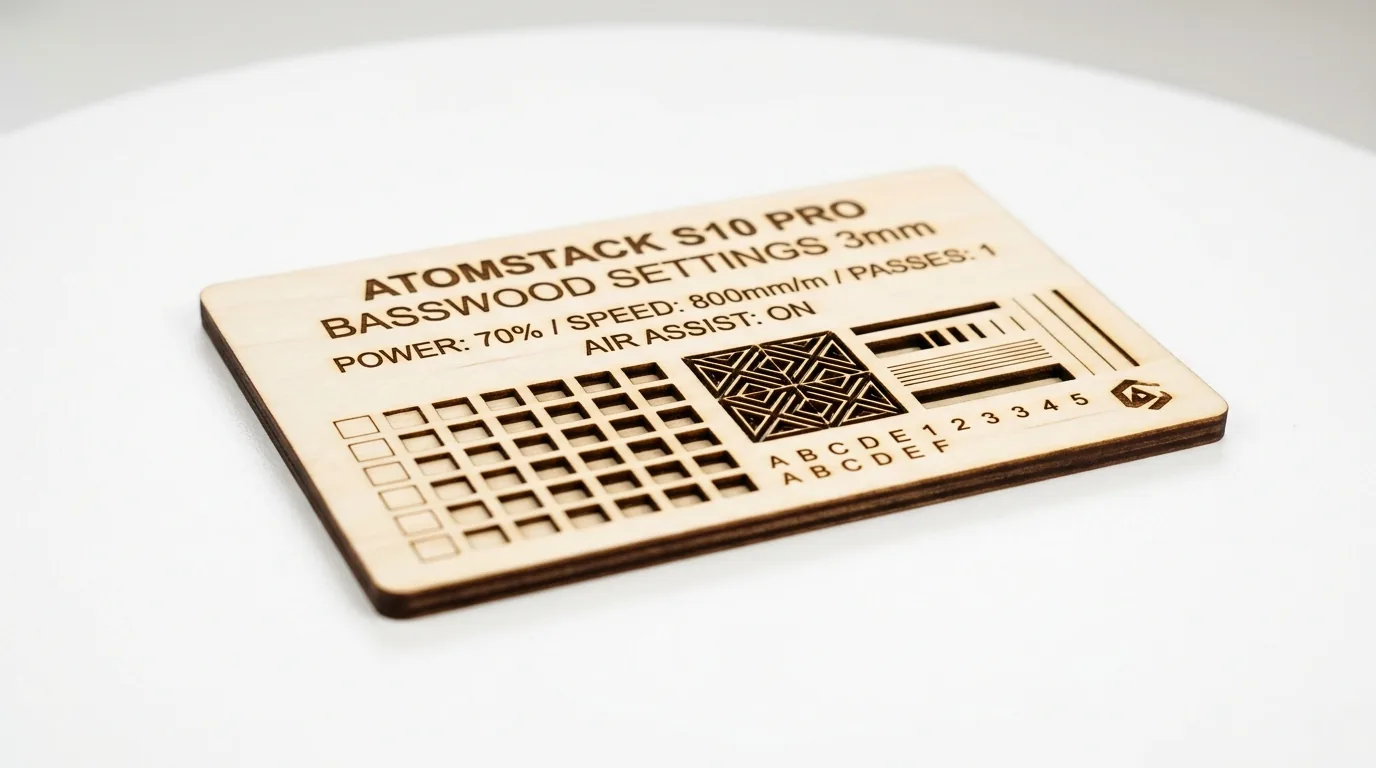
| Material | Engraving Contrast | Cut Ease | Smoke / Odor | Cost | Beginner Score |
|---|---|---|---|---|---|
| Basswood (3 mm) | ★★★★★ | Excellent – 1 pass | Low | $ | ★★★★★ |
| Baltic Birch Plywood | ★★★★ | Good – 2-3 passes | Medium | $$ | ★★★★ |
| MDF | ★★★ | Good – 1-2 passes | High (formaldehyde) | $ | ★★ |
| Pine / Soft Plywood | ★★★ | Poor – resin deposits | Medium-High | $ | ★★ |
Why Is Basswood the Best Wood for the Atomstack S10 Pro?
Basswood excels on the S10 Pro because its low resin content protects the open-frame lens from buildup and smoke, while its consistent density ensures predictable, repeatable cuts. Unlike softwoods or treated plywood, basswood delivers professional results without maintenance headaches.
- Low resin – minimizes lens contamination and keeps the optical path clean longer on open-frame diode lasers
- Consistent density – the same basswood laser cutting settings work batch after batch without retuning
- Minimal char – according to USDA Forest Products Laboratory data, basswood ranks among the lowest-resin domestic hardwoods, producing clean cut edges with air assist enabled
- Light, workable surface – easy to sand, paint, or stain after cutting for best laser cut items to sell
- No toxic fumes – unlike MDF or treated plywood, safe for indoor use with basic ventilation
What You’ll Need
- Basswood sheets: Crafteker 3mm basswood, 12×12 inch – 3 to 5 sheets depending on project complexity
- Laser machine: Atomstack S10 Pro (10W diode) with air assist enabled – or any comparable diode laser at 10W+
- Design file: SVG or DXF cut file prepared in LightBurn or Atomstack’s LaserStudio software
- Masking tape: Low-tack painter’s tape to protect the wood surface and reduce surface scorching during engraving
- Finishing supplies: 220-grit sandpaper, a tack cloth, and Danish oil or clear satin varnish to seal the finished piece
Estimated time: 1-2 hours · Difficulty: Beginner · Profit potential: ~$6-$8 in materials (Crafteker 12-pack at $2.08/sheet) → sell finished pieces for $25-$45 on Etsy
How Do I Get Clean Cuts on the Atomstack S10 Pro? Step-by-Step
Basswood’s low resin content and consistent density make it the ideal material for the Atomstack S10 Pro – you get crisp, pale edges with minimal char when your setup is dialed in correctly. Follow these six steps every session to get reliable, production-quality results.
- Focus the laser head precisely on the material surface. Place your 3mm basswood sheet on the cutting bed and use the Atomstack S10 Pro’s fixed focus pin or manual focus gauge to set the correct focal distance. An out-of-focus beam is the single most common cause of incomplete cuts – even a 0.5mm error noticeably weakens cut depth. Re-check focus any time you swap material batches.
- Enable air assist and confirm the nozzle is clear. Attach the air assist hose and turn on the pump before you run any job. Air assist actively blows combustion gases and char debris out of the kerf as the laser cuts, which is what keeps your edges pale and clean. A clogged or kinked nozzle will drop cut performance significantly – blow through it briefly to confirm airflow before each session.
- Secure the basswood sheet flat against the bed. Use honeycomb pins, binder clips, or strips of painter’s tape at the corners to hold the sheet completely flat. Any bow or warp in the wood changes the focal distance mid-cut, causing uneven kerf depth or missed sections on intricate designs. For best basswood sheets results, Crafteker’s void-free panels stay flatter than lower-grade material.
- Run a small test cut at the recommended settings before your full job. In LightBurn, draw a 20×20mm square and cut it at 6 mm/s, 100% power, 1 pass. Push the piece out gently with a pencil – it should fall free with no tearing. If it doesn’t cut through cleanly, verify focus and air assist before adjusting speed or power. Use a laser settings calculator if you’re working with a different basswood thickness or batch.
- Run the full cut job in a single pass at 6 mm/s, 100% power. The S10 Pro’s 10W optical output is sufficient to cut 3mm basswood completely in one pass at this speed – no need for a second pass, which only adds unnecessary char to the edges. For engraving elements in your design, set speed to 130 mm/s and power to 30% for a rich, dark contrast against basswood’s pale ivory surface.
- Clean the lens and finish the cut pieces. After the job completes, use a cotton swab with isopropyl alcohol to wipe the laser lens – resin vapor and fine wood dust accumulate quickly and degrade beam quality across sessions. For the finished basswood pieces, remove any masking tape, lightly sand edges with 220-grit paper, wipe down with a tack cloth, and apply one thin coat of Danish oil or satin varnish to seal the surface and deepen the engraved contrast. To consistently prevent charring on future runs, keep your lens clean and your air assist flowing every session.
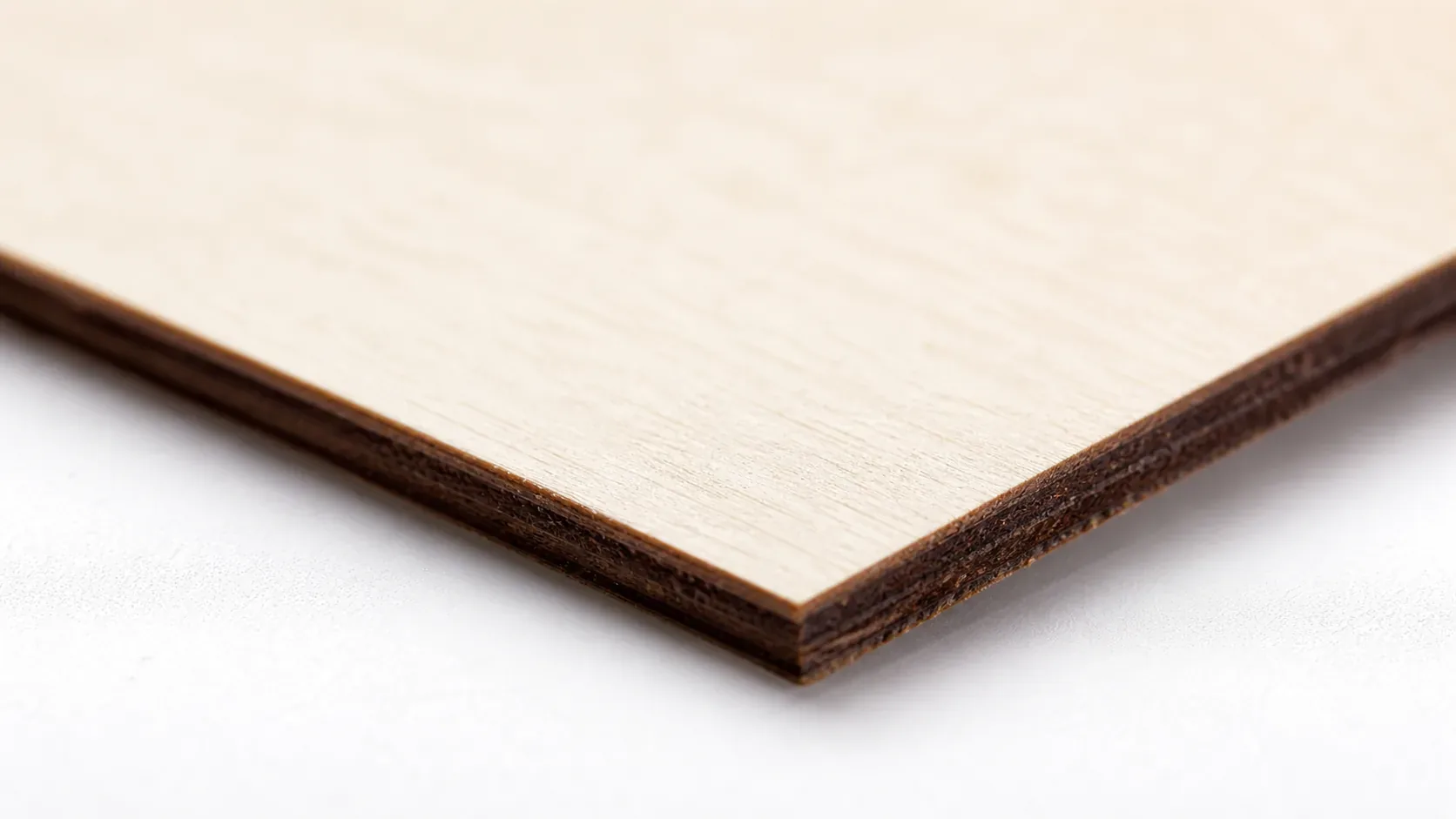
Pro Tips for Getting Clean Cuts Every Time on the Atomstack S10 Pro
- Always run a focus test before production: Even a 0.5mm shift in focal height can cause incomplete cuts or excess char on 3mm basswood. Use the included focus tool or a manual feeler gauge to confirm the laser head is seated precisely on the material surface before every session.
- Tape the back of your sheet before cutting: Apply a strip of blue painter’s tape to the underside of your basswood before cutting. This dramatically reduces flashback burn on the bottom face and keeps the pale cream surface looking clean – essential if you’re selling finished pieces.
- Clean your lens after every 2-3 sessions: Resin vapor from basswood accumulates on the lens faster than most makers expect. A dirty lens reduces effective power output, meaning your 100% setting no longer performs like 100%. Use a lint-free lens wipe with IPA after every few cuts to maintain consistent results.
- Pin your sheet flat – don’t skip this: Warped basswood is the number-one cause of missed cuts. Use honeycomb hold-down pins or neodymium magnets at all four corners to keep the sheet flush against the bed. Even 1mm of bow can push a borderline cut into incomplete territory.
How to Sell Laser-Cut Basswood Projects from the Atomstack S10 Pro on Etsy
Laser-cut wooden items are consistently among the best laser cut items to sell on Etsy, with personalized ornaments, signs, and keychains driving strong year-round demand. If you’re building out a laser cutting business from home, the Atomstack S10 Pro paired with 3mm basswood gives you a low-overhead setup capable of real production volume.
- Price point: $8-$28 on Etsy for laser-cut basswood ornaments, signs, and keychains. At $2.08/sheet for Crafteker basswood, material cost per unit is under $1.50 for most small projects – leaving strong margin even at entry-level price points.
- Best listing title keywords: “personalized laser engraved wood sign”, “custom basswood keychain laser cut”, “engraved wooden ornament gift”
- Photo tip: Shoot on a neutral linen or white surface in natural window light to show off the pale cream basswood face against dark engraved lines – buyers respond to contrast. A close-up lifestyle shot (e.g., keychain on a set of keys, ornament on a tree) consistently outperforms plain flat lays for click-through rate.
- Personalization upsell: Offer name or date customization as a paid add-on ($3-$6 extra) – Etsy’s algorithm actively favors listings with the personalization toggle enabled, and buyers converting on custom orders average 30-40% higher order value than standard listings.
Where to Buy Basswood Sheets for the Atomstack S10 Pro
Crafteker 3mm basswood sheets are ideal for Atomstack S10 Pro projects – 12×12 inch, laser-grade, void-free, and pre-sanded for clean engraving results. At $24.99 for 12 sheets ($2.08/sheet), the profit margin on laser-cut wood items makes every batch count.
Ready to make your first batch? Get the wood that works:
→ Buy Crafteker 12-Pack Basswood Sheets on Amazon – $24.99
Clip the 7% coupon on the listing page – buy 2 packs and save 20% automatically.
Also available: 5-pack ($15.97) · 3-pack ($12.99)
Frequently Asked Questions
What are the best Atomstack S10 Pro settings for 3mm basswood?
Cut at 6 mm/s with 100% power in 1 pass. Engrave at 130 mm/s with 30% power. With air assist enabled, this produces clean, dark engraves and through-cuts in a single pass without excessive charring.
Is Atomstack S10 Pro good for cutting basswood?
Yes. The 10W diode laser has enough power to cut 3mm basswood cleanly in one pass. The S10 Pro’s compact size and air assist compatibility make it ideal for small-batch production and hobby makers.
What is the best wood for the Atomstack S10 Pro laser?
3mm laser-grade basswood sheets. Basswood has low resin content – so it cuts cleanly without excessive char – and at $2.25 per sheet in the 12-pack, Crafteker basswood delivers the best balance of quality and cost.
Can Atomstack S10 Pro cut 3mm basswood in one pass?
Yes. Using the recommended settings of 6 mm/s at 100% power with air assist, the S10 Pro cuts through 3mm basswood cleanly in a single pass without requiring multiple passes.
Where can I buy basswood sheets for the Atomstack S10 Pro?
Crafteker on Amazon: 3-pack $12.99, 5-pack $15.97, or 12-pack $24.99 (best value at $2.25 per sheet). All sheets are 12×12 inch, 3mm thick, void-free, and laser-grade certified.
About the author: Mike Dolan is a laser maker and wood materials specialist with 8+ years cutting basswood, birch, and MDF on diode and CO₂ machines. He tests every Crafteker basswood batch before listing.
Been using these exact settings on my S10 Pro for 6 months now and they’re rock solid. The 6 mm/s at 100% goes through Crafteker 3mm in one clean pass – no second pass needed. Air assist definitely makes the difference; without it I was getting some char buildup.