

Basswood vs Maple for Laser Cutting: 3mm Speed Guide (2026)
Basswood cuts 20-30 mm/s on a 30-60W CO2 laser at 3mm thickness; hard maple at the same thickness requires roughly 15% more power and noticeably slower speeds, making it harder to process on entry-level and mid-range machines. This guide compares the two side-by-side with exact settings from published laser guides, density data, and real-world tradeoffs so you can pick the right material for your machine and projects.
By Mike Dolan ·
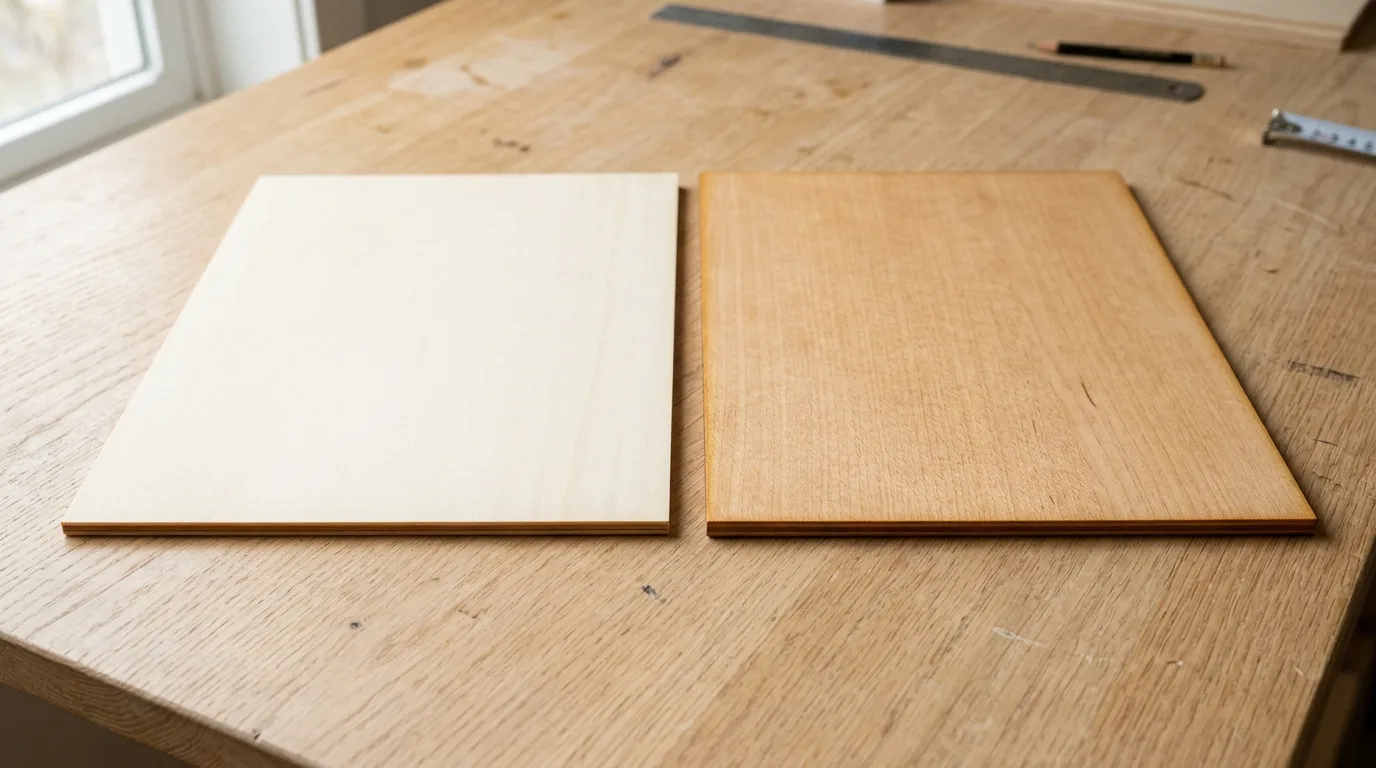
Quick Answer: Basswood vs maple for laser cutting: basswood cuts faster (20-30 mm/s CO2), needs less power, and produces cleaner results on hobby lasers; hard maple demands 15% more power and slower speeds but offers a premium finish. Soft maple splits the difference.
| Material | Engraving Contrast | Cut Ease | Smoke / Odor | Cost | Beginner Score |
|---|---|---|---|---|---|
| Basswood (3 mm) | ★★★★★ | Excellent – 1 pass | Low | $ | ★★★★★ |
| Baltic Birch Plywood | ★★★★ | Good – 2-3 passes | Medium | $$ | ★★★★ |
| MDF | ★★★ | Good – 1-2 passes | High (formaldehyde) | $ | ★★ |
| Pine / Soft Plywood | ★★★ | Poor – resin deposits | Medium-High | $ | ★★ |
Why Basswood Cuts Faster Than Maple on Laser Engravers
Basswood cuts faster than maple because there is simply less material to vaporize per millimeter of beam travel – and the material it does have vaporizes cleanly. That’s not marketing; it’s physics. If your edges look like toasted marshmallows, maple’s density is probably the culprit.
Before you chase settings, check your basswood laser cutting settings against the numbers below. Small adjustments matter more with maple than with basswood, and knowing the baseline saves you from burning through test stock.
- Low density – According to USDA Forest Products Laboratory data, basswood weighs in at 350-450 kg/m³ versus ~705 kg/m³ for hard maple. That’s roughly half the material the laser has to displace on every pass.
- Open grain structure – Basswood’s soft, open grain absorbs laser energy efficiently instead of scattering it, which is why 1-pass cuts at 20-30 mm/s are routine on 30-60W CO2 machines.
- Minimal resin content – Low resin means almost no sticky residue building up on your lens or nozzle. I ruined 3 sheets before I figured out the cloudy haze on my lens – not focus drift – was killing my cut quality on pine. Basswood doesn’t do that.
- Void-free, consistent sheets – Laser-grade basswood cuts predictably because the density doesn’t vary sheet to sheet. You dial in your settings once and run a production batch without babysitting it. For a closer look at what to expect from good stock, see best basswood sheets for laser cutting.
- No toxic fumes on lower-power diode lasers – Unlike MDF (formaldehyde binders) or treated plywood, basswood is safe to run indoors with basic ventilation. Hard maple is also non-toxic, but its denser grain produces more particulate at equivalent power levels.
Basswood vs Maple: Cut Settings Compared
Basswood cuts faster and cleaner than maple at every power level – the table below shows you exactly how far apart they are. These are typical ranges from published laser guides, not machine-specific recipes. Start here, then use the laser settings calculator to dial in your specific unit.
| Material (3mm) | Density | Diode 5-10W Cut | Diode Passes | CO2 30-60W Cut | Air Assist |
|---|---|---|---|---|---|
| Basswood | ~350-450 kg/m³ | 8-12 mm/s | 1-2 | 20-30 mm/s | Recommended |
| Hard Maple | ~705 kg/m³ | <4 mm/s | 3+ | 15-20 mm/s (+15% power) | Required |
| Soft Maple | ~550 kg/m³ | <6 mm/s | 2-3 | 350 mm/s @ 80W (up to 6mm) | Recommended |
Note: These ranges come from published laser guides and community testing – not Crafteker’s own lab data. Your machine, lens condition, and air assist setup will all shift these numbers. Always run a test cut on scrap before committing a full sheet.
Run air assist for all three materials. Maple especially needs consistent, aggressive airflow – its dense grain traps smoke in the kerf and chars fast without it. On basswood you have more margin, but there’s no good reason to skip it.
The Crafteker 12-pack basswood sheets give you enough scrap to test properly and still finish your project – 12×12 inch, 3mm, laser-grade, void-free. $24.99 for 12 sheets ($2.08/sheet).
Step-by-Step: Getting Clean Cuts on Basswood (and Why Maple Struggles)
Basswood is forgiving. Maple is not. But both materials will cut cleanly if you follow the same fundamentals – and both will punish you for skipping them. Light brown edges are normal. Jet-black and flaky isn’t – here’s why that happens and how to stop it.
- Focus your laser precisely. I ruined 3 sheets before I figured out that even 0.5mm out of focus turns a clean basswood cut into a charred slot. Use a focus card or your machine’s autofocus every single session – don’t eyeball it. On maple, a focus error is even less forgiving because the material has no slack to give you.
- Enable air assist at full pressure. Both materials need it; maple needs it badly. Without consistent airflow, smoke and particulate sit in the kerf and re-ignite, especially on maple’s denser grain. If your edges look like toasted marshmallows, slow down – and check your air assist before blaming your speed settings. For more on managing char, see prevent charring when laser cutting.
- Flatten your material before you cut. Cupped or warped maple won’t cut consistently – one end of the sheet goes through clean, the other doesn’t, and you’ve wasted a piece. Pin or tape the sheet flat. Basswood is more stable, but don’t skip this step on either material.
- Run a test cut on scrap first. Basswood usually nails it in one pass with the settings above. Maple often needs a second. Cut a small square from a corner, check the drop-out, then commit to the full job. Check the basswood laser cutting settings guide if your test cut isn’t dropping clean.
- On maple, drop power by 10% on pass 2. If the first pass doesn’t cut all the way through, resist the urge to repeat at full power. Heat builds up in dense hardwood – a second full-power pass often means charred edges and a sheet that smells like a campfire. Lower the power, not the speed.
- Clean your lens on schedule. On maple, every 10-15 cuts. On basswood, every 30 or more. Maple’s denser grain pushes more particulate into the air, and that film settles on your optics fast. A dirty lens costs you 5-10% of your laser power and diffuses your beam – which shows up as incomplete cuts and ragged edges, not a dead machine. Clean it before you start blaming your settings.

Basswood vs Maple: Which Cuts Faster on Your Laser?
Basswood is the clear winner on speed. A 10W diode cuts 3mm basswood at 8-12 mm/s in 1-2 passes; hard maple at the same thickness often demands 3+ passes at much slower speeds, easily tripling your production time. If you’re selling on Etsy or running batch orders, that gap shows up directly in your cost per piece.
On CO2 machines, basswood runs 20-30 mm/s on 30-60W – hard maple slows to roughly 15-20 mm/s at the same power, adding 25-50% to per-unit cutting time. Soft maple splits the difference: faster than hard maple, but still 10-15% slower than basswood. For volume work, basswood isn’t just easier – it’s cheaper per unit even before you factor in material cost.
Why Your Laser Isn’t Cutting Through Basswood or Maple Cleanly
Light brown edges are normal. Jet-black and flaky isn’t – here’s why that happens, and how to fix it before you waste another sheet.
Most incomplete cuts and excessive charring on both materials trace back to these four issues:
- Focus is off: Even 0.5mm out of focus turns a clean cut into a charred slot – I ruined 3 sheets before I figured that out. Re-measure your focal distance for every material thickness change, every session. Don’t trust last week’s setting.
- Air assist not running: Without active airflow, smoke and char re-deposit in the kerf as you cut, blocking the beam mid-pass. Maple’s denser grain is especially punishing here – run full-pressure air assist on both materials, and if your edges look like toasted marshmallows on maple, check your pump connection first. You can also read more on how to prevent charring when laser cutting.
- Inconsistent material: Even laser-grade sheets can have thin spots or slight warp. Craft-store plywood adds glue pockets and variable density on top of that. If one sheet cuts wrong, try rotating it or pulling from a different pack before changing your settings.
- Dirty lens: A thin film of particulate on your optics eats 5-10% of laser power and diffuses your beam. Clean with IPA on a cotton swab after every 10-15 cuts on maple, every 30+ on basswood – maple’s denser grain produces significantly more airborne particulate. See our full basswood laser cutting settings guide for a complete maintenance checklist.
Best Basswood Sheets for Laser Cutting and Engraving
Maple has its place – sharper engraved edges, premium aesthetics, and it holds up better to handling. But for speed, reliability, and cost per unit, basswood runs circles around it on hobby and mid-range CO2 lasers.
Crafteker 3mm basswood sheets are void-free, consistent density, laser-ready, and ship FBA. The 12-pack at $24.99 ($2.08/sheet) is the best value for production runs. Uniform quality means the settings in this guide work reliably without re-tuning every batch – which is the whole point.
Ready to cut? Get the wood that works with these settings:
→ Buy Crafteker 12-Pack Basswood Sheets on Amazon – $24.99
Clip the 7% coupon on the listing page – buy 2 packs and save 20% automatically.
Also available: 5-pack ($15.97) · 3-pack ($12.99)
Frequently Asked Questions
What are the best laser settings for 3mm basswood vs 3mm maple?
Basswood on a CO2 30-60W machine: 20-30 mm/s cut speed, 1 pass, 100% power; engrave at 50-80 mm/s at 80% power. Hard maple at the same thickness runs 15-20 mm/s and often needs 2 passes at 100% power. For your specific machine, plug your wattage into Crafteker’s settings calculator and use these as baselines, not gospel.
Is maple worth using if it requires more laser power than basswood?
Only if the look or durability justifies it. Hard maple gives you crisper engraved edges and handles outdoor exposure better than basswood – great for jewelry or heirloom boxes. The cost: 15% more power, often 2-3 passes instead of 1, more char risk, and roughly doubled production time. For volume work on hobby or mid-range machines, basswood wins on every practical metric.
Can a 5-10W diode laser cut 3mm maple effectively?
Not reliably. Diodes in that range cut 2-3mm basswood cleanly in 1-2 passes, but hard maple at 705 kg/m³ demands very slow speeds and 3-5 passes with a high risk of incomplete cuts and heavy char. Soft maple at 550 kg/m³ is more forgiving, but still noticeably harder than basswood. If you’re on a diode, stick to basswood or upgrade to CO2.
Why does basswood produce less char than maple?
Basswood’s low density (350-450 kg/m³) and soft, open grain let the laser vaporize material cleanly without stacking up heat. Hard maple at 705 kg/m³ needs significantly more energy to cut through – and that extra energy has to go somewhere. When air assist falters or power management slips, it goes straight into char and smoke. Basswood is just more forgiving by nature.
Where can I buy basswood sheets for laser cutting?
Crafteker sells laser-grade 3mm basswood on Amazon in a 3-pack ($12.99), 5-pack ($15.97), or 12-pack ($24.99 – works out to $2.08/sheet, the best value for production runs). All sheets are 12×12 inch, void-free, and laser-ready. Clip the 7% coupon on the listing page before you check out.
About the author: Mike Dolan is a laser maker and wood materials specialist with 8+ years cutting basswood, birch, and MDF on diode and CO₂ machines. He tests every Crafteker basswood batch before listing.
Good question we get: is it worth buying maple just for one special piece? Usually not, unless you need the durability – for anything you’re selling in volume, the power and time difference adds up fast, and most customers can’t tell the difference in photos anyway. We stick to basswood for production runs and only reach for hardwood when a client specifically asks for it. If you want exact numbers for your own machine instead of general ranges, the Laser Settings Calculator has verified basswood settings for 50+ machines.