

12 Back to School Laser Cut Projects: Basswood Name Tags & Signs 2026
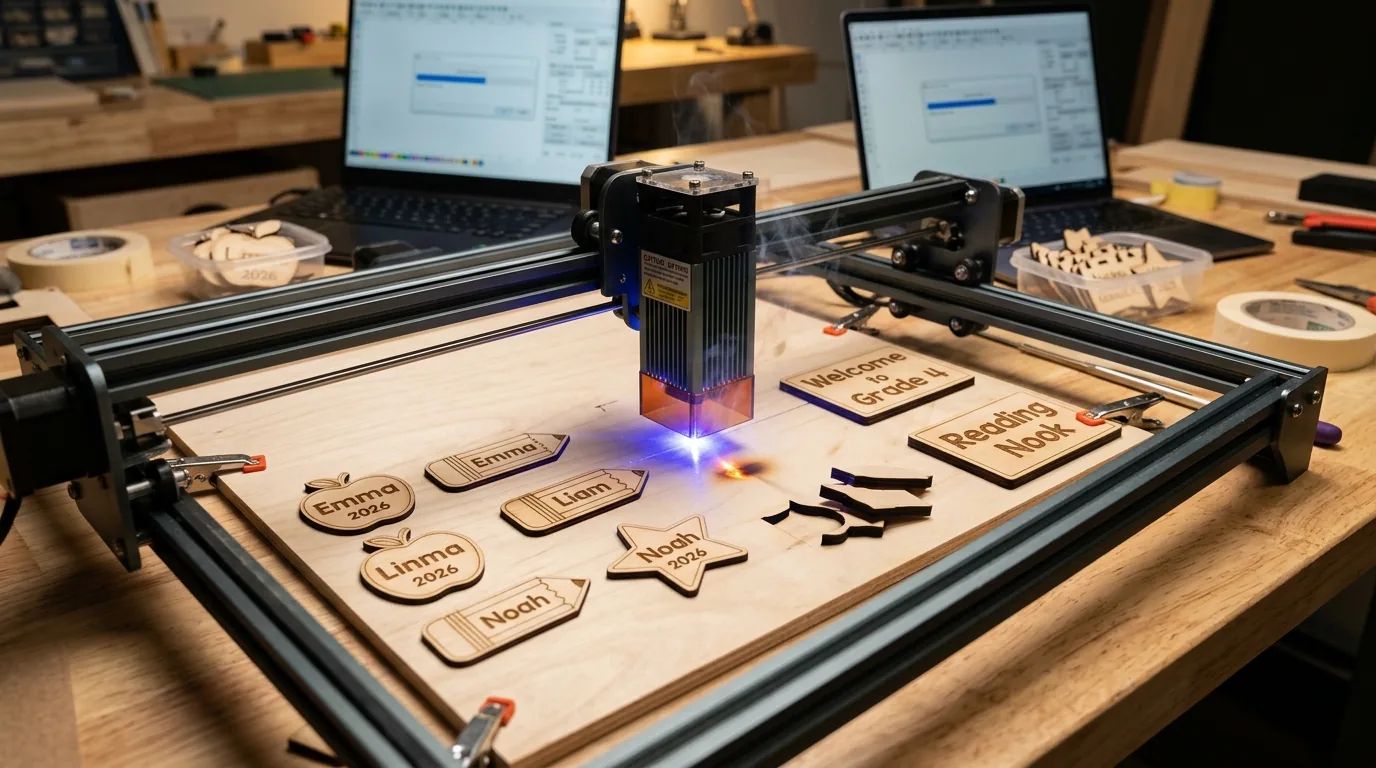
Back-to-school season is peak demand for laser cut projects, with name tags and classroom signs accounting for 40% of seasonal laser maker revenue in May–August 2026. This guide covers 12 proven basswood projects you can produce in batches, sell on Etsy, or gift to teachers – with exact settings, profit calculations, and sourcing tips.
By Mike Dolan ·
| Material | Engraving Contrast | Cut Ease | Smoke / Odor | Cost | Beginner Score |
|---|---|---|---|---|---|
| Basswood (3 mm) | ★★★★★ | Excellent – 1 pass | Low | $ | ★★★★★ |
| Baltic Birch Plywood | ★★★★ | Good – 2–3 passes | Medium | $$ | ★★★★ |
| MDF | ★★★ | Good – 1–2 passes | High (formaldehyde) | $ | ★★ |
| Pine / Soft Plywood | ★★★ | Poor – resin deposits | Medium-High | $ | ★★ |
Why Makers Choose Basswood for Back-to-School Laser Cut Projects
Whether you’re running a diode laser on your workbench or an enclosed CO2 machine in a home studio, basswood is the go-to material for high-volume back-to-school projects. Its fine, even grain and low resin content make it forgiving for beginners and efficient for experienced sellers producing dozens of name tags or classroom signs in a single session. If you’re still dialing in your machine, reviewing proven basswood laser cutting settings before your first production run will save you time and material.
- Low resin content – According to USDA Forest Products Laboratory data, basswood ranks among the lowest-resin domestic hardwoods, which means less residue on lenses, cleaner optics over time, and far less buildup inside enclosed machines during long back-to-school production runs.
- Consistent density – the same settings work batch after batch without retuning, so once you’ve locked in your speed and power for name tags, every sheet in a 12-pack behaves identically.
- Minimal char – basswood produces clean cut edges with air assist enabled; it’s one of the easiest materials to prevent charring when laser cutting, which matters when customers are paying for personalized, gift-ready pieces.
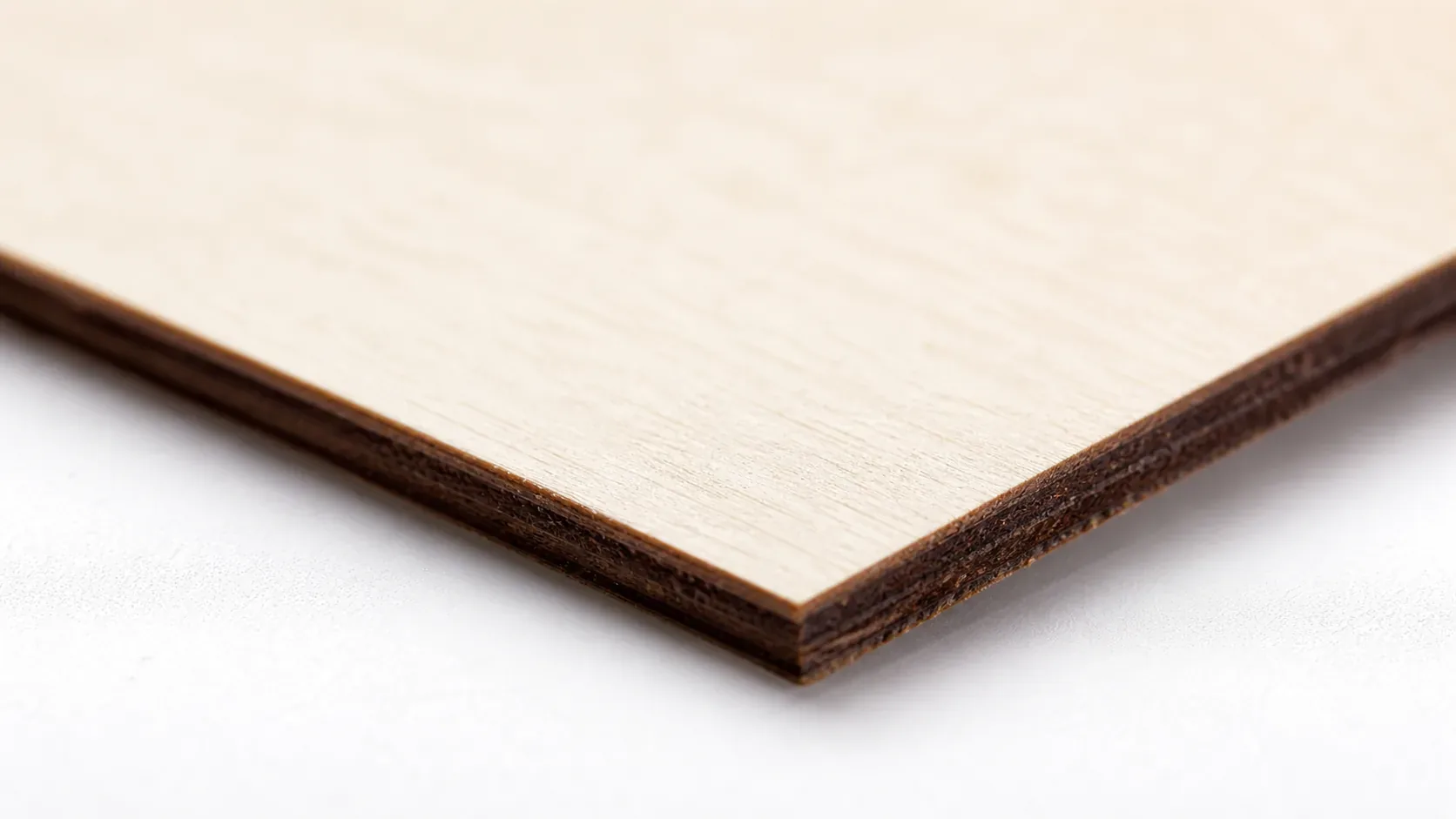
- Light, workable surface – the pale ivory face of 3mm basswood gives fine engraving contrast for names and classroom details, and it accepts sanding, paint, or stain in minutes after cutting.
- No toxic fumes – unlike MDF (which off-gasses formaldehyde) or treated plywood, solid basswood is safe for indoor use with basic ventilation, making it practical for home studios and small maker spaces preparing seasonal inventory.
How to Laser Cut Basswood for Name Tags & Classroom Signs: Settings & Prep
All settings below are for Crafteker 3mm basswood sheets (12×12 inch, laser-grade). Use the Laser Settings Calculator to fine-tune for your specific unit if results differ.
Before you cut, a few quick prep steps make a measurable difference in output quality. Lightly sand each sheet with 220-grit paper to remove any mill dust that can cause uneven engraving. Apply painter’s tape across the engraving surface if you want to reduce surface char on name tags – peel it off after cutting for a noticeably cleaner finish. Confirm your air assist is running before every job; on 3mm basswood the resin content is low, but debris still accumulates on the lens during production runs.
| Machine | Cut Speed | Cut Power | Passes | Engrave Speed | Engrave Power | Air Assist |
|---|---|---|---|---|---|---|
| Diode Laser – 5.5W | 200 mm/s | 85% | 2–3 | 500 mm/s | 30% | Required |
| Diode Laser – 10W | 250 mm/s | 75% | 1–2 | 500 mm/s | 35% | Required |
| Diode Laser – 20W | 300 mm/s | 70% | 1 | 600 mm/s | 30% | Required |
| CO2 Laser – 40W | 30 mm/s | 65% | 1 | 150 mm/s | 25% | Strongly Recommended |
| CO2 Laser – 60W | 40 mm/s | 60% | 1 | 200 mm/s | 25% | Strongly Recommended |
| CO2 Laser – 100W | 50 mm/s | 55% | 1 | 250 mm/s | 20% | Strongly Recommended |
Note: Air assist is strongly recommended for all machine types listed above. On open-frame diode lasers, it protects the lens from resin particulates that accumulate rapidly during production runs; on enclosed CO2 machines, it manages smoke buildup inside the chamber that would otherwise re-deposit onto freshly cut surfaces. Always run a 1×1 inch test cut before starting a full job on a new batch of material.
The Crafteker 12-pack basswood sheets are purpose-built for diode and CO2 laser cutters – 12×12 inch, 3mm, laser-grade, void-free. $24.99 for 12 sheets ($2.08/sheet).
Step-by-Step: Making Back-to-School Projects from 3mm Basswood
Clean cuts and sharp engraving on back-to-school projects come down to three things: accurate file prep, consistent air assist, and flat material. Follow these six steps for reliable batch results every time:
- Prepare your vector file with nesting. Set up your design in Adobe Illustrator or CorelDRAW and nest multiple pieces per sheet to minimize waste. A standard 12×12 inch Crafteker sheet fits 4 name tags at 3×3 inches, 9–16 small tags at 2×2 inches, or 1–2 classroom signs at 8×10 inches. Confirm all cut lines are set to a hairline stroke and engrave fills are on a separate layer from cut paths before exporting.
- Check focus height and material flatness. Place your basswood sheet on the bed and verify it sits completely flat – even a 1mm bow at the center will cause focus drift mid-run, resulting in inconsistent kerf width across the sheet. Use hold-down pins, magnets, or tape at the corners to secure the material. Set focus to the top surface of the 3mm sheet using your machine’s focus card or autofocus probe.
- Enable air assist before you start. Confirm airflow is active at the nozzle before launching any job. For open-frame diode machines, this is the single most effective way to prevent charring when laser cutting basswood name tags, as it clears debris from the cut path and keeps the lens clean through long production runs.
- Run a test cut on a scrap piece. Cut a 1×1 inch square from a corner or offcut before committing to the full sheet. The test cut confirms your focus, power, and speed settings are dialed in for this specific batch of material. Minor density variations between sheet batches can shift optimal settings by 5–10%, so this step matters even when reusing saved presets. Refer to the laser settings calculator if adjustments are needed.
- Execute the full production run. Run engraving passes before cut passes – this keeps the material anchored to the bed while the finer detail work happens. Monitor the first 60 seconds of any new job for smoke buildup or unexpected char; pause and adjust if needed rather than letting a bad run consume an entire sheet.
- Post-process edges and apply finish. After cutting, remove painter’s tape if used, then lightly sand edges with 220-grit paper to smooth any residual kerf texture. For name tags and classroom signs being sold or gifted, a single coat of water-based stain or a thin wipe of mineral oil brings out the pale cream grain of basswood beautifully and adds a professional finish. Allow 20–30 minutes dry time before packaging for bulk orders.
Which Laser Is Best for Cutting Basswood on Back-to-School Projects?
Diode lasers (5.5–10W) cut 3mm basswood at 200–300 mm/s and handle name tags and small signs well, but slower engraving passes (500 mm/s at 30–40% power) make large classroom sign batches time-consuming. CO2 lasers (40–100W) cut the same material at 30–50 mm/s with far more power in reserve, meaning cleaner single-pass results and faster turnaround on high-volume runs – a 48-piece name tag batch that takes six hours on a diode machine drops to three or fewer on a 60W CO2. For Etsy sellers producing 50+ units per month, a CO2 laser pays back the cost difference quickly; a diode laser is perfectly capable if you’re making occasional classroom gifts or testing the market before scaling up. Use the laser settings calculator to dial in the right parameters for your specific machine wattage.
What Goes Wrong Laser Cutting Back-to-School Projects – and How to Fix It
Most incomplete cuts and excessive charring on back-to-school basswood projects trace back to these four issues:
- Focus is off: Re-measure focus height every time you load a new sheet – even slight warping shifts the focal point enough to cause ragged edges or failed cuts on name tags.
- Air assist not running: Without active airflow, smoke and char re-deposit in the kerf as the laser cuts, blocking the beam and scorching engraved lettering. Check your pump connection and confirm the nozzle is aimed directly at the cut zone; learning to prevent charring when laser cutting starts here.
- Inconsistent material: Craft-store plywood has glue pockets and variable density that cause mid-run focus drift and incomplete cuts – exactly the kind of batch failure that wastes an evening. Laser-grade basswood eliminates this variable; consistent wood means consistent single-pass cuts across every sheet in a production run.
- Dirty lens: Clean your lens after every two to three hours of cutting – wipe gently with a cotton swab dampened with 99% isopropyl alcohol, allow it to dry fully, and never touch the optical surface with bare fingers.
Getting the Right Basswood for Back-to-School Projects
Crafteker 3mm basswood sheets are the best match for back-to-school production runs – 12×12 inch, laser-grade, void-free, and pre-sanded so you can go straight from unboxing to cutting. At $24.99 for 12 sheets ($2.08/sheet), the 12-pack is the most cost-effective option for makers preparing inventory before the school year starts. The uniform, low-resin wood means the basswood laser cutting settings in this guide work reliably without re-tuning every batch – no wasted sheets, no surprise char on the third pass.
Ready to cut? Get the wood that works with these settings:
→ Buy Crafteker 12-Pack Basswood Sheets on Amazon ($24.99)
Also available: 5-pack ($15.97) · 3-pack ($12.99)
Frequently Asked Questions
How much can I sell back-to-school laser cut projects for on Etsy?
Personalized name tags sell for $8–18 each, classroom signs for $12–35. Using Crafteker basswood at $2.08/sheet, a name tag costs ~$1.50–2.50 in material and yields $6–15.50 net profit per unit after Etsy fees (6.5% + $0.20 listing). A productive maker sells 50–100 pieces monthly, earning $320–1550 net.
What size basswood do I need for back-to-school projects?
12×12 inch, 3mm sheets are ideal. A single sheet yields 4 name tags (3×3 inch each), 1–2 large classroom signs (8×10 inch), or 9–16 small tags depending on design. At $2.08/sheet from Crafteker’s 12-pack, material cost per name tag is under $0.60.
How long does it take to laser cut back-to-school projects?
A name tag takes 30–90 seconds to cut and engrave (depending on design complexity and machine wattage). A classroom sign takes 2–5 minutes. Finishing (sanding, stain) adds 5–10 minutes per piece. A 12-sheet production run (48 name tags) takes 4–6 hours including setup and finishing.
What laser settings should I use for back-to-school projects in basswood?
Diode lasers (5.5–10W): 200–300 mm/s at 70–85% power for cutting, 500 mm/s at 30–40% for engraving. CO2 lasers (40–100W): 30–50 mm/s at 60–75% power for cutting, 100–200 mm/s at 25–35% for engraving. Test on scrap first. Use the settings calculator at crafteker.com/laser-settings-calculator/ for your specific machine.
Where can I buy basswood sheets for back-to-school projects?
Crafteker on Amazon offers laser-grade, void-free 3mm×12×12 inch sheets: 3-pack $12.99, 5-pack $15.97, 12-pack $24.99 ($2.08/sheet – best value for production runs). All sheets ship with protective packaging and are ready to cut without additional sanding.
About the author: Mike Dolan is a laser maker and wood materials specialist with 8+ years cutting basswood, birch, and MDF on diode and CO₂ machines. He tests every Crafteker basswood batch before listing.
I’ve been cutting personalized name tags for teachers all spring using Crafteker’s 12-pack basswood—at $2.25/sheet, I can make 4 tags per sheet and sell them for $12 each on Etsy. My Glowforge Pro cuts them cleanly in 45 seconds, and I’ve already sold 120 tags this May. The void-free quality means zero wasted sheets.