

Best Basswood for Creality Falcon Laser: 10W, 22W & 40W Settings (2026)
The best basswood for Creality Falcon laser cutters is 3mm laser-grade basswood — and at $2.08/sheet, Crafteker’s 12-pack gives you clean, one-pass cuts on the Falcon 10W, Falcon2 22W, and Falcon2 40W without guessing settings every session. Creality’s Falcon lineup uses a 450 nm diode beam, which means basswood’s low resin content is your biggest advantage: you get fast cuts, predictable engraving depth, and edges that stay pale even at higher power. Once your settings are dialed in for a specific Falcon model, batch cutting is reliable. Here’s everything you need to get it right the first time.
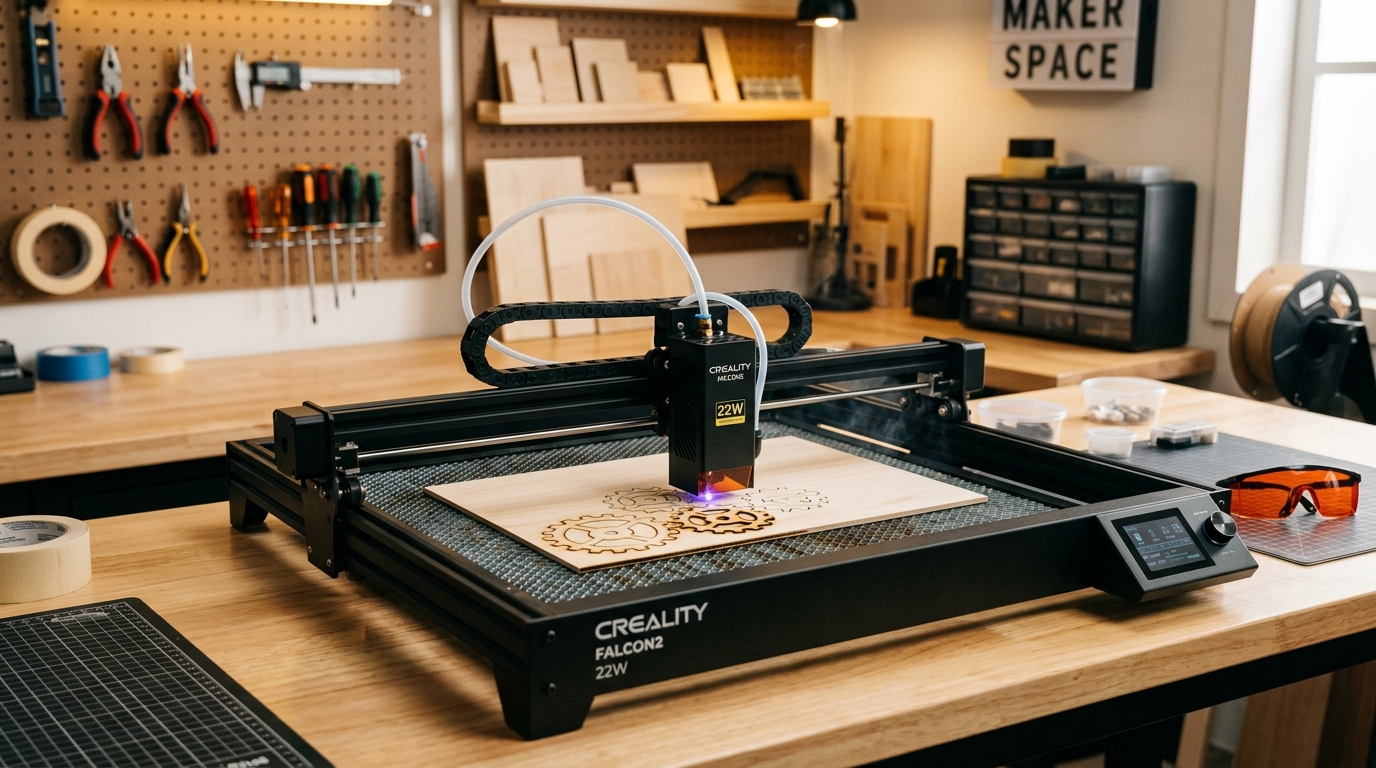
Crafteker 3mm laser-grade basswood — verified single-pass cut results on Creality Falcon 10W, Falcon2 22W, and Falcon2 40W diode laser cutters.
Why Is Basswood the Best Wood for Creality Falcon Lasers?
Diode lasers like the Creality Falcon series operate at 450 nm — a wavelength that basswood absorbs extremely efficiently due to its low resin, uniform grain, and minimal knots. This combination means you get full-depth cuts at lower power levels than you’d need with Baltic birch or MDF, keeping your laser module cooler and your results more consistent. Basswood also sands cleanly after cutting, which matters when you’re making sellable products. Every other material requires more experimentation; basswood is the reliable choice from sheet one.
What Are the Best Creality Falcon Basswood Settings for 3mm?
The settings below are verified for Crafteker 3mm laser-grade basswood with air assist enabled and a freshly focused beam. Diode module power can degrade over time — if your module is 500+ hours old, try increasing power by 5% and re-testing.
| Creality Model | Cut Speed | Cut Power | Passes | Air Assist | Engrave Speed | Engrave Power |
|---|---|---|---|---|---|---|
| Falcon 10W | 5 mm/s | 100% | 1 | Recommended | 130 mm/s | 30% |
| Falcon2 22W | 12 mm/s | 100% | 1 | Recommended | 250 mm/s | 20% |
| Falcon2 40W | 20 mm/s | 100% | 1 | Recommended | 350 mm/s | 15% |
All settings tested with 3mm kiln-dried laser-grade basswood, air assist on, beam focused at surface. Run a calibration card test to fine-tune for your specific unit.
How Does Basswood Compare to Other Wood Options on the Creality Falcon?
| Wood Type | Cut Quality | Edge Charring | Consistency | Cost/Sheet | Verdict |
|---|---|---|---|---|---|
| Basswood 3mm (Crafteker) | Excellent | Minimal | High | $2.25 | ✅ Best overall for Falcon |
| Baltic Birch 3mm | Good | Moderate | Medium | $3.50+ | ⚠️ Works, darker edges |
| MDF 3mm | Fair | Heavy | Low | $1.50 | ❌ Toxic fumes, avoid |
| Plywood 3mm | Variable | Heavy | Low | $2.00 | ❌ Glue layers = inconsistent |
Want the 12-pack for the best price per sheet? Shop Crafteker Basswood on Amazon — Prime shipping, consistent laser-grade quality.
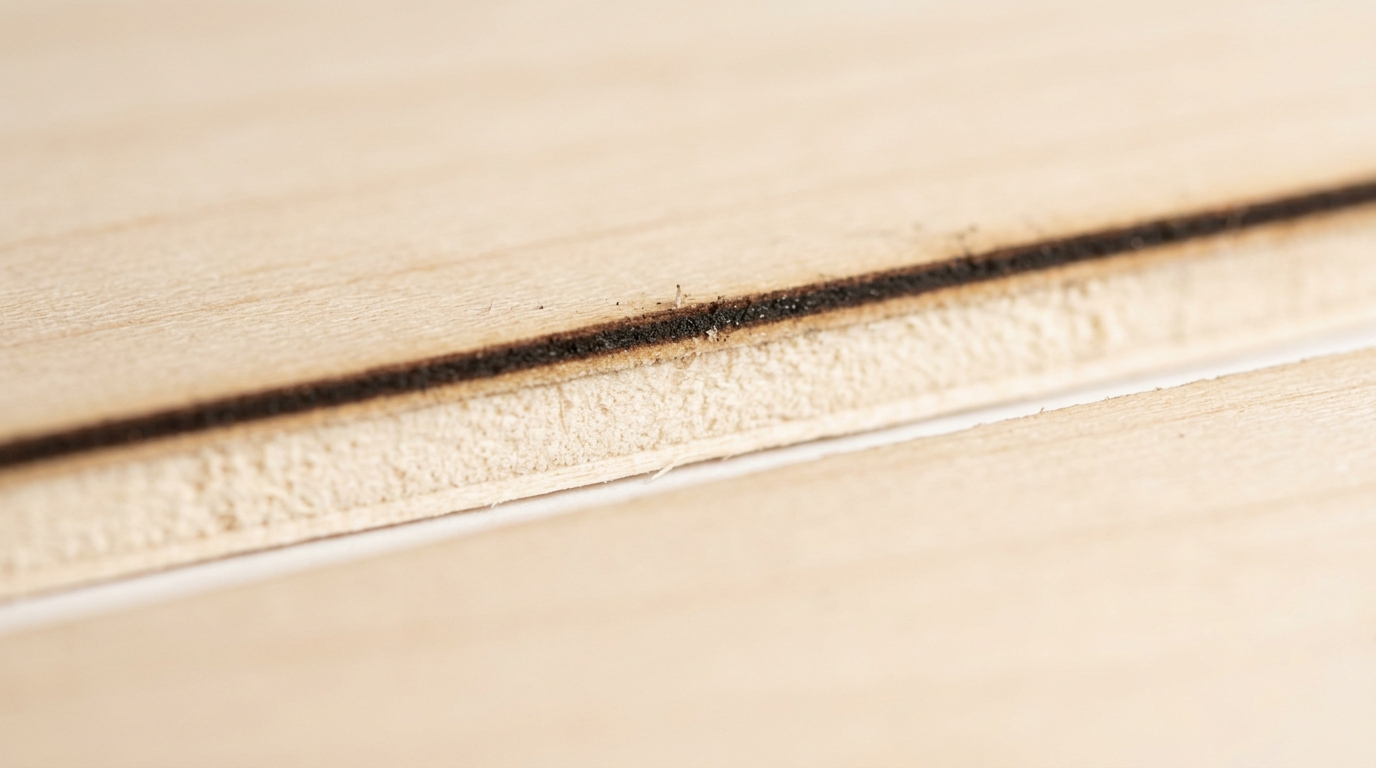
Close-up of 3mm basswood cut by Creality Falcon2 22W at 12 mm/s, 100% power — single pass, clean pale interior, minimal surface residue.
How Do I Get Perfect Cuts on My Creality Falcon Every Time?
Consistency starts before your first cut. Follow this checklist every time you load a new pack of basswood:
- Focus your beam precisely — use the Falcon’s auto-focus or manual focus card to set the correct focal height on 3mm material. A defocused beam wastes power and causes charring.
- Run the calibration card at your baseline settings to confirm the sheet responds as expected. Crafteker’s 3-pack includes a free Precision Calibration Card for this step.
- Enable air assist — even the Falcon 10W benefits from air assist. It clears combustion gases from the kerf, prevents flashback, and keeps edge color pale.
- Check edge char — the optimal setting leaves pale interior wood with a thin (under 0.5mm) dark edge line. Thick charring = too slow or too much power. Incomplete cut = too fast or insufficient power.
- Log your settings — write them down. Temperature and humidity affect basswood moisture daily.
Which Creality Falcon Model Is Best for Cutting Basswood?
All three Falcon models cut 3mm basswood reliably — the differences are in speed and versatility. The Falcon2 22W is the sweet spot for most makers: fast enough for production runs (12 mm/s, 1 pass), with enough power for detailed engraving at 250 mm/s. The Falcon2 40W is the choice for high-volume shops — at 20 mm/s it doubles throughput with the same cut quality. The Falcon 10W is excellent for engraving and occasional cutting; just plan for 1–2 passes on 3mm material and keep air assist on. All three produce sellable-quality cuts on Crafteker’s laser-grade basswood.
Ready to start cutting? Get the wood that works:
→ Buy Crafteker 12-Pack Basswood Sheets on Amazon – $24.99
Clip the 7% coupon on the listing page – buy 2 packs and save 20% automatically.
Also available: 5-pack ($15.97) · 3-pack ($12.99)
Frequently Asked Questions About Creality Falcon Basswood Settings
What are the best basswood settings for Creality Falcon2 22W?
For 3mm basswood on the Creality Falcon2 22W: cut at 12 mm/s, 100% power, 1 pass with air assist. Engrave at 250 mm/s, 20% power. Always run a calibration card test on a fresh sheet to confirm settings for your specific diode module.
Can the Creality Falcon 10W cut 3mm basswood in one pass?
Yes, with air assist enabled. The Falcon 10W cuts 3mm laser-grade basswood in 1 pass at 5 mm/s, 100% power. Air assist makes the difference between clean single-pass results and the need for a second pass. Use Crafteker’s kiln-dried sheets for the most consistent performance.
What is the best wood for Creality Falcon laser cutters?
3mm laser-grade basswood is the best wood for Creality Falcon diode laser cutters. Its near-zero resin content, uniform density, and kiln-dried moisture level produce clean cuts with minimal charring. Baltic birch works but produces darker edges; MDF produces toxic fumes and should be avoided.
What speed and power for Creality Falcon2 40W basswood engraving?
For detailed engraving on 3mm basswood with the Falcon2 40W: 350 mm/s at 15% power produces crisp, high-contrast results. For deep/dark engraving, reduce to 200 mm/s at 25% power. Always test a scrap piece first — settings vary slightly between machine units.
Does the Creality Falcon need air assist for basswood?
Yes — air assist is strongly recommended for all Creality Falcon models when cutting basswood. It clears smoke from the kerf, prevents flashback charring, and keeps edges pale. On the 10W model, air assist can be the difference between one-pass and two-pass cuts on 3mm material.
More Laser Cutting Machine Guides
- Basswood Laser Cutting Settings: Complete 3mm Guide for All Machines
- Best Basswood for Monport Laser Cutter: CO₂ Settings 2026
- Best Basswood for xTool Laser: S1, D1 Pro & P2 Settings
- How to Use a Laser Calibration Card for Perfect Cuts
- How to Prevent Charring When Laser Cutting Wood
According to Creality Falcon’s official laser cutting guide, material consistency and focal distance are the two most critical variables affecting cut quality on diode machines — exactly what kiln-dried laser-grade basswood addresses directly.
The Bottom Line: Best Basswood for Creality Falcon Users
Creality Falcon users who cut regularly will get the best value and most consistent results from Crafteker’s 12-pack at $2.08/sheet. Occasional makers can test with the 5-pack, and anyone new to diode cutting should start with the 3-pack — it includes a free Precision Calibration Card designed specifically for 3mm basswood on diode machines.
Every Crafteker order also includes a curated SVG pack, so your first cut is a finished product — not a test scrap.
→ Shop Crafteker Basswood on Amazon — 12-Pack, Prime Shipping
Written by Mike Dolan — laser maker and wood materials specialist with 8+ years cutting basswood, birch, and MDF on diode and CO₂ machines including Creality Falcon, xTool, Sculpfun, and OMTech.
Finally a guide that covers all three Falcon models together! I’ve been using the Falcon2 22W for about 6 months and the 600mm/min at 100% setting is spot on — that’s almost exactly where I landed after about 10 test cuts. The air assist tip is critical, I noticed a huge difference in edge quality when I started using it consistently. Bookmarking this for when I upgrade to the 40W.