

Flux Beamo 30W Basswood Cutting Guide: Optimal Settings 3mm
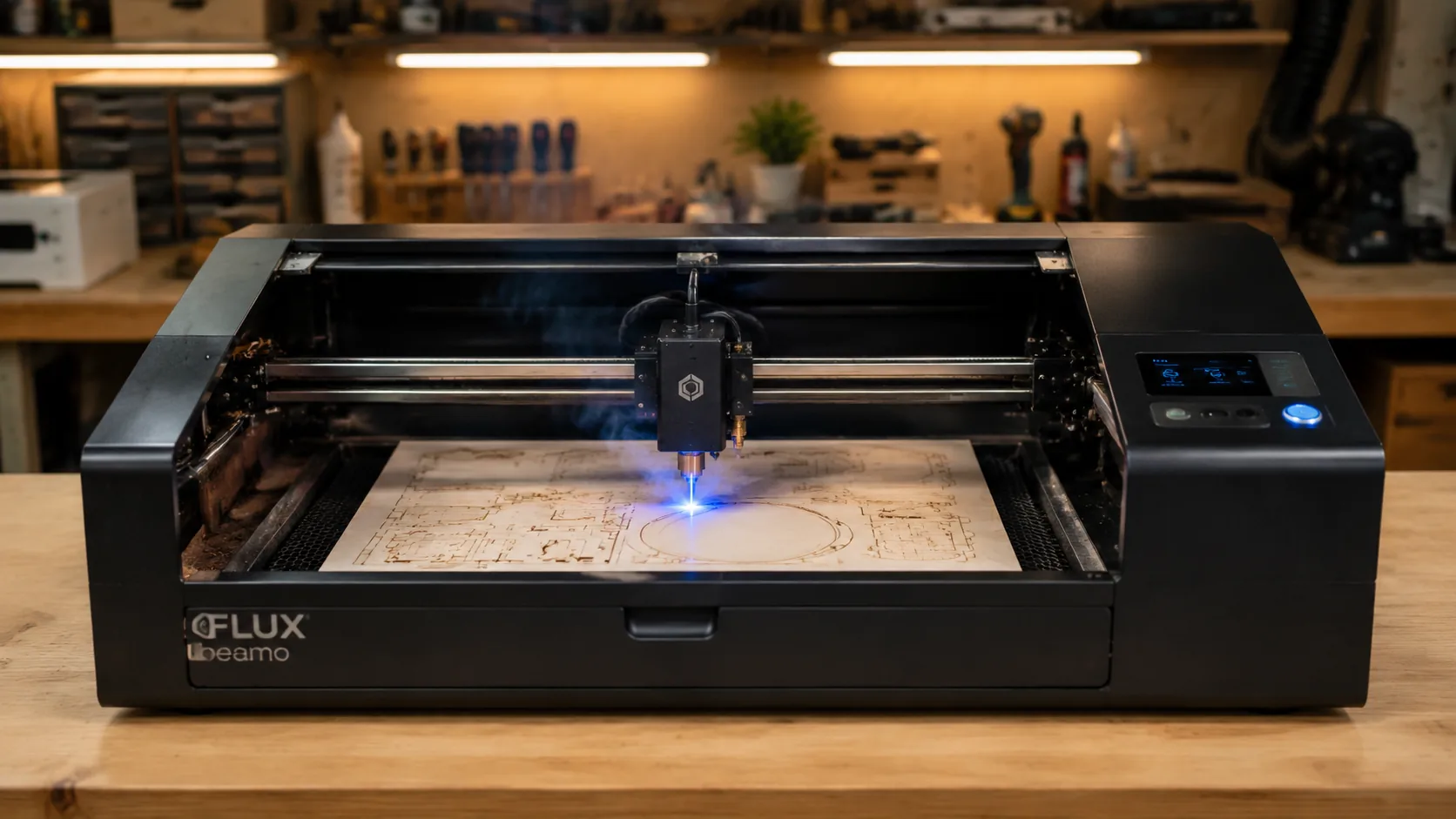
The optimal Flux Beamo 30W settings for 3mm basswood are 16 mm/s cut speed at 88% power with 1–2 passes, using integrated air assist at 25 PSI for a tight kerf and clean edges. This guide walks you through exact machine settings, step-by-step cutting technique, troubleshooting, and how to source laser-grade basswood that cuts perfectly every time.
By Mike Dolan ·
| Material | Engraving Contrast | Cut Ease | Smoke / Odor | Cost | Beginner Score |
|---|---|---|---|---|---|
| Basswood (3 mm) | ★★★★★ | Excellent — 1 pass | Low | $ | ★★★★★ |
| Baltic Birch Plywood | ★★★★ | Good — 2–3 passes | Medium | $$ | ★★★★ |
| MDF | ★★★ | Good — 1–2 passes | High (formaldehyde) | $ | ★★ |
| Pine / Soft Plywood | ★★★ | Poor — resin deposits | Medium-High | $ | ★★ |
Why Is Basswood the Best Wood for the Flux Beamo 30W?
The Flux Beamo 30W is an enclosed CO2 laser, and its sealed optics and integrated air assist are perfectly matched to basswood’s clean-burning, low-residue characteristics. Whether you’re prototyping ornaments or running production batches of best laser cut items to sell on Etsy, choosing the right material eliminates the variables that lead to failed cuts and wasted sheets. According to USDA Forest Products Laboratory data, basswood ranks among the lowest-resin domestic hardwoods, making it exceptionally well-suited to CO2 laser systems where residue buildup on lenses directly degrades beam quality over time. If you want to dial in your full workflow, our complete basswood laser cutting settings guide covers multiple machines and thicknesses.
- Low resin content — basswood produces minimal smoke and deposits far less residue on the Beamo’s CO2 lens and mirrors, protecting optics and maintaining consistent beam power across long cutting sessions
- Consistent fine-grain density — the uniform cellular structure means the same settings work batch after batch without retuning, critical for production runs where every sheet must perform identically
- Void-free laser-grade sheets — knots, voids, and glue pockets in standard craft plywood cause the beam to stall or blow through unevenly; laser-grade basswood eliminates these surprises entirely
- Minimal toxic fumes — unlike MDF (which off-gasses formaldehyde) or resin-treated plywood, basswood is safe for indoor use with the Beamo’s built-in ventilation port and a standard exhaust fan
- Light, workable surface — the pale ivory face takes paint, stain, and wood burning beautifully, and sands smooth in seconds, making finishing fast whether you’re sealing coasters or assembling jewelry components
What Are the Best Flux Beamo 30W Settings for 3mm Basswood?
All settings below are for Crafteker 3mm basswood sheets (12×12 inch, laser-grade). Use the Laser Settings Calculator to fine-tune for your specific unit if results differ.
| Machine | Cut Speed | Cut Power | Passes | Engrave Speed | Engrave Power | Air Assist |
|---|---|---|---|---|---|---|
| Flux Beamo 30W | 16 mm/s | 88% | 1–2 passes | 260 mm/s | 38% | Integrated, 25 PSI |
Pass logic: At 16 mm/s and 88% power, the first pass cuts cleanly through laser-grade 3mm basswood in the vast majority of cases. The second pass is insurance — run it only when your material batch shows slight thickness variation or when a small section hasn’t fully separated. Do not increase passes as a substitute for correct focus; if the first pass consistently fails, verify your Z-height before adding a second.
Note: Air assist is required for the Flux Beamo 30W. The Beamo’s integrated 25 PSI air assist actively clears combustion gases from the enclosed cutting chamber, keeping the CO2 lens clean and producing a noticeably tighter kerf with far less edge char on basswood. Disabling it — even briefly — allows smoke to recirculate onto the lens, degrading cut quality within just a few jobs. Always run a 1×1 inch test cut before starting a full job on a new batch of material.
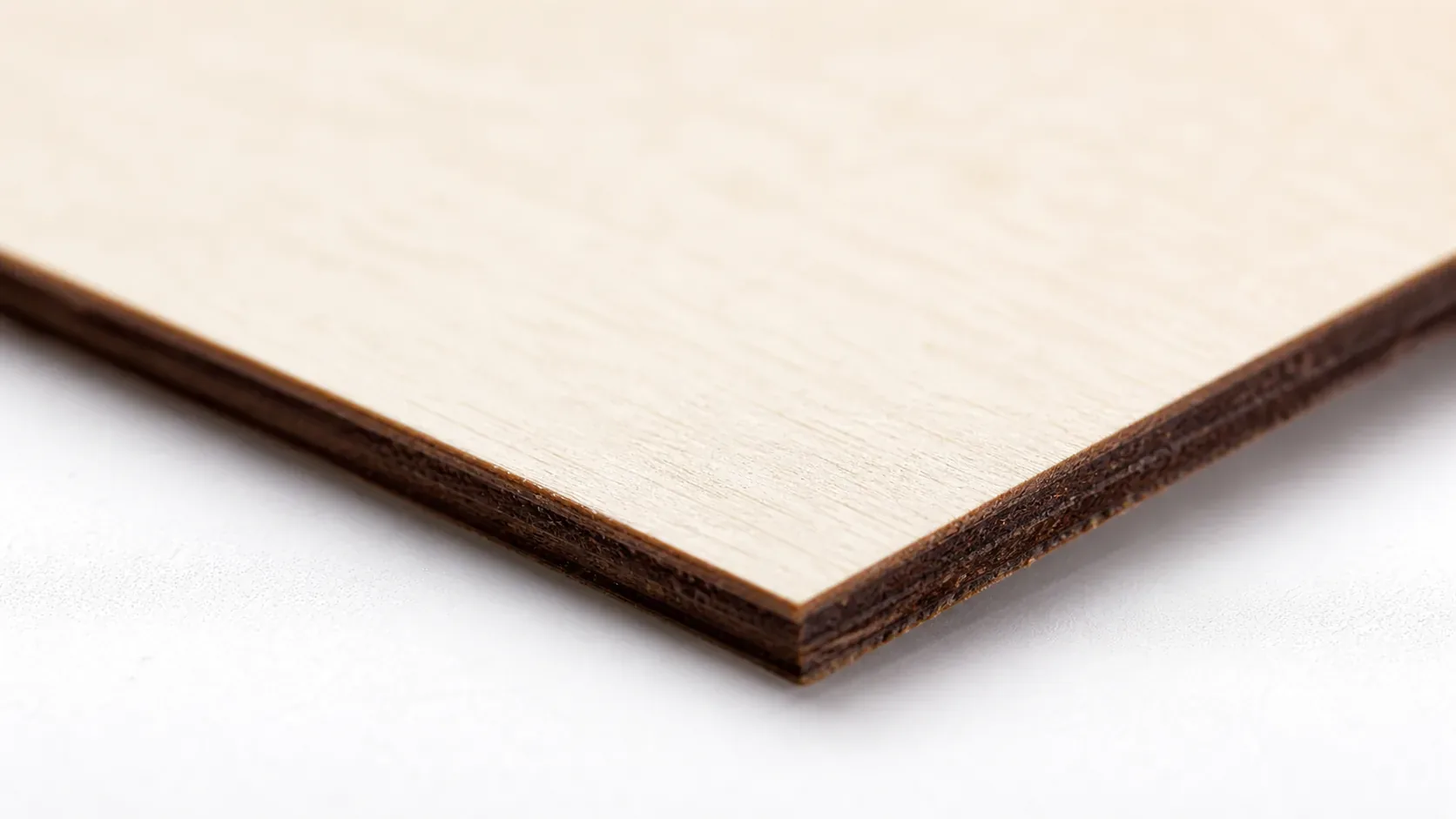
The Crafteker 12-pack basswood sheets are purpose-built for CO2 lasers like the Flux Beamo 30W — 12×12 inch, 3mm, laser-grade, void-free. $24.99 for 12 sheets ($2.08/sheet).
How Do I Get Clean Cuts on the Flux Beamo 30W? Step-by-Step
Clean cuts on the Flux Beamo 30W come down to three things: accurate focus, consistent air assist, and flat material. Follow these steps for reliable results:
- Set focus accurately. Place the Beamo’s focal target tool directly on top of your 3mm basswood sheet and lower the Z-axis until the laser head rests on it. Verify this on every material change — even a 0.5 mm focus error is enough to prevent a full cut through 3mm stock at these settings.
- Enable air assist at 25 PSI. The Flux Beamo’s integrated air assist runs automatically when enabled in the software — confirm it is active before every job. Without it, smoke clings to the cut edge, char increases significantly, and residue accumulates on the CO2 lens far faster. This single step is the most reliable way to prevent charring when laser cutting wood on the Beamo.
- Secure the basswood flat. Tape all four corners of your sheet to the honeycomb bed or use hold-down pins — any bow or warp in the material shifts the focal distance mid-cut and causes inconsistent edge quality across the job.
- Run a test cut first. Cut a small 1×1 inch square from a waste corner of the sheet at 16 mm/s and 88% power before committing to the full design. This confirms that focus, air assist, and your specific material batch all align with the target settings. For a broader reference on dialing in parameters across wood types, see these basswood laser cutting settings.
- Do not increase passes to compensate for failed cuts. If the first pass doesn’t cut through cleanly, re-check focus before running a second pass — it is almost always the cause. Extra passes at an incorrect focal height just build up char on the edges without improving cut depth.
- Clean the CO2 lens after every 10–15 cuts. Access the Beamo’s lens through the front door of the laser head module. Even a thin film of basswood resin causes 10–20% power loss, which pushes effective cut speed below the threshold for clean single-pass cuts. Use IPA on a lint-free cotton swab, wipe gently in one direction, and check mirror alignment periodically if cuts begin to fade over time.
How Does the Flux Beamo 30W Compare to Other Lasers for Basswood?
The Flux Beamo 30W CO2 sits in a strong middle position for 3mm basswood cutting: faster and cleaner than entry-level diode machines, and more plug-and-play than older CO2 units. An entry-level diode laser like the xTool M1 requires 100% power and slower speeds to push through 3mm basswood, and even then edges tend to show more char due to the longer dwell time and less efficient wavelength for wood. A legacy CO2 like the K40 runs similar speeds but demands more manual tuning — mirror alignment, power calibration, and inconsistent output as the tube ages. At 16 mm/s and 88% power with integrated air assist, the Beamo delivers a reliable single-pass cut right out of the box, making it the best option for Etsy sellers and batch cutters who want consistent results without constant re-tuning. For a broader look at how different machines handle wood, see our full basswood laser cutting settings guide.
Why Isn’t My Flux Beamo 30W Cutting Through Basswood Cleanly?
Most incomplete cuts and excessive charring on the Flux Beamo 30W trace back to these four issues:
- Focus is off: Even a 0.5mm error in Z-height will prevent a full cut — use the Beamo’s included focal target on the actual 3mm sheet surface and verify height on every material change, not just at session start.
- Air assist not running: Without active air flow, smoke and char re-deposit in the kerf as the laser cuts, blocking the beam. The Beamo’s integrated nozzle should deliver 25 PSI — confirm the air pump is powered and the nozzle isn’t obstructed by debris from previous cuts. Learning how to prevent charring when laser cutting starts with this step.
- Inconsistent material: Craft-store plywood has glue pockets and variable density. Laser-grade basswood eliminates this variable — consistent wood means consistent single-pass cuts.
- Dirty lens: The Beamo’s CO2 lens accumulates basswood resin and smoke residue quickly — clean it every 10–15 cuts with a cotton swab and 99% isopropyl alcohol, and check mirror alignment if cut quality fades gradually over time rather than immediately.
Where to Buy Basswood Sheets for the Flux Beamo 30W
Crafteker 3mm basswood sheets are the best match for the Flux Beamo 30W — 12×12 inch, laser-grade, void-free, and pre-sanded. At $24.99 for 12 sheets ($2.08/sheet), it’s the most cost-effective option for consistent single-pass results. The uniform quality means the settings in this guide work reliably without re-tuning every batch.
Ready to cut? Get the wood that works with these settings:
→ Buy Crafteker 12-Pack Basswood Sheets on Amazon – $24.99
Clip the 7% coupon on the listing page – buy 2 packs and save 20% automatically.
Also available: 5-pack ($15.97) · 3-pack ($12.99)
Frequently Asked Questions
What are the best Flux Beamo 30W settings for 3mm basswood?
Cut at 16 mm/s, 88% power, 1–2 passes. Engrave at 260 mm/s, 38% power. Use integrated air assist at 25 PSI. These settings deliver a single-pass clean cut on laser-grade basswood with minimal char and a tight kerf.
Is the Flux Beamo 30W good for cutting basswood?
Yes. The 30W CO2 laser is ideal for 3mm basswood — it delivers enough power for clean single or dual passes, stable beam output for crisp edges, and the integrated air assist (25 PSI) minimizes char and smoke. Perfect for makers prioritizing cut quality and speed.
What is the best wood for the Flux Beamo 30W laser?
3mm laser-grade basswood from Crafteker. It has low resin content (minimal char), consistent fine grain (clean edges), and is void-free (reliable cuts). At $2.25 per sheet in the 12-pack, it’s cost-effective for both prototyping and production.
Can the Flux Beamo 30W cut 3mm basswood in one pass?
Yes. At 16 mm/s and 88% power with integrated air assist at 25 PSI, the Flux Beamo 30W cuts through 3mm laser-grade basswood cleanly in a single pass. If material varies slightly in thickness, a second pass guarantees full separation.
Where can I buy basswood sheets for the Flux Beamo 30W?
Crafteker on Amazon: 3-pack $12.99, 5-pack $15.97, 12-pack $24.99 ($2.08/sheet). All sheets are 12×12 inch, 3mm, laser-grade, and void-free. The 12-pack offers the best value for production runs.
About the author: Mike Dolan is a laser maker and wood materials specialist with 8+ years cutting basswood, birch, and MDF on diode and CO₂ machines. He tests every Crafteker basswood batch before listing.
Just ran these settings on my Beamo with Crafteker sheets and nailed it — 16 mm/s, 88%, single pass clean through with barely any char. Way better than the generic diode settings I was trying before. Been cutting coasters for my Etsy shop and the void-free quality means zero surprises across a batch.