

Basswood Batch Drift: Why Part 40 Won’t Match Part 1 (2026)
Even with the same file and settings, later parts in a long batch of 3mm basswood cuts can come out slightly different from the first because the machine itself drifts – lens and optics heating up, bed buildup, frame expansion – not because the wood changed. You’ll learn the real causes of in-run drift and the check-first-middle-last habit that catches it before a whole batch is ruined.
By Mike Dolan ·
Quick Answer: Laser cutting repeatability on 3mm basswood plywood production runs degrades from thermal drift in optics and frame, plus bed buildup – measure first, middle, and last parts, not just the first.
| Material | Engraving Contrast | Cut Ease | Smoke / Odor | Cost | Beginner Score |
|---|---|---|---|---|---|
| Basswood (3 mm) | ★★★★★ | Excellent – 1 pass | Low | $ | ★★★★★ |
| Baltic Birch Plywood | ★★★★ | Good – 2-3 passes | Medium | $$ | ★★★★ |
| MDF | ★★★ | Good – 1-2 passes | High (formaldehyde) | $ | ★★ |
| Pine / Soft Plywood | ★★★ | Poor – resin deposits | Medium-High | $ | ★★ |
Same file, same settings – but part 40 doesn’t match part 1
A batch of 20, 30, or 50+ identical parts cut from 3mm basswood on the same laser with the same file and same settings can still show small but real size differences between the first parts and the later ones. The file didn’t change. The settings didn’t change. The machine did, over the course of the run.
I cut a batch of press-fit box sides once – 60 parts nested across six sheets. The first dozen snapped together perfectly with that satisfying friction fit. By the back half of the stack, a chunk of them were either too tight and needed force, or slightly loose and wobbled. Nothing in the file changed. The machine drifted.
This isn’t about basswood laser cutting settings being wrong from the start – if part 1 is already off, that’s a settings problem. This is about part 1 being spot-on and part 40 not matching it, even though you touched nothing. That’s in-run dimensional drift, and it’s the machine’s behavior, not the material’s.
Thermal drift: why the machine itself changes over a long run
As a laser runs continuously for 30+ minutes, optics, motors, and the frame absorb heat. This causes thermal lensing in the focusing optics and thermal expansion in the gantry and linear guides.
The result: focal point can shift and the effective cutting envelope can stretch slightly. A part cut late in a dense nested run may be at a slightly different focus and XY position than the first part, even though your file never changed.
Research shows up to 1-2mm focal shift and tenths of a millimeter of envelope stretch on typical hobby and mid-tier CO₂ units during extended runs. Whether that matters to you depends entirely on how tight your tolerance actually is.
Tight press-fit joinery? You’ll notice. Decorative signs with no assembly? Probably fine. There’s no universal part-count threshold where drift suddenly kicks in – it depends on your machine’s thermal mass, how fast you’re cutting, and how long the run takes.
High-wattage diode lasers running back-to-back nested sheets can drift noticeably over a long continuous run. Heavy enclosed CO₂ units with water cooling may hold stable longer, but they still drift eventually.
The takeaway: thermal drift isn’t a mystery or a defect. It’s physics. Plan around it rather than assuming the settings that nailed part 1 are still nailing part 40.
The honeycomb bed problem: buildup changes how later sheets sit and cut
Soot, charred resin, and fine particulate accumulate on the honeycomb bed during a long plywood cutting session. The support surface gradually becomes uneven and more reflective.
This alters standoff distance and increases flashback. Later sheets sit on a subtly lumpy, soot-coated surface that produces inconsistent cut depth and small dimensional differences compared with the first sheet, which was cut on a cleaner bed.
I noticed more underside scorching and slightly shallower cuts on the last few sheets of a big batch once. Traced it back to never having wiped down the bed mid-run – the buildup was thick enough in spots to change how the sheet sat.
The fix is simple: wipe the bed with a damp cloth or vacuum it between sheets if you’re running a long batch. Takes barely any time and removes one variable from the drift equation.
If you’re seeing charring get progressively worse as a run continues, or the back side of later sheets looks messier than the first few, check the bed before you blame the basswood laser cutting settings.

The fix: treat dimensional stability as something you check, not assume
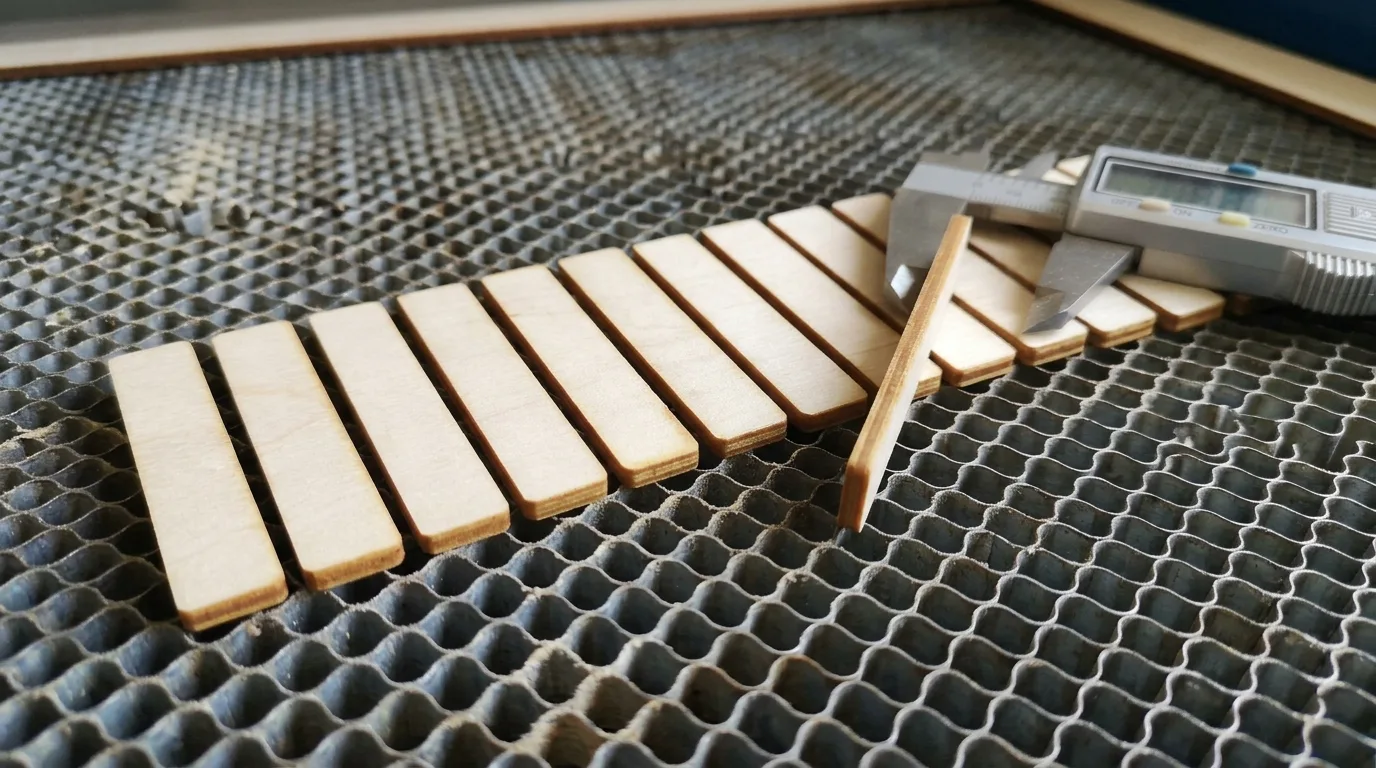
Measure the first finished part, a part from the middle of the run, and a part from the last sheet with calipers – not just the first part as a pass-fail indicator. When you see drift beyond your tolerance band, pause to clean the lens and bed, check focus and work height, and adjust before continuing.
I got in the habit of pulling a part from partway through a long run instead of only trusting the first one off the bed. The middle-of-the-run part was noticeably harder to seat than the first, even though I hadn’t touched a single setting – the bed had picked up a fine layer of soot and the lens had a visible haze, and together they’d shifted things just enough to matter.
Practical mid-run habits: run a brief warm-up cycle before a big batch so the machine stabilizes thermally before you start counting parts. Wipe down the bed and check the lens after every 4-5 sheets on long plywood runs. Don’t assume the basswood laser cutting settings that nailed part 1 are still nailing part 40 – your machine has changed, even if the file hasn’t.
Machine drift vs. material or setup issues: three different problems
This article covers drift from the machine itself over the course of one run – thermal expansion, optics heating up, bed buildup. That’s a distinct problem from two related questions you might be wrestling with.
First: is your sheet or supplier batch dimensionally consistent to begin with? If you’re starting with plywood that varies noticeably in thickness sheet-to-sheet, you’re chasing a moving target before the laser even fires. A separate published article covers evaluating supplier and batch consistency with calipers and a scorecard – link there for that.
Second: are your initial settings dialed in correctly? If part 1 is already too tight or too loose, that’s a settings or laser settings calculator problem, not drift. A separate published article covers using a test card to dial in basswood settings before a production run even starts.
The diagnostic is simple: if your first part is already off, fix your settings or check your material. If part 1 is good but part 40 isn’t, that’s in-run drift – the machine changed while the file didn’t.
Consistent basswood stock removes one variable from the drift equation
Crafteker 3mm basswood sheets are 12×12 inch, laser-grade, void-free, and consistent thickness sheet-to-sheet across a whole pack. That matters here because starting a big batch with sheets that are all the same thickness and density means any drift you do see across the run is coming from the machine, not from sheet-to-sheet material variation stacking on top of it.
At $24.99 for 12 sheets ($2.08/sheet), it’s the most cost-effective option for batch work where repeatability actually matters. You’re isolating the machine as the variable, not fighting both the machine and inconsistent plywood at the same time.
Ready to cut? Get the wood that works with these settings:
→ Buy Crafteker 12-Pack Basswood Sheets on Amazon – $24.99
Also available: 5-pack ($15.97) · 3-pack ($12.99)
Frequently Asked Questions
Why do later parts in a laser-cut batch come out different from the first?
The machine itself changes over a long run – optics and the frame heat up and can shift focus or positioning slightly, and the honeycomb bed accumulates soot and debris that changes how later sheets sit and cut. It’s the machine drifting, not the file. I ruined a whole batch of press-fit boxes before I figured out the lens needed cleaning halfway through.
How many parts can I cut before dimensional drift becomes a problem?
There’s no fixed number – it depends on your machine’s thermal stability, how long the run takes, and how tight your tolerance actually needs to be. Research shows drift can reach 1-2mm in longer runs, but when it starts for you is machine-specific. That’s why measuring parts partway through a run matters more than assuming a specific batch size is always safe.
Does cleaning the laser bed actually affect part accuracy?
Yes – soot and charred buildup on a honeycomb bed makes the surface uneven and more reflective, which changes the effective standoff distance and can cause inconsistent cut depth and dimensional differences between early and late sheets in a run. Wipe it down mid-batch if you’re cutting more than a few sheets back to back.
Should I check every part in a batch or just the first one?
Check the first, a middle, and the last part with calipers, not just the first. A good first part only tells you the settings were right at that moment – it doesn’t guarantee the 40th part still matches. You’ll catch drift before you’ve burned through a whole stack that way.
Where can I buy consistent basswood for large batch runs?
Crafteker on Amazon: 3-pack $12.99, 5-pack $15.97, 12-pack $24.99 ($2.08/sheet best value), laser-grade and void-free with consistent thickness sheet to sheet, so material variation isn’t adding to whatever drift your machine already introduces. Starting with uniform stock removes one variable from the drift equation.
About the author: Mike Dolan is a laser maker and wood materials specialist with 8+ years cutting basswood, birch, and MDF on diode and CO₂ machines. He tests every Crafteker basswood batch before listing.
Ran into this on a batch of small box sides – first dozen fit perfectly, then around part 25 or so they started going too tight and I had to force them. Started checking a part from the middle of the run and wiping the bed down after every third sheet and it helped a lot. Switched to Crafteker sheets last month and at least now I know the thickness isn’t changing sheet to sheet on top of whatever my little CO2 is doing thermally.