

Laser Engraved Custom Map Art for Dad: Basswood Gift Guide 2026
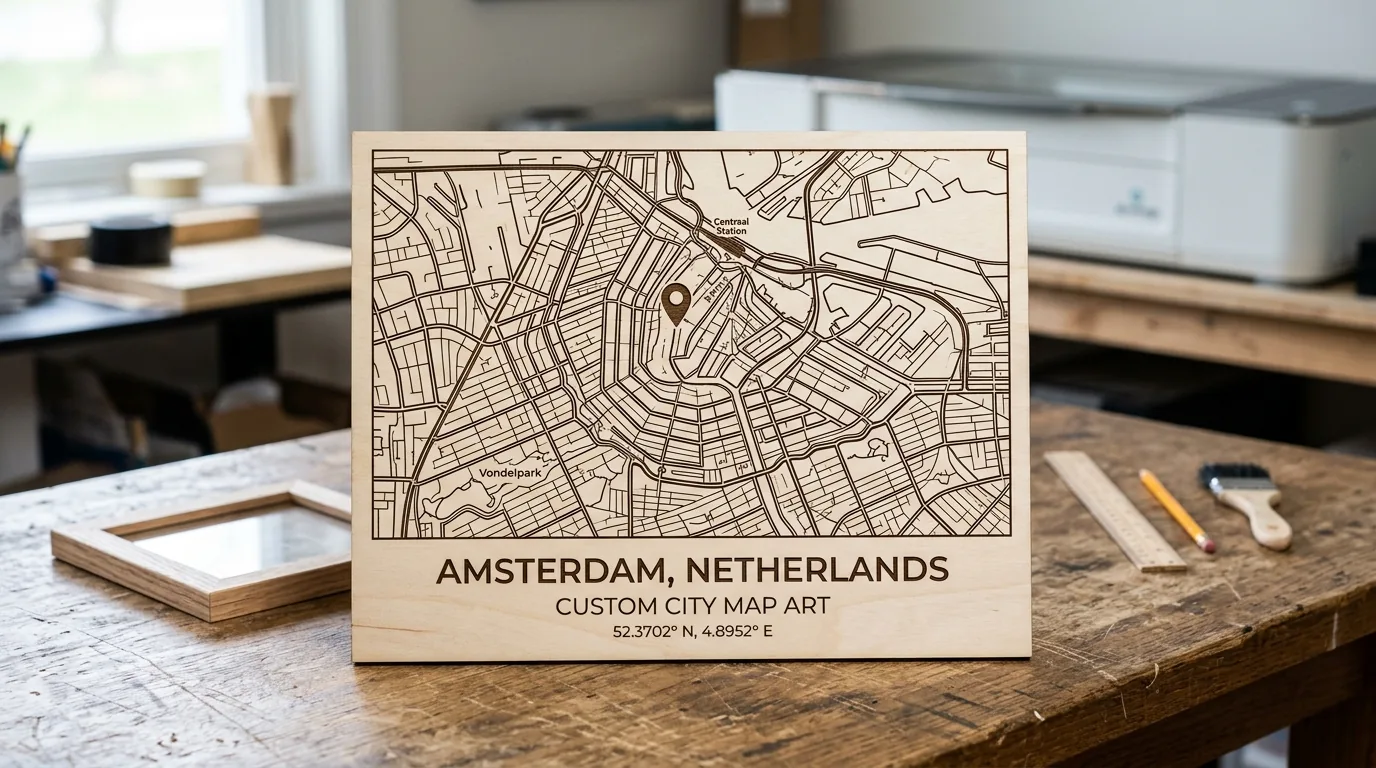
Custom laser-engraved map art on basswood makes one of the most personal Father’s Day gifts in 2026, with finished pieces selling for $45–$120 on Etsy depending on size and detail. This guide walks you through designing, cutting, and selling minimalist map art that turns meaningful locations into heirloom-quality wall pieces dad will treasure.
By Mike Dolan ·
| Material | Engraving Contrast | Cut Ease | Smoke / Odor | Cost | Beginner Score |
|---|---|---|---|---|---|
| Basswood (3 mm) | ★★★★★ | Excellent – 1 pass | Low | $ | ★★★★★ |
| Baltic Birch Plywood | ★★★★ | Good – 2–3 passes | Medium | $$ | ★★★★ |
| MDF | ★★★ | Good – 1–2 passes | High (formaldehyde) | $ | ★★ |
| Pine / Soft Plywood | ★★★ | Poor – resin deposits | Medium-High | $ | ★★ |
Why Makers Choose Basswood for Custom Map Art Projects
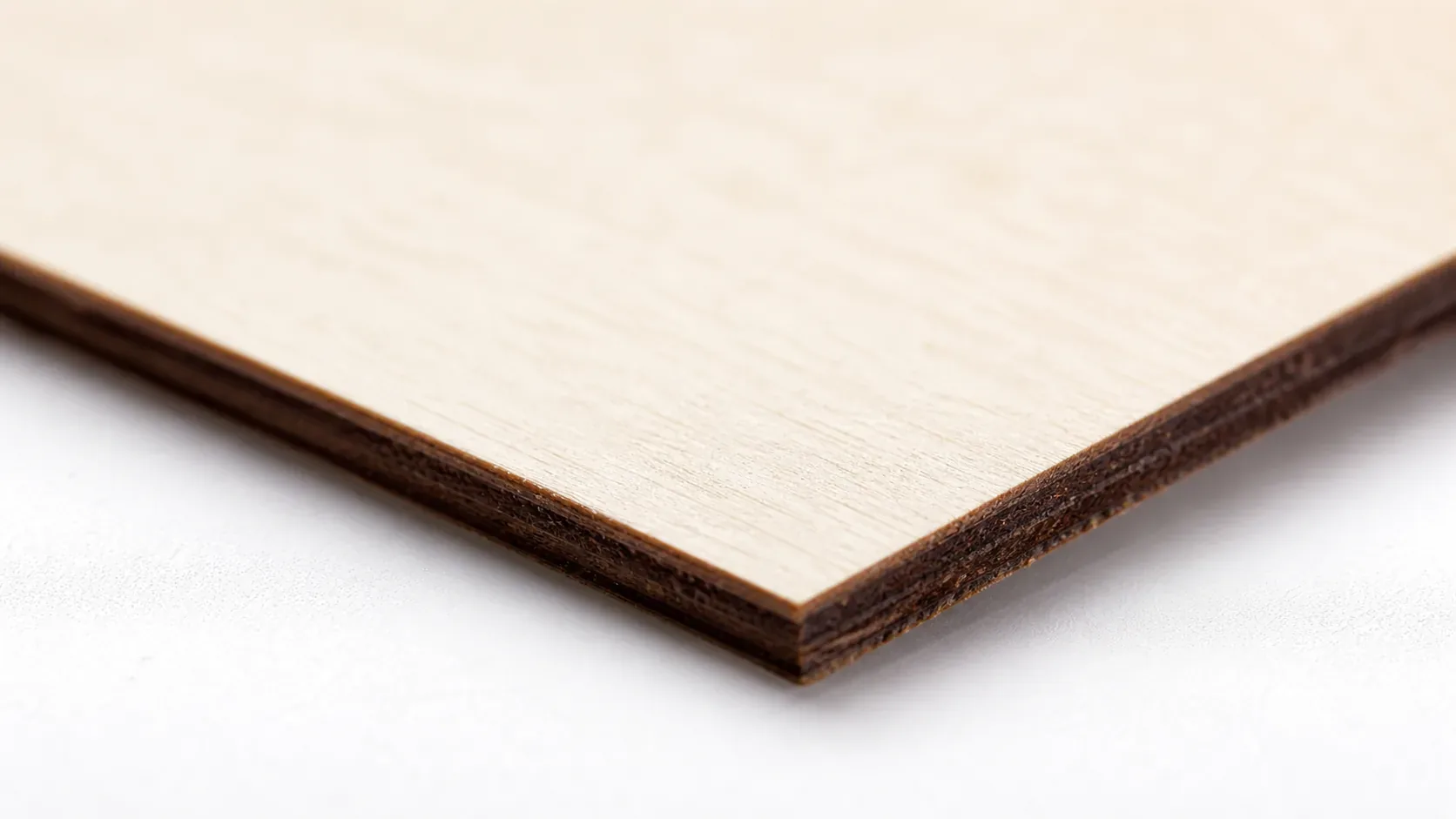
Basswood excels for laser-engraved map art because its low resin content produces clean, precise cuts and detailed engraving without the edge char that plagues resinous woods. According to USDA Forest Products Laboratory data, basswood ranks among the lowest-resin domestic hardwoods, making it ideal for intricate designs. With consistent density and a fine grain structure, the same basswood laser cutting settings work reliably across multiple sheets and batches.
- Low resin – produces minimal ash and smoke, keeping your laser’s optics cleaner and reducing ventilation demands
- Consistent density – the same settings work batch after batch without retuning
- Minimal char – produces clean cut edges with air assist enabled
- Light, workable surface – easy to sand, paint, or stain after cutting
- No toxic fumes – unlike MDF or treated plywood, safe for indoor use with basic ventilation
To prevent charring when laser cutting, start with high-quality material and proper masking. Basswood’s naturally low char tendency means even beginner makers see professional results on their first test cuts.
What You’ll Need
- Basswood sheets: Crafteker 3mm basswood, 12×12 inch – 1 sheet per finished map (12-pack recommended for production runs)
- Laser machine: Any diode or CO2 laser (xTool, Glowforge, Creality Falcon, etc.)
- Design file: SVG vector map file with outline, place markers, street linework, coordinates, and personalized text (exported from Inkscape, Illustrator, or a map-to-SVG tool like Maperitive)
- Masking tape & magnets or clamps: Painter’s tape for the reverse side to reduce blowback char; flat hold-down magnets or clamps to keep the sheet perfectly flat during the cut
- Finishing supplies: 180-grit sandpaper for pre-cut prep and edge cleanup, plus optional light wood stain or clear matte finish to seal the engraved surface
Estimated time: 45–75 minutes per piece · Difficulty: Intermediate · Profit potential: ~$2.25 materials per sheet → sell for $45–$120 on Etsy
Step-by-Step: Making Custom Map Art from 3mm Basswood
Basswood’s tight, even grain and low resin content make it exceptionally well-suited for map art – fine street linework and small coordinate text come through cleanly without blurring or excessive char. Follow these six steps from file prep to a finished, gift-ready piece.
All settings below are for Crafteker 3mm basswood sheets (12×12 inch, laser-grade). Use the Laser Settings Calculator to fine-tune for your specific unit if results differ.
| Machine | Cut Speed | Cut Power | Passes | Engrave Speed | Engrave Power | Air Assist |
|---|---|---|---|---|---|---|
| Diode 10W | 5 mm/s | 100% | 1 | 120 mm/s | 30% | Required |
| Diode 20W | 9 mm/s | 100% | 1 | 150 mm/s | 28% | Required |
| CO2 40W | 20 mm/s | 65% | 1 | 300 mm/s | 25% | Recommended |
| CO2 60W | 28 mm/s | 60% | 1 | 350 mm/s | 20% | Recommended |
- Prepare your vector file. Open your SVG in Inkscape or LightBurn and arrange three layers: the outer border cut line, the engraving layer for roads and coastlines, and a text layer for coordinates, place names, and a personal message. Keep stroke widths on road lines at 0.2–0.4 pt so they engrave as crisp detail rather than filled bands. Double-check that all text is converted to paths before exporting.
- Test cut on scrap 3mm basswood. Before committing your final sheet, run a small test patch – a 2×2 inch square containing one road line, a coordinate number, and the cut border. This confirms your basswood laser cutting settings produce clean edges and readable fine detail without burning away thin lines. Adjust speed and power as needed and re-test until satisfied.
- Prep and secure your sheet. Lightly sand the face of your basswood sheet with 180-grit sandpaper to remove any surface dust or micro-roughness that causes uneven engraving. Apply painter’s tape to the reverse side to catch blowback residue and help prevent charring on the underside. Place the sheet on your laser bed and secure it flat with hold-down magnets or edge clamps – any bow in the material will shift focus and blur fine map linework.
- Cut the outline and border in a single pass. Run your cut layer first so the sheet stays fully supported while the engraving happens. A single clean pass through 3mm basswood leaves smooth, lightly toasted edges that sand up quickly. Do not run multiple passes unless your test confirmed the sheet wasn’t cut through – re-running increases char buildup on the cut edge.
- Engrave fine map details and personalized text. Switch to your engraving layer and run streets, coastlines, terrain contours, and any coordinate or place-name text. Fine detail at this scale typically takes 15–30 minutes depending on map complexity and laser speed. Watch the first 60 seconds to confirm the engraving depth looks consistent across the sheet – uneven depth usually means the sheet isn’t sitting fully flat.
- Sand edges, remove masking, and finish. Once the job is complete, peel the painter’s tape from the back and use 180-grit sandpaper to lightly knock down any roughness on the cut edges. Wipe away all dust with a dry cloth. Leave the wood natural for a clean, modern look, or apply a single thin coat of light wood stain to deepen the engraved contrast. A matte clear coat protects the surface for long-term display. Total production time per piece – including finishing – runs 45–60 minutes.
Pro Tips for Laser Cutting Custom Map Art on Basswood
- Export your map as a layered SVG: Separate your cut lines, engraving details, and text into distinct layers before importing into your laser software. This lets you run the engraving pass first and the cut pass last, preventing the sheet from shifting mid-job.
- Tape both sides before cutting: Apply blue painter’s tape to the front and back of the 3mm basswood sheet. The front mask catches char residue on engraved areas; the back mask reduces flashback burn from the laser bed. Peel both after cutting for a cleaner finish.
- Use a defocus trick for smoother engraving: Raise your laser head 2–3mm above the focal point when engraving large filled areas like landmasses or water regions. The slightly wider beam creates softer gradients that look more painterly on natural basswood grain.
- Finish with a matte wipe-on poly, not stain: A single coat of water-based matte polyurethane seals the engraved char without darkening the natural wood tone. Stain can bleed into fine street-line engravings and obscure detail – keep it clear for map work unless you want high contrast on place names.
How to Sell Laser Engraved Custom Map Art on Etsy
Custom map art is one of the best laser cut items to sell on Etsy for Father’s Day – shoppers searching for personalized gifts by location consistently outspend generic gift buyers, and map art appeals to a broad demographic: new dads, grandparents, and partners celebrating anniversaries tied to a special place. If you’re scaling up, it fits naturally into any laser cutting business from home.
- Price point: $45–$120 on Etsy for custom laser-engraved map art, depending on size and detail level. At $2.08/sheet for Crafteker basswood (12-pack), your material cost per finished map is under $3 including masking tape and finishing supplies.
- Best listing title keywords: “Custom Map Art Dad Gift”, “Personalized Laser Engraved Wood Map”, “Father’s Day Map Keepsake Engraved Basswood”
- Photo tip: Shoot your finished map leaning against a neutral linen background with a ruler or coffee mug for scale – buyers need to gauge size quickly. A second lifestyle shot showing the map hung on a wall above a desk or bookshelf converts browsers into buyers.
- Personalization upsell: Offer a coordinates add-on at checkout ($8–$15 extra) where buyers submit GPS coordinates of a meaningful location – a childhood home, wedding venue, or favorite hiking trail. This single upsell can lift average order value by 20–30% with minimal extra laser time.
Where to Buy Basswood Sheets for Custom Map Art
Crafteker 3mm basswood sheets are ideal for custom map art – 12×12 inch, laser-grade, void-free, and pre-sanded for clean engraving results. At $24.99 for 12 sheets ($2.08/sheet), the profit margin on personalized map pieces makes every batch count.
Ready to make your first batch? Get the wood that works:
→ Buy Crafteker 12-Pack Basswood Sheets on Amazon ($24.99)
Also available: 5-pack ($15.97) · 3-pack ($12.99)
Frequently Asked Questions
How much can I sell custom map art for on Etsy?
Map art typically sells for $45–$120 depending on complexity and size. Using Crafteker basswood at $2.08/sheet (12-pack), your material cost is ~$2.25 per piece. With labor, packaging (~$1.50), and Etsy fees (6.5%), realistic net profit is $25–$60 per unit. Selling 4–8 maps monthly yields $100–$480 in profit.
What size basswood do I need for custom map art?
Crafteker 3mm, 12×12 inch sheets are ideal – one sheet yields one finished map art piece. At $2.08/sheet in the 12-pack, this is the most cost-effective size for Etsy production. Larger maps require multiple sheets or wholesaling larger basswood blanks.
How long does it take to laser cut custom map art?
Cut time per piece: 10–20 minutes depending on map detail and laser power. Engraving fine details (coordinates, place names) adds 15–30 minutes. Total production per piece (including finishing): 45–60 minutes. A batch of 4 maps takes 4–5 hours.
What laser settings should I use for custom map art in basswood?
Engrave at 120-150 mm/s at 30-35% power on a 10W diode; CO2 40W at 300 mm/s at 25% power. Fine street lines need consistent speed for even depth. Use the settings calculator for your exact machine.
Where can I buy basswood sheets for custom map art?
Crafteker on Amazon: 3-pack $12.99, 5-pack $15.97, 12-pack $24.99 ($2.08/sheet). Father’s Day is June 15 – the 12-pack ships Prime so you can order now and still finish in time.
About the author: Mike Dolan is a laser maker and wood materials specialist with 8+ years cutting basswood, birch, and MDF on diode and CO₂ machines. He tests every Crafteker basswood batch before listing.
Did these for Father’s Day last year and they were my best sellers at $75-90 each. The coordinate add-on alone added another $200 to my week. Basswood holds the fine map detail way better than birch.