

Laser Engraved Cutting Board for Dad: Basswood Gift Guide 2026
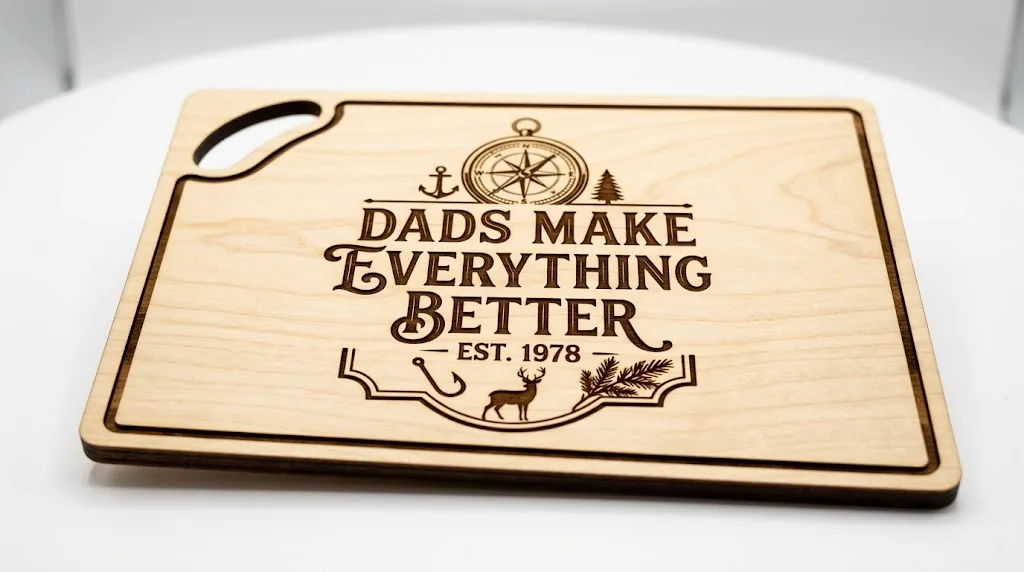
A laser-engraved basswood cutting board is one of the most profitable Father’s Day projects for Etsy makers, with profit margins of $15–$25 per unit when using Crafteker’s $2.08/sheet basswood. This guide walks you through the entire process – from design and laser settings to pricing your finished boards for maximum sales.
By Mike Dolan ·
| Material | Engraving Contrast | Cut Ease | Smoke / Odor | Cost | Beginner Score |
|---|---|---|---|---|---|
| Basswood (3 mm) | ★★★★★ | Excellent – 1 pass | Low | $ | ★★★★★ |
| Baltic Birch Plywood | ★★★★ | Good – 2–3 passes | Medium | $$ | ★★★★ |
| MDF | ★★★ | Good – 1–2 passes | High (formaldehyde) | $ | ★★ |
| Pine / Soft Plywood | ★★★ | Poor – resin deposits | Medium-High | $ | ★★ |
Why Makers Choose Basswood for Cutting Board Projects
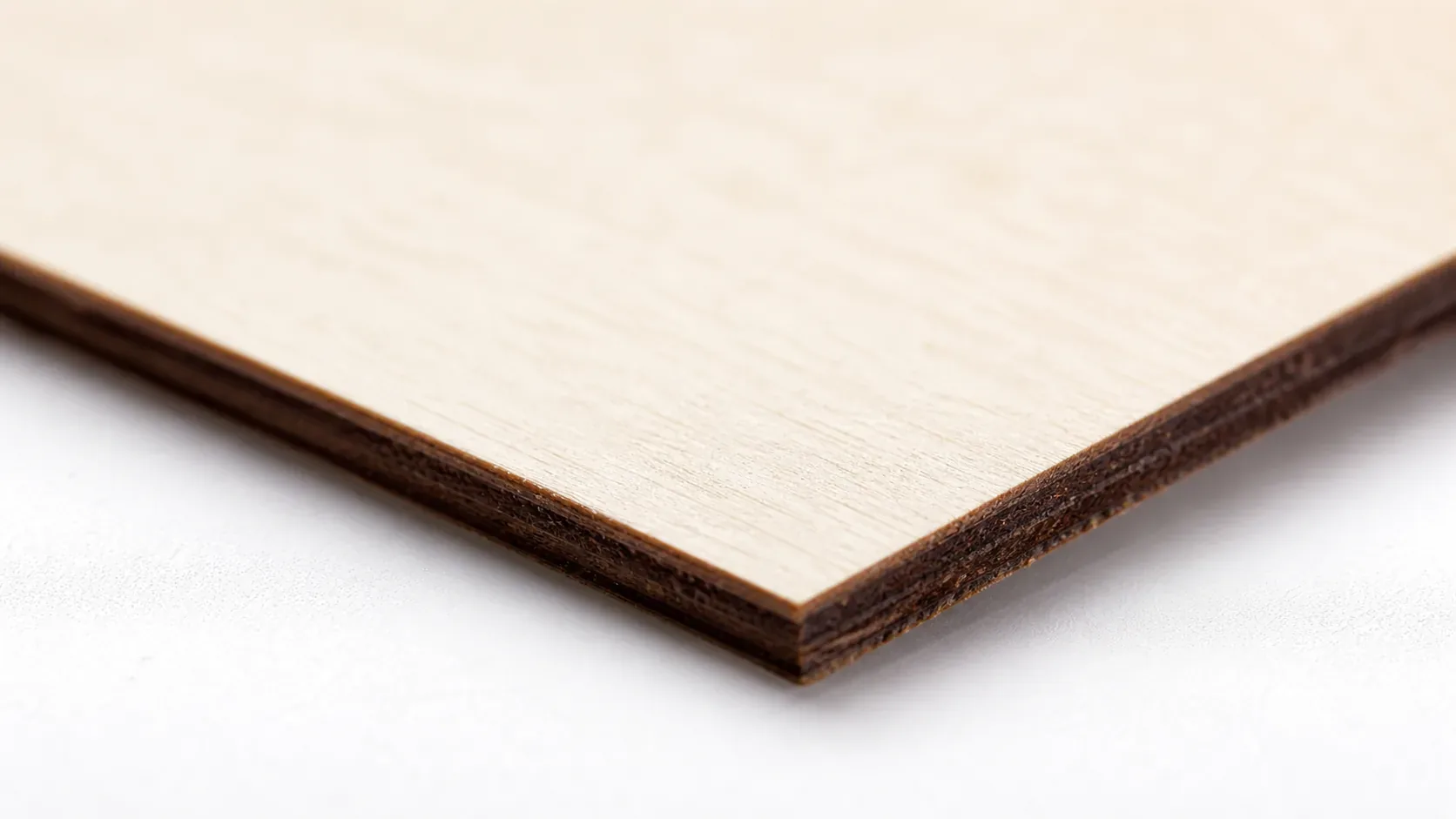
Basswood excels in cutting board applications because its minimal resin content produces crisp, high-contrast engraving while eliminating the sticky residue that damages lens coatings on entry-level lasers. According to USDA Forest Products Laboratory data, basswood ranks among the lowest-resin domestic hardwoods, making it ideal for both diode and CO2 systems. The consistent density across Crafteker’s void-free sheets ensures your basswood laser cutting settings remain constant from the first board to the hundredth, eliminating costly re-tuning between batches.
- Low resin content – protects optical components and produces dark, clean engraving contrast without sticky deposits on your lens or mirror
- Consistent density – the same settings work batch after batch without retuning, essential for profitable production runs
- Minimal char marks – produces clean cut edges with air assist enabled; learn how to prevent charring when laser cutting for gallery-quality results
- Food-safe surface – when finished with mineral oil, beeswax, or food-safe polyurethane, basswood is safe for cutting boards and serving pieces without toxic coatings
- No toxic fumes – unlike MDF or treated plywood, basswood releases no formaldehyde or carcinogenic compounds, making it safe for indoor workshop use with basic ventilation
What You’ll Need
- Basswood sheets: Crafteker 3mm basswood, 12×12 inch – 1 sheet per board; the 12-pack ($24.99) gives you the best per-unit cost at $2.08/sheet for production runs
- Laser machine: Any diode or CO2 laser (xTool D1 Pro, Glowforge, Creality Falcon, Sculpfun S30, etc.)
- Design file: SVG or bitmap artwork – a monogram, family name, “World’s Best Dad” script, or custom illustration sized to fit a 12×12 inch board
- Masking tape: Low-tack painter’s tape or transfer tape to reduce surface charring during engraving
- Finishing supplies: 120- and 220-grit sandpaper, food-safe mineral oil or beeswax finish (such as Howard Butcher Block Conditioner), and a clean lint-free cloth for application
Estimated time: 45–65 minutes per board (batch runs cut per-unit time significantly) · Difficulty: Beginner · Profit potential: $2.25 in materials → sell for $45–$65 on Etsy
Step-by-Step: Making Laser-Engraved Cutting Boards from 3mm Basswood
Basswood’s low resin content and consistent grain make it one of the most forgiving materials for first-time cutting board projects – you’ll get sharp engraving contrast and clean cut edges even on an entry-level diode laser. Follow these six steps and you’ll have a gift-ready board in under an hour.
- Import and nest your artwork in your laser software. Open your design file in LightBurn, xTool Creative Space, or your preferred laser software. Set the canvas to 12×12 inches to match the Crafteker sheet. If you’re making two smaller boards from one sheet, nest both outlines with at least 5mm of spacing between them to avoid weakening the cut lines. Lock your artwork to the board outline layer so nothing shifts before you send the job.
- Sand the basswood and apply masking tape. Give the surface a quick pass with 120-grit sandpaper to remove any mill marks, then wipe away dust with a tack cloth. Lay low-tack painter’s tape evenly across the entire engraving area – overlapping strips slightly – to prevent charring and keep residue off the pale basswood surface. Smooth out air bubbles so the tape sits flat.
- Focus your laser and run a test cut on scrap. Use a scrap corner of basswood (or a separate offcut) to dial in your settings before touching the finished sheet. Check your laser settings calculator for a starting point, then verify your focal distance and confirm the test engraving produces clean, dark contrast without excessive char on the back edge.
- Engrave the design first, then cut the board outline. Always run the engraving pass before the cut pass – this keeps the sheet stable and registered while the finer detail work happens. Use a lighter, faster engraving pass for your artwork (higher speed, lower power), then switch to your cut profile to run the board outline. Cutting last means the piece doesn’t shift mid-job if it partially separates from the sheet.
- Remove masking tape, sand smooth, and inspect edges. Peel the masking tape away slowly at a low angle to avoid lifting any surface fibers. Check all cut edges for any rough spots or partial tabs, then do a final pass with 220-grit sandpaper along the perimeter. Wipe down the board with a slightly damp cloth to remove sanding dust and let it dry fully before finishing.
- Apply a food-safe finish. Pour a generous amount of food-grade mineral oil onto the board surface and work it in with a lint-free cloth using circular motions. Let it soak in for 20 minutes, then wipe off the excess. For a richer finish and better water resistance, follow with a thin coat of beeswax conditioner buffed to a low sheen. Allow the board to cure for at least two hours before packaging. This final step is what transforms a laser-cut blank into a gift-quality product that commands $45–$65 on Etsy.
Pro Tips for Perfect Laser-Engraved Cutting Boards
- Mask before engraving: Apply blue painter’s tape or transfer tape across the entire basswood surface before running your laser. This captures smoke residue and char, leaving a cleaner engraved surface that requires far less post-processing – especially important for fine text and portrait designs on cutting boards.
- Engrave first, cut second: Always run your engraving pass before the cut outline. Cutting first leaves the board loose in the bed, risking micro-shifts that misalign your design – ruining a $2.25 sheet and 15 minutes of laser time.
- Mineral oil before gifting: A single coat of food-grade mineral oil applied after light 220-grit sanding dramatically deepens engraving contrast and gives the board a finished, gift-ready appearance. Let it soak 20 minutes, then wipe dry – buyers notice the difference immediately.
- Batch in groups of five: Nesting five 12×12 Crafteker sheets in a single session cuts your per-unit setup time nearly in half. Load, focus once, and run consecutive jobs – you’ll finish five boards in under 90 minutes including finishing, which keeps your effective hourly rate above $30.
How to Sell Laser-Engraved Cutting Boards on Etsy
Personalized cutting boards are a perennial top-seller in Etsy’s gifts-for-him category, with Father’s Day searches spiking every May through mid-June. Buyers spend $35–$65 on a custom engraved board without hesitation – it photographs beautifully, ships flat, and feels genuinely personal. If you’re building a product line, cutting boards pair naturally with other best laser cut items to sell on Etsy, and they’re consistently ranked among the most profitable laser cutting projects for home-based makers.
- Price point: $38–$65 on Etsy for a personalized 12×12 engraved basswood cutting board. At $2.08/sheet for Crafteker basswood, material cost per unit is under $4 including finish supplies.
- Best listing title keywords: “Personalized Cutting Board for Dad”, “Laser Engraved Dad Gift Cutting Board”, “Custom Father’s Day Wood Cutting Board”
- Photo tip: Shoot your finished board on a butcher block surface with a sprig of rosemary and a chef’s knife beside it – lifestyle context signals “premium kitchen gift” and converts browsers into buyers faster than plain white-background shots.
- Personalization upsell: Offer name + year engraving as a free add-on at checkout, then upsell a family name with established year (e.g., “The Hendersons – Est. 2003”) for an extra $8–$12. This single change routinely pushes average order value past $55.
Where to Buy Basswood Sheets for Cutting Board Projects
Crafteker 3mm basswood sheets are ideal for laser-engraved cutting boards – 12×12 inch, laser-grade, void-free, and pre-sanded for clean engraving results. At $24.99 for 12 sheets ($2.08/sheet), the profit margin on personalized cutting boards makes every batch count.
Ready to make your first batch? Get the wood that works:
→ Buy Crafteker 12-Pack Basswood Sheets on Amazon ($24.99)
Also available: 5-pack ($15.97) · 3-pack ($12.99)
Frequently Asked Questions
How much can I sell laser-engraved cutting boards for on Etsy?
Most sellers price personalized 12×12 basswood cutting boards between $35–$65. Using Crafteker basswood at $2.08/sheet, your cost per board is roughly $19–$24 (material, finish, labor). At $50/board, net profit is $26–$31 per sale. Realistic sellers average 2–5 sales per week, generating $220–$820 monthly profit.
What size basswood do I need for cutting boards?
12×12 inch, 3mm thick – Crafteker’s standard sheet size. One sheet makes one full cutting board with minimal waste, or two smaller boards with careful nesting. Cost per unit stays at $2.25 with the 12-pack, making this the most economical size for Etsy production runs.
How long does it take to laser cut a cutting board?
Cutting and engraving: 8–15 minutes per board depending on design complexity and laser wattage. Finishing (sanding edges, applying food-safe sealant): 15–25 minutes. Total per-unit time: 25–40 minutes. Batch runs of 5–10 boards are more efficient, reducing per-unit labor cost.
What laser settings should I use for cutting boards in basswood?
For 40W diode lasers: 300 mm/s, 70% power, 2 passes (cut). For 40W CO₂ lasers: 200 mm/s, 60% power, 1 pass (cut). Engrave at 800+ mm/s, 20–30% power for detail. Always test on scrap first. For more precision, visit crafteker.com/laser-settings-calculator/.
Where can I buy basswood sheets for cutting board projects?
Crafteker on Amazon: 3-pack $12.99, 5-pack $15.97, 12-pack $24.99 ($2.08/sheet). The 12-pack offers the best value for scaling production runs. All sheets are 3mm, 12×12 inch, laser-grade, and void-free.
About the author: Mike Dolan is a laser maker and wood materials specialist with 8+ years cutting basswood, birch, and MDF on diode and CO₂ machines. He tests every Crafteker basswood batch before listing.
Just finished my first batch of 10 cutting boards using Crafteker’s 12-pack-at $2.25 per sheet, I’m cutting my material cost in half compared to other suppliers. Sold all 10 on Etsy within two weeks at $48 each; profit per board is solid after time and finish. The basswood engraves with incredible contrast on my 40W diode, and zero warping issues with the void-free sheets.