

Summer Laser Cut Basswood Projects for Signs & Ornaments 2026
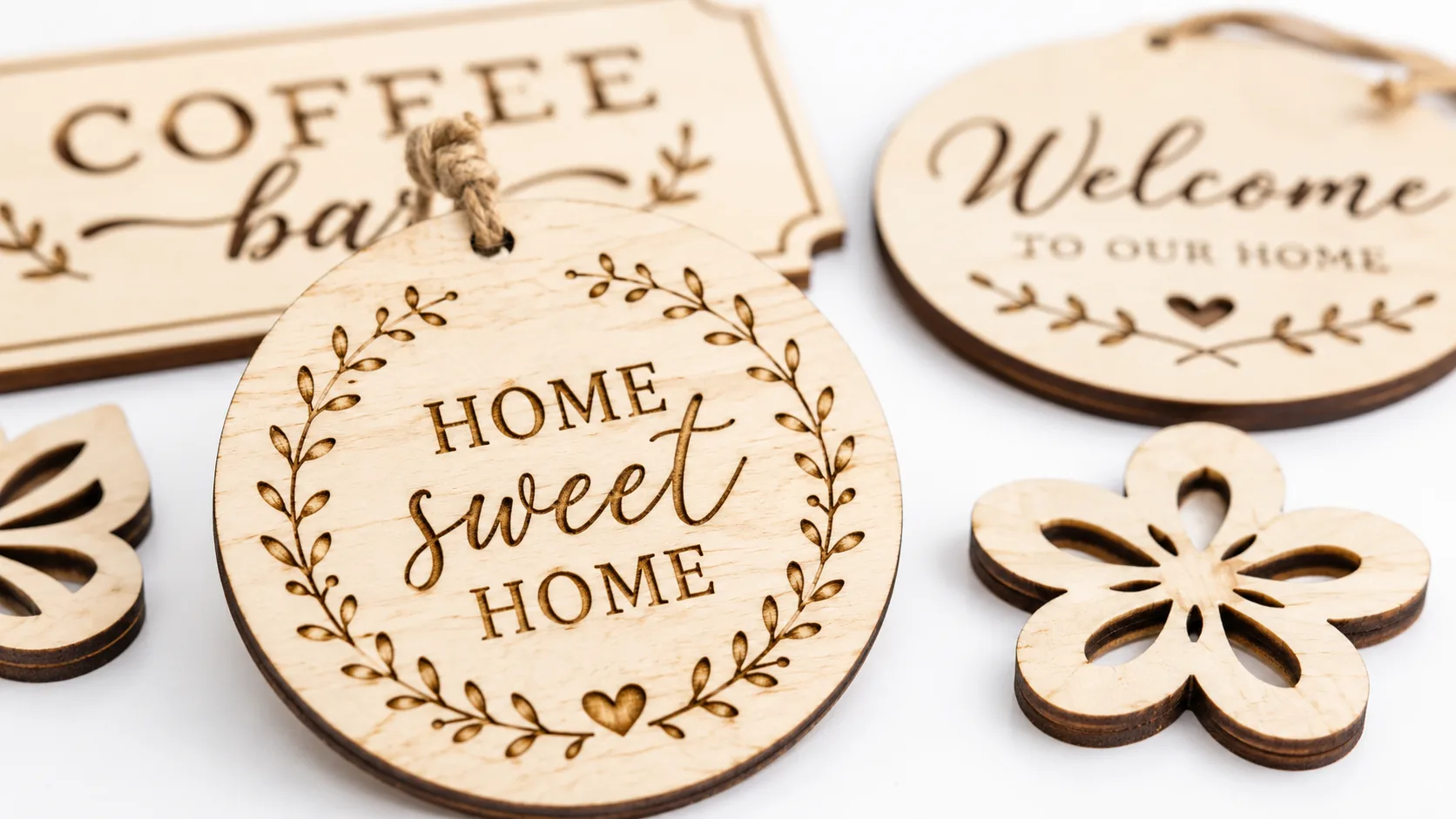
Summer 2026 is the perfect season to launch laser-cut basswood signs and ornaments — popular handmade items selling for $15–45 each on Etsy, with production costs as low as $2.25 per sheet from quality void-free basswood. This guide walks you through design ideas, proven laser settings, step-by-step project instructions, realistic profit calculations, and where to source premium 3mm basswood for consistent results.
By Mike Dolan ·
| Material | Engraving Contrast | Cut Ease | Smoke / Odor | Cost | Beginner Score |
|---|---|---|---|---|---|
| Basswood (3 mm) | ★★★★★ | Excellent — 1 pass | Low | $ | ★★★★★ |
| Baltic Birch Plywood | ★★★★ | Good — 2–3 passes | Medium | $$ | ★★★★ |
| MDF | ★★★ | Good — 1–2 passes | High (formaldehyde) | $ | ★★ |
| Pine / Soft Plywood | ★★★ | Poor — resin deposits | Medium-High | $ | ★★ |
Why Makers Choose Basswood for Signs & Ornaments Projects
Basswood has become the go-to material for laser-cut signs and ornaments because it performs predictably across both diode and CO2 lasers — delivering clean single-pass cuts, crisp engraving detail, and a pale ivory surface that takes finishes beautifully. According to USDA Forest Products Laboratory data, basswood ranks among the lowest-resin domestic hardwoods, which is precisely why it produces minimal smoke buildup and edge char compared to pine or standard craft plywood. Whether you’re dialing in your basswood laser cutting settings for the first time or scaling up a production run, the material’s consistent density means you rarely need to re-test between sheets — and if you’re still weighing your options, the full breakdown of the best basswood sheets for laser cutting covers every major format and pack size.
- Low resin — minimal resin content keeps your laser lens clean and dramatically reduces smoke buildup during long cutting sessions, protecting both diode and CO2 optics
- Consistent density — the same settings work batch after batch without retuning, making it ideal for production runs of ornaments and signs
- Minimal char — produces clean cut edges with air assist enabled; void-free construction eliminates the hot spots that cause uneven scorching
- Light, workable surface — the pale ivory face accepts stains, paints, and engraving detail without discoloration, giving finished pieces a professional look
- No toxic fumes — unlike MDF or treated plywood, basswood is safe for indoor workshop use with basic ventilation, with no formaldehyde or chemical off-gassing during cutting
What You’ll Need
- Basswood sheets: Crafteker 3mm basswood, 12×12 inch — 2–3 sheets per production batch (yields 8–18 ornaments or 2–6 signs)
- Laser machine: Any diode or CO2 laser (xTool, Glowforge, Creality Falcon, OMTech, etc.)
- Design file: SVG sign or ornament template in Adobe Illustrator, CorelDRAW, or LightBurn — nested to maximize pieces per 12×12 sheet
- Masking tape or transfer tape: Applied along cut lines to reduce scorching on the wood face
- Finishing supplies: 220-grit sandpaper, wood stain or acrylic paint, polyurethane sealer, and hanging hardware (eye hooks or ribbon) for ornaments
Estimated time: 1–2 hours per batch · Difficulty: Beginner · Profit potential: ~$4.50–$6.75 in materials (3 sheets at $2.25) → sell 12 ornaments at $18 each = $216 retail
Step-by-Step: Making Signs & Ornaments from 3mm Basswood
Basswood’s low resin content and consistent void-free density make it exceptionally forgiving for first-time sign and ornament projects — clean cuts come through in a single pass, and the pale ivory surface takes paint, stain, and engraved detail equally well. Follow these steps for repeatable, sell-ready results every batch.
- Create and nest your design. Open Adobe Illustrator, CorelDRAW, or LightBurn and draw your sign outline or ornament shape with any engraved text or decorative graphics on a separate layer. Nest multiple pieces tightly on a 12×12 artboard, leaving at least 0.25 inches between each shape to prevent heat buildup and edge scorching during cutting.
- Prep the basswood sheet. Lay your Crafteker 12×12 sheet flat on a clean surface. Lightly sand the face with 220-grit sandpaper using circular strokes — this opens the grain and produces sharper engraving detail. Apply painter’s tape or transfer tape over any areas where cut lines will run if you want to minimize charring on the wood face.
- Set your laser focus and run a test cut. Secure the sheet flat against your laser bed (use hold-down pins if your machine supports them). Verify material height matches your laser’s focal distance, then run a small test cut on a scrap corner. For diode lasers (40–60W), start at 80–100% power and 20–30 mm/s; for CO2 lasers (40–80W), try 50–70% power at 15–25 mm/s. Use the laser settings calculator at crafteker.com to dial in exact values for your machine wattage before committing to a full sheet.
- Cut your shapes. Send the cut layer to your laser with air assist enabled. Watch the first pass closely — 3mm Crafteker basswood is designed to cut cleanly in a single pass at the correct power/speed, so if edges appear charred rather than a warm chocolate brown, reduce power by 5–10% and re-test. Refer to proven basswood laser cutting settings if you’re working with a new machine model.
- Engrave text and decorative details. Switch to your engrave layer and reduce power (roughly 50% for diode, 20–30% for CO2) while increasing speed to 100+ mm/s. Run the engrave pass before removing the sheet from the bed so registration stays perfect. For ornaments, engrave names or seasonal motifs; for signs, engrave directional text or illustrated borders.
- Finishing. Peel off masking tape, then lightly sand all cut edges with 220-grit to remove any residual char dust — a few strokes is enough on quality void-free basswood. Apply your chosen finish: wood stain deepens grain for a rustic sign look; acrylic paint works well for bright holiday ornaments; a thin coat of polyurethane sealer protects both. For ornaments, attach a small eye hook or thread ribbon through a pre-cut hole before the final seal coat dries.
Common Mistakes When Laser Cutting Basswood for Signs & Ornaments
- Always run a test cut first: 3mm basswood requires single-pass power settings dialed in for your specific laser model — never guess. Cut a small test shape in a corner of your sheet before running a full batch, and adjust power or speed by 5% increments until you get a clean through-cut with minimal char.
- Acclimate your sheets before cutting: Basswood absorbs ambient moisture, and wet or warped material causes uneven cuts and edge scorching. Store sheets flat in a dry space and let them sit for at least 24 hours in your workshop before loading them into the laser.
- Nest designs with spacing: Crowding sign and ornament outlines too close together on a 12×12 sheet causes heat to accumulate between cuts, leading to scorched edges and potential warp. Leave at least 0.25 inches between pieces — you’ll still fit 4–6 ornaments or 1–2 signs per sheet without sacrificing quality.
- Use masking tape on cut lines: Applying low-tack painter’s tape over the cut area before running your laser dramatically reduces surface scorching, especially on engraved text. Peel it away after cutting for a clean, pale ivory face that takes stain or paint evenly.
How Much Can You Earn Selling Signs & Ornaments on Etsy?
Personalized laser-cut signs and ornaments are consistently among the best laser cut items to sell on Etsy — summer 2026 search demand for custom home signs and seasonal ornaments remains strong, with buyers typically in the 25–45 age range shopping for handmade gifts and home décor. If you’re building a laser cutting business from home, signs and ornaments are the lowest-barrier, highest-margin entry point available.
- Price point: $18–45 on Etsy for personalized signs; $12–28 for laser-cut ornaments. At $2.08/sheet for Crafteker basswood, material cost per ornament runs $0.40–0.60 and per sign $0.50–1.00 — leaving strong room for profit after Etsy’s 6.5% fee and $2–4 in packaging and shipping per order.
- Best listing title keywords: “personalized laser cut wood sign,” “custom basswood ornament gift,” “engraved wood home décor sign handmade”
- Photo tip: Shoot your signs styled against a shiplap or neutral linen backdrop in natural window light — lifestyle context (a sign hung on a wall, an ornament on a tree branch) consistently outperforms flat-lay product shots for this category. Include one close-up of the laser-engraved detail to showcase quality.
- Personalization upsell: Offer custom name or date engraving as a paid add-on — charge $4–8 extra per piece. Most buyers will select it, pushing your average order value well above the base listing price and boosting net profit per order to $10–20 with minimal added production time.
Where to Buy Basswood Sheets for Signs & Ornaments Projects
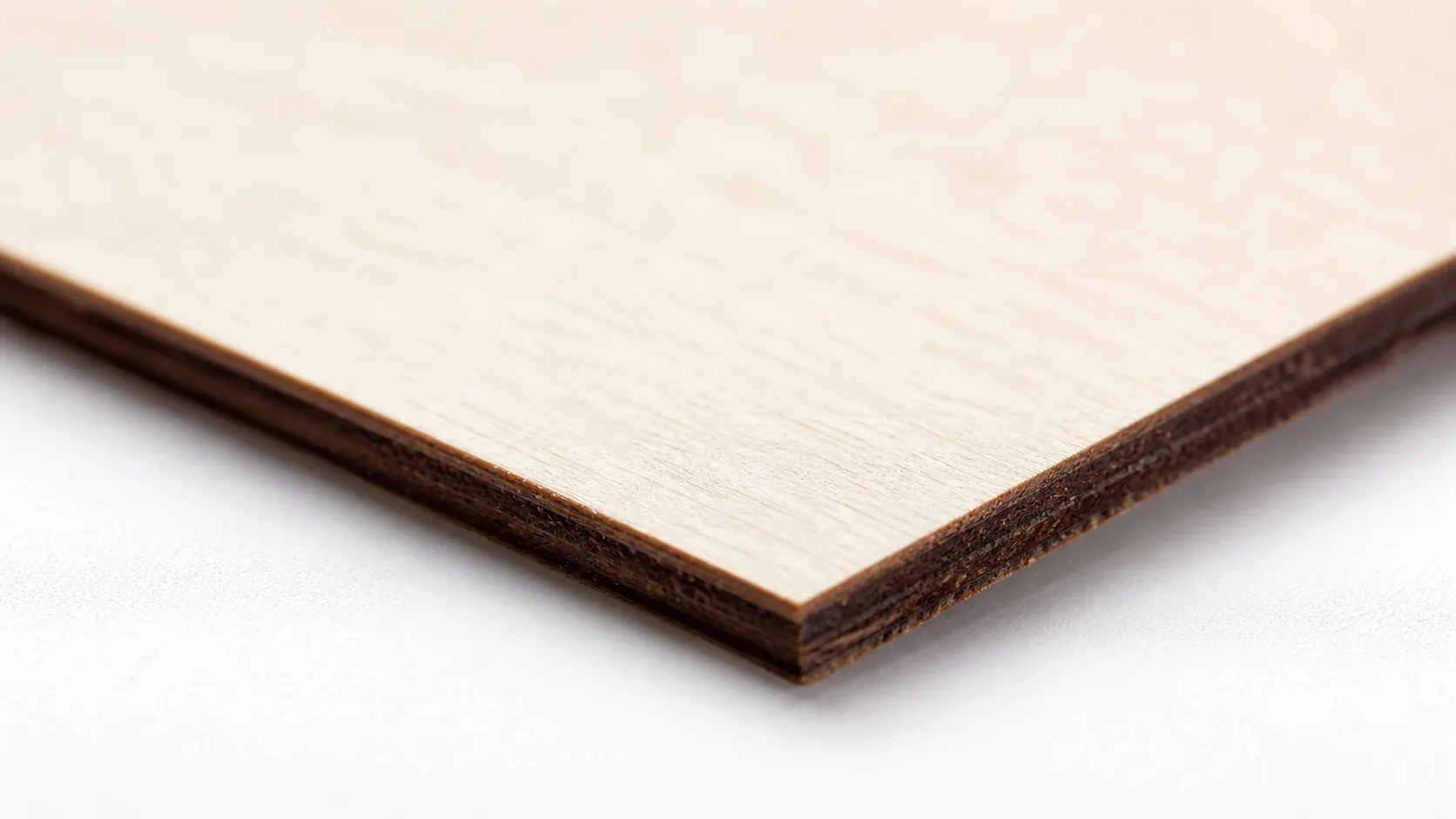
Crafteker 3mm basswood sheets are ideal for laser-cut signs and ornaments — 12×12 inch, laser-grade, void-free, and pre-sanded for clean engraving results. At $24.99 for 12 sheets ($2.08/sheet), the profit margin on personalized signs and ornaments makes every batch count.
Ready to make your first batch? Get the wood that works:
→ Buy Crafteker 12-Pack Basswood Sheets on Amazon – $24.99
Clip the 7% coupon on the listing page – buy 2 packs and save 20% automatically.
Also available: 5-pack ($15.97) · 3-pack ($12.99)
Frequently Asked Questions
How much can I sell signs and ornaments for on Etsy?
Personalized signs typically list at $18–45 each; laser-cut ornaments at $12–28. Using Crafteker basswood at $2.08/sheet, your material cost per ornament is roughly $0.40–0.60, per sign $0.50–1.00. After Etsy fees (6.5%) and packaging/shipping (~$2–4), net profit per ornament is $4–12, per sign $6–18. Most makers selling 15–20 units monthly report $250–400 net income.
What size basswood do I need for signs and ornaments?
12×12 inch, 3mm thickness — the industry standard for laser cutting. Each sheet fits 4–6 small ornaments or 1–2 medium signs depending on your design. This size works across all diode and CO2 lasers. At $2.08/sheet in the 12-pack, your per-unit material cost drops significantly compared to smaller packs.
How long does it take to laser cut signs and ornaments?
Single ornament: 1–3 minutes (cut + engrave). Single sign: 3–8 minutes depending on detail complexity. Production run of 10 ornaments typically takes 20–30 minutes; a batch of 5 signs takes 20–40 minutes. Total finishing (sanding, staining) adds 10–15 minutes per piece.
What laser settings should I use for signs and ornaments in basswood?
For 3mm basswood: Diode lasers (40–60W) — 80–100% power, 20–30 mm/s for cuts; 50% power, 100+ mm/s for engraving. CO2 lasers (40–80W) — 50–70% power, 15–25 mm/s for cuts; 20–30% power, 80+ mm/s for engraving. Always use air assist. For exact settings tailored to your machine, visit crafteker.com/laser-settings-calculator/.
Where can I buy basswood sheets for signs and ornaments?
Crafteker on Amazon: 3-pack $12.99, 5-pack $15.97, 12-pack $24.99 ($2.08/sheet best value for production runs). All sheets are 12×12 inch, 3mm, laser-grade, void-free. The 12-pack is recommended if you’re producing 10+ units monthly for Etsy.
About the author: Mike Dolan is a laser maker and wood materials specialist with 8+ years cutting basswood, birch, and MDF on diode and CO₂ machines. He tests every Crafteker basswood batch before listing.
Been cutting these ornaments for 3 months now and switched to Crafteker’s 12-pack last month — the void-free quality is a huge difference, no burnt edges even at 90% power on my 60W CO2. I’m averaging 16 pieces per sheet and selling them for $18 each on Etsy, which puts my profit around $8 per ornament after materials and fees.