

Thunder Nova Settings for 3mm Basswood 2026
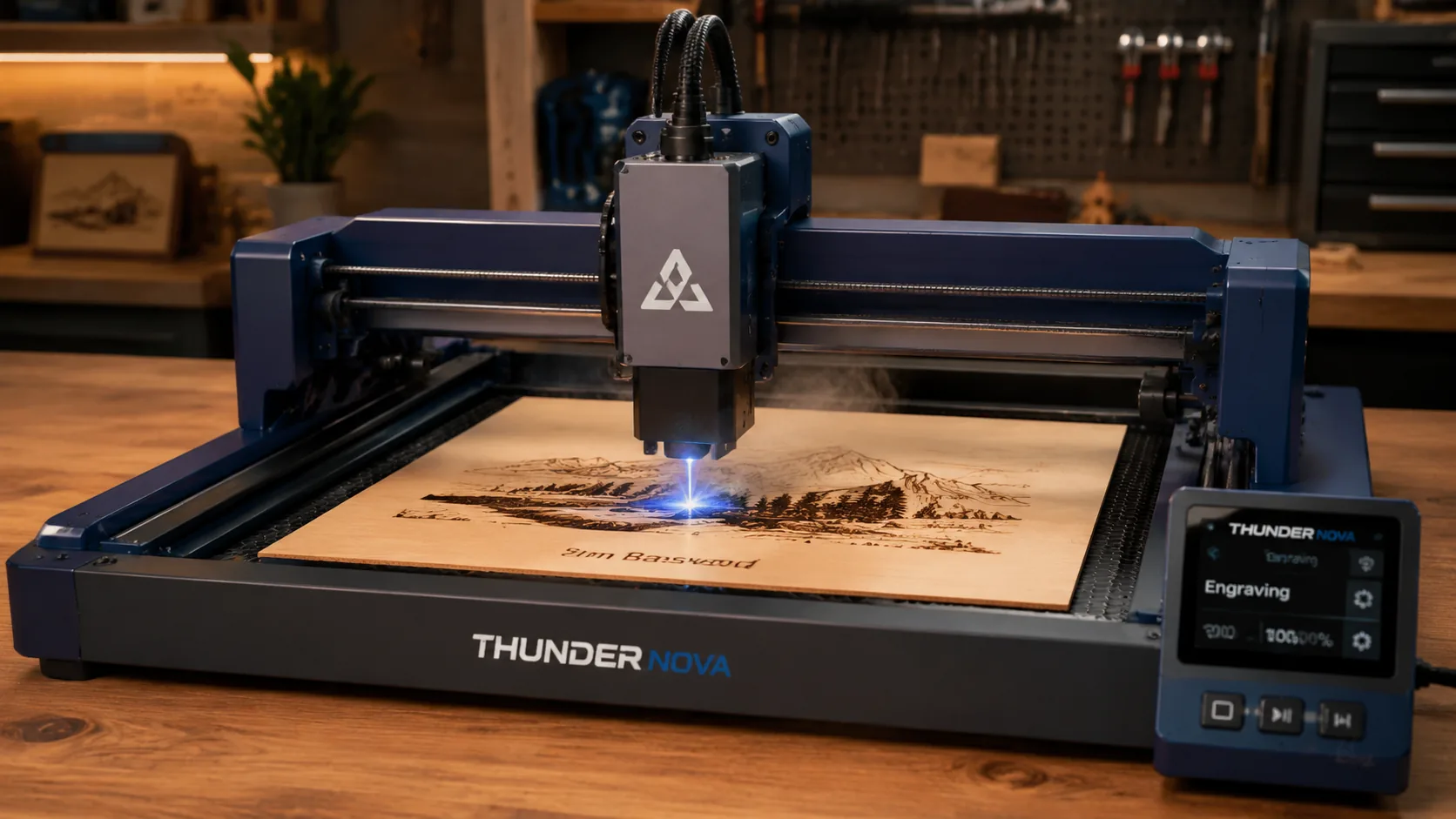
The best Thunder Nova settings for 3mm basswood are 800 mm/s at 70% power for engraving and 400 mm/s at 72% power for single-pass cuts. This guide walks you through exact machine configurations, material prep, troubleshooting, and where to source laser-grade basswood that cuts clean every time.
By Mike Dolan ·
| Material | Engraving Contrast | Cut Ease | Smoke / Odor | Cost | Beginner Score |
|---|---|---|---|---|---|
| Basswood (3 mm) | ★★★★★ | Excellent — 1 pass | Low | $ | ★★★★★ |
| Baltic Birch Plywood | ★★★★ | Good — 2–3 passes | Medium | $$ | ★★★★ |
| MDF | ★★★ | Good — 1–2 passes | High (formaldehyde) | $ | ★★ |
| Pine / Soft Plywood | ★★★ | Poor — resin deposits | Medium-High | $ | ★★ |
Why Is Basswood the Best Wood for the Thunder Nova?
The Thunder Nova’s enclosed 60W CO2 tube delivers focused, high-temperature energy in a controlled chamber — a setup that rewards low-resin, even-density materials above all else. Basswood is purpose-built for exactly this kind of machine: it absorbs the beam predictably, keeps the enclosure cleaner between sessions, and produces the kind of consistent results that make single-pass production runs possible. If you want a deeper look at dialing in your material workflow, our full guide to basswood laser cutting settings covers parameter tuning across multiple machines and thicknesses.
- Low resin content — According to USDA Forest Products Laboratory data, basswood ranks among the lowest-resin domestic hardwoods, which means no bubbling, no sticky char deposits on the Thunder Nova’s lens assembly, and a cleaner enclosure after extended cutting sessions.
- Consistent density — the same 400 mm/s / 72% power settings work batch after batch without retuning, which is essential when you’re running production quantities through the Thunder Nova bed.
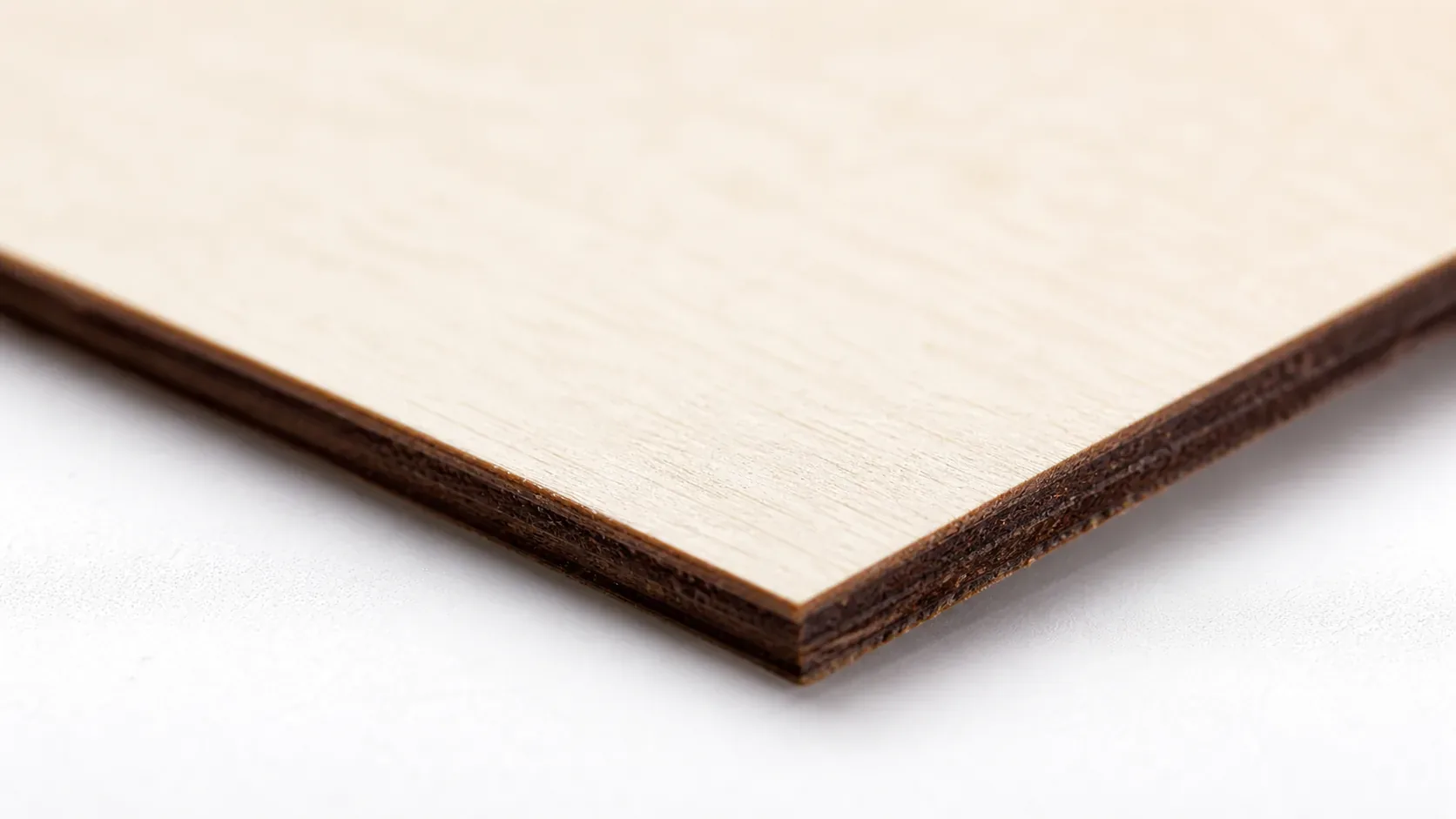
- Minimal char edges — with air assist enabled, basswood produces warm chocolate-brown kerf edges rather than the black scorch lines you see with pine or low-grade plywood; see our guide on how to prevent charring when laser cutting for additional air assist tips.
- Light, workable surface — the pale ivory face accepts light sanding and takes engraving detail cleanly at 254–300 DPI, and it takes paint, stain, or wood burning finish without blotching.
- No toxic fumes — unlike MDF (formaldehyde binders) or treated plywood (chemical adhesives), basswood cut with air assist is safe for hobby laser shops and small studios with standard ventilation — no respirator required for normal session lengths.
What You’ll Need
- Basswood sheets: Crafteker 3mm basswood, 12×12 inch — 1 sheet per project piece, 12-pack recommended for production runs or test batches
- Laser machine: Thunder Nova 60W CO2 laser (settings in this guide are dialed for this machine; compatible with other CO2 lasers with adjusted parameters)
- Design file: SVG or DXF vector file ready for your cut or engrave job — clean closed paths, no overlapping nodes
- Air assist setup: Compressor or built-in air assist nozzle set to 10–15 PSI — essential for char-free kerf edges on basswood
- Finishing supplies: 220-grit sandpaper, mineral oil or Rubio Monocoat for natural finish, or water-based wood stain for decorative pieces
Estimated time: 1–2 hours · Difficulty: Beginner · Profit potential: ~$0.19 per sheet (from a 12-pack at $24.99) → finished laser-cut ornaments or signs sell for $8–$25 each on Etsy
How Do I Get Clean Cuts on the Thunder Nova? Step-by-Step
Basswood’s low resin content and consistent density make it the ideal pairing for the Thunder Nova — but getting a flawless single-pass cut every time comes down to setup discipline, not luck. Follow these six steps before you run any job.
- Set precise focus 3mm above the material surface. Use the Thunder Nova’s autofocus feature or a manual focus gauge to position the laser head exactly at the top face of your basswood sheet. Even a 0.5mm focus error will prevent a clean single-pass cut — this step alone eliminates most failed jobs.
- Enable air assist and confirm airflow. Turn on your air assist before starting the job and listen for the quiet, steady hiss from the nozzle. Check the PSI dial and confirm you’re in the 10–15 PSI range. Proper airflow is the single best way to prevent charring on basswood edges and keep your optics clean longer.
- Ensure the sheet lies completely flat on the honeycomb bed. Any bow or warp in the material will cause the laser to go out of focus mid-cut, producing incomplete cuts or uneven char. Do not use masking tape bumps to hold the sheet — they raise the surface unevenly. Weight the corners or use a vacuum hold-down if your bed supports it.
- Run a test cut on a scrap piece from the same batch. Cut a small 1×1 inch square from the edge of a spare sheet before committing to your full design. This confirms your basswood laser cutting settings are dialed in for the specific batch density — even sheets from the same supplier can vary slightly between production runs.
- Cut your full design in one pass at 400 mm/s and 72% power. Do not run multiple weaker passes thinking it produces cleaner results — it doesn’t. Multiple passes stack char and widen the kerf. A single confident pass at the correct parameters gives you the warm chocolate-brown kerf edge that Crafteker basswood is known for, with no black scorch and no re-deposit.
- Clean your optics after every five cuts. After your session, inspect the laser lens and mirrors for smoke residue using lens paper and isopropyl alcohol (90%+). Soot buildup on the lens scatters the beam and causes the same symptoms as a defocused head — incomplete cuts, increased char. Once your pieces are cut, lightly sand edges with 220-grit and finish with mineral oil or stain to bring out the natural grain contrast.
Pro Tips for Clean Thunder Nova Cuts on 3mm Basswood
- Always run a test cut first: Before committing your full design, run a 1-inch test square on a scrap piece from the same sheet batch. Density can vary slightly between production runs, and a 30-second test saves wasted material on a full job.
- Keep your lens clean every 5 cuts: Smoke residue accumulates fast on CO2 laser optics. Wipe the lens and mirrors with lens paper and 99% isopropyl alcohol on a regular schedule — a dirty lens scatters the beam and turns your single-pass cut into a multi-pass guessing game.
- Never use tape to hold material flat: Tape edges create micro-ridges that lift the sheet at the edges, causing focus drift mid-cut. Use corner weights or a honeycomb bed with hold-down pins instead to keep the full 12×12 sheet flush against the cutting surface.
- Lock in air assist at 10–15 PSI: Air assist isn’t optional on basswood — it actively clears combustion gases from the kerf as the laser moves, preventing carbon redeposition on the cut edge. Confirm your PSI dial is set and listen for the consistent quiet hiss before every job starts.
How to Sell Laser Cut Basswood Products on Etsy
Laser-cut basswood products are among the best laser cut items to sell on Etsy — personalized ornaments, name signs, home décor plaques, and puzzle pieces consistently rank in the top searched gift categories year-round. If you’re building out a laser cutting business from home, 3mm basswood is the go-to material because buyers recognize the clean finish and warm wood tone in listing photos.
- Price point: $8–$28 on Etsy for laser-cut basswood ornaments, signs, and keepsake pieces depending on complexity and personalization. At $2.08/sheet for Crafteker basswood, material cost per unit is under $2.50 even for multi-piece designs, keeping your margin healthy at every price tier.
- Best listing title keywords: “personalized laser cut wood sign,” “custom basswood ornament,” “engraved wooden name plaque”
- Photo tip: Shoot on a neutral linen or white surface with warm side lighting to emphasize the chocolate-brown kerf edges — that contrast between the pale ivory face grain and the cut edge is your biggest visual selling point. A lifestyle shot with the piece styled in a real home setting converts significantly better than a plain white background alone.
- Personalization upsell: Add a custom name or date field to every listing and charge $3–$6 for the personalization. Buyers searching for gifts almost always choose the personalized version, and the Thunder Nova engraves text at 800 mm/s with zero additional setup time — it’s pure margin on top of your base price.
Where to Buy Basswood Sheets for the Thunder Nova
Crafteker 3mm basswood sheets are ideal for Thunder Nova production runs — 12×12 inch, laser-grade, void-free, and pre-sanded for clean engraving results. At $24.99 for 144 sheets ($2.08/sheet), the profit margin on finished laser-cut products makes every batch count. The consistent density across the full sheet batch means your tested Thunder Nova settings hold from the first cut to the last piece in the pack — no re-dialing between sheets.
Ready to make your first batch? Get the wood that works:
→ Buy Crafteker 12-Pack Basswood Sheets on Amazon – $24.99
Clip the 7% coupon on the listing page – buy 2 packs and save 20% automatically.
Also available: 5-pack ($15.97) · 3-pack ($12.99)
Frequently Asked Questions
What are the best Thunder Nova settings for 3mm basswood?
Engraving: 800 mm/s at 70% power with air assist on. Cutting: 400 mm/s at 72% power, single pass. Clean results show warm chocolate-brown kerf edges with no char scorch.
Is Thunder Nova good for cutting basswood?
Yes. The 60W CO2 laser produces enough power for single-pass cuts on 3mm basswood, and the enclosed design maintains consistent airflow for minimal char.
What is the best wood for the Thunder Nova laser?
3mm laser-grade basswood. It has low resin content (no bubbling), consistent density for reliable cuts, and costs $2.25 per sheet in 12-packs on Crafteker.
Can Thunder Nova cut 3mm basswood in one pass?
Yes. Set speed to 400 mm/s and power to 72% with air assist enabled. Material must be flat and laser properly focused.
Where can I buy basswood sheets for the Thunder Nova?
Crafteker on Amazon: 3-pack $12.99, 5-pack $15.97, 12-pack $24.99 ($2.25 per sheet). The 12-pack offers the best value for regular Thunder Nova users.
About the author: Mike Dolan is a laser maker and wood materials specialist with 8+ years cutting basswood, birch, and MDF on diode and CO₂ machines. He tests every Crafteker basswood batch before listing.
Been running these exact Thunder Nova settings for 6 months on production runs — 400 mm/s at 72% cuts through Crafteker basswood perfectly every time without char. Dropped from 3 passes to 1 and saved a ton of material waste, especially when I buy the 12-pack.