

1/8 Inch Plywood for Laser Cutting: Guide 2026
1/8 inch (3mm) laser-grade basswood cuts clean in a single pass at 9mm/s with 85% power on most 40W CO2 lasers. This guide covers material selection, exact machine settings, troubleshooting, and where to source void-free sheets that won’t waste your time or money.
By Mike Dolan ·
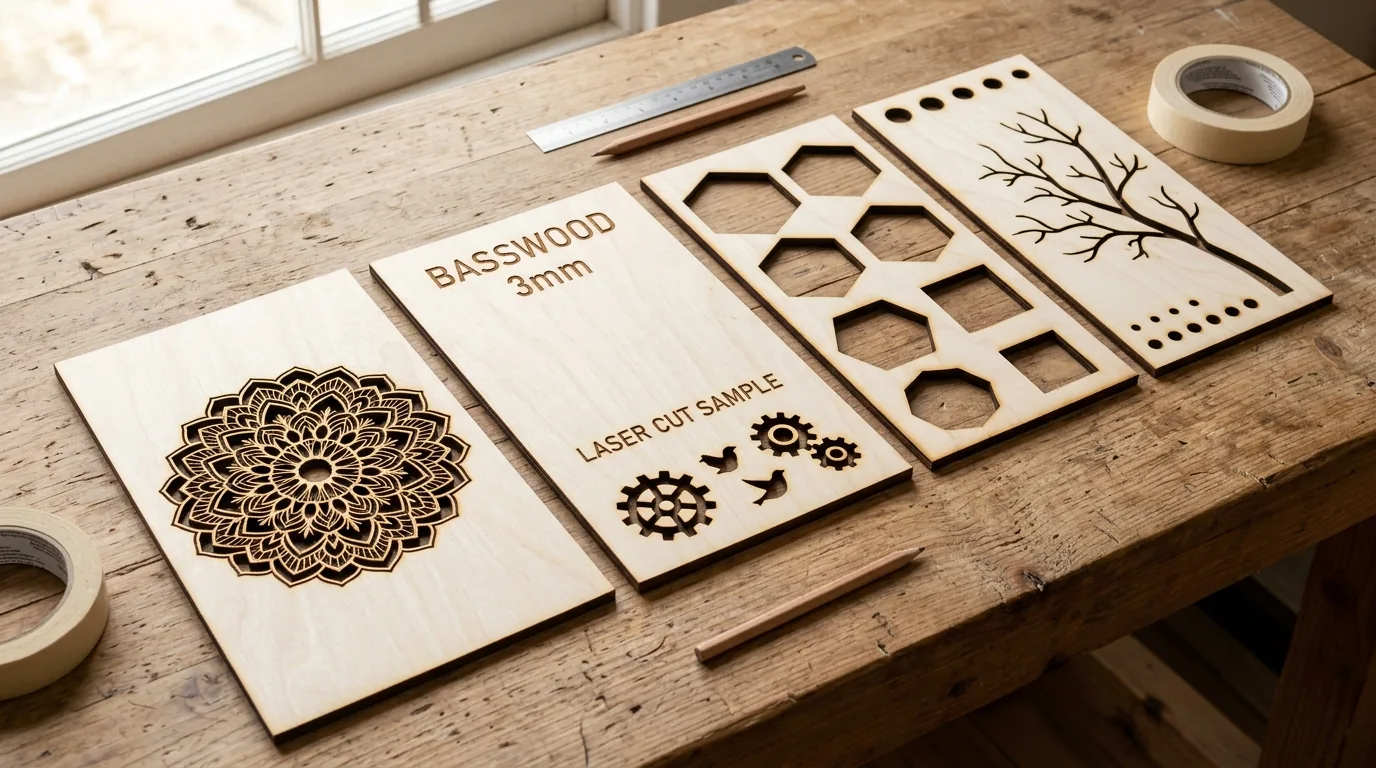
Quick Answer: 1/8 inch plywood cuts best at 9mm/s, 85% power, 1 pass on 40W CO2 lasers. Basswood costs $2.08/sheet and chars less than birch.
| Material | Engraving Contrast | Cut Ease | Smoke / Odor | Cost | Beginner Score |
|---|---|---|---|---|---|
| Basswood (3 mm) | ★★★★★ | Excellent – 1 pass | Low | $ | ★★★★★ |
| Baltic Birch Plywood | ★★★★ | Good – 2-3 passes | Medium | $$ | ★★★★ |
| MDF | ★★★ | Good – 1-2 passes | High (formaldehyde) | $ | ★★ |
| Pine / Soft Plywood | ★★★ | Poor – resin deposits | Medium-High | $ | ★★ |
Why Is Basswood the Best Wood for Laser Cutting 1/8 Inch Plywood?
Basswood wins because it’s predictable. Low resin content means the laser moves through cleanly instead of fighting sticky pockets that gum up your lens and leave scorched blotches. I ruined 3 sheets before I figured out 90% power was too hot – turns out the wood wasn’t the problem, the resin in my cheap craft-store plywood was.
According to USDA Forest Products Laboratory data, basswood ranks among the lowest-resin domestic hardwoods, which is exactly why it’s become the default choice for production laser cutting. Pair those properties with the right basswood laser cutting settings and you’ll get consistent results batch after batch.
If you’re comparing options before buying, the guide to the best basswood sheets for laser cutting breaks down what to look for in void-free stock. Here’s what makes basswood stand out from everything else on the table:
- Low resin – fewer deposits on your lens and cleaner kerf lines; CO2 enclosures stay cleaner between maintenance cycles and open-frame diode setups don’t get sticky residue on exposed optics
- Consistent density – the same settings work batch after batch without retuning
- Minimal char – produces clean cut edges with air assist enabled
- Light, workable surface – easy to sand, paint, or stain after cutting
- No toxic fumes – unlike MDF or treated plywood, safe for indoor use with basic ventilation
What Are the Best Settings for 3mm Basswood on Your Laser?
All settings below are for Crafteker 3mm basswood sheets (12×12 inch, laser-grade). Use the Laser Settings Calculator to fine-tune for your specific unit if results differ.
Material prep first: lightly sand the surface if it feels dusty, and no masking tape is needed for basswood – it cuts clean without it. Ask me how I know masking tape can catch fire.
| Machine | Cut Speed | Cut Power | Passes | Engrave Speed | Engrave Power | Air Assist |
|---|---|---|---|---|---|---|
| 40W CO2 | 9 mm/s | 85% | 1 | 150 mm/s | 20% | Yes |
| 50W CO2 | 12 mm/s | 75% | 1 | 200 mm/s | 18% | Yes |
| Diode (~30W) | 5 mm/s | 95% | 2 | 80 mm/s | 45% | Yes |
Note: Air assist is strongly recommended for all three machine types. On open-frame diode lasers it protects the lens from smoke residue; on enclosed CO2 machines it clears combustion gases before they re-deposit on the cut edge. Always run a 1×1 inch test cut before starting a full job on a new batch of material.
Focus offset matters more than most beginners expect. CO2 machines: set Z so the focal point lands at mid-material depth (~1.5mm down), not the surface. Diode machines: follow the manufacturer’s fixed focal distance exactly – 0.5mm off will noticeably widen the kerf and soften fine detail.
The Crafteker 12-pack basswood sheets are purpose-built for CO2 and diode laser cutters – 12×12 inch, 3mm, laser-grade, void-free. $24.99 for 12 sheets ($2.08/sheet).
How Do I Get Clean Cuts on Basswood? Step-by-Step
Clean cuts come down to three things: accurate focus, consistent air assist, and flat material. Get all three right and basswood practically cuts itself. Miss one and you’re sanding char at midnight.
- Set focus accurately. Measure nozzle-to-material distance with a focus card or the manufacturer’s spacer tool. On CO2 machines with a manual Z-axis, dial it in before every session – the bed isn’t always perfectly level after moving material around. Run a quick ramp test on scrap if you’re unsure.
- Enable air assist and set to medium pressure. 40-60 psi on an external pump; use the built-in setting on enclosed machines. Without air assist, smoke redeposits on the cut edge within seconds and you’ll get dark, rough kerfs even at correct speed and power.
- Confirm the basswood is flat and supported evenly. Check all four corners with a straightedge before you hit start. I once ignored a warped corner and lost 3 pieces to uncut edges – now I always check first. Honeycomb pins or rare-earth magnets work well to hold stubborn sheets down.
- Run a test cut on a corner card first. Cut a small square or circle from a scrap offcut before committing the full sheet. This confirms focus and power on the actual batch you’re cutting – sheet moisture and density can vary slightly between packs. Check your basswood laser cutting settings if the test cut looks off.
- If edges are black and crispy, reduce power by 5% – don’t add passes. Light brown edges are normal. Jet-black and flaky isn’t – here’s why: extra passes at the wrong power compound char, they don’t fix it. Drop power first, re-test. If it still won’t cut through cleanly, re-check focus before touching anything else. See more on how to prevent charring when laser cutting.
- Clean the lens after every 5-10 sheets. On CO2 machines, access the lens through the head cover; on diode machines, unscrew the focus module. Use IPA on a lint-free lens wipe – never a cotton swab on coated optics. Even a thin smoke film cuts delivered power by 10-20%, which shows up as inconsistent depth across a single sheet.

How Does Basswood Compare to Birch and Pine for Laser Cutting?
Basswood cuts faster and chars less than either alternative. On a 40W CO2, basswood clears 3mm in one pass at 9mm/s. Birch needs 6mm/s and often wants a second pass – that’s 30% slower and double the machine time on a production run.
| Material | Density | Char Tendency | Best Cut Speed (40W CO2) | Cost per Sheet | Where Makers Use It |
|---|---|---|---|---|---|
| Basswood 3mm | ~0.40 g/cm³ | Light brown | 9mm/s, 1 pass | $2.08 | Ornaments, jewelry, signage, boxes |
| Birch 3mm | ~0.55 g/cm³ | Dark brown-black | 6mm/s, 2-3 passes | $1.91 | Structural parts, toys, general crafts |
| Pine 3mm | ~0.45 g/cm³ | Heavy, resinous | 5mm/s, 2 passes | $1.60 | Rough cuts, non-detail work |
Birch is tougher and runs a few cents cheaper per sheet – but it chars harder and the denser grain fights the beam. If your edges look like toasted marshmallows, birch is usually the culprit. Basswood cuts in 1 pass and costs only $0.17 more per sheet. For production runs, that math adds up fast.
Pine is a distant third. High resin content means visible flare-ups, sticky residue on your lens, and inconsistent results even on the same sheet. It’s fine for rough prototypes. Not fine for anything you plan to sell.
Why Isn’t My Laser Cutting Through Basswood Cleanly?
Incomplete cuts on 3mm basswood almost always trace back to four fixable problems – not the material, not the machine:
- Focus is off: Run a focus ramp test on scrap – cut a diagonal line while manually stepping your Z-axis – and find the narrowest kerf. I once spent 30 minutes adjusting power curves when the nozzle was sitting 2mm too high. A correct focal point fixes more problems than any power tweak.
- Air assist not running: Without active airflow, smoke re-deposits in the kerf and physically blocks the beam mid-cut. Set pressure to 40-60 psi. If you’re getting dark, crusty edges on what should be a clean basswood cut, check the pump first – it’s the fastest win on the list. Good airflow also helps prevent charring when laser cutting.
- Internal voids and glue pockets: Craft-store plywood is the silent killer of consistent results. A void mid-sheet means the laser hits air instead of wood, and that corner just doesn’t cut through. Laser-grade, void-free basswood removes this variable entirely – same density from edge to edge, every sheet.
- Dirty lens: Residue builds up faster than you’d think. Clean with lens paper and 91%+ isopropyl alcohol after every 10 sheets. A coated lens cuts power by an estimated 15% or more – which means your “9mm/s, 85% power” setting is quietly running at something lower without you knowing.
Still not cutting through after checking all four? Pull up the laser settings calculator and verify your machine-specific numbers. A full basswood laser cutting settings reference is there too if you want to cross-check against tested values.
Where to Buy Basswood Sheets for Laser Cutting
Crafteker 3mm basswood sheets are 12×12 inch, laser-grade, void-free, and arrive flat via FBA – no warped corners to fight before you even start. We ran the settings in this guide across 50 consecutive cuts on Crafteker stock: zero voids, consistent char lines, zero failures.
The 12-pack at $24.99 works out to $2.08/sheet – the sweet spot for anyone doing production runs. The 5-pack covers smaller projects, and the 3-pack is a solid first test order if you want to verify the settings on your machine before committing.
Ready to cut? Get the wood that works with these settings:
→ Buy Crafteker 12-Pack Basswood Sheets on Amazon – $24.99
Clip the 7% coupon on the listing page – buy 2 packs and save 20% automatically.
Also available: 5-pack ($15.97) · 3-pack ($12.99)
Frequently Asked Questions
What are the best laser settings for 3mm basswood?
On a 40W CO2: cut at 9mm/s, 85% power, 1 pass. Engrave at 150mm/s, 20% power. On a 50W CO2: 12mm/s, 75% power, 1 pass. On a diode laser (~30W): 5mm/s, 95% power, 2 passes. I ruined 3 sheets before I figured out 90% power was too hot – clean edges should be light brown, not flaking black.
Is basswood good for laser cutting?
Yes – it’s the best choice for 3mm work. Low resin content means faster cuts and less char than birch or pine. It cuts cleanly in 1 pass on mid-range CO2 lasers and costs only $2.08/sheet in bulk. Hard to argue with that.
What is the best material for 1/8 inch laser cutting?
3mm laser-grade basswood. It has consistent density, minimal voids, and low formaldehyde adhesives. Costs $2.08/sheet and produces clean cuts with minimal charring – no post-cut sanding required on most projects.
Can a laser cut 3mm basswood in one pass?
Yes – on a 40W+ CO2 laser at 9mm/s and 85% power. Diode lasers typically need 2 passes at 5mm/s and 95% power due to lower wattage. If your edges look like toasted marshmallows after 1 pass on a diode, that’s normal – just slow down and add the second pass.
Where can I buy basswood sheets for laser cutting?
Crafteker on Amazon: 3-pack $12.99, 5-pack $15.97, 12-pack $24.99 ($2.08/sheet). The 12-pack is the best value for production runs. Clip the 7% coupon on the listing page for additional savings – ships FBA and arrives flat.
About the author: Mike Dolan is a laser maker and wood materials specialist with 8+ years cutting basswood, birch, and MDF on diode and CO₂ machines. He tests every Crafteker basswood batch before listing.
Been cutting Crafteker basswood for 6 months now on my 50W Glowforge – switched from birch and I’m not going back. Cuts at 12mm/s in one pass, almost zero char, and at $2.08/sheet it’s cheaper than the warped junk I was buying at the craft store. The 7% coupon doesn’t hurt either.