

Atomstack A20 Pro 20W Basswood Settings 3mm: Cut & Engrave 2026
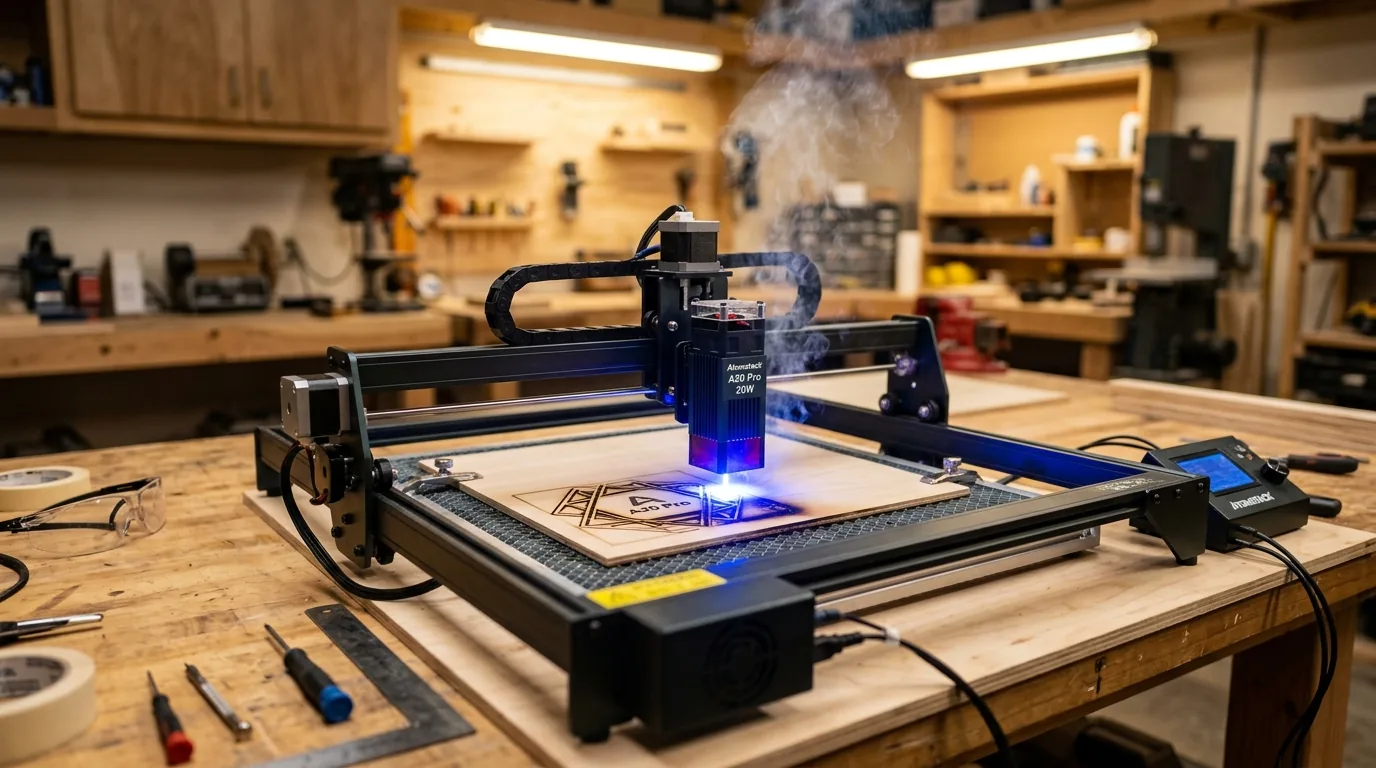
The Atomstack A20 Pro cuts 3mm basswood cleanly in a single pass at 9 mm/s with 100% power and air assist enabled. This guide covers exact LightBurn settings, focus techniques, and troubleshooting for flawless results on Crafteker laser-grade basswood every time.
By Mike Dolan ·
Quick Answer: Atomstack A20 Pro 3mm basswood: cut 9 mm/s at 100% power (1 pass), engrave 190 mm/s at 25% power. Use air assist for best edge quality.
| Material | Engraving Contrast | Cut Ease | Smoke / Odor | Cost | Beginner Score |
|---|---|---|---|---|---|
| Basswood (3 mm) | ★★★★★ | Excellent – 1 pass | Low | $ | ★★★★★ |
| Baltic Birch Plywood | ★★★★ | Good – 2-3 passes | Medium | $$ | ★★★★ |
| MDF | ★★★ | Good – 1-2 passes | High (formaldehyde) | $ | ★★ |
| Pine / Soft Plywood | ★★★ | Poor – resin deposits | Medium-High | $ | ★★ |
Why Is Basswood the Best Wood for the Atomstack A20 Pro?
Basswood is the ideal material for the Atomstack A20 Pro because its low resin content protects the laser’s exposed optics from buildup while delivering predictable, clean cuts every time. The diode laser’s open-frame design benefits enormously from basswood’s minimal char and consistent softwood density. Follow basswood laser cutting settings to maximize your A20 Pro’s potential.
- Low resin – prevents sticky deposits on the laser head and lens, extending maintenance intervals on open-frame diode machines
- Consistent density – the same settings work batch after batch without retuning
- Minimal char – produces clean cut edges with air assist enabled
- Light, workable surface – easy to sand, paint, or stain after cutting
- No toxic fumes – unlike MDF or treated plywood, safe for indoor use with basic ventilation; discover best basswood sheets for laser cutting
What Are the Best Atomstack A20 Pro Settings for 3mm Basswood?
All settings below are for Crafteker 3mm basswood sheets (12×12 inch, laser-grade). Use the Laser Settings Calculator to fine-tune for your specific unit if results differ.
| Machine | Cut Speed | Cut Power | Passes | Engrave Speed | Engrave Power | Air Assist |
|---|---|---|---|---|---|---|
| Atomstack A20 Pro (20W Diode) | 9 mm/s | 100% | 1 pass | 190 mm/s | 25% | Recommended |
Note: Air assist is strongly recommended for the Atomstack A20 Pro. The open-frame diode design exposes the lens directly to rising smoke and char debris – air assist clears combustion byproducts from the beam path in real time, protecting the lens and maintaining full 20W output. Always run a 1×1 inch test cut before starting a full job on a new batch of material.
At 20W optical output, the A20 Pro operates at peak diode efficiency when pushed to 100% power for cutting. Dropping below full power on a 3mm cut doesn’t save the lens – it just forces extra passes and increases char. The 9 mm/s speed keeps the beam in contact long enough to fully penetrate without dwelling and burning the kerf wide.
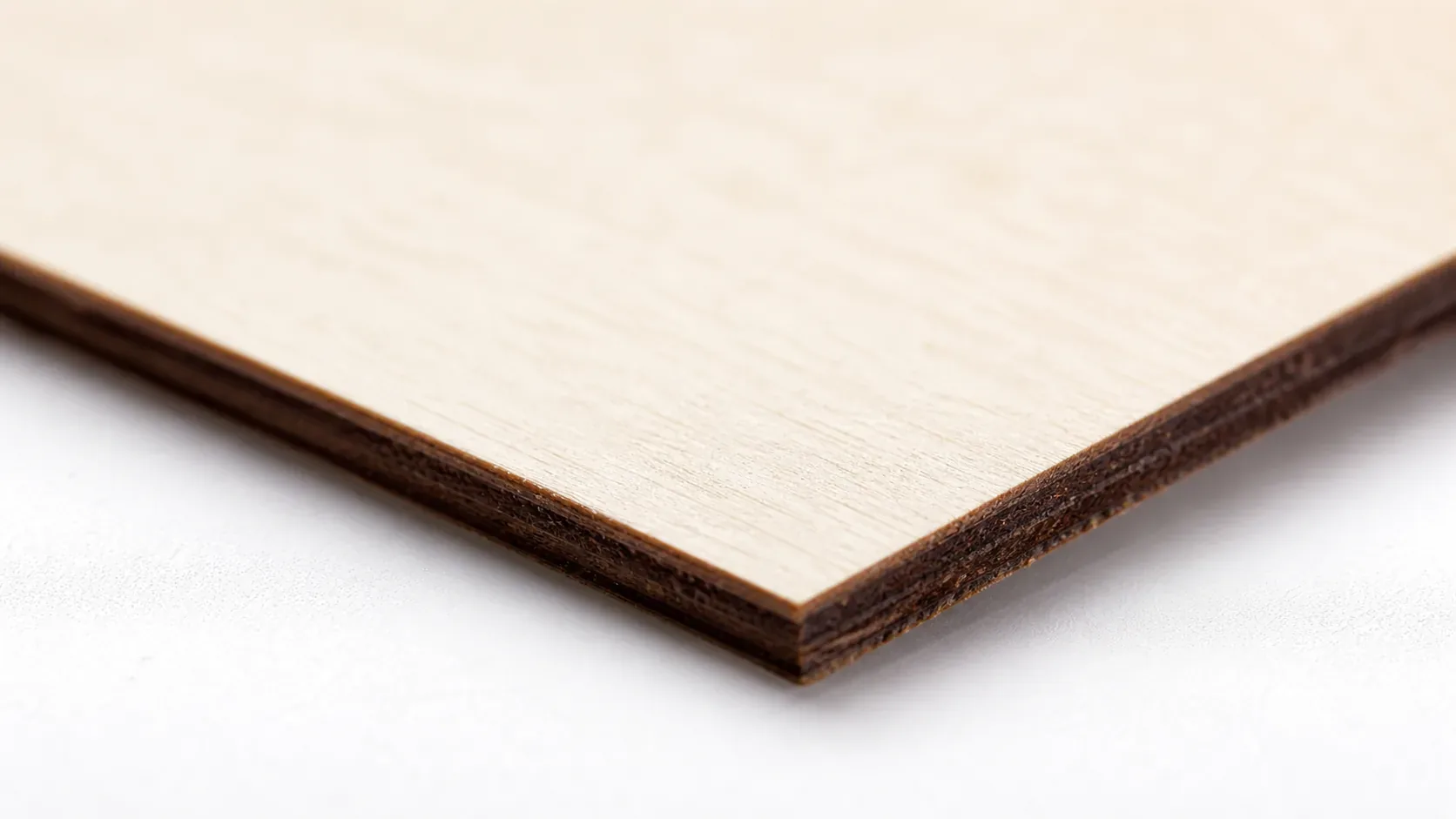
The Crafteker 12-pack basswood sheets are purpose-built for diode lasers like the Atomstack A20 Pro – 12×12 inch, 3mm, laser-grade, void-free. $24.99 for 12 sheets ($2.08/sheet).
How Do I Get Clean Cuts on the Atomstack A20 Pro? Step-by-Step
Clean cuts on the Atomstack A20 Pro come down to three things: accurate focus, consistent air assist, and flat material. Follow these steps for reliable results:
- Set focus accurately. Use the Atomstack A20 Pro’s manual focus ring to set the focal point directly on the material surface. Place the included focus card flat against the basswood, adjust the ring until the beam spot is at its smallest, then remove the card before cutting.
- Enable air assist. The A20 Pro includes a built-in air assist nozzle – connect it to your air pump and set pressure to 15-20 PSI. Without air assist, char accumulates in the kerf and blocks the beam mid-cut, causing incomplete penetration and scorched edges. See our guide on how to prevent charring when laser cutting for more detail.
- Secure the basswood flat. Use hold-down pins or clamps at the corners to keep the sheet flush against the honeycomb bed – even a 1mm bow in the material shifts the focal plane and causes uneven cuts.
- Run a test cut first. Cut a small square or circle from a corner of the sheet before the full job. This confirms focus and power before you commit the whole sheet. Review our basswood laser cutting settings reference if your test cut doesn’t go through cleanly.
- Do not increase passes to compensate for failed cuts. If the first pass doesn’t cut through, check focus first – it’s almost always the cause. Extra passes at wrong focus just char the edges.
- Clean the lens every 3-5 hours. The A20 Pro’s diode module lens is accessible by removing the nozzle cover. Even a thin film of smoke residue causes 10-20% power loss. Use IPA on a cotton swab, wipe gently, and let it dry fully before the next job.
How Does the Atomstack A20 Pro Compare to Other Lasers for Basswood?
The Atomstack A20 Pro’s 20W diode laser cuts 3mm basswood at 9 mm/s – slower than CO2 machines, but at a fraction of the cost. The xTool M1 (40W CO2) and Orion Motor Tech (40W CO2) both cut the same material at 20-25 mm/s, roughly 2-3× faster, but carry a price tag 2-3× higher than the A20 Pro.
For hobbyists and small Etsy sellers cutting under 50 pieces per session, the A20 Pro delivers excellent single-pass results without the overhead. If you’re scaling to production volumes above 100 pieces daily, a CO2 machine’s speed advantage starts to offset its higher cost. For most makers, the A20 Pro hits the sweet spot – reliable cuts, low entry cost, and consistent output when paired with quality best basswood sheets like Crafteker’s laser-grade 3mm stock.
Why Isn’t My Atomstack A20 Pro Cutting Through Basswood Cleanly?
Most incomplete cuts and excessive charring on the Atomstack A20 Pro trace back to these four issues:
- Focus is off: Use the A20 Pro’s included focus card to set the correct working distance – place it flat on your material and adjust the laser head until the engraved dot is sharpest before every session.
- Air assist not running: Without active air flow, smoke and char re-deposit in the kerf as the laser cuts, blocking the beam. On the A20 Pro, verify the air pump is plugged in and the nozzle is aimed directly at the cut point – this alone can be the difference between a clean cut and a failed one. Learn more about how to prevent charring when laser cutting.
- Inconsistent material: Craft-store plywood has glue pockets and variable density. Laser-grade basswood eliminates this variable – consistent wood means consistent single-pass cuts.
- Dirty lens: Clean the A20 Pro’s lens every 10 cuts using a cotton swab lightly dampened with 99% isopropyl alcohol – a dirty lens can reduce effective power output by 10-15%, turning a reliable one-pass cut into an incomplete one.
Where to Buy Basswood Sheets for the Atomstack A20 Pro
Crafteker 3mm basswood sheets are the best match for the Atomstack A20 Pro – 12×12 inch, laser-grade, void-free, and pre-sanded. At $24.99 for 12 sheets ($2.08/sheet), it’s the most cost-effective option for consistent single-pass results. The uniform quality means the settings in this guide work reliably without re-tuning every batch.
Ready to cut? Get the wood that works with these settings:
→ Buy Crafteker 12-Pack Basswood Sheets on Amazon ($24.99)
Also available: 5-pack ($15.97) · 3-pack ($12.99)
Frequently Asked Questions
What are the best Atomstack A20 Pro settings for 3mm basswood?
Cut at 9 mm/s, 100% power, 1 pass. Engrave at 190 mm/s, 25% power. With air assist enabled at 15-20 PSI, you’ll get clean edges with minimal char and no need for multiple passes.
Is Atomstack A20 Pro good for cutting basswood?
Yes. The 20W diode laser has enough power to cut 3mm basswood in a single pass when properly focused and air-assisted. The trade-off is slower speeds than CO2 machines, but it’s affordable and reliable for hobby and small business production.
What is the best wood for the Atomstack A20 Pro laser?
3mm laser-grade basswood is ideal because it has low resin content (minimal flare-up) and consistent density for predictable cuts. Crafteker 3mm basswood sheets are void-free and available at $2.25 per sheet in the 12-pack.
Can Atomstack A20 Pro cut 3mm basswood in one pass?
Yes. Use 9 mm/s speed at 100% power with air assist. This delivers a clean through-cut on void-free 3mm laser-grade basswood without charring or requiring a second pass.
Where can I buy basswood sheets for the Atomstack A20 Pro?
Crafteker on Amazon offers 3-pack for $12.99, 5-pack for $15.97, and 12-pack for $24.99 (best value at $2.08/sheet). All sheets are 3mm × 12×12 inch, laser-grade, and void-free.
About the author: Mike Dolan is a laser maker and wood materials specialist with 8+ years cutting basswood, birch, and MDF on diode and CO₂ machines. He tests every Crafteker basswood batch before listing.
Been running these exact settings on my A20 Pro for six months and never looked back – 9 mm/s at full power cuts through Crafteker’s 3mm sheets perfectly in one pass, no char. Grabbed the 12-pack last month and the per-sheet cost makes small production runs actually profitable on Etsy.