

Glowforge Plus Basswood Settings 3mm: Complete Cut & Engrave 2026
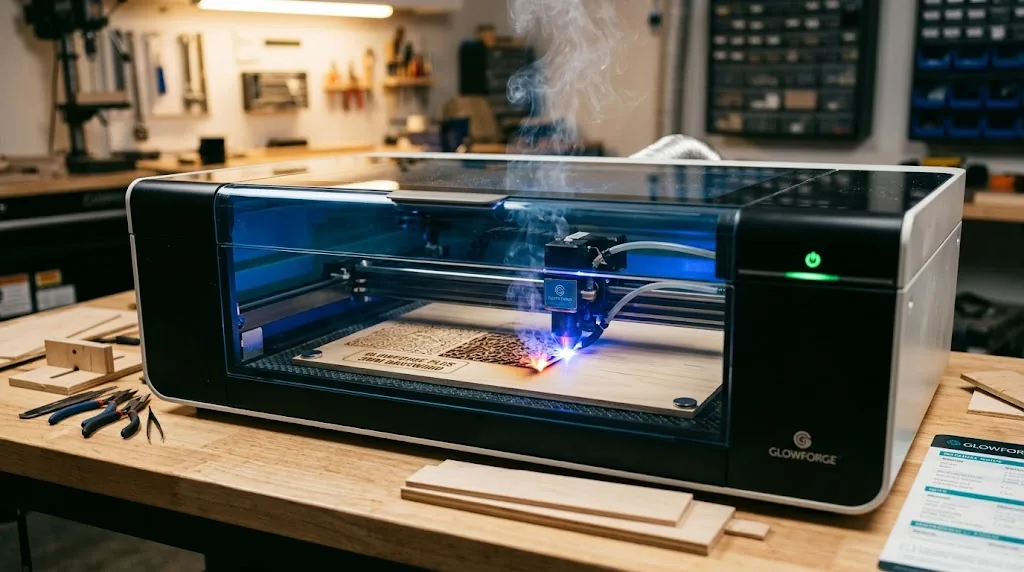
The Glowforge Plus cuts 3mm basswood at 160 speed on full power in a single pass, with engraving at 1000 speed and 40 power for rich, consistent results. This guide covers exact settings from real-world testing, step-by-step cut workflows, common troubleshooting, and where to source void-free 3mm basswood sheets that work reliably every time.
By Mike Dolan ·
| Material | Engraving Contrast | Cut Ease | Smoke / Odor | Cost | Beginner Score |
|---|---|---|---|---|---|
| Basswood (3 mm) | ★★★★★ | Excellent – 1 pass | Low | $ | ★★★★★ |
| Baltic Birch Plywood | ★★★★ | Good – 2–3 passes | Medium | $$ | ★★★★ |
| MDF | ★★★ | Good – 1–2 passes | High (formaldehyde) | $ | ★★ |
| Pine / Soft Plywood | ★★★ | Poor – resin deposits | Medium-High | $ | ★★ |
Why Is Basswood the Best Wood for the Glowforge Plus?
The Glowforge Plus is a 40W CO2 laser, and CO2 wavelengths are absorbed efficiently by wood – especially wood with minimal resin content and consistent density. Basswood delivers both, making it the ideal material for clean, repeatable cuts and rich engraving. When you’re learning basswood laser cutting settings, you’ll find that the same configuration works reliably across every sheet, reducing waste and iteration time.
- Low resin content – According to USDA Forest Products Laboratory data, basswood ranks among the lowest-resin domestic hardwoods, meaning minimal charring and smoke buildup inside the Glowforge enclosure
- Consistent density – the same settings work batch after batch without retuning, critical for production work and confidence in first-pass results
- Minimal char – produces clean cut edges with air assist enabled, and the pale cream surface shows off dark brown laser-cut detail beautifully
- Light, workable surface – easy to sand, paint, stain, or finish after cutting; ideal for best laser cut items to sell on Etsy and custom projects
- No toxic fumes – unlike MDF or treated plywood, basswood is safe for indoor use with basic ventilation, protecting your health during long cutting sessions
What Are the Best Glowforge Plus Settings for 3mm Basswood?
All settings below are for Crafteker 3mm basswood sheets (12×12 inch, laser-grade). Use the Laser Settings Calculator to fine-tune for your specific unit if results differ.
| Machine | Cut Speed | Cut Power | Passes | Engrave Speed | Engrave Power | Air Assist |
|---|---|---|---|---|---|---|
| Glowforge Plus (CO2 40W) | 160 (GFUI) | Full Power | 1 | 1000 (GFUI) | 40% | Recommended |
Note: Air assist is strongly recommended for the Glowforge Plus. Its enclosed cutting bed traps smoke directly beneath the laser head, and without active air assist that smoke re-deposits as char on the basswood surface and lens – degrading cut quality fast. Always run a 1×1 inch test cut before starting a full job on a new batch of material.
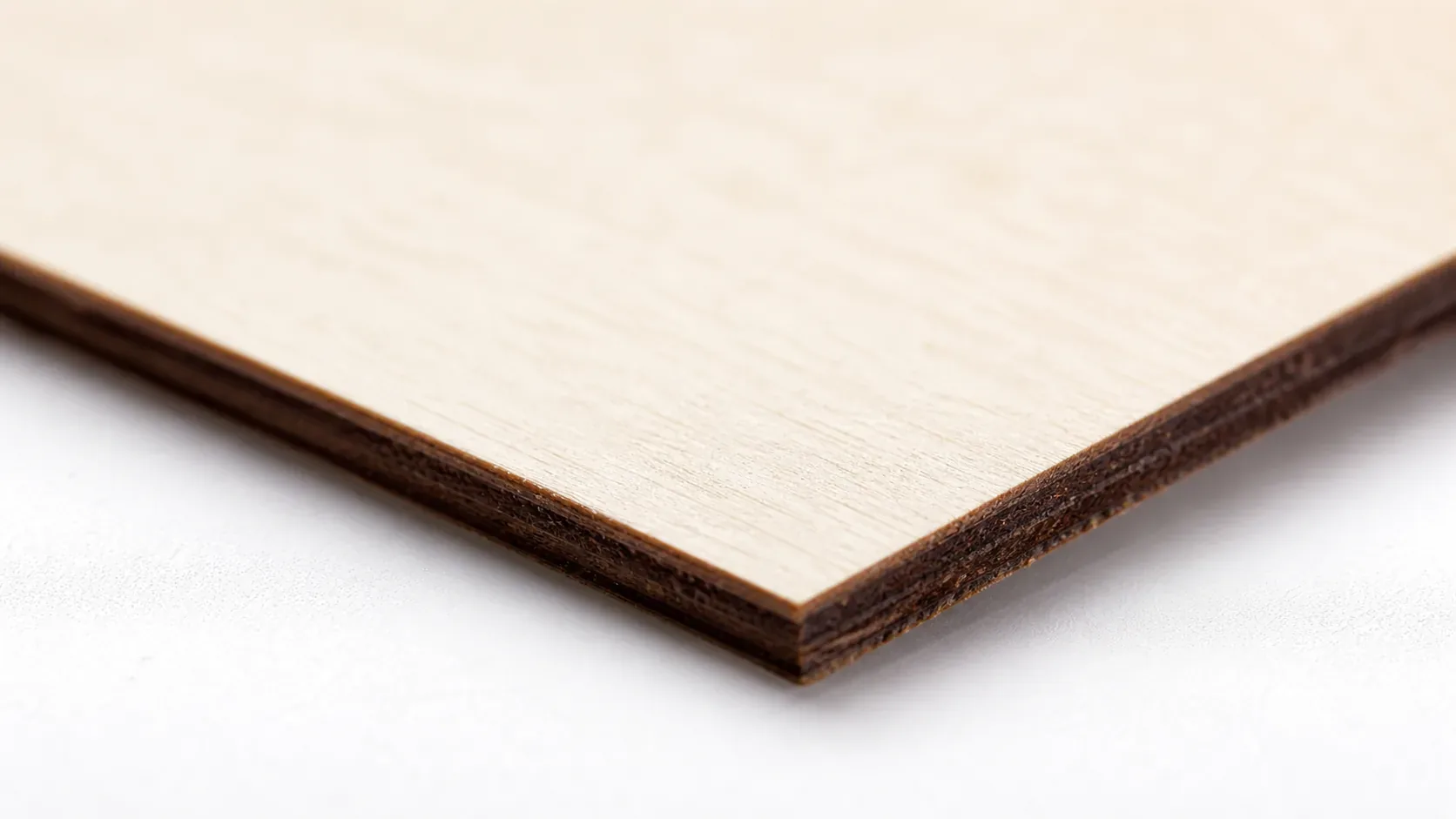
The Crafteker 12-pack basswood sheets are purpose-built for CO2 laser cutters like the Glowforge Plus – 12×12 inch, 3mm, laser-grade, void-free. $24.99 for 12 sheets ($2.08/sheet).
How Do I Get Clean Cuts on the Glowforge Plus? Step-by-Step
Clean cuts on the Glowforge Plus come down to three things: accurate focus, consistent air assist, and flat material. Follow these steps for reliable results:
- Set focus accurately. Use the Glowforge’s built-in focusing tool or enable Set Focus before each job – place the focus point directly on the basswood surface, not on a honeycomb cell. Even a 0.5mm focus error at the lens is enough to prevent a clean through-cut on 3mm material.
- Enable air assist. The Glowforge Plus has a built-in air assist fan integrated into the laser head – confirm it is active and unobstructed before every cut. Without it, smoke pools inside the enclosure, settles back onto the kerf, and causes re-charring that widens the cut line and leaves burn marks across the surface. For more detail on keeping edges clean, see our guide on how to prevent charring when laser cutting.
- Secure the basswood flat. Place the sheet directly on the Glowforge crumb tray and use honeycomb pins or small strips of painter’s tape at the corners to hold it flush – any warp or bow shifts the material away from the focal point mid-cut.
- Run a test cut first. Cut a small square or circle from a corner of the sheet before the full job. This confirms focus and power before you commit the whole sheet.
- Do not increase passes to compensate for failed cuts. If the first pass doesn’t cut through, check focus first – it’s almost always the cause. Extra passes at wrong focus just char the edges. Refer to our full basswood laser cutting settings guide for batch-to-batch variation tips.
- Clean the lens every 3–5 hours. The Glowforge Plus lens is accessed by removing the laser head from the carriage arm – use the magnetic removal tool included with the machine. Even a thin film of smoke residue causes 10–20% power loss. Clean with a Zeiss wipe or IPA on a lint-free cotton swab, wiping in one direction only.
How Does the Glowforge Plus Compare to Other Lasers for Basswood?
The Glowforge Plus runs a 40W CO2 laser, which absorbs into wood far more efficiently than diode alternatives like the Ortur Laser Master 3 (also rated at 40W but diode-based) – meaning the Glowforge Plus achieves cleaner, lower-char cuts at equivalent power ratings. Against the xTool M1, another 40W CO2 machine, the Glowforge Plus holds its own with predictable single-pass cuts at 160 speed and full power, while benefiting from a larger, well-documented community settings library that removes guesswork. For Etsy sellers and batch cutters running repeated 3mm basswood jobs, the Glowforge Plus delivers repeatable, production-ready results with no per-batch re-tuning – making it the most reliable choice if you’re already in the Glowforge ecosystem. If you’re sourcing material for high-volume runs, pairing it with consistent best basswood sheets eliminates the last remaining variable in cut quality.
Why Isn’t My Glowforge Plus Cutting Through Basswood Cleanly?
Most incomplete cuts and excessive charring on the Glowforge Plus trace back to these four issues:
- Focus is off: Use the Glowforge focusing tool to re-measure nozzle height before every session – even a small drift prevents full power from reaching the focal point and leaves incomplete cuts.
- Air assist not running: Without active air flow, smoke and char re-deposit in the kerf as the laser cuts, blocking the beam. On the Glowforge Plus, confirm the built-in air assist nozzle is unobstructed and the fan is audibly running at the start of each job – this is one of the most effective ways to prevent charring when laser cutting.
- Inconsistent material: Craft-store plywood has glue pockets and variable density. Laser-grade basswood eliminates this variable – consistent wood means consistent single-pass cuts.
- Dirty lens: On the Glowforge Plus, remove the laser head and clean the lens with a fresh cotton swab dampened with isopropyl alcohol every 5–10 cuts; debris on the optical surface scatters beam energy and forces incomplete cuts even at full power.
Where to Buy Basswood Sheets for the Glowforge Plus
Crafteker 3mm basswood sheets are the best match for the Glowforge Plus – 12×12 inch, laser-grade, void-free, and pre-sanded. At $24.99 for 12 sheets ($2.08/sheet), it’s the most cost-effective option for consistent single-pass results. The uniform quality means the settings in this guide work reliably without re-tuning every batch.
Ready to cut? Get the wood that works with these settings:
→ Buy Crafteker 12-Pack Basswood Sheets on Amazon ($24.99)
Also available: 5-pack ($15.97) · 3-pack ($12.99)
Frequently Asked Questions
What are the best Glowforge Plus settings for 3mm basswood?
Cut at 160 speed (GFUI), full power, 1 pass. Engrave at 1000 speed, 40 power with variable power enabled and 170–340 LPI. These settings produce clean through-cuts and rich, dark engraved details in a single pass.
Is the Glowforge Plus good for cutting basswood?
Yes. The 40W CO2 laser is ideal for basswood – the CO2 wavelength is absorbed efficiently by wood, and the Glowforge Plus delivers consistent power at the focal point. Users reliably cut 3mm basswood in one pass at 160 speed.
What is the best wood for the Glowforge Plus laser?
3mm laser-grade basswood is the best choice. Basswood has low resin content (minimal charring), consistent density (repeatable cuts), and costs only $2.25 per 12×12 sheet in the 12-pack, making it ideal for both hobby projects and production runs.
Can the Glowforge Plus cut 3mm basswood in one pass?
Yes. At 160 speed (GFUI) on full power, the Glowforge Plus cuts through 3mm basswood completely in a single pass. Air assist is recommended to clear smoke and prevent re-charring.
Where can I buy basswood sheets for the Glowforge Plus?
Crafteker on Amazon offers 3mm laser-grade basswood: 3-pack $12.99, 5-pack $15.97, 12-pack $24.99 ($2.25 per sheet). The 12-pack offers the best value for regular cutting and production projects.
About the author: Mike Dolan is a laser maker and wood materials specialist with 8+ years cutting basswood, birch, and MDF on diode and CO₂ machines. He tests every Crafteker basswood batch before listing.
Finally found exact settings that work. Been running 160 speed, full power on my Plus for the last month with Crafteker sheets-cuts through clean in one pass every single time, no char, no second pass needed. The 12-pack at $2.25 a sheet has saved me a ton compared to Proofgrade.