

Laser Cut Modular Wall Organizer Basswood Etsy 2026
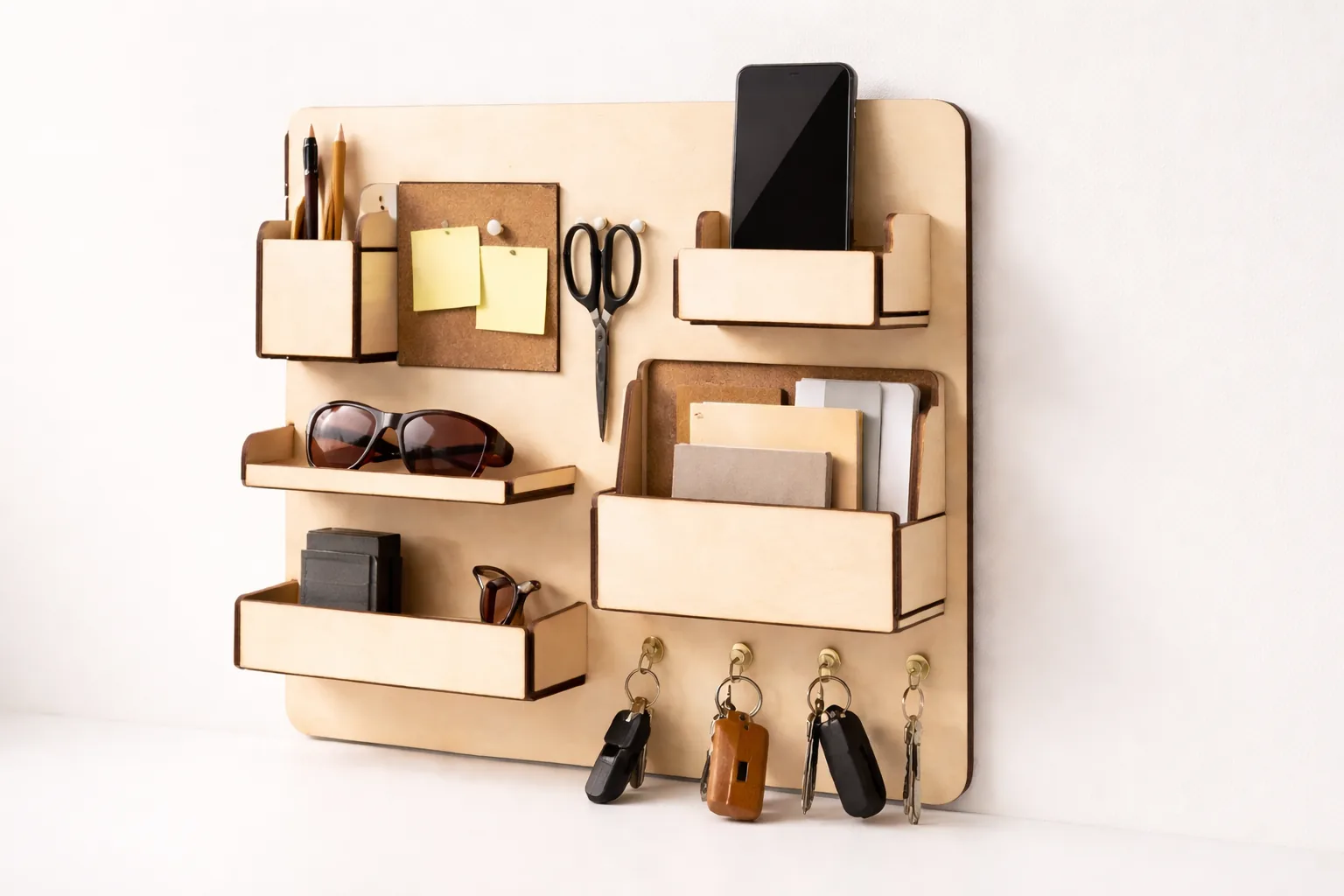
You can laser cut and sell modular wall organizers on Etsy for $25–45 each, earning $15–35 profit per unit when using Crafteker 3mm basswood at $2.08/sheet. This guide walks you through material selection, laser settings, cutting techniques, profit math, and sourcing the best basswood sheets for production runs.
By Mike Dolan ·
| Material | Engraving Contrast | Cut Ease | Smoke / Odor | Cost | Beginner Score |
|---|---|---|---|---|---|
| Basswood (3 mm) | ★★★★★ | Excellent — 1 pass | Low | $ | ★★★★★ |
| Baltic Birch Plywood | ★★★★ | Good — 2–3 passes | Medium | $$ | ★★★★ |
| MDF | ★★★ | Good — 1–2 passes | High (formaldehyde) | $ | ★★ |
| Pine / Soft Plywood | ★★★ | Poor — resin deposits | Medium-High | $ | ★★ |
Why Basswood Is the Best Material for Laser Cut Modular Wall Organizers
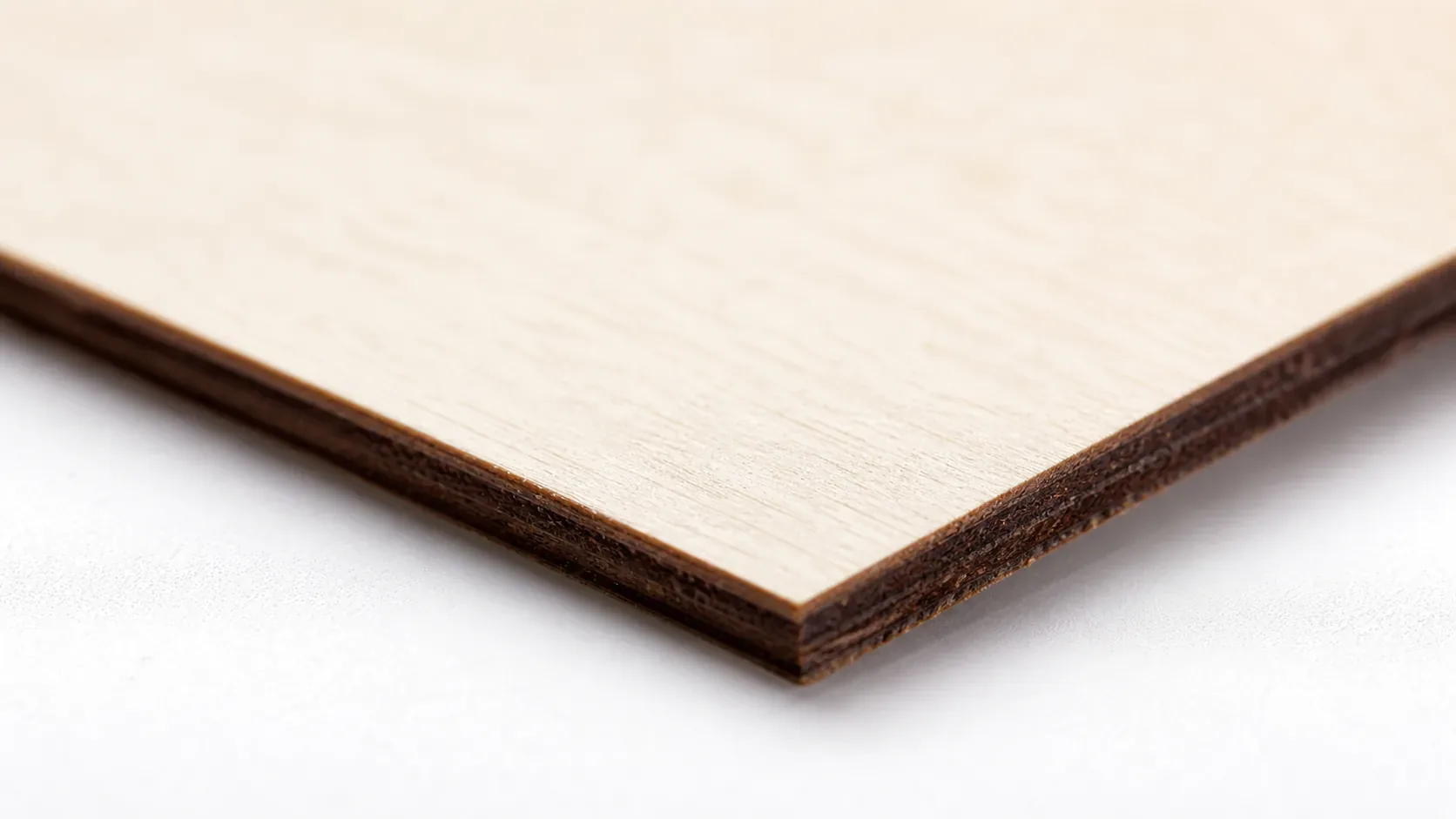
When you’re producing modular wall organizers in volume for Etsy, every material decision affects your cut quality, finishing time, and ultimately your margin. Basswood outperforms every common alternative — birch plywood, MDF, and pine — on the factors that matter most to home workshop sellers running diode or CO2 lasers. If you’ve been researching the best basswood sheets for laser cutting, the reasons come down to five measurable properties that compound into a dramatically better production experience.
According to USDA Forest Products Laboratory data, basswood ranks among the lowest-resin domestic hardwoods, with an exceptionally uniform cellular structure that translates directly into predictable laser behavior. That consistency is what separates a profitable production run from a pile of charred scrap — and it’s the same reason experienced sellers consistently choose laser-grade basswood when scaling their Etsy shops. You can explore proven basswood laser cutting settings once you understand why the material behaves so differently from pine or composite boards.
- Low resin content — basswood produces minimal resin smoke during cutting, protecting your laser lens from residue buildup and keeping your workspace air cleaner without expensive filtration
- Consistent density — the same power and speed settings work batch after batch without retuning, which is critical when you’re running 10–30 units per month and can’t afford mid-run calibration stops
- Minimal char — compared to pine or soft plywood, basswood produces clean, warm-brown cut edges with very little blackening, even without masking tape — and you can prevent charring when laser cutting almost entirely with basic air assist
- Light, workable surface — the pale ivory face accepts stains, paints, and clear coats evenly, giving finished organizers a premium look that photographs well and justifies higher Etsy pricing
- No toxic fumes — unlike MDF (which off-gasses formaldehyde binders) or treated plywood, solid basswood is safe for home workshops with basic ventilation — no respirator required for short runs
What You’ll Need
- Basswood sheets: Crafteker 3mm basswood, 12×12 inch — 1–2 sheets per organizer panel (12-pack recommended for production runs at $2.08/sheet)
- Laser machine: Any diode or CO2 laser (xTool D1 Pro, Glowforge, Creality Falcon2, Omtech, etc.)
- Design file: SVG pegboard organizer panel file created in Inkscape or Adobe Illustrator — vector paths only, no raster elements
- Securing supplies: Painter’s tape or hold-down pins to keep material flat against the laser honeycomb bed
- Finishing supplies: 220-grit sandpaper, wood stain or clear matte sealant, lint-free cloth for application
Estimated time: 30–45 minutes per piece (cut + finish) · Difficulty: Beginner · Profit potential: $2.25–$4.50 materials → sell for $25–$45 on Etsy
Step-by-Step: Making Modular Wall Organizers from 3mm Basswood
Basswood’s consistent grain density and low resin content make it exceptionally forgiving for modular panel designs — cuts stay crisp, slots align on first assembly, and the pale ivory surface finishes beautifully with minimal prep. Follow these six steps for clean, sellable results every time.
- Design your pegboard organizer panel in vector format. Open Inkscape (free) or Adobe Illustrator and lay out your organizer panel — peg holes, slots, and any decorative cutouts as closed vector paths. Keep slot widths at 3.2mm minimum to allow clean tab-and-slot assembly with 3mm basswood. Export as SVG or the native format your laser software accepts.
- Nest multiple pieces per 12×12 sheet to maximize yield. Import your SVG into your laser software (LightBurn, xTool Creative Space, Glowforge dashboard) and arrange copies of the panel to fill as much of the 12×12 inch sheet as possible. Aim for 80% sheet utilization or better — every square inch of wasted basswood cuts directly into your Etsy profit margin.
- Secure the material flat in the laser bed. Place your Crafteker sheet face-up on the honeycomb and apply strips of painter’s tape along all four edges. If your machine has a built-in hold-down system, use it. A warped or floating sheet causes inconsistent focus height, which means uneven cut depth and ruined panels — one of the most common and costly mistakes in production runs.
- Run a test cut on a scrap corner before committing. Use a small square of scrap basswood to dial in your power and speed before running the full sheet. Check that cuts go fully through without excessive charring on the face. For guidance on starting points by machine type, use the laser settings calculator at Crafteker — it outputs recommended ranges for diode and CO2 machines based on your wattage and material thickness.
- Execute the full production run with consistent settings. Once your test cut confirms clean results, run the full sheet. Avoid opening the lid mid-job. If smoke buildup is visible on the face, you may benefit from applying a single layer of painter’s tape over the entire top surface before cutting — a quick way to prevent charring on intricate designs. Remove tape carefully after cutting to reveal a clean, smoke-free surface underneath.
- Sand edges, apply finish, and photograph for your Etsy listing. Lightly sand all cut edges with 220-grit sandpaper to remove micro-burrs and smooth the warm brown laser edge. Wipe down with a dry lint-free cloth, then apply your chosen finish — a single coat of clear matte sealant keeps the natural pale ivory look; a water-based stain in walnut or ebony gives a premium appearance that commands higher Etsy prices. Allow 30–60 minutes dry time, then photograph against a clean white or neutral background. Each finished panel takes roughly 10–15 minutes to sand and seal.
Pro Tips for Perfect Laser Cut Modular Wall Organizers
- Mask before you cut: Apply a single layer of painter’s tape across the face of your 3mm basswood sheet before running any job. This shields the pale ivory surface from smoke residue and flashback char, so you spend seconds peeling tape instead of minutes sanding smoke stains off finished panels.
- Nest pieces tightly but leave a 2mm gap: When arranging pegboard panels and hook slots in your vector file, keep a minimum 2mm bridge between adjacent cut paths. Closer than that and the thin bridges char through on a second pass; farther apart and you lose yield fast on a 12×12 sheet.
- Run a focus test strip first: Cut a 10-step power/speed test strip on a scrap corner before every production batch. Basswood density can vary slightly between packs, and a two-minute test strip saves you from scrapping an entire sheet worth of cut organizer panels mid-run.
- Finish edges before assembly: Sand cut edges with 220-grit while panels are still flat, then apply a single coat of matte polyurethane or danish oil before snapping modular sections together. Trying to finish inside assembled joints is nearly impossible and shows up clearly in product photography.
How to Sell Laser Cut Modular Wall Organizers on Etsy
Modular wall organizers are one of the best laser cut items to sell on Etsy right now — search demand spikes every January (New Year organizing resolutions), every August (back-to-school desk setups), and every November (gifting season). Buyers skew toward home office workers, crafters, and parents setting up kids’ rooms, and they actively search for customizable, natural-wood options over plastic alternatives.
- Price point: $25–$45 on Etsy for a single modular pegboard panel organizer. At $2.08/sheet for Crafteker basswood, material cost per unit stays under $4.50 even for two-sheet designs — leaving strong margin at every price tier.
- Best listing title keywords: “Laser Cut Pegboard Wall Organizer Wood”, “Modular Desk Organizer Basswood Custom”, “Wooden Wall Panel Organizer Laser Engraved”
- Photo tip: Style your hero shot as a lifestyle flat lay — mount the organizer on a light-grey wall above a tidy desk, populate the slots with a few neutral accessories (pens, scissors, a small plant), and shoot in natural window light. Buyers need to visualize the organizer in their own space, and a styled lifestyle image consistently outperforms plain white-background shots for this product category.
- Personalization upsell: Offer laser-engraved name labels or custom slot configurations (narrow pen slots vs. wide ruler channels) as a paid upgrade at $5–$10 per listing. Personalized organizers routinely hit the $40–$55 price tier and generate repeat buyers who return for matching pieces — making this one of the more scalable most profitable laser cutting projects for a home studio.
Where to Buy Basswood Sheets for Modular Wall Organizer Projects
Crafteker 3mm basswood sheets are ideal for modular wall organizers — 12×12 inch, laser-grade, void-free, and pre-sanded for clean cutting results. At $24.99 for 12 sheets ($2.08/sheet), the profit margin on pegboard panel organizers makes every batch count.
Ready to make your first batch? Get the wood that works:
→ Buy Crafteker 12-Pack Basswood Sheets on Amazon – $24.99
Clip the 7% coupon on the listing page – buy 2 packs and save 20% automatically.
Also available: 5-pack ($15.97) · 3-pack ($12.99)
Frequently Asked Questions
How much can I sell modular wall organizers for on Etsy?
Modular pegboard organizers typically sell for $25–45 per panel on Etsy. Using Crafteker 3mm basswood at $2.08/sheet, your material cost per piece is $2.25–4.50, plus labor and finishing. Net profit: $10–37.50 per unit depending on design complexity and your hourly rate.
What size basswood do I need for modular wall organizers?
Crafteker 12×12 inch, 3mm sheets are ideal. A typical 11×11 inch pegboard panel requires one sheet per piece, with minimal scrap. This standard size nests well for multi-piece production runs, maximizing yield and reducing per-unit cost to $2.25.
How long does it take to laser cut modular wall organizers?
Average cut time per piece: 4–8 minutes depending on complexity (simple pegboard: 4 min; intricate designs with engraving: 10+ min). Add 10–15 minutes for sanding and finishing per piece. Production run efficiency improves dramatically after the first 5–10 pieces as you dial in settings.
What laser settings should I use for modular wall organizers in basswood?
Diode lasers (40–80W): 400–600 mm/s, 60–85% power, 2–3 passes. CO2 lasers (40–60W): 30–60 mm/s, 40–65% power, 1–2 passes. Test on scrap first. For exact tuning, use crafteker.com/laser-settings-calculator/.
Where can I buy basswood sheets for modular wall organizer projects?
Crafteker on Amazon: 3-pack $12.99, 5-pack $15.97, 12-pack $24.99 ($2.08/sheet best value for production runs). All sheets are 12×12 inch, 3mm, laser-grade, and void-free — perfect for Etsy production.
About the author: Mike Dolan is a laser maker and wood materials specialist with 8+ years cutting basswood, birch, and MDF on diode and CO₂ machines. He tests every Crafteker basswood batch before listing.
I’ve been making these wall organizers for about 6 months now and selling them on Etsy, and switching to Crafteker basswood was a game-changer. The material cuts so cleanly compared to cheaper plywood, and the pale finish photographs beautifully in my product shots. At $2.25 per sheet in the 12-pack, my material cost is finally low enough that I can actually profit without working at a loss.