

Laser Engraved Beer Flight Board: Father’s Day Gift Guide 2026
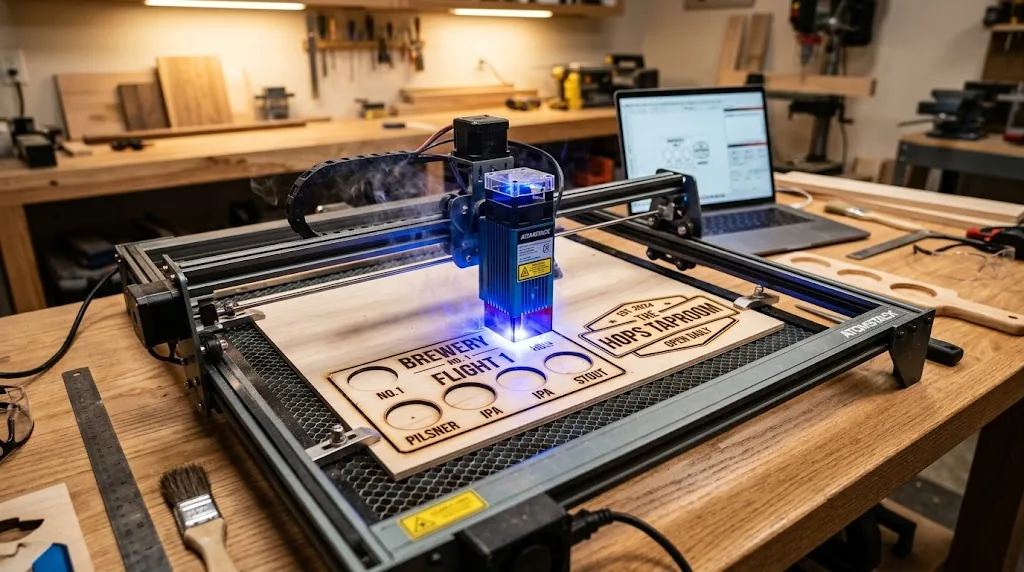
Laser-engraved beer flight boards and custom bar signs are the top Father’s Day gift for craft beer dads in 2026, combining personalization with functional home bar décor that costs under $15 to make. This guide walks you through designing, cutting, and finishing basswood beer flight boards that sell on Etsy or make unforgettable keepsakes for the beer lover in your life.
By Mike Dolan ·
| Material | Engraving Contrast | Cut Ease | Smoke / Odor | Cost | Beginner Score |
|---|---|---|---|---|---|
| Basswood (3 mm) | ★★★★★ | Excellent – 1 pass | Low | $ | ★★★★★ |
| Baltic Birch Plywood | ★★★★ | Good – 2–3 passes | Medium | $$ | ★★★★ |
| MDF | ★★★ | Good – 1–2 passes | High (formaldehyde) | $ | ★★ |
| Pine / Soft Plywood | ★★★ | Poor – resin deposits | Medium-High | $ | ★★ |
Why Makers Choose Basswood for Beer Flight Board Projects
Basswood’s combination of low resin content, consistent density, and clean cutting edges makes it the ideal material for personalized beer flight boards. According to USDA Forest Products Laboratory data, basswood ranks among the lowest-resin domestic hardwoods, meaning your laser engraver stays clean and your designs emerge sharp every single time. Whether you’re using basswood laser cutting settings on a 40W diode or a CO2 system, this material delivers professional results without the frustration of resin buildup or inconsistent cuts.
- Low resin content – burns cleanly without black char on engraved edges, keeping your laser optics and nozzle free from sticky residue
- Consistent density – the same settings work batch after batch for names, dates, and beer style labels without retuning your machine
- Minimal toxic fumes – unlike MDF or pressure-treated plywood, basswood releases only light smoke during cutting, safe for home studios with basic ventilation
- Smooth workable surface – takes stain and food-safe finish beautifully after laser cutting, perfect for gift-quality beer boards
- Sharp precision detail – produces crisp engraved text and best basswood sheets for laser cutting eliminate the voids and knots that ruin fine detail work on lower-grade materials
How to Laser Cut Basswood for Beer Flight Boards: Settings & Prep
All settings below are for Crafteker 3mm basswood sheets (12×12 inch, laser-grade). Use the Laser Settings Calculator to fine-tune for your specific unit if results differ.
| Machine | Cut Speed | Cut Power | Passes | Engrave Speed | Engrave Power | Air Assist |
|---|---|---|---|---|---|---|
| Diode Laser 40W | 130 mm/s | 90% | 2 | 220 mm/s | 50% | Medium |
| Diode Laser 60W | 150 mm/s | 85% | 2 | 250 mm/s | 45% | Medium |
| Diode Laser 80W | 150 mm/s | 80% | 1–2 | 250 mm/s | 40% | Medium |
| CO2 Laser 40W | 20 mm/s | 85% | 1 | 70 mm/s | 35% | On |
| CO2 Laser 60W | 25 mm/s | 80% | 1 | 80 mm/s | 30% | On |
Before loading your sheet, lightly sand the surface to 120-grit and wipe away all dust with a tack cloth – residue on the surface scatters the beam and softens engraved detail. Apply painter’s tape to the underside and along exposed edges to catch flashback char and keep the bottom face clean. Center your design using the laser’s framing or boundary function before committing to a full run.
Note: Air assist is strongly recommended for both diode and CO2 lasers when cutting basswood for beer flight boards. On open-frame diode units, air assist protects the lens from resin vapor and prevents small flare-ups that char engraved edges; on enclosed CO2 machines, it clears smoke from the kerf and keeps cut lines crisp through the full depth of the 3mm sheet. Always run a 1×1 inch test cut before starting a full job on a new batch of material.
The Crafteker 12-pack basswood sheets are purpose-built for diode and CO2 lasers – 12×12 inch, 3mm, laser-grade, void-free, and kiln-dried for consistent density across every sheet. $24.99 for 12 sheets ($2.08/sheet).
Step-by-Step: Making Beer Flight Boards from 3mm Basswood
Clean cuts and sharp engraving on beer flight boards come down to three things: a well-prepared design file, flat and dry material, and dialing in your settings before you run a full sheet. Follow these six steps for reliable, sellable results every time:
- Prepare your vector design. Open Adobe Illustrator or Inkscape and build your board layout with the recipient’s name, the date, and up to four beer style labels – IPA, Stout, Lager, Pilsner are popular choices. Set engraving elements to a raster layer and cut lines to a vector stroke at 0.001-inch width. Leave at least 0.25 inches between cut lines and engraved text to prevent edge bleed, and nest two board outlines per 12×12 sheet to maximize yield. Review your basswood laser cutting settings before exporting to your laser software.
- Sand and prep the basswood sheet. Give the face a light pass with 120-grit sandpaper – just enough to open the grain and remove any surface glaze from milling. Wipe all dust with a dry tack cloth. Do not use water or solvent at this stage; moisture raises grain and causes uneven engraving depth, especially on fine text.
- Apply painter’s tape to the underside and edges. Tape the bottom face completely to block flashback from the honeycomb bed, then run a strip along each exposed edge. This keeps the underside clean and makes finished boards look professional without extra sanding. Tape also holds thin offcuts in place during cutting so they do not shift and nick adjacent pieces.
- Load, focus, and set air assist to medium. Place the sheet flat on the laser bed – use hold-down pins or rare earth magnets at the corners if your machine supports them. Set focus using your machine’s fixed focus card or autofocus probe, then enable air assist before starting. Running without air assist on basswood, even briefly, risks a small flame and leaves dark char on engraved letter edges that is difficult to sand out. Visit the laser settings calculator to confirm speed and power for your exact wattage before you press start.
- Engrave names and dates first, then cut the outline. Always run engraving passes before cut passes – cutting first can shift the sheet slightly or leave it partially detached, causing misalignment on the engraved text. After engraving completes, switch to your cut profile and run the outline in a single pass on CO2 machines or two passes on diode units. Do not increase passes to compensate for a failed cut; if the sheet does not drop free, re-check focus – it is almost always the cause, not power. Extra passes at wrong focus add char without improving penetration.
- Remove tape, sand edges lightly, and apply food-safe finish. Peel the painter’s tape immediately after the job while the sheet is still warm – it releases cleanly without lifting grain. Fold 220-grit sandpaper around a small block and make two or three passes along each cut edge to knock off any minor roughness. Wipe the board with a clean cloth, then apply food-safe mineral oil or a water-based wood sealant with a foam brush. Let dry flat for 10 minutes. Total production time per board runs 5–8 minutes in the laser plus 10 minutes for finishing – well within a pace of 15+ boards per weekend session using Crafteker’s 12-pack.
Best Basswood Sheets for Laser Cut Beer Flight Board Projects
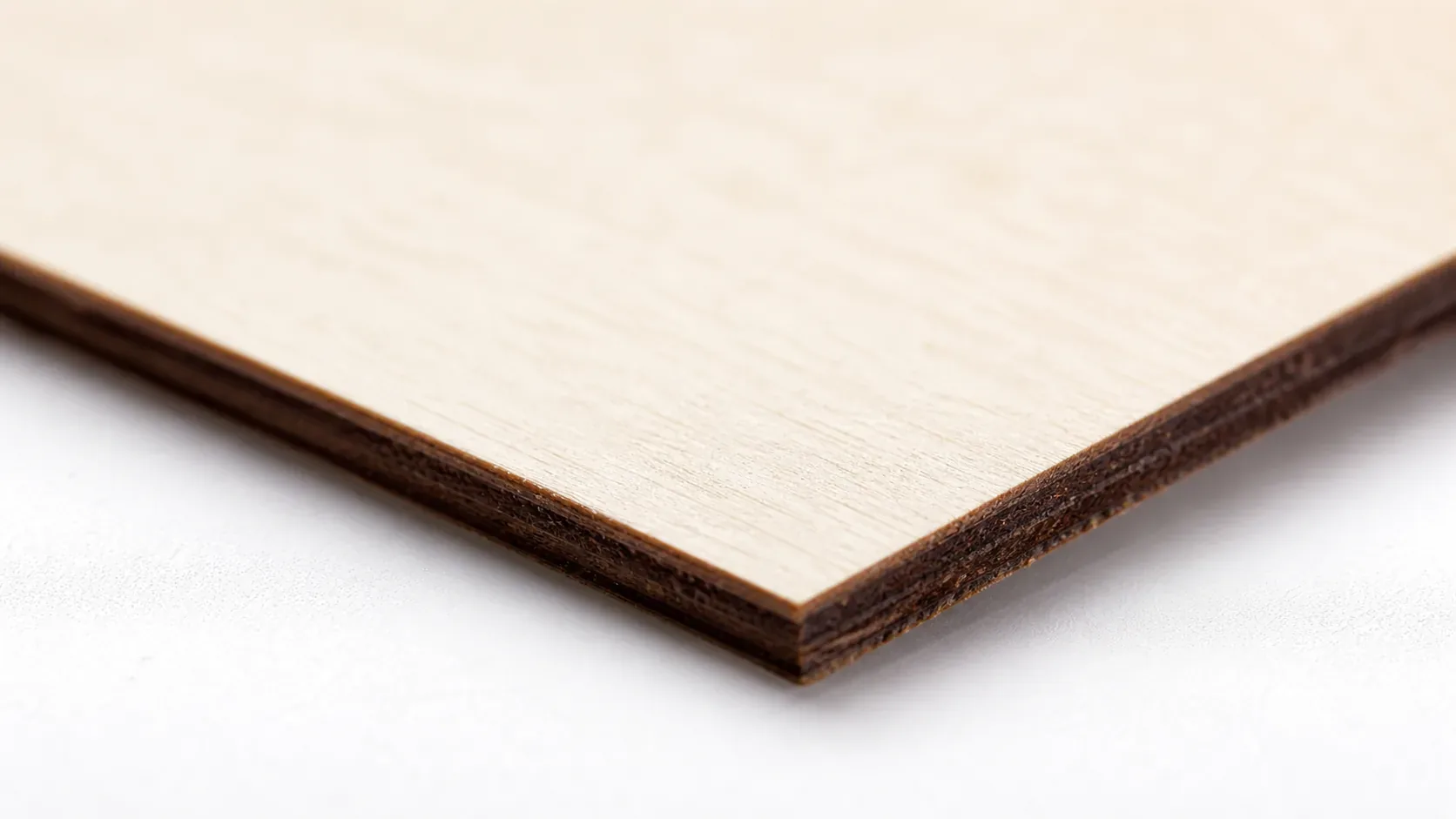
For Etsy sellers running production batches of beer flight boards, the choice of basswood sheet pack size directly affects your cost per unit and profit margin. The 12-pack at $24.99 ($2.08/sheet) is built for volume – at 2–3 boards per 12×12 sheet, you’re looking at material costs under $1.13 per finished board, leaving room for strong margins at Etsy’s $35–$65 price range. The 5-pack at $15.97 suits hobbyists or makers testing their first Father’s Day run before committing to bulk inventory. For Etsy sellers targeting 15+ boards per month, the 12-pack is the only practical choice – the per-sheet savings compound quickly across a production weekend, and consistent Crafteker quality means your laser settings stay dialed in batch after batch without re-testing on variable material.
5 Things That Ruin Laser Cut Beer Flight Boards (Avoid These)
Most ruined beer flight boards trace back to the same avoidable mistakes – here’s what goes wrong and how to fix it before you waste material:
- Wrong laser settings: Too fast and your diode or CO2 laser won’t cut through cleanly in a single pass, leaving boards that tear instead of separate. Too slow and you get excessive char burned into engraved edges. Fix: always run a test cut on a scrap strip of Crafteker basswood before committing a full sheet – dial in speed and power together, not independently. Review proven starting points at basswood laser cutting settings before your first run.
- Warped or damp basswood: Moisture causes uneven focus distance across the sheet, producing inconsistent cut depth and blurry engraved text. Generic craft-store basswood is often stored in humid conditions and arrives with visible bow. Crafteker sheets are kiln-dried and packaged to maintain consistent moisture content – store them flat in a dry environment and they cut true every time.
- Poor design nesting: Overlapping text paths, cut lines placed too close to engraved areas, or designs that don’t account for kerf width all cause rough edges and wasted material. Use Inkscape or Illustrator’s spacing tools to keep engraved elements at least 3mm from cut outlines, and nest multiple board layouts per sheet to maximize yield. The laser settings calculator at Crafteker can help you plan material layout alongside power settings.
- Skipping air assist: Without active airflow directed at the cut zone, smoke and char re-deposit into the kerf as the laser passes, obscuring the beam path and producing dark, rough edges on engraved names and dates. Set air assist to medium for engraving and high for cutting passes – this single step is the difference between pale cream engraved text and muddy brown smearing. Learn more about how to prevent charring when laser cutting wood for cleaner results.
- Skipping the food-safe finish: Beer flight boards contact glasses and moisture regularly. An unfinished basswood surface absorbs condensation, raises grain, and stains. After light edge sanding, apply two thin coats of food-safe mineral oil or a dedicated wood sealant – this protects the engraving, deepens contrast on the design, and makes the board look premium enough to justify Etsy’s top price tier.
Where to Buy Basswood Sheets for Beer Flight Board Projects
Crafteker 3mm basswood sheets are purpose-built for laser engraving projects like personalized beer flight boards – 12×12 inch, void-free, kiln-dried, and pre-sanded to a consistent surface that takes engraving cleanly without prep. At $24.99 for 36 sheets ($2.08/sheet in the 12-pack), it’s the most cost-effective option for Etsy sellers who need reliable, repeatable results. The uniform density means the settings in this guide work batch after batch without re-tuning – critical when you’re producing 15 or more boards in a Father’s Day weekend run.
Ready to cut? Get the wood that works with these settings:
→ Buy Crafteker 12-Pack Basswood Sheets on Amazon – $24.99
Clip the 7% coupon on the listing page – buy 2 packs and save 20% automatically.
Also available: 5-pack ($15.97) · 3-pack ($12.99)
Frequently Asked Questions
How much can I sell beer flight boards for on Etsy?
Personalized laser-engraved beer flight boards typically sell for $35–$65 depending on design complexity and customization. Using Crafteker basswood at $2.08/sheet, material cost is $0.75–$1.13 per board, plus $5–$7 labor and overhead, yielding $26–$56 net profit per board. Selling 15 boards/month earns $390–$840 in gross profit.
What size basswood do I need for beer flight boards?
12×12 inch, 3mm thickness is the industry standard. You can cut 2–3 beer flight boards per sheet depending on design size, making Crafteker’s 12-pack at $2.08/sheet the most cost-effective for production runs. Each 12×12 sheet yields roughly $15–$30 in finished product revenue at Etsy pricing.
How long does it take to laser cut a beer flight board?
Cutting and engraving a personalized beer flight board takes 5–8 minutes per piece on a 40–80W diode laser or 40–60W CO2 laser. Add 10 minutes for sanding edges and applying food-safe finish. Full production time per board: 15–18 minutes.
What laser settings should I use for beer flight boards in basswood?
Settings vary by machine and wattage. Use the free Crafteker laser settings calculator to get exact values for your specific laser. Always run a test cut on a scrap piece first – even small differences in focus or humidity affect results.
Where can I buy basswood sheets for beer flight boards?
Crafteker premium 3mm laser-grade basswood is available on Amazon in 3 pack sizes: 3-pack $12.99, 5-pack $15.97, 12-pack $24.99 ($2.08/sheet best value for production). All sheets are void-free, kiln-dried, and verified for clean laser cutting. The 12-pack is essential for Etsy sellers; hobbyists can start with the 5-pack.
About the author: Mike Dolan is a laser maker and wood materials specialist with 8+ years cutting basswood, birch, and MDF on diode and CO₂ machines. He tests every Crafteker basswood batch before listing.
Made 12 of these beer flight boards last month with my 60W diode laser and Crafteker’s 12-pack basswood-they cut clean in one pass at 140 mm/s and 85% power. Sold 8 on Etsy for $45 each, and Dad’s gift made him actually tear up. No char, edges finish smooth with just a light sand.