

Laser Engraved Pet Portrait on Basswood: Etsy Tutorial 2026
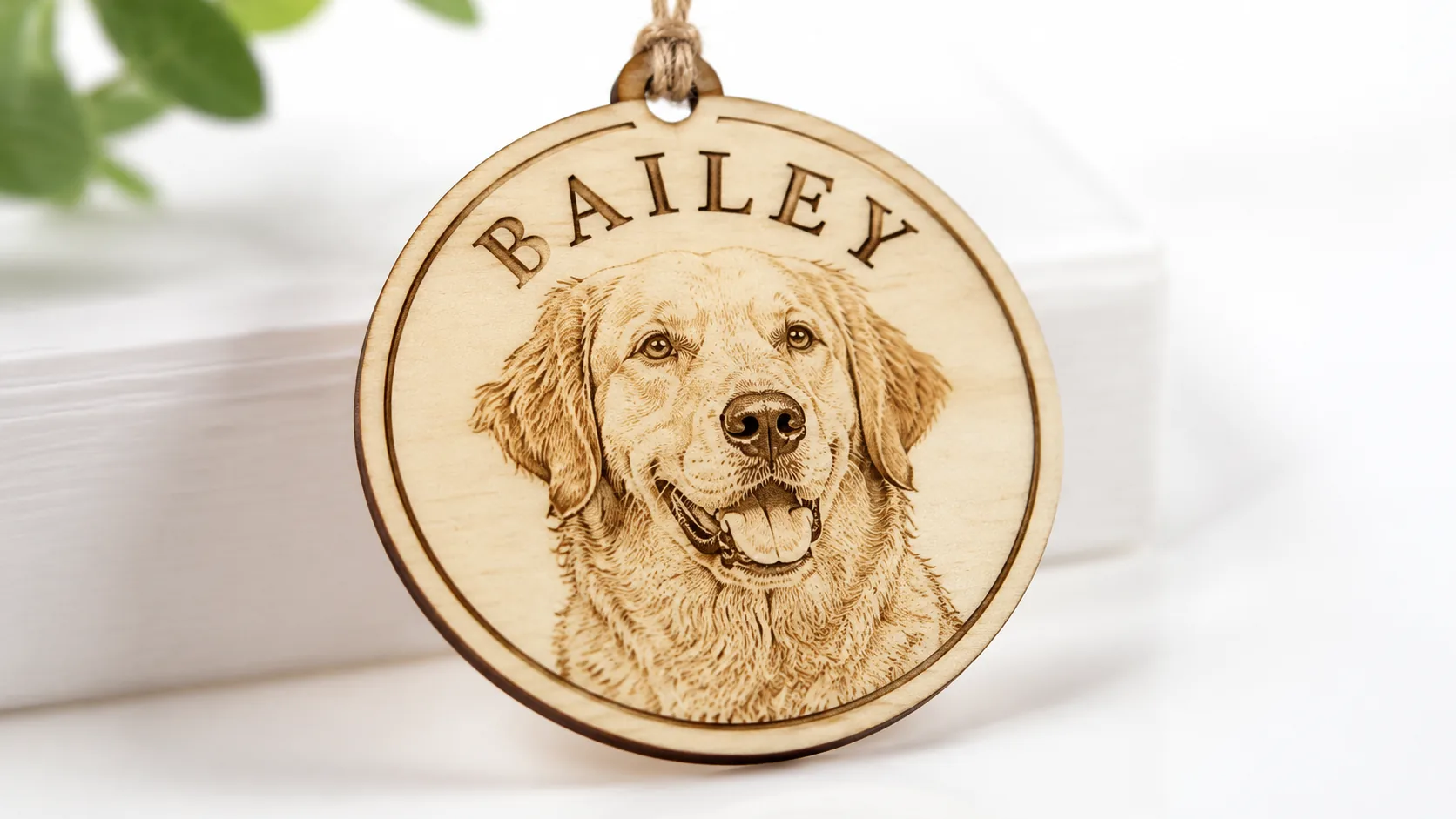
Laser-engraved pet portraits on 3mm basswood sell for $15–45 on Etsy, with material costs under $2.50 per piece when you buy Crafteker 12-packs at $2.08/sheet. This guide walks you through design, xTool settings, layering techniques, and profitable production workflows for selling personalized pet memorial ornaments.
By Mike Dolan ·
| Material | Engraving Contrast | Cut Ease | Smoke / Odor | Cost | Beginner Score |
|---|---|---|---|---|---|
| Basswood (3 mm) | ★★★★★ | Excellent — 1 pass | Low | $ | ★★★★★ |
| Baltic Birch Plywood | ★★★★ | Good — 2–3 passes | Medium | $$ | ★★★★ |
| MDF | ★★★ | Good — 1–2 passes | High (formaldehyde) | $ | ★★ |
| Pine / Soft Plywood | ★★★ | Poor — resin deposits | Medium-High | $ | ★★ |
Why Makers Choose Basswood for Pet Portrait Ornaments
For detailed photo engravings like pet portraits, your material choice makes or breaks the final product. Basswood’s naturally pale, fine-grained surface combined with its exceptionally low resin content makes it the clear front-runner — whether you’re running an open-frame diode laser or an enclosed CO2 machine. If you want to explore best basswood sheets for laser cutting before committing to a pack size, that guide breaks down thickness, grade, and sourcing in detail.
- Ultra-low resin content — According to USDA Forest Products Laboratory data, basswood ranks among the lowest-resin domestic hardwoods, which means minimal char and soot buildup during detailed photo engravings — critical when you’re rendering a pet’s fur texture at fine dpi settings.
- Consistent density — the same settings work batch after batch without retuning; sheet-to-sheet uniformity means your xTool or diode laser cuts predictably from the first ornament to the fiftieth.
- Pale cream surface — the natural ivory face of basswood delivers exceptional contrast between engraved and unengraved areas, making pet portrait photos pop with sharp tonal range that darker plywoods simply can’t match.
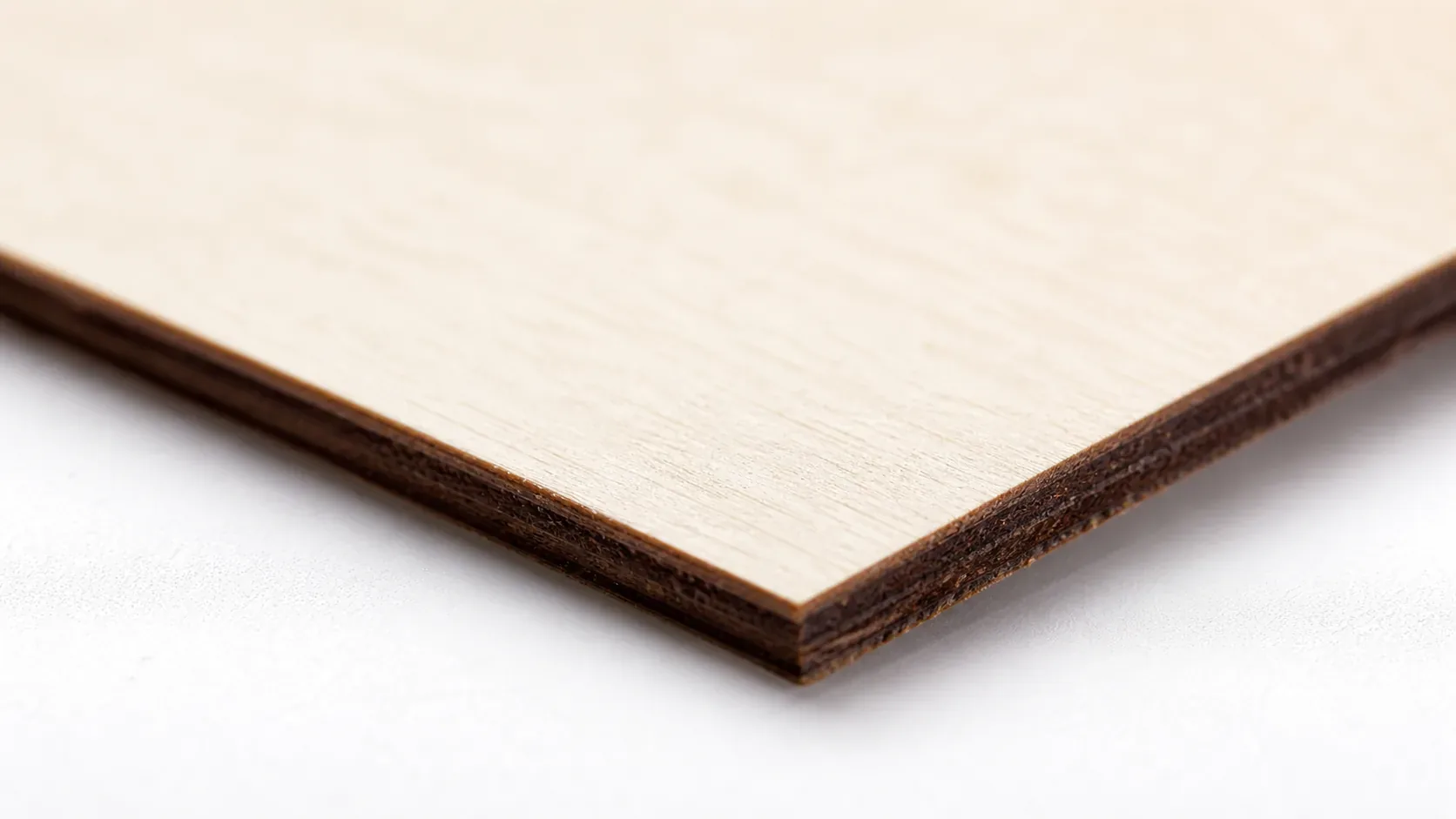
- Warm brown cut edges — laser-cut edges come out a natural dark chocolate brown rather than sooty black char, giving finished ornaments a clean, professional appearance straight off the machine — important for Etsy product photography.
- No toxic fumes — unlike MDF (which off-gasses formaldehyde) or resin-heavy pine plywood, basswood is safe to handle and produces no hazardous emissions when laser cut with basic ventilation, making it ideal for gift items shipped directly to customers. See our full guide on how to prevent charring when laser cutting for finishing tips that keep ornaments photo-ready.
What You’ll Need
- Basswood sheets: Crafteker 3mm basswood, 12×12 inch — 1 sheet per ornament (3-layer design); 12-pack recommended for production runs at $2.08/sheet
- Laser machine: Any diode or CO2 laser (xTool D1 Pro, xTool M1, Glowforge, Creality Falcon, OMTech, etc.)
- Design file: 3-layer SVG ornament file (front portrait layer, spacer ring, back layer with date/paw print) — built in xTool Creative Space or LightBurn
- Prep supplies: Blue painter’s tape (apply to sheet underside to reduce soot), 120-grit sandpaper for light surface prep, compressed air for post-cut cleanup
- Finishing supplies: Wood glue or CA glue for layer assembly, thin satin cord or jump ring for hanging loop, optional clear matte spray sealant to protect the engraved portrait surface
Estimated time: 8–12 minutes per ornament (30–45 minutes for a first-run batch of 5) · Difficulty: Beginner–Intermediate · Profit potential: ~$2.50–$3.50 in materials → sell for $18–$45 on Etsy
Step-by-Step: Making Pet Portrait Ornaments from 3mm Basswood
Basswood’s pale cream surface and low resin content make it the ideal canvas for photo-quality pet portraits — the fine grain doesn’t compete with engraved detail, and the warm brown laser-cut edges give finished ornaments a polished, professional look without any extra staining. Follow these six steps for clean, repeatable results every time.
- Prepare your pet photo. Open the photo in xTool Creative Space or LightBurn and convert it to grayscale. Increase contrast by 15–25% and apply a Jarvis or Stucki dither pattern for the sharpest detail on wood. Avoid over-dithering — if the preview looks noisy on screen, it will engrave muddy on the basswood surface. Crop tightly to the pet’s face for maximum impact on a small ornament.
- Build your 3-layer design file. Create three separate layers in your design software: (1) the front face with the engraved portrait and pet name arched around it, (2) a spacer ring that adds depth between front and back, and (3) the back layer with the memorial date and a paw print accent. Keep all three layers nested within your 12×12 inch sheet boundary and leave at least 4mm between cut paths to avoid undercuts and warping.
- Sand and tape all sheets before cutting. Lightly sand the engraving surface with 120-grit sandpaper using circular strokes — this opens the wood grain slightly and produces more even tonal gradation in the portrait. Apply blue painter’s tape firmly across the entire underside of the sheet to catch soot and flashback char. Smooth out any bubbles so the sheet lies completely flat on the honeycomb bed.
- Run a test cut on scrap material. Before committing to your production sheet, cut a 2×2 inch test square and engrave a small portrait crop at your target settings. Check our basswood laser cutting settings guide for diode and CO2 starting points, or use the laser settings calculator to dial in power and speed for your specific machine wattage. The test result should show clean mid-tone gradation — not blown-out whites or muddy dark blobs.
- Engrave the front portrait, then cut all layers. Run the engraving pass first on the front face at 40–60% power, 100–300 mm/s (diode) or 25–35% power, 120–180 mm/s (CO2), with air assist running at 20–30 PSI throughout. Once engraving is complete, run the cut pass for all three layers — front face first, then let the sheet rest 30 seconds before cutting the spacer ring and back layer. This brief cooling pause prevents heat buildup that causes warping in tightly nested cuts. After cutting, peel off the painter’s tape and blast cut edges with compressed air to remove any soot residue.
- Assemble, finish, and add the hanging loop. Apply a thin bead of wood glue or CA glue to the spacer ring and press the three layers together in order — back, spacer, front — using light clamp pressure or a heavy book for 5–10 minutes. Thread a thin satin cord or jump ring through the pre-cut hanging hole at the top of the ornament. Inspect all edges; if any soot remains on the cream surface, a dry cotton swab removes it cleanly. For ornaments intended as keepsakes, a light coat of clear matte spray sealant protects the engraved portrait from fingerprints and moisture during shipping.
Common Mistakes When Laser Cutting Basswood for Pet Ornaments
- Fix your photo before you fire the laser: Low-contrast or over-dithered pet photos engrave with muddy, indistinct fur detail that customers will notice immediately. Convert to grayscale, boost contrast by 20–30%, and use a Jarvis or Stucki dither pattern in xTool Creative Space or Lightburn — then engrave at 40–60% power on 3mm basswood, never higher, or you’ll blow out fine detail.
- Always tape and run air assist: Skipping blue painter’s tape on the back and air assist (20–30 PSI) is the fastest way to ruin a cream basswood surface with heavy soot buildup. That soot photographs terribly for Etsy listings and looks unprofessional to buyers. Both steps add under 90 seconds and protect your margins.
- Cut layers separately, not all at once: Running all three ornament layers (front face, spacer ring, back panel) in a single pass without pausing causes heat to build up across overlapping cut lines, leading to undercuts and warping. Cut the front face first, let the material cool for 30 seconds, then cut the spacer and back in sequence.
- Run a test cut on every new sheet batch: Even within the same basswood brand, humidity and storage conditions can shift how a sheet responds to your laser. A 30-second test cut on a scrap corner before your production run saves you from wasting an entire batch of personalized ornaments you can’t resell.
How Much Can You Earn Selling Pet Portrait Ornaments on Etsy?
Pet memorial and portrait products are one of the most emotionally driven categories on Etsy — buyers are less price-sensitive than almost any other craft niche, and repeat gifting around holidays, birthdays, and pet loss anniversaries drives consistent reorder volume. If you’re building a laser cutting business from home, personalized pet ornaments are among the most profitable laser cutting projects you can start with a single sheet of basswood and a diode laser.
- Price point: $18–45 on Etsy for layered pet portrait ornaments, depending on size, customization level, and whether you offer rush processing. At $2.08/sheet for Crafteker basswood, material cost per 3-layer ornament runs $2.25–$3.38 — keeping your gross margin above 85% at even the lowest price point. A part-time shop running 10 orders per week at a $35 average can realistically net $700–900/month after materials, Etsy fees (~15%), and overhead.
- Best listing title keywords: “Custom Pet Portrait Ornament”, “Personalized Dog Memorial Gift Laser Engraved”, “Cat Loss Sympathy Gift Wood Ornament”
- Photo tip: Shoot your ornaments on a clean white surface with one lifestyle prop — a small succulent or a neutral linen cloth — to give buyers a sense of scale and giftability. Include a close-up shot showing the engraved fur texture at macro distance; that detail shot converts browsers into buyers faster than any other image in a pet portrait listing.
- Personalization upsell: Offer a tiered customization menu in your listing: base price includes name + photo, add $5–8 for a birth-and-passing date on the back, add $10–12 for a double-sided design with a paw print and poem. Buyers purchasing as memorial gifts almost always upgrade — average order value on tiered listings runs 25–35% higher than single-option listings.
Where to Buy Basswood Sheets for Pet Portrait Ornament Projects
Crafteker 3mm basswood sheets are ideal for pet portrait ornaments — 12×12 inch, laser-grade, void-free, and pre-sanded for clean engraving results. At $24.99 for 12 sheets ($2.08/sheet), the profit margin on layered pet ornaments makes every batch count.
Ready to make your first batch? Get the wood that works:
→ Buy Crafteker 12-Pack Basswood Sheets on Amazon – $24.99
Clip the 7% coupon on the listing page – buy 2 packs and save 20% automatically.
Also available: 5-pack ($15.97) · 3-pack ($12.99)
Frequently Asked Questions
How much can I sell laser-engraved pet portraits for on Etsy?
Pet portrait ornaments typically sell for $18–45 depending on size, detail, and customization. With Crafteker basswood at $2.08/sheet (material cost ~$2.50 per ornament), you net $12–40 per sale before Etsy fees. A part-time shop making 10 ornaments/week at $35 avg price can generate $700–900/month net.
What size basswood do I need for pet portrait ornaments?
12×12 inch, 3mm thickness. A single sheet yields 1–4 ornaments depending on design (typical layered ornament uses one full sheet for 3-layer assembly). This is why Crafteker’s 12-pack at $2.08/sheet is ideal for production — you can make 12–48 ornaments from one pack.
How long does it take to laser cut a pet portrait ornament?
8–12 minutes per ornament: 3–5 minutes for engraving the portrait photo, 2–3 minutes for cutting all 3 layers (front, spacer, back), 2–3 minutes for assembly and finishing. Production batches (5+ units) reduce per-unit time by 20–30% through setup efficiency.
What laser settings should I use for pet portrait ornaments in basswood?
For diode lasers (5W–20W): engrave at 40–60% power, 100–300 mm/s speed (depending on wattage). Cut at 100% power, 3–8 mm/s (1–3 passes). For CO2 lasers: engrave 25–35% power, 120–180 mm/s; cut at 80–90% power, 4–6 mm/s. Use air assist at 20–30 PSI to reduce soot. Full laser settings calculator at crafteker.com/laser-settings-calculator/.
Where can I buy basswood sheets for pet portrait ornament projects?
Crafteker on Amazon: 3-pack $12.99, 5-pack $15.97, 12-pack $24.99 ($2.08/sheet — best value for production). All sheets are 12×12 inch, 3mm, laser-grade, void-free, and ideal for photo engraving and clean cutting.
About the author: Mike Dolan is a laser maker and wood materials specialist with 8+ years cutting basswood, birch, and MDF on diode and CO₂ machines. He tests every Crafteker basswood batch before listing.
I’ve been making these pet portrait ornaments for about 6 months now on my xTool D1 Pro 20W, and switching to Crafteker basswood made a huge difference — the cream surface shows photo detail so much better than the darker plywood I was using before. I’m selling them for $28–35 on Etsy and getting repeat custom orders for people buying multiples as gifts, especially around holidays.