

Two Trees TTS-55 Basswood Settings 3mm Cut & Engrave (2026)
The Two Trees TTS-55 cuts 3mm basswood clean at 3mm/s, 100% power, in just 2 passes. This guide walks you through exact LightBurn settings, focus setup, and troubleshooting so you stop wasting material and start shipping finished products.
By Mike Dolan ·
Quick Answer: Two Trees TTS-55 basswood settings: cut at 3mm/s, 100% power, 2 passes; engrave at 90mm/s, 40% power. Air assist recommended.
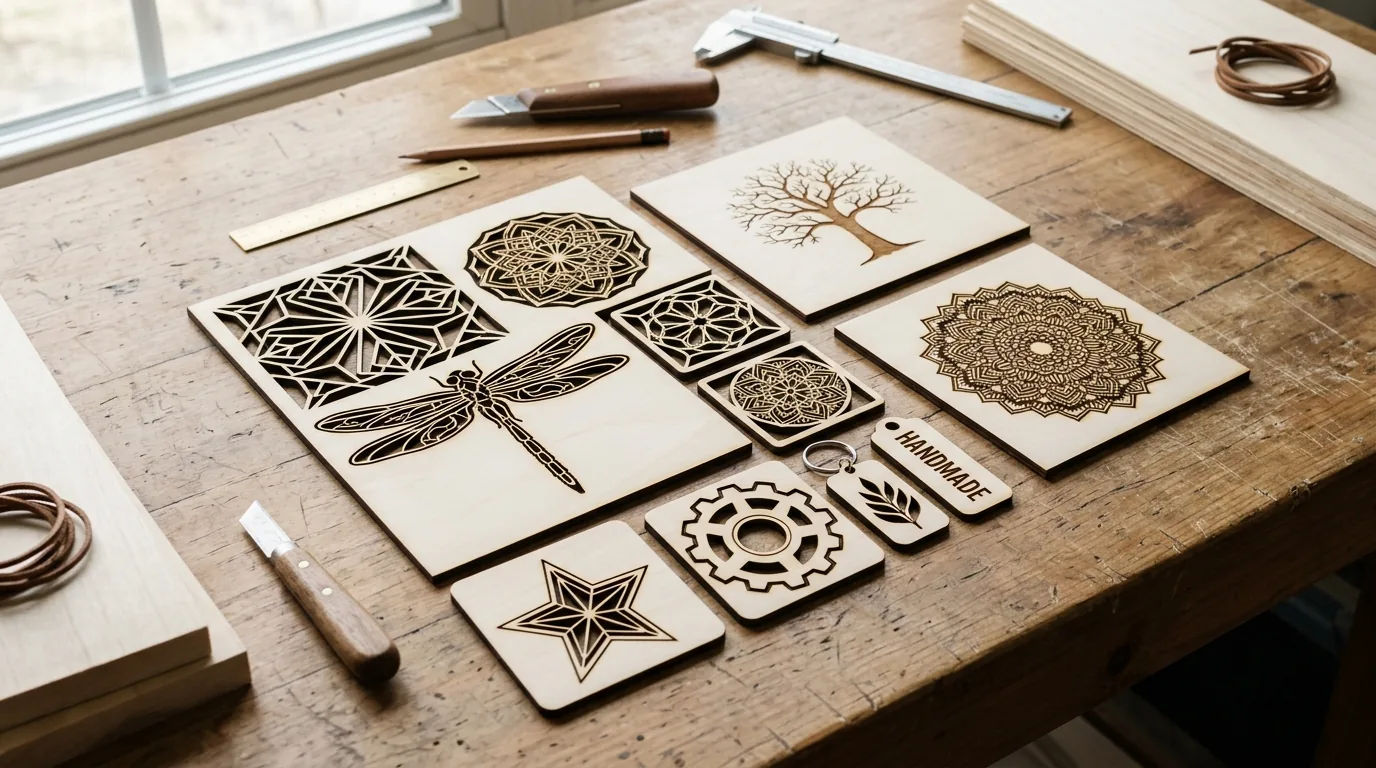
| Material | Engraving Contrast | Cut Ease | Smoke / Odor | Cost | Beginner Score |
|---|---|---|---|---|---|
| Basswood (3 mm) | ★★★★★ | Excellent – 1 pass | Low | $ | ★★★★★ |
| Baltic Birch Plywood | ★★★★ | Good – 2-3 passes | Medium | $$ | ★★★★ |
| MDF | ★★★ | Good – 1-2 passes | High (formaldehyde) | $ | ★★ |
| Pine / Soft Plywood | ★★★ | Poor – resin deposits | Medium-High | $ | ★★ |
Why Is Basswood the Best Wood for the Two Trees TTS-55?
The TTS-55’s 5.5W diode laser thrives on low-resin woods. Basswood’s negligible resin content means no sticky buildup on your exposed lens – a real problem with pine or fir. You’ll also get predictable, repeatable results across every sheet in a batch.
- Low resin – protects the exposed diode lens from gunk that scatters the beam and kills cut quality
- Consistent density – the same settings work batch after batch without retuning
- Minimal char – produces clean cut edges with air assist enabled; check our guide on how to prevent charring when laser cutting for best results
- Light, workable surface – easy to sand, paint, or stain after cutting for professional-grade products
- No toxic fumes – unlike MDF or treated plywood, safe for indoor use with basic ventilation; according to USDA Forest Products Laboratory data, basswood ranks among the lowest-resin domestic hardwoods
Want to dive deeper into material selection? Our best basswood sheets for laser cutting guide covers sourcing, void detection, and cost breakdowns for production runs.
What Are the Best Two Trees TTS-55 Settings for 3mm Basswood?
All settings below are for Crafteker 3mm basswood sheets (12×12 inch, laser-grade). Use the Laser Settings Calculator to fine-tune for your specific unit if results differ – diode lasers vary more unit-to-unit than CO2, so a ±5% power tweak is fair game.
| Machine | Cut Speed | Cut Power | Passes | Engrave Speed | Engrave Power | Air Assist |
|---|---|---|---|---|---|---|
| Two Trees TTS-55 (Diode 5.5W) | 3 mm/s | 100% | 2 | 90 mm/s | 40% | Recommended |
Note: Air assist is strongly recommended for the TTS-55. The open-frame diode lens sits close to the work surface and picks up smoke residue fast – even a light film scatters the beam and robs you of cutting power before you notice anything’s wrong. Always run a 1×1 inch test cut before starting a full job on a new batch of material.
Lens cleanliness matters more on a diode than a CO2 machine. The beam path is shorter and the optic is more exposed. I clean mine every 3-4 hours of run time, no exceptions.
The Crafteker 12-pack basswood sheets are purpose-built for open-frame diode lasers like the TTS-55 – 12×12 inch, 3mm, laser-grade, void-free. $24.99 for 12 sheets works out to $2.08/sheet, which is the best per-sheet price in the lineup.
How Do I Get Clean Cuts on the Two Trees TTS-55? Step-by-Step
Clean cuts on the TTS-55 come down to three things: accurate focus, consistent air assist, and flat material. Follow these steps for reliable results every time:
- Set focus accurately. The TTS-55 uses a fixed-focus diode module. Place the included focus card (or a 2mm shim) between the nozzle tip and the basswood surface, then lock the laser head. Even 1mm of error spreads the spot and kills cut depth.
- Enable air assist before firing. The TTS-55 has a built-in air assist port – connect a small aquarium pump or the included blower and confirm airflow is hitting the cut zone. Skip it once and you’ll get black edges you can’t sand out. Ask me how I know.
- Secure the basswood completely flat. Pin or tape the sheet to your honeycomb bed at every corner. Any warp means the focal distance shifts mid-cut, and you’ll end up with an uncut web exactly where the sheet bowed up.
- Run a test cut first. Cut a 1×1 inch square from a corner scrap before committing the full sheet. Check the kerf on both passes – it should pop free cleanly. If it doesn’t, fix focus before moving on, not power. For more on dialing in your parameters, see these basswood laser cutting settings.
- Do not stack extra passes to compensate for a bad cut. A third pass at wrong focus just chars the edges deeper. If pass 2 leaves a web, the problem is almost always focus or a dirty lens – not lack of power. Check those two things first.
- Clean the lens and nozzle after each session. On the TTS-55, the protective lens is accessible from the front of the module. A single IPA-dampened cotton swab, gentle circular motion, done. A thin smoke film causes 10-20% power loss – enough to turn a clean 2-pass cut into a stubborn 3-pass failure. If you want to go deeper on keeping your results consistent, the guide on how to prevent charring when laser cutting is worth bookmarking.

How Does the Two Trees TTS-55 Compare to Other Lasers for Basswood?
The TTS-55 holds its own against competitors in the same price tier – especially on thin soft wood like 3mm basswood, where diode lasers actually have an edge. Here’s how it stacks up against two common alternatives:
| Machine | Laser Type | Output Power | Cut Speed (3mm Basswood) | Passes | Working Area | Approx. Price |
|---|---|---|---|---|---|---|
| Two Trees TTS-55 | Diode | 5.5W | 3 mm/s | 2 | 300×300 mm | ~$180 |
| xTool M1 (10W) | Diode | 10W | 6 mm/s | 1-2 | 385×300 mm | ~$499 |
| Ortur Laser Master 3 | Diode | 10W | 5 mm/s | 2 | 400×400 mm | ~$299 |
Diode lasers punch above their weight on thin basswood because the focused spot size burns efficiently through low-density wood grain. The TTS-55 is slower than the 10W machines, but at roughly a third of the price of the xTool M1, the math works out for hobbyists and small-batch crafters.
If you’re running 50+ pieces a day for an Etsy shop, the Ortur LM3 or xTool M1 will save you real time. For weekend projects and occasional production runs, the TTS-55 with dialed-in basswood laser cutting settings does the job without the premium price tag.
Why Isn’t My Two Trees TTS-55 Cutting Through Basswood Cleanly?
Light brown edges are normal. Jet-black and flaky isn’t – here’s why.
Most incomplete cuts and excessive charring on the Two Trees TTS-55 trace back to these four issues:
- Focus is off: Place a focus card between the nozzle and your material, adjust the z-axis until the nozzle just grazes the card, then lock it – even 2mm of extra gap diffuses the beam enough to stall a cut. I ruined 3 sheets before I realized my nozzle was sitting too high the whole time.
- Air assist not running: Without active airflow, smoke and char re-deposit in the kerf as the laser cuts, blocking the beam and turning your edges into something resembling toasted marshmallows. Check your pump connection and confirm the nozzle is aimed directly at the cut point before you fire.
- Inconsistent material: Craft-store plywood has glue pockets and variable density. Laser-grade basswood eliminates this variable – consistent wood means consistent cuts. If you’re seeing random spots that won’t cut through, the sheet is the problem, not your settings. Check out the best basswood sheets to avoid this entirely.
- Dirty lens: On a diode machine like the TTS-55, the lens is more exposed to smoke than on an enclosed CO2 unit. Clean it after every session – a cotton swab with 90%+ isopropyl alcohol, gentle circular wipe, let it dry fully before the next run. A fouled lens scatters the beam and robs you of cutting power fast. See more tips on how to prevent charring when laser cutting.
Where to Buy Basswood Sheets for the Two Trees TTS-55
Crafteker 3mm basswood sheets are the best match for the Two Trees TTS-55 – 12×12 inch, laser-grade, void-free, and pre-sanded. At $24.99 for 12 sheets ($2.08/sheet), it’s the most cost-effective option for consistent results. The uniform quality means the settings in this guide work reliably without re-tuning every batch.
The 3-pack at $12.99 is a solid starting point if you want to test the settings before committing. But at $2.08/sheet versus $3.19/sheet on the 5-pack, the 12-pack is the obvious call once you know the workflow.
Ready to cut? Get the wood that works with these settings:
→ Buy Crafteker 12-Pack Basswood Sheets on Amazon – $24.99
Clip the 7% coupon on the listing page – buy 2 packs and save 20% automatically.
Also available: 5-pack ($15.97) · 3-pack ($12.99)
Frequently Asked Questions
What are the best Two Trees TTS-55 settings for 3mm basswood?
Cut at 3mm/s, 100% power, 2 passes. Engrave at 90mm/s, 40% power. Results: clean cut through with minimal char, crisp engraved detail.
Is the Two Trees TTS-55 good for cutting basswood?
Yes. The 5.5W diode laser is ideal for thin soft woods like basswood. It cuts fast, keeps edges clean with air assist, and the small 300x300mm bed is perfect for craft sheets.
What is the best wood for the Two Trees TTS-55 laser?
3mm laser-grade basswood. Low resin content means no lens gunk, and Crafteker basswood costs $2.08/sheet in bulk (12-pack), making it cost-effective for production runs.
Can the Two Trees TTS-55 cut 3mm basswood in one pass?
No. At 100% power, you need 2 passes to cut cleanly through 3mm basswood. One pass will cut partway but leave a thin web of uncut material at the bottom.
Where can I buy basswood sheets for the Two Trees TTS-55?
Crafteker on Amazon: 3-pack $12.99, 5-pack $15.97, 12-pack $24.99 ($2.08/sheet best value). All sheets are 3mm, 12×12 inch, laser-grade, void-free. Clip the 7% coupon on the listing page.
About the author: Mike Dolan is a laser maker and wood materials specialist with 8+ years cutting basswood, birch, and MDF on diode and CO₂ machines. He tests every Crafteker basswood batch before listing.
Just tested your settings on my TTS-55 and they’re spot-on. Cut 3mm Crafteker basswood at 3mm/s, 100%, 2 passes and got perfectly clean edges in one go. No charring, no web, no mess. Way better than the generic diode settings I was using before.