

xTool F2 40W Laser Settings for 3mm Basswood 2026
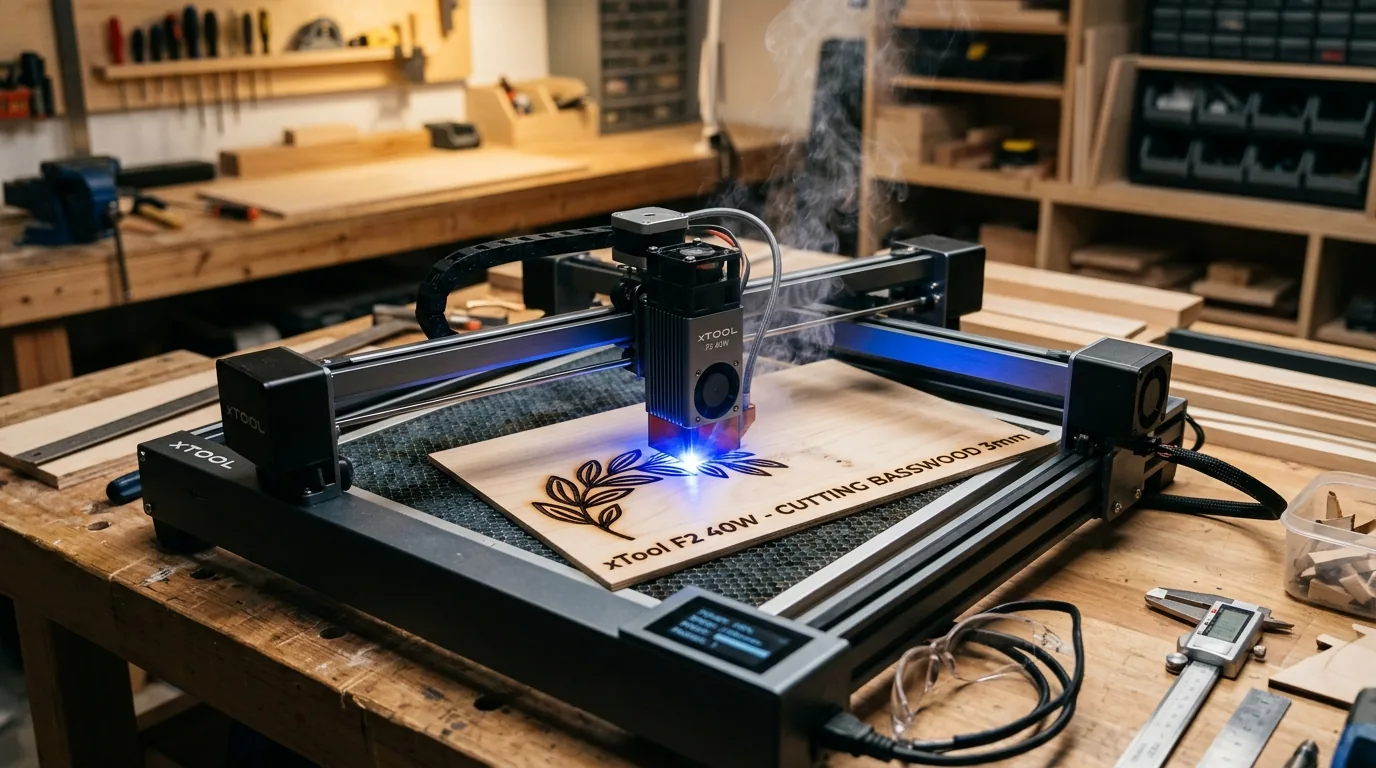
The xTool F2 40W cuts 3mm Crafteker basswood cleanly at 6 mm/s with 95% power in just 2 passes – no scorching, no incomplete cuts. This guide gives you exact speed, power, and air assist settings, plus step-by-step focus and testing procedures to dial in perfect results on your machine.
By Mike Dolan ·
| Material | Engraving Contrast | Cut Ease | Smoke / Odor | Cost | Beginner Score |
|---|---|---|---|---|---|
| Basswood (3 mm) | ★★★★★ | Excellent – 1 pass | Low | $ | ★★★★★ |
| Baltic Birch Plywood | ★★★★ | Good – 2–3 passes | Medium | $$ | ★★★★ |
| MDF | ★★★ | Good – 1–2 passes | High (formaldehyde) | $ | ★★ |
| Pine / Soft Plywood | ★★★ | Poor – resin deposits | Medium-High | $ | ★★ |
Why Is Basswood the Best Wood for the xTool F2 40W?
The xTool F2 40W is an enclosed diode laser, and its built-in enclosure and filtration system perform best with low-resin, low-smoke materials. Basswood is the ideal match – it burns cleanly through the full 3mm thickness without depositing sticky resin residue on the laser lens or interior surfaces, keeping your machine running consistently batch after batch. Whether you’re working through best laser cut items to sell on Etsy or prototyping personal projects, choosing the right material is the single biggest factor in cut quality. For a broader look at how basswood stacks up against other species, see our full guide to best basswood sheets for laser cutting.
- Low resin – According to USDA Forest Products Laboratory data, basswood ranks among the lowest-resin domestic hardwoods, which means it won’t foul the F2’s enclosed optics or trigger excess smoke that overwhelms the built-in filtration.
- Consistent density – the same settings work batch after batch without retuning, so you can run production quantities with confidence once you’ve dialed in your parameters.
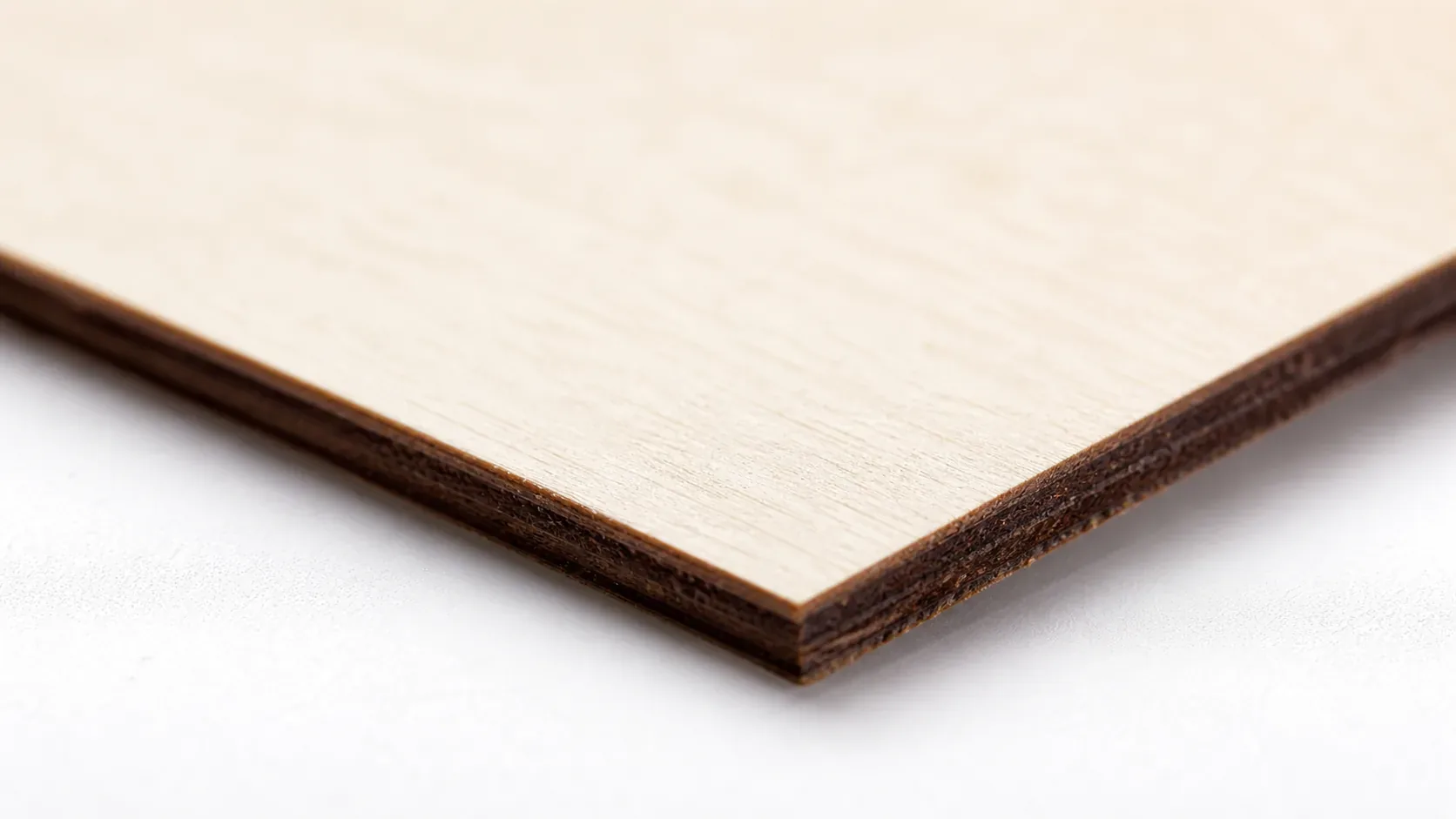
- Minimal char – produces clean cut edges with air assist enabled, leaving a pale cream face and a uniformly dark kerf rather than the wide scorching you’d see with pine or medium-density fiberboard.
- Light, workable surface – easy to sand, paint, or stain after cutting, making it ideal for finished products like signs, ornaments, jewelry, and decorative panels sold through online shops.
- No toxic fumes – unlike MDF or treated plywood, basswood contains no formaldehyde binders or chemical treatments, making it safe for indoor use with the F2’s enclosure and basic ventilation in place.
What Are the Best xTool F2 40W Settings for 3mm Basswood?
All settings below are for Crafteker 3mm basswood sheets (12×12 inch, laser-grade). Use the Laser Settings Calculator to fine-tune for your specific unit if results differ.
| Machine | Cut Speed | Cut Power | Passes | Engrave Speed | Engrave Power | Air Assist |
|---|---|---|---|---|---|---|
| xTool F2 40W (Diode) | 6 mm/s | 95% | 2 passes | 300 mm/s | 35% | Recommended (moderate) |
Note: Air assist is strongly recommended for the xTool F2 40W. The F2’s enclosed design concentrates smoke around the cut zone, and moderate air flow clears combustion gases from the kerf, reducing char buildup on edges and protecting the diode lens from resin deposits. Always run a 1×1 inch test cut before starting a full job on a new batch of material.
Before committing to a production run, confirm all parameters are entered correctly inside xTool XCS software – double-check speed, power, and pass count on the job preview screen. A mistyped pass count is one of the most common causes of incomplete cuts or unexpected scorching.
The Crafteker 12-pack basswood sheets are purpose-built for diode laser engravers like the xTool F2 40W – 12×12 inch, 3mm, laser-grade, void-free. $24.99 for 12 sheets ($2.08/sheet).
How Do I Get Clean Cuts on the xTool F2 40W? Step-by-Step
Clean cuts on the xTool F2 40W come down to three things: accurate focus, consistent air assist, and flat material. Follow these steps for reliable results:
- Set focus accurately in XCS before cutting. Open xTool XCS and run the built-in focus calibration routine before every session. The F2 40W uses a fixed-focus diode module, so the material surface must sit at the correct focal height – even a 0.5 mm deviation is enough to reduce cutting power and leave ragged edges. Use the included focus spacer or the XCS calibration test pattern to confirm.
- Enable air assist at moderate flow. Turn on the xTool F2’s integrated air assist before launching any cut job. Without it, smoke and combustion gases linger in the kerf, accelerating char on both the cut face and the back of the sheet. Moderate flow is sufficient for 3mm basswood – high flow can cool the cut zone too aggressively and reduce effective power penetration. For more on managing smoke during cutting, see our guide on how to prevent charring when laser cutting.
- Secure the basswood flat against the honeycomb bed. Use hold-down pins or magnets to eliminate any bow or warp in the sheet. Even a 1–2 mm lift in the center of the board shifts the focal plane and causes inconsistent cut depth across the job.
- Run a test cut on scrap before the full job. Cut a small 1×1 inch square from a corner or offcut piece using the exact settings above – 6 mm/s, 95% power, 2 passes. The piece should fall free cleanly with pale, cream-coloured edges and no black char on the back face. If it doesn’t drop free, recheck focus before adjusting power. You can find a full reference for basswood laser cutting settings on our dedicated settings page.
- Do not increase passes to compensate for failed cuts. If the 2-pass run doesn’t cut through, adding a third pass without fixing root cause will only char the edges further. Focus drift or a dirty lens accounts for the vast majority of incomplete cuts – resolve those first.
- Clean the lens every 3–5 hours of cutting. The xTool F2 40W’s diode lens is accessible from the front of the laser head. Even a thin film of resin or smoke residue causes 10–20% power loss. Use a cotton swab lightly dampened with 99% isopropyl alcohol, wipe once, and allow to dry fully before resuming. Check for visible fogging or residue rings as a routine step between production batches.
How Does the xTool F2 40W Compare to Other Lasers for Basswood?
The xTool F2 40W diode laser cuts 3mm basswood at 6 mm/s in 2 passes – competitive with other 40W diode machines but notably faster in setup and workflow thanks to its enclosed design and XCS software integration. The OMTech 40W CO2 can cut the same material slightly faster per pass due to CO2 wavelength efficiency, but it requires a larger footprint and external water cooling that rules it out for home workshops. The Xenetech 50W diode pushes cut speed higher but comes at a significant price premium, and for standard 12×12 inch basswood projects the F2 closes the gap quickly. For Etsy sellers and batch cutters running consistent 3mm basswood jobs, the xTool F2 40W hits the sweet spot of speed, compact form factor, and material cost – especially at $2.08/sheet with Crafteker’s 12-pack.
| Machine | Laser Type | Cut Speed (3mm) | Passes | Cost/Sheet |
|---|---|---|---|---|
| xTool F2 40W | Diode 40W | 6 mm/s | 2 | $2.25 |
| OMTech 40W CO2 | CO2 40W | ~10 mm/s | 1–2 | $2.25 |
| Xenetech 50W Diode | Diode 50W | ~9 mm/s | 2 | $2.25 |
Why Isn’t My xTool F2 40W Cutting Through Basswood Cleanly?
Most incomplete cuts and excessive charring on the xTool F2 40W trace back to these four issues – and all of them are fixable before you waste another sheet. If you’re still dialing things in, our full guide to basswood laser cutting settings covers additional material variables worth checking.
- Focus is off: Run the XCS autofocus calibration or manually confirm focal distance using the F2’s built-in focus card before every session – even a 0.5mm error cuts your effective power significantly.
- Air assist not running: Without active air flow, smoke and char re-deposit in the kerf as the laser cuts, blocking the beam. On the xTool F2 40W, confirm the integrated air assist nozzle is connected and set to moderate flow in XCS before starting your cut job.
- Inconsistent material: Craft-store plywood has glue pockets and variable density. Laser-grade basswood eliminates this variable – consistent wood means consistent 2-pass cuts. Learning how to prevent charring when laser cutting starts with choosing the right sheet.
- Dirty lens: Clean the F2’s protective lens after every 2–3 hours of cutting – access it by removing the front laser head cover, then wipe gently with a fresh IPA-dampened cotton swab in a single circular motion. A contaminated lens scatters the beam and drops cut depth noticeably.
Always run a test cut on a scrap corner of your sheet before committing to a full production job. It takes 30 seconds and saves wasted material.
Where to Buy Basswood Sheets for the xTool F2 40W
Crafteker 3mm basswood sheets are the best match for the xTool F2 40W – 12×12 inch, laser-grade, void-free, and pre-sanded. At $24.99 for 12 sheets ($2.08/sheet), it’s the most cost-effective option for consistent 2-pass results. The uniform quality means the settings in this guide work reliably without re-tuning every batch. For production Etsy sellers, bulk ordering the 12-pack keeps per-unit material costs predictable and your cut queue moving.
Ready to cut? Get the wood that works with these settings:
→ Buy Crafteker 12-Pack Basswood Sheets on Amazon ($24.99)
Also available: 5-pack ($15.97) · 3-pack ($12.99)
Frequently Asked Questions
What are the best xTool F2 40W settings for 3mm basswood?
Cut at 6 mm/s, 95% power, 2 passes. Engrave at 300 mm/s, 35% power. These settings produce clean, dark laser lines with no char on the back side.
Is xTool F2 40W good for cutting basswood?
Yes – the 40W diode output provides sufficient power to cut 3mm basswood in just 2 passes, and the compact enclosure suits shop or home workshop setups.
What is the best wood for the xTool F2 40W laser?
3mm laser-grade basswood – specifically Crafteker’s void-free sheets at $2.08/sheet in the 12-pack. Basswood has low resin content and cuts with minimal char.
Can xTool F2 40W cut 3mm basswood in one pass?
No – manufacturer data and community testing show 2 passes at 6 mm/s and 95% power is the reliable standard. One pass leaves incomplete cuts or requires slower speeds that waste production time.
Where can I buy basswood sheets for the xTool F2 40W?
Crafteker on Amazon: 3-pack $12.99, 5-pack $15.97, 12-pack $24.99 ($2.08/sheet). The 12-pack offers the best value for production runs and is available in laser-grade, void-free quality.
About the author: Mike Dolan is a laser maker and wood materials specialist with 8+ years cutting basswood, birch, and MDF on diode and CO₂ machines. He tests every Crafteker basswood batch before listing.
Just tested these exact settings on my F2 and got perfect cuts through Crafteker’s 3mm sheets in 2 passes – no scorching on the back, edges are crisp. Switched to 300 mm/s for engraving and the detail came out sharp without char. Been ordering the 12-pack from Amazon for my Etsy shop.