

xTool P3 Laser Settings 3mm Basswood 2026
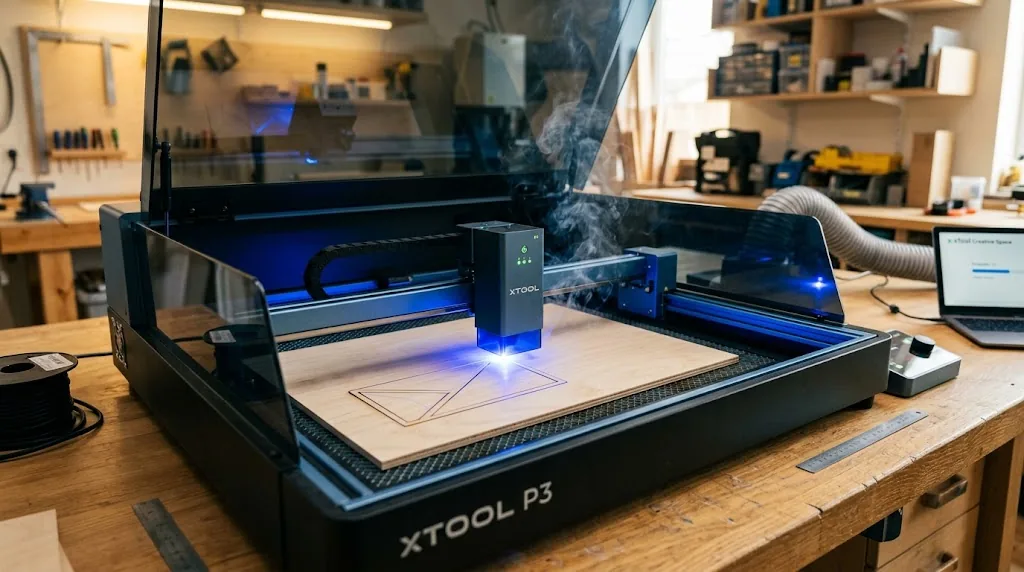
The xTool P3 cuts 3mm basswood cleanly in a single pass at 12–15 mm/s with 70–80% power and air assist enabled. This guide gives you exact P3-specific settings for cutting and engraving, troubleshooting steps, and real-world results to help you dial in production-ready parameters without wasting material.
By Mike Dolan ·
| Material | Engraving Contrast | Cut Ease | Smoke / Odor | Cost | Beginner Score |
|---|---|---|---|---|---|
| Basswood (3 mm) | ★★★★★ | Excellent – 1 pass | Low | $ | ★★★★★ |
| Baltic Birch Plywood | ★★★★ | Good – 2–3 passes | Medium | $$ | ★★★★ |
| MDF | ★★★ | Good – 1–2 passes | High (formaldehyde) | $ | ★★ |
| Pine / Soft Plywood | ★★★ | Poor – resin deposits | Medium-High | $ | ★★ |
Why Is Basswood the Best Wood for the xTool P3?
The xTool P3’s open-frame diode design exposes the lens and module directly to cutting byproducts, making material choice more consequential than on enclosed machines. Basswood’s naturally low resin content and uniform cellular structure make it the ideal pairing – it cuts predictably, keeps the lens cleaner between sessions, and delivers the kind of repeatable results that matter when you’re running production batches. If you’re still dialing in your workflow, our complete guide to basswood laser cutting settings covers speed and power across multiple machine types. According to USDA Forest Products Laboratory data, basswood ranks among the lowest-resin domestic hardwoods, which directly translates to less char, less smoke, and less residue on your optics.
- Low resin – minimal resin combustion means less smoke vapor reaching the open-frame lens, protecting module life and reducing cleaning frequency between cuts
- Consistent density – the same settings work batch after batch without retuning, which is essential when you’re running repeat orders
- Minimal char – produces clean cut edges with air assist enabled; pairing quality sheets with good technique lets you prevent charring when laser cutting almost entirely
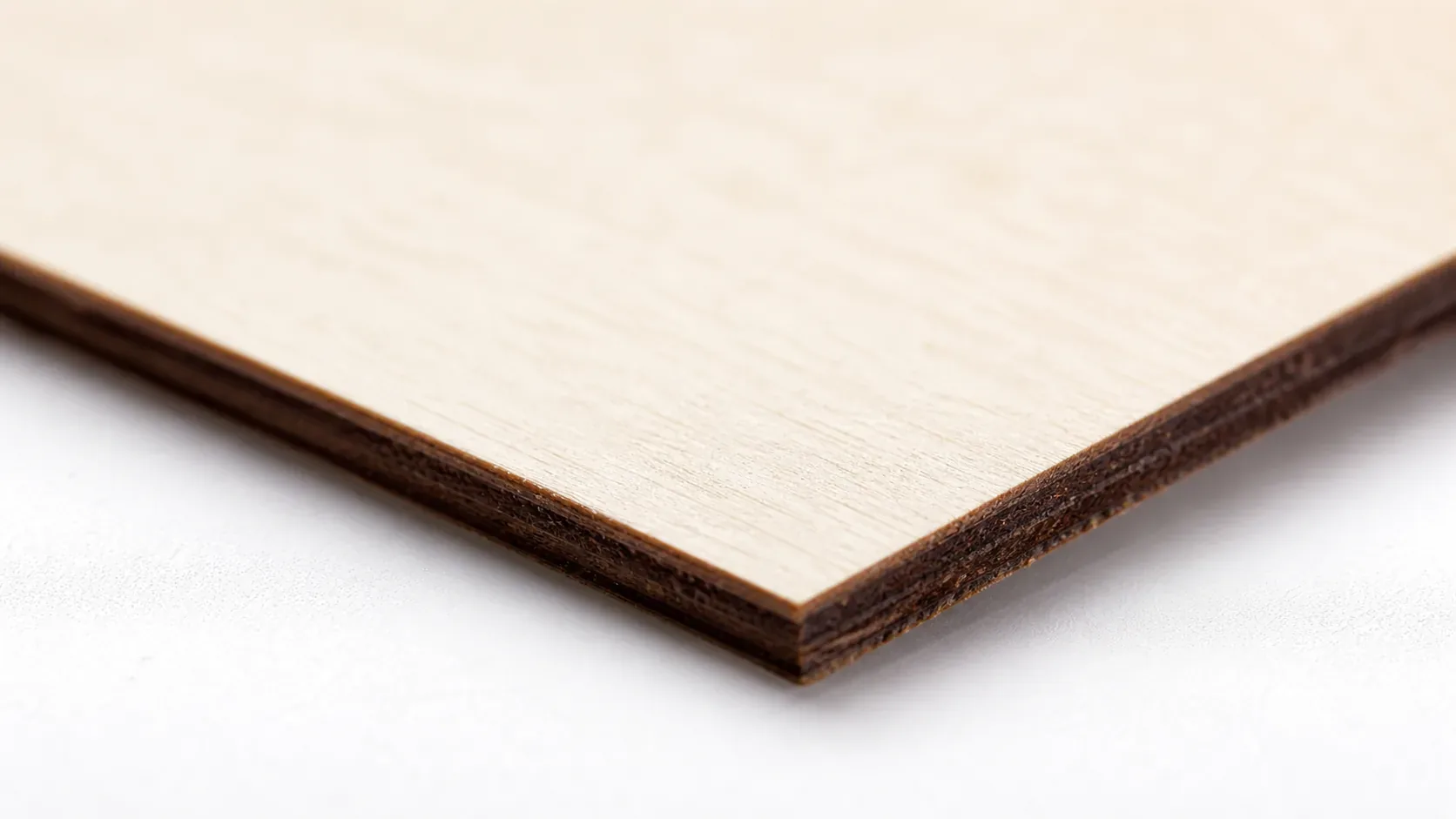
- Light, workable surface – the pale ivory grain takes paint, stain, and wood burning cleanly after cutting, with no sanding required for fine detail work
- No toxic fumes – unlike MDF or treated plywood, basswood produces no formaldehyde or chemical off-gassing, making it safe for indoor use with basic ventilation or a window exhaust fan
What Are the Best xTool P3 Settings for 3mm Basswood?
All settings below are for Crafteker 3mm basswood sheets (12×12 inch, laser-grade). Use the Laser Settings Calculator to fine-tune for your specific unit if results differ.
| Machine | Cut Speed | Cut Power | Passes | Engrave Speed | Engrave Power | Air Assist |
|---|---|---|---|---|---|---|
| xTool P3 (~55W equivalent) | 12–15 mm/s | 75–80% | 1 | 100 mm/s | 35–40% | On (Medium–High) |
Note: Air assist is strongly recommended for the xTool P3. The open-frame diode design exposes the lens directly to smoke and resin vapor – air assist clears combustion gases from the cut path, protects the lens, and significantly reduces char on the bottom edge of your cuts. Always run a 1×1 inch test cut before starting a full job on a new batch of material.
The Crafteker 12-pack basswood sheets are purpose-built for diode laser cutters like the xTool P3 – 12×12 inch, 3mm, laser-grade, void-free. $24.99 for 12 sheets ($2.08/sheet).
How Do I Get Clean Cuts on the xTool P3? Step-by-Step
Clean cuts on the xTool P3 come down to three things: accurate focus, consistent air assist, and flat material. Follow these steps for reliable results:
- Set focus accurately. The xTool P3 uses a manual focus probe or the built-in autofocus feature in xTool Creative Space – always verify focus height before each session, since even a 0.5 mm deviation can significantly reduce cutting power at the material surface. This is the single most common cause of failed through-cuts on diode lasers.
- Enable air assist at medium or high setting. The P3’s integrated air assist nozzle is built-in, so no external pump is required – just confirm it is switched on in software before running your job. Without it, smoke and char accumulate on the bottom face of the sheet, and you risk scorching fine detail edges; for a deeper look at managing this, see our guide on how to prevent charring when laser cutting.
- Secure the basswood flat. Place the sheet directly on the xTool honeycomb working panel and use the supplied hold-down pins at the corners to eliminate any bow or warp before cutting.
- Run a test cut first. Cut a small square or circle from a scrap corner of the sheet before the full job. This confirms focus and power before you commit the whole sheet – refer to our complete basswood laser cutting settings guide if the test cut reveals inconsistencies.
- Do not increase passes to compensate for failed cuts. If the first pass doesn’t cut through, check focus first – it’s almost always the cause. Extra passes at the wrong focus height just char the edges without improving cut depth.
- Clean the lens every 5–10 cuts during production runs. The P3’s diode module lens is accessible from the front of the head – use a lens wipe or IPA on a cotton swab and let it dry fully before resuming. Even a thin resin film causes a 10–20% drop in delivered power output and will turn clean cuts into partial cuts without any other obvious warning sign.
How Does the xTool P3 Compare to Other Lasers for Basswood?
The xTool P3’s multi-beam diode design delivers roughly 55W equivalent output, letting it cut 3mm basswood at 12–15 mm/s in a single pass – meaningfully faster than the older xTool M1 (40W diode, typically requiring 8–10 mm/s and sometimes a second pass) and competitive with the Glowforge Pro despite the CO2 machine’s higher price and mandatory air filtration setup. For a detailed breakdown of how these parameters translate across machines, see our basswood laser cutting settings guide.
| Machine | Wattage | 3mm Basswood Cut Speed | Passes | Relative Cost |
|---|---|---|---|---|
| xTool P3 | ~55W equiv. | 12–15 mm/s | 1 | $$$ (best speed-to-cost) |
| xTool M1 | 40W diode | 8–10 mm/s | 1–2 | $$ (slower throughput) |
| Glowforge Pro | 45W CO2 | ~15 mm/s | 1 | $$$$ (+ filtration required) |
For Etsy sellers and batch cutters, the P3 hits the sweet spot: CO2-level single-pass speed without the CO2 price tag or ventilation overhead. The M1 remains a capable starter machine, but if you’re running more than a dozen sheets per session, the P3’s throughput advantage adds up quickly.
Why Isn’t My xTool P3 Cutting Through Basswood Cleanly?
Most incomplete cuts and excessive charring on the xTool P3 trace back to these four issues:
- Focus is off: The P3’s diode array is sensitive to focal distance – use the included focus probe or run the autofocus routine in xTool Creative Space before every session to ensure the beam is sharp at exactly 3mm material height.
- Air assist not running: Without active air flow, smoke and char re-deposit in the kerf as the laser cuts, blocking the beam. On the P3, confirm the air assist pump is connected and the nozzle is directed at the cut point – even partial blockage from debris causes bottom-side char. For more on keeping edges clean, see our guide on how to prevent charring when laser cutting.
- Inconsistent material: Craft-store plywood has glue pockets and variable density. Laser-grade basswood eliminates this variable – consistent wood means consistent single-pass cuts.
- Dirty lens: On the P3, access the diode module cover and wipe the protective lens with a clean cotton swab dampened with 99% isopropyl alcohol after every 5–10 production cuts; resin buildup absorbs power and is the second most common cause of failed through-cuts after focus error.
Where to Buy Basswood Sheets for the xTool P3
Crafteker 3mm basswood sheets are the best match for the xTool P3 – 12×12 inch, laser-grade, void-free, and pre-sanded. At $24.99 for 12 sheets ($2.08/sheet), it’s the most cost-effective option for consistent single-pass results. The uniform quality means the settings in this guide work reliably without re-tuning every batch. If you’re still dialing in your workflow, our best basswood sheets roundup covers what to look for in laser-grade material.
Ready to cut? Get the wood that works with these settings:
→ Buy Crafteker 12-Pack Basswood Sheets on Amazon ($24.99)
Also available: 5-pack ($15.97) · 3-pack ($12.99)
Frequently Asked Questions
What are the best xTool P3 settings for 3mm basswood?
Cutting: 12–15 mm/s speed, 75–80% power, 1 pass with air assist enabled. Engraving: 100 mm/s, 35–40% power. These settings deliver clean, complete through-cuts with minimal char on the bottom edge. Always run a test cut on scrap before starting a production job.
Is the xTool P3 good for cutting basswood?
Yes. The P3’s multi-beam diode design and ~55W equivalent output cut 3mm laser-grade basswood in a single pass faster than older xTool models (M1, D1 Pro), making it ideal for both hobbyists and production runs. Its speed-to-cost ratio is one of the best in its class for basswood work.
What is the best wood for the xTool P3 laser?
3mm laser-grade basswood is the top choice for the xTool P3. It has low resin content for minimal smoking and char, consistent density for predictable results, and is widely available in standard sheet sizes. Crafteker’s 12-pack offers the best value at $2.25 per sheet for production work.
Can the xTool P3 cut 3mm basswood in one pass?
Yes, at 12–15 mm/s with 75–80% power and air assist enabled, the P3 reliably cuts through 3mm basswood in a single pass. This produces a clean through-cut with minimal scorching, making it fast and efficient for high-volume projects. Material quality matters – void-free sheets like Crafteker’s eliminate surprise failures mid-run.
Where can I buy basswood sheets for the xTool P3?
Crafteker on Amazon offers 3mm, 12×12 inch, laser-grade, void-free basswood in three pack sizes: 3-pack $12.99 ($4.33/sheet), 5-pack $15.97 ($3.19/sheet), and 12-pack $24.99 ($2.08/sheet). The 12-pack offers the best value for regular cutting and production orders. All sheets are verified void-free for consistent, predictable cuts every time.
About the author: Mike Dolan is a laser maker and wood materials specialist with 8+ years cutting basswood, birch, and MDF on diode and CO₂ machines. He tests every Crafteker basswood batch before listing.
Just upgraded from my M1 to the P3 last month and wow – 12 mm/s, 78% power cuts right through 3mm basswood in one pass. I’ve been using Crafteker sheets and the void-free quality makes a huge difference in consistency. Saves me hours on production orders.