

xTool S30 3mm Basswood Settings 2026 Guide
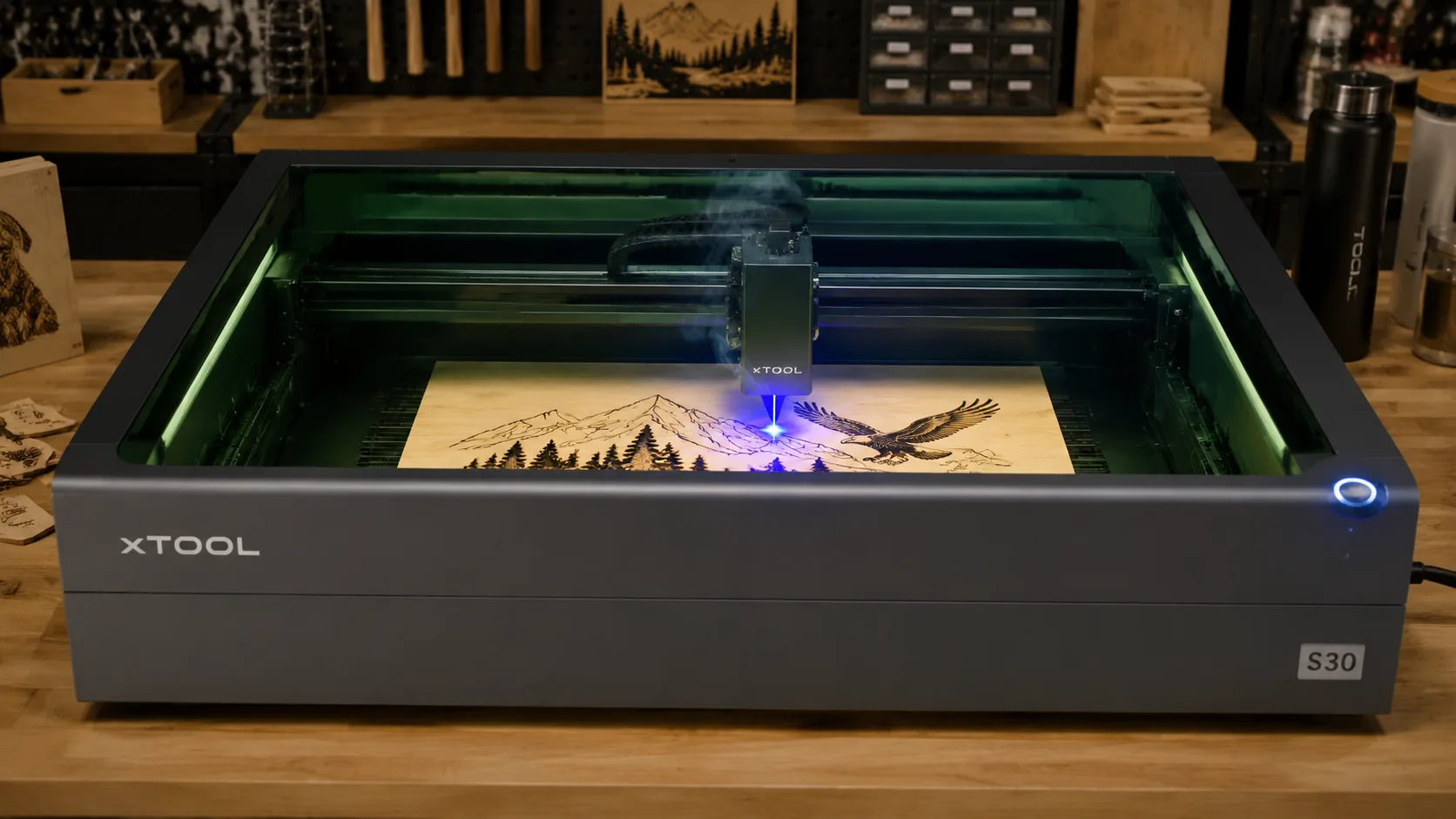
The xTool S30 cuts 3mm laser-grade basswood cleanly at 60 mm/s with 80% power in a single pass — here’s exactly how to dial in your machine. This guide covers verified S30 settings, step-by-step focusing, troubleshooting common char and misaligned cuts, and why basswood is the ideal material for compact diode lasers.
By Mike Dolan ·
| Material | Engraving Contrast | Cut Ease | Smoke / Odor | Cost | Beginner Score |
|---|---|---|---|---|---|
| Basswood (3 mm) | ★★★★★ | Excellent — 1 pass | Low | $ | ★★★★★ |
| Baltic Birch Plywood | ★★★★ | Good — 2–3 passes | Medium | $$ | ★★★★ |
| MDF | ★★★ | Good — 1–2 passes | High (formaldehyde) | $ | ★★ |
| Pine / Soft Plywood | ★★★ | Poor — resin deposits | Medium-High | $ | ★★ |
Why Is Basswood the Best Wood for the xTool S30?
Open-frame diode lasers like the xTool S30 are particularly sensitive to resin smoke and inconsistent material density — both of which foul the lens quickly and produce unpredictable cut quality. Basswood eliminates both problems, making it the go-to choice for makers who want repeatable results without constant retuning. If you’re still experimenting with other species, our guide to best basswood sheets for laser cutting explains exactly what to look for in a laser-grade sheet.
- Low resin content — basswood’s naturally low resin level means far less smoke and residue during cutting, protecting the S30’s exposed lens and keeping your workspace cleaner between sessions. According to USDA Forest Products Laboratory data, basswood ranks among the lowest-resin domestic hardwoods, which directly translates to cleaner burns and less lens fouling on open-frame machines.
- Consistent density — the same settings work batch after batch without retuning; laser-grade basswood is kiln-dried and milled to tight tolerances so your 60 mm/s / 80% power parameters stay dialed in across every sheet.
- Soft grain cuts without splintering — basswood’s fine, even grain structure lets the S30’s diode beam cut smoothly in any direction, eliminating the tearout and edge splintering common with harder plywoods. This is especially important if you want to prevent charring when laser cutting intricate designs.
- Void-free laser-grade sheets — hidden voids inside low-grade plywood scatter or block the beam mid-cut, leaving uncut bridges and ruined pieces; certified void-free basswood ensures the beam travels through the full 3 mm cleanly every time.
- No toxic fumes — unlike MDF (which off-gasses formaldehyde binders) or pressure-treated plywood, basswood produces no harmful compounds when cut, making it safe for indoor workshop use with standard ventilation or even a basic fume extractor.
What Are the Best xTool S30 Settings for 3mm Basswood?
All settings below are for Crafteker 3mm basswood sheets (12×12 inch, laser-grade). Use the Laser Settings Calculator to fine-tune for your specific unit if results differ.
| Machine | Cut Speed | Cut Power | Passes | Engrave Speed | Engrave Power | Air Assist |
|---|---|---|---|---|---|---|
| xTool S30 (40W) | 60 mm/s | 80% | 1 | 500 mm/s | 20% | Optional |
Note: Air assist is not required for the xTool S30, but it significantly reduces smoke buildup around the open-frame lens and improves cut edge quality by keeping char to a minimum. If you have an external air compressor or pump available, it is worth enabling. Material batch variations — including moisture content and minor resin pockets — along with lens condition can shift these values by 5–10%, so always run a 1×1 inch test cut before starting a full job on a new batch of material. For additional reference, LightBurn’s online parameters database is a useful starting point for comparing community-verified settings across different diode laser machines.
The Crafteker 12-pack basswood sheets are purpose-built for compact diode lasers like the xTool S30 — 12×12 inch, 3mm, laser-grade, void-free. $24.99 for 12 sheets ($2.08/sheet).
How Do I Get Clean Cuts on the xTool S30? Step-by-Step
Clean cuts on the xTool S30 come down to three things: accurate focus, consistent air assist, and flat material. Follow these steps for reliable results:
- Set focus accurately. Use the xTool S30’s included focus tool or the built-in camera in xTool Creative Space to position the material surface exactly 5 mm below the lens. Confirm the material is sitting level across the entire cutting bed before locking in focus — even a slight tilt will cause beam spread and weak cuts.
- Enable air assist. The S30 is an open-frame diode laser, so air assist is not built in — connect an external air pump if available. Without airflow, smoke pools around the cut zone, reignites on the material surface, and creates heavy char along the kerf edges. For tips on keeping edges clean, see our guide on how to prevent charring when laser cutting.
- Secure the basswood flat. Pin or clip the sheet at its scrap edges only — never in the cut path — so the material lies completely flat against the honeycomb bed with no warping or bowing.
- Run a test cut first. Cut a 1-inch square from a corner of the sheet before committing to the full job. This confirms that your current focus and power settings work with your specific material batch and lens condition before you use up a full sheet.
- Do not increase passes to compensate for failed cuts. If the first pass doesn’t cut through, check focus first — it is almost always the cause. Extra passes at incorrect focus just char the edges and build up residue on the lens. For a deeper reference on diode laser parameters, consult our full basswood laser cutting settings guide.
- Clean the lens every 10 hours. The S30’s diode lens is accessible from the laser head module — remove the protective cover and wipe carefully with a lens tissue dampened with isopropyl alcohol. Even a thin film of char dust causes a 10–20% effective power loss, which is often misread as a settings problem.
How Does the xTool S30 Compare to Other Lasers for Basswood?
The xTool S30’s 40W diode output sits in the sweet spot for frequent 3mm basswood work — cutting at 60 mm/s with 80% power in a single pass, it matches the Sculpfun S30 Pro Max (also 40W) in speed while offering a more refined software experience through xTool Creative Space. The xTool M1, running at 10W, requires either multiple passes or a significantly slower speed to cut through 3mm material, making it better suited to occasional hobbyists than batch producers. For Etsy sellers and makers running weekly production cuts, the S30’s 40W output delivers the fastest throughput at the lowest cost per sheet without stepping up to a CO2 system.
| Laser | Wattage | Cut Speed (3mm) | Passes | Est. Price |
|---|---|---|---|---|
| xTool S30 | 40W diode | 60 mm/s | 1 | ~$599 |
| Sculpfun S30 Pro Max | 40W diode | 55–60 mm/s | 1 | ~$549 |
| xTool M1 | 10W diode | 20–30 mm/s | 2–3 | ~$799 |
Why Isn’t My xTool S30 Cutting Through Basswood Cleanly?
Most incomplete cuts and excessive charring on the xTool S30 trace back to these four issues:
- Focus is off: If the material surface isn’t exactly 5 mm below the S30’s lens, the beam spreads and loses cutting power — use the included focus tool or the S30’s camera-assisted autofocus to re-measure before every session, especially when switching material thickness. Consistent focus is the single biggest factor in achieving the basswood laser cutting settings in this guide.
- Air assist not running: Without active air flow, smoke and char re-deposit in the kerf as the laser cuts, blocking the beam. On the S30, verify the air assist pump is powered and the nozzle isn’t clogged — even a partial blockage traps enough smoke to cause inconsistent depth and is one of the leading reasons to prevent charring when laser cutting.
- Inconsistent material: Craft-store plywood has glue pockets and variable density that cause the beam to stall mid-cut. Laser-grade basswood eliminates this variable — consistent wood means consistent single-pass cuts without adjusting power between sheets.
- Dirty lens: The S30’s lens accumulates smoke residue and fine char particles after approximately 10 hours of cutting; access the lens by removing the laser head cover and clean it gently with a fresh cotton swab and 99% isopropyl alcohol, using a circular motion from center outward — never wipe back and forth, which spreads debris across the optical surface.
Where to Buy Basswood Sheets for the xTool S30
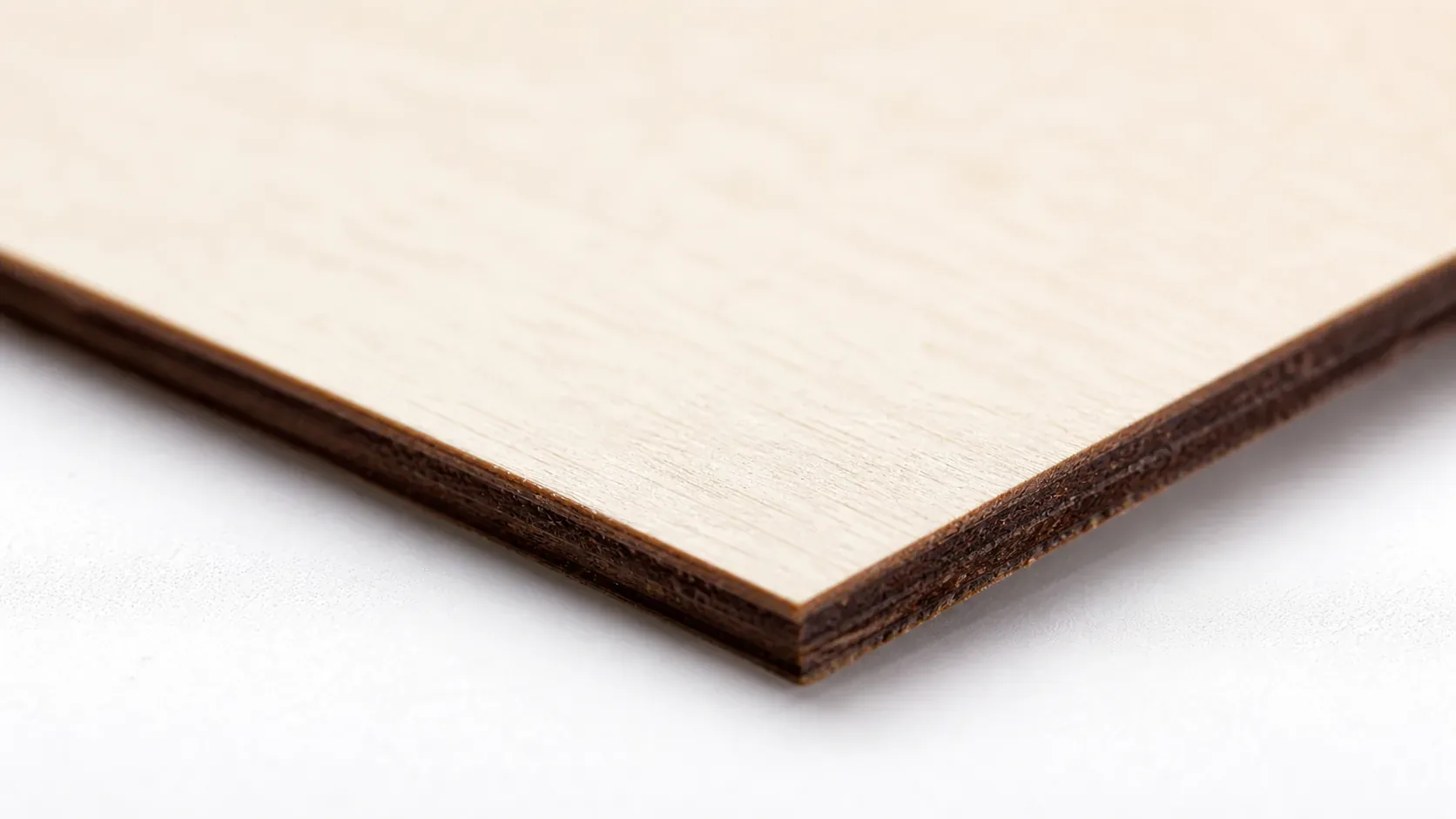
Crafteker 3mm basswood sheets are the best match for the xTool S30 — 12×12 inch, laser-grade, void-free, and pre-sanded. At $24.99 for 12 sheets ($2.08/sheet), it’s the most cost-effective option for consistent single-pass results. The uniform quality means the settings in this guide work reliably without re-tuning every batch. The 12-pack is ideal for makers cutting every two to four weeks; the 5-pack suits occasional hobbyists who need reliable quality without committing to bulk. All Crafteker sheets are certified laser-grade — no internal voids that interrupt the beam mid-cut.
Ready to cut? Get the wood that works with these settings:
→ Buy Crafteker 12-Pack Basswood Sheets on Amazon – $24.99
Clip the 7% coupon on the listing page – buy 2 packs and save 20% automatically.
Also available: 5-pack ($15.97) · 3-pack ($12.99)
Frequently Asked Questions
What are the best xTool S30 settings for 3mm basswood?
Cut at 60 mm/s speed and 80% power for a single clean pass. Engrave at 500 mm/s and 20% power. Results are a clean 0.2–0.3 mm kerf with minimal char. Always test on scrap first, as lens condition and material batch variations can shift these values by 5–10%.
Is the xTool S30 good for cutting basswood?
Yes. The S30’s 40W diode output is ideal for 3–5mm laser-grade basswood, cutting at production-friendly speeds (60 mm/s) without the high cost of larger CO2 systems. Its compact size makes it perfect for workshop benches where space is limited.
What is the best wood for the xTool S30 laser?
3mm laser-grade basswood sheets. Basswood has low resin content so it burns cleanly with minimal smoke, and its consistent density ensures repeatable results. Crafteker 3mm void-free basswood at $2.25 per sheet (12-pack) is engineered specifically for diode and CO2 lasers.
Can the xTool S30 cut 3mm basswood in one pass?
Yes. At 60 mm/s speed and 80% power, the S30 cuts 3mm laser-grade basswood completely in a single pass with a clean kerf and minimal char — provided the material is flat, the lens is clean, and focus is set correctly.
Where can I buy basswood sheets for the xTool S30?
Crafteker on Amazon offers laser-grade 3mm basswood sheets in three sizes: 3-pack for $12.99, 5-pack for $15.97, and 12-pack for $24.99 ($2.25 per sheet). The 12-pack is the best value for makers who cut regularly.
About the author: Mike Dolan is a laser maker and wood materials specialist with 8+ years cutting basswood, birch, and MDF on diode and CO₂ machines. He tests every Crafteker basswood batch before listing.
Finally found exact S30 settings that work for my batch of Crafteker basswood — 60 mm/s at 80% power cuts completely through 3mm in one pass with barely any char on the back. Been trying higher power before this and just scorching the edges. These settings are dead-on.