

CO2 vs Diode Laser for Basswood: 5 Points Compared (2026)
Both a CO2 laser and a high-power diode laser can cut and engrave 3mm basswood plywood, but which one fits your shop depends on your production volume, workspace, budget, and how much setup and upkeep you’re willing to take on. This guide compares both in plain terms so you can pick the right tool for repeated cutting of 12×12 inch basswood sheets.
This post contains affiliate links. As an Amazon Associate I earn from qualifying purchases, at no extra cost to you. Learn more.
By Mike Dolan ·
Quick Answer: These 5 points - cut quality, batch speed, engraving look, setup and upkeep, and safety - show CO2 generally suits higher-volume basswood cutting while diode suits smaller, more compact setups.
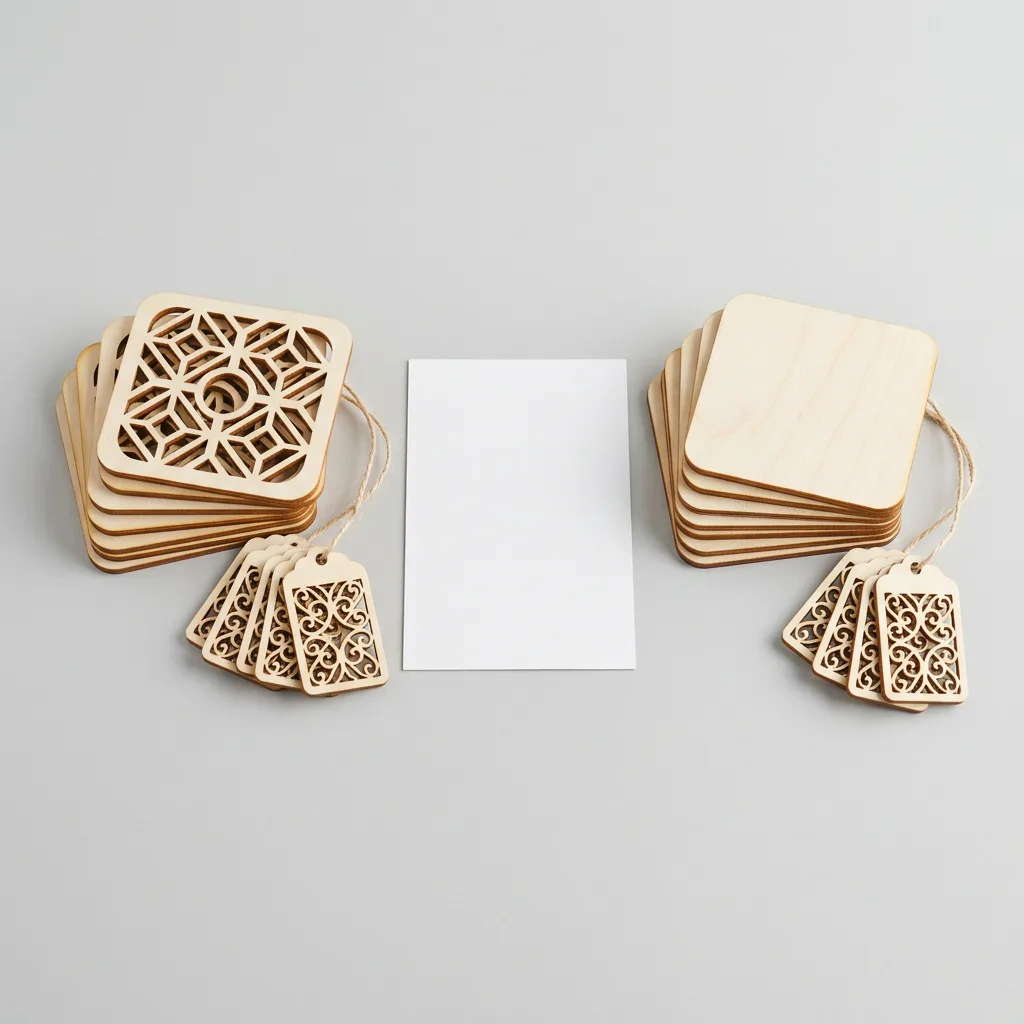
Why the Laser Type Matters for Basswood Batches
3mm basswood plywood is a common laser craft material, and how it cuts and engraves depends heavily on which laser type and wavelength you use. Both laser types can work on this material, so the choice comes down to how you plan to use it.
5 Points to Compare: CO2 vs Diode on Basswood
A CO2 laser is generally the better cutter for 3mm basswood plywood, while a diode laser can still cut thin sheets but usually asks for more time. Engraving is closer to a tie. The list below covers cut quality, batch speed, engraving, upkeep, and safety, and the CO2 vs diode guide goes deeper on the basics.
- Cut quality and edge. A CO2 beam is absorbed well by wood, which generally gives a cleaner, more consistent cut on 3mm basswood. A diode laser can still cut through, but it may need slower processing or more passes, which can leave a wider or darker edge.
- Speed in a batch. CO2 systems generally move through a batch of 12×12 inch sheets with fewer repeated passes. Diode systems may need extra passes or slower settings to cut all the way through, and that time adds up across a production run.
- Engraving look. Both laser types can produce attractive engraving on basswood plywood. The final look depends more on focus, air assist, settings, and the plywood’s veneer and glue layers than on which laser type you own.
- Setup and upkeep. CO2 machines generally call for more infrastructure, including exhaust, cooling, and attention to the laser tube or source depending on the model. Diode machines are usually more compact and simpler to set up, though they still need an enclosure and ventilation.
- Safety and ventilation. Both laser types produce smoke and fumes when cutting wood, so ventilation is needed either way. Eyewear must match the specific wavelength of your machine, since eyewear rated for one wavelength does not protect against another. Never leave a laser running unattended, because wood can ignite during processing.
Diode results also depend on power class and tuning, so the high-power diode guide is worth reading before assuming more power always means a cleaner cut. Whichever way you lean, treat every claim here as a general tendency and confirm it with your own scrap tests, because plywood construction and machine design change results.
5 Steps to Decide Which Laser Fits Your Shop
Decide by working through five steps in order: your batch size, your space, your full budget, your safety needs, and a scrap test. Each step narrows the choice before you spend anything. The 12×12 laser buying checklist is a useful companion if your production sheets are that size.
- Count your batches. Work out how many pieces you realistically make in a batch and how often you make them. Occasional projects and repeated production runs have different needs, and being honest here prevents buying far more or far less machine than you use.
- Check space and exhaust. A CO2 machine generally needs more room and a dedicated exhaust path. A diode setup is usually easier to fit into a smaller space with a suitable enclosure, but it still needs smoke extraction or ventilation.
- Set a full budget. Include the machine plus supplies such as exhaust, cooling, enclosure, air assist, and replacement parts, not just the machine price. No universal cost ranking applies to every model, so add up your own list.
- Check eyewear and safety. Confirm the eyewear needed for the specific wavelength of the machine you are considering. Then check what safety features the listing or manual actually includes, rather than assuming an enclosure or interlocks come standard.
- Run a scrap test. If you can, cut scrap of the same 3mm 3-ply basswood sheet you plan to use in production. Plywood batches and suppliers can behave differently even at the same thickness, so a test on your own material beats any general comparison.
Work through the steps honestly and the answer is often obvious before you reach the last one. If it is not, the scrap test settles it, because your own plywood and your own workspace matter more than any general comparison, including this one.
Who Fits Which: Occasional Maker vs Small Shop Batches
Match the laser to how you actually work: a high-power diode often fits occasional makers, and a CO2 laser generally fits repeated batches. Your space, your exhaust options, and your growth plans can shift that answer. The list below pairs each maker type with the laser that usually suits it.
- Occasional maker who engraves often and cuts basswood sometimes: a high-power diode laser often fits, since it is more compact, simpler to set up, and lower in initial complexity.
- Small shop running repeated batches: a CO2 laser is generally the stronger fit when consistent cut quality and throughput across many sheets matter most.
- Maker with limited space or no dedicated exhaust path yet: a diode setup with an enclosure is usually easier to accommodate than a full CO2 installation.
- Maker planning to scale production cutting of 3mm basswood: weigh the up-front complexity of a CO2 system against the time it saves per batch.
Example machines are best checked live. The xTool P2S first jobs guide shows one approach to 3mm basswood, and the current Amazon US listings show what is on sale today. Read each listing carefully, because included accessories and safety features vary from model to model and listing to listing.
Before buying, confirm in the manufacturer’s safety and setup documentation whether an enclosure, exhaust, cooling, and air assist are included or sold separately. If you plan to scale up, the production run repeatability guide explains why consistency across sheets deserves attention early, not after orders start arriving.
4 Problems and Fixes for Basswood Laser Cutting
Most basswood laser problems trace back to focus, airflow, glue layers, or material variation rather than the laser type alone. Four are common in batch work: dark diode edges, an overwhelming CO2 setup, cuts that stop short, and edges that differ between sheets. Each item below gives a cause and a fix.
- Diode edge too dark. Cause: slow processing, repeated passes, weak air assist, or resin and glue in the plywood. Fix: check focus and airflow, improve air assist and exhaust where your machine supports it (the air assist guide covers the basics), and test settings on scrap before a full batch.
- CO2 setup too complex. Cause: underestimating exhaust routing, cooling, electrical needs, and workspace. Fix: plan the full installation against the manufacturer’s manual before buying, not after, so nothing about the room or power surprises you on delivery day.
- Cut does not go through. Cause: dense glue layers, uneven focus, material variation, or conservative settings. Fix: check focus and flatness, confirm air assist is working, and test the specific plywood batch on scrap with a test card playbook rather than assuming prior settings still apply.
- Batch edges differ sheet to sheet. Cause: differences between plywood suppliers, veneers, adhesives, or moisture, plus warping during a run. Fix: qualify each new material source with scrap tests, use consistent hold-down methods that do not block the beam path, and avoid switching to a different basswood batch mid production without retesting.
If a flare-up happens, stop the job safely, keep suitable fire-response equipment nearby, and never leave the laser running unattended. Smoke that lingers in the room points to leaks, clogged ducting, or weak extraction, so inspect the exhaust path and keep filters maintained.
After You Choose: Logging Settings and Next Steps
Once you settle on a laser type, keep a simple settings log for every sheet batch and supplier. Note focus, passes, and any air assist or exhaust changes, because plywood batches vary even at the same 3mm 3-ply thickness. A log turns a surprise next week into a quick comparison against a record you can trust.
Your machine’s own manual has the final word on safe operation. For general background on fume handling and wavelength-specific eyewear, read the ventilation guide and the manufacturer’s safety documentation, then confirm current requirements for your own machine. While you build your test habits, the free Crafteker laser file bundle gives you designs to practice on.
This article covers general comparisons only and reflects common maker practice, not sales data. Check marketplace rules, carrier rules, and manufacturer documentation directly before production use in 2026, and never leave a running laser unattended, since wood can ignite during processing.
Where to Get 3mm Basswood for Your Production Tests
Crafteker 3mm basswood sheets are 12×12 inch, laser-grade, void-free and pre-sanded: a pale, even surface for engraving and paint, and consistent sheets for repeat batches. At $24.99 for 12 sheets ($2.08/sheet), test pieces cost very little. Need designs? Grab the free Crafteker laser file bundle.
Ready to test on real basswood sheets?
Tools & Materials Used
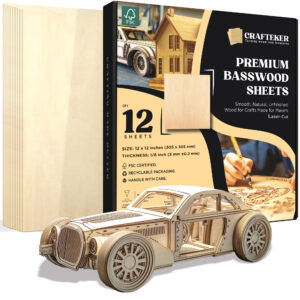
Laser-ready basswood for the projects in this guide.
Example of a CO2 machine listed on Amazon US. Check its current listing for specifications.
Example of a 40W class diode machine listed on Amazon US. Check its current listing for specifications.
Eye protection matched to the CO2 wavelength.
Eye protection for diode lasers. Match the wavelength of your laser.
Frequently Asked Questions
Can a diode laser cut 3mm basswood plywood?
Yes, a high-power diode laser can cut 3mm basswood plywood, though cut-through work commonly needs slower processing, multiple passes, or both compared to a CO2 laser, so test your specific machine and sheet on scrap first.
Is CO2 always better than diode for basswood?
Not always - CO2 generally gives a cleaner edge at higher throughput for repeated cutting, but a diode laser can be the better fit for a maker who values a compact setup, lower complexity, and occasional cutting alongside engraving.
Do CO2 and diode lasers need the same safety eyewear?
No, laser-rated eyewear is matched to a specific wavelength, so eyewear suited to one laser type should not be assumed to protect against the other; always use eyewear specified for your machine’s actual wavelength.
Does engraving quality depend on which laser type you use?
Both laser types can produce attractive engraving on basswood plywood, and the final look depends more on focus, settings, air assist, and the plywood’s veneer and glue layers than on laser type alone.
How do I know if a laser is right for my production volume?
Count how many pieces you actually cut in a batch, check your available space and exhaust options, and run a test cut on scrap 3mm basswood before committing, since results vary by machine, material batch, and settings.
About the author: Mike Dolan is a laser maker and wood materials specialist with 8+ years cutting basswood, birch, and MDF on diode and CO₂ machines.
Whatever laser you use, test on a scrap piece of 3mm basswood and keep a settings log per sheet batch. Follow your machine manual.