

Why Tight Corners Char in 3mm Basswood (2026 Dwell Time Fix)
Your laser head physically slows down at tight corners, small circles, and dense detail to stay within its acceleration limits, so the beam dwells longer per unit length there and dumps more heat into less surrounding material – that’s why a speed/power setting dialed in on a straight test cut can still char or round over intricate geometry in the same sheet. This article explains why this happens, what corner power reduction and dynamic power scaling actually do, and when it’s worth the extra setup time to run a dedicated detail pass.
By Mike Dolan ·
Quick Answer: Laser cutting basswood corner overburn dwell time happens because the machine decelerates at direction changes, increasing local heat delivery – compensate with reduced corner power, dedicated detail layers, and path optimization.
| Material | Engraving Contrast | Cut Ease | Smoke / Odor | Cost | Beginner Score |
|---|---|---|---|---|---|
| Basswood (3 mm) | ★★★★★ | Excellent – 1 pass | Low | $ | ★★★★★ |
| Baltic Birch Plywood | ★★★★ | Good – 2-3 passes | Medium | $$ | ★★★★ |
| MDF | ★★★ | Good – 1-2 passes | High (formaldehyde) | $ | ★★ |
| Pine / Soft Plywood | ★★★ | Poor – resin deposits | Medium-High | $ | ★★ |
Your straight-line test cut looks perfect, but real projects char at corners and small holes
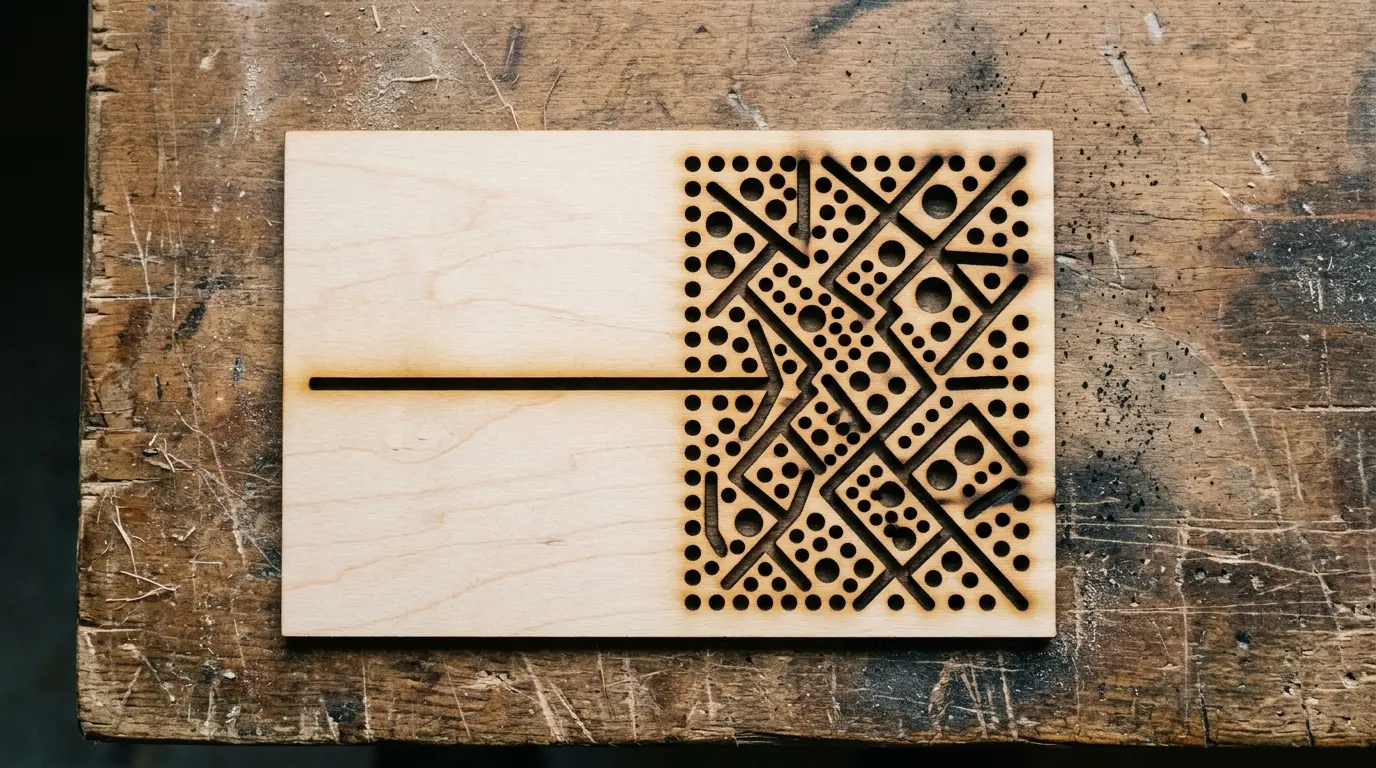
I nailed a clean straight-line test cut at my usual settings, then ran a jewelry tray design with tight interior corners and lace-like cutouts at the exact same settings. The straight edges came out crisp with pale cream wood and a dark brown kerf. Every corner looked charred and rounded over, and the smallest circles barely cut through.
This isn’t a calibration problem or a focus issue. Your basswood laser cutting settings worked perfectly on the test strip because the laser head maintained constant speed through a straight path. Real designs force the machine to decelerate at direction changes, and that deceleration is where the extra heat comes from.
A speed/power setting dialed in on a straight test line can still char, round over, or leave uncut fibers in tight corners, small circles, and dense detail in the same sheet. The difference isn’t your machine acting up – it’s physics catching up with your design complexity.
Crafteker 3mm basswood sheets hold consistent thickness across the entire 12×12 inch surface, which matters when you’re already compensating for dwell-time and thermal-mass effects – inconsistent stock adds an extra variable on top of the motion physics you’re trying to control.
- Low resin – won’t gum up your lens or leave sticky residue on intricate cuts
- Consistent density – the same settings work batch after batch without retuning
- Minimal char – produces clean cut edges with air assist enabled
- Light, workable surface – easy to sand, paint, or stain after cutting
- No toxic fumes – unlike MDF or treated plywood, safe for indoor use with basic ventilation
According to USDA Forest Products Laboratory data, basswood ranks among the lowest-resin domestic hardwoods, which translates directly to cleaner cuts and less maintenance on your optics.
The laser slows down at corners and dumps extra heat (dwell time explained)
Your laser’s motion system must decelerate and re-accelerate at every direction change to stay within its acceleration and jerk limits. That means the beam physically moves slower through corners and tight curves, even when your software shows a constant speed setting.
Slower motion at the same power dumps more cumulative heat energy per unit length into the wood. This is called corner overburn or vertex overburn, and it’s not a calibration problem – it’s physics.
A straight test cut gives you zero information about how your settings will behave in real geometry. The beam zips along at full speed on a straight line, barely lingering. At a sharp corner or tight radius, it slows down and dwells, and that extra heat chars the wood, rounds over the edge, or leaves a wider kerf.
This is a completely different issue from one specific corner consistently failing to cut while the rest of the sheet is fine. That’s usually a focus or bed-leveling problem. We cover that in our troubleshooting guide for inconsistent cuts. The dwell-time phenomenon we’re discussing here happens everywhere geometry gets tight, not just in one spot.
Small circles and dense detail make it worse (thermal mass problem)
Small circles, narrow spokes, and dense perforation patterns have less surrounding material to absorb and spread heat. The extra dwell-time energy from the slowed-down beam raises local temperature faster than it would in a broad straight cut with more thermal mass around it.
In 3mm basswood, this shows up as charring, micro-melted glue lines between plies, or small flare-ups – especially when several tiny features sit close together and heat stacks up in one zone. The wood can’t wick the heat away fast enough.
I kept cranking power higher trying to get small circles to cut cleanly, which just made them char worse. Backing down to a separate, lower-power detail pass at the same speed fixed it instantly – the circles cut clean with pale edges instead of black char.
This is related to but different from the question of how small a feature can be before it physically snaps during or after cutting. That’s a structural question about kerf width versus feature width. We cover minimum feature sizes and structural integrity in our article on tiny features in 3mm basswood. Here, we’re talking about thermal damage to features that are structurally sound but getting overheated.

Practical ways to compensate for corner and detail overburn
You can mitigate dwell-time overburn without re-dialing your entire workflow. Here’s what actually works:
- Run a dedicated detail layer: Duplicate small holes, tight corners, and fine filigree onto a separate layer with reduced power (roughly 10-40% less, depending on corner radius and material thickness). Same speed, less heat per pass. The intricate stuff cuts clean while your main layer handles the bulk work at full power.
- Enable corner power reduction or dynamic power scaling: Software like LightBurn can automatically ramp power down when the machine decelerates at corners, compensating for the dwell-time effect without manual layer splitting. Check your controller’s documentation – not all firmwares support this.
- Break complex designs into separate passes: If your design clusters dozens of small features in one area, split them across multiple cut passes with conservative settings instead of trying to dial in one universal setting that covers both delicate detail and long straight cuts.
- Reorder cut paths strategically: Cut dense, heat-sensitive areas first while the material is cool, then move to simpler geometry. Prevents thermal buildup from stacking up in one zone and making later cuts worse.
I kept cranking power higher trying to get small circles to cut cleanly, which just made them char worse. Backing down to a separate, lower-power detail pass at the same speed fixed it instantly – the circles cut clean with pale edges instead of black char.
When it’s worth bothering with detail layers and corner power settings
For a design that’s mostly straight lines and gentle curves, your default settings are fine. The dwell-time effect is minimal when direction changes are gradual and surrounding material has room to absorb heat.
For dense filigree, tight interior corners, or clusters of small holes, a detail pass or corner power reduction is worth the extra setup time. There’s no fixed universal diameter threshold – it depends on your material thickness and how dense the surrounding detail is.
As a practical habit, treat any tight interior corner or small hole cluster as worth a test cut before committing to a full sheet. Run a small sample with your intended settings, check for charring or rounding, adjust if needed. You’ll waste less material than if you jump straight to production.
Where to buy basswood sheets for corner-intensive laser work
Crafteker 3mm basswood sheets are laser-grade, void-free, and consistent thickness sheet to sheet – which matters for fine-detail cutting because inconsistent stock adds an extra variable on top of the dwell-time and thermal-mass effects you’re already compensating for. When you dial in a detail pass setting, it should work the same way on sheet 3 and sheet 12.
At $24.99 for 12 sheets ($2.08/sheet), it’s the most cost-effective option for basswood sheets that work reliably with the settings in this guide. No glue voids, no thickness surprises, no re-tuning every batch.
Ready to cut? Get the wood that works with these settings:
→ Buy Crafteker 12-Pack Basswood Sheets on Amazon – $24.99
Also available: 5-pack ($15.97) · 3-pack ($12.99)
Frequently Asked Questions
Why do tight corners and small circles char even when my straight-line test cut looks perfect?
The laser head physically slows down at direction changes and tight curves to stay within its acceleration limits, so the beam dwells longer per unit length there. At the same power setting, that means more cumulative heat delivered to a small area, which is why corners and small details can char or round over even when straight cuts look clean.
Is corner charring a sign my laser is miscalibrated?
Not necessarily – dwell-time overburn happens even on a well-calibrated machine because it’s a motion/physics issue, not a focus or leveling problem. If only ONE specific corner consistently fails while others are fine, that’s more likely a focus or bed-leveling issue worth checking separately.
How do I stop small circles and dense detail from overburning?
Use a dedicated detail layer with reduced power for small features, enable corner power reduction or dynamic power scaling if your software supports it (like LightBurn), split complex designs into separate passes, and reorder cuts so heat doesn’t stack up in one dense area. I kept cranking power higher trying to get small circles to cut cleanly, which just made them char worse – backing down to a separate, lower-power detail pass at the same speed fixed it instantly. Always confirm with a test piece.
How small does a circle or feature need to be before I should worry about this?
There’s no fixed universal diameter – it depends on your material thickness and how dense the surrounding detail is. As a practical habit, treat any tight interior corner or small hole cluster as worth a test cut before committing to a full sheet.
Where can I buy consistent basswood for fine-detail laser work?
Crafteker on Amazon: 3-pack $12.99, 5-pack $15.97, 12-pack $24.99 ($2.08/sheet best value), laser-grade and void-free with consistent thickness sheet to sheet.
About the author: Mike Dolan is a laser maker and wood materials specialist with 8+ years cutting basswood, birch, and MDF on diode and CO₂ machines. He tests every Crafteker basswood batch before listing.
Ran into this exact problem last month – dialed in a perfect straight test cut, then my first jewelry box design with tight lattice corners came out charred black at every corner while the long edges looked great. Split it into two layers, dropped power on the detail pass, and the difference was night and day. Also helps that Crafteker sheets are actually consistent thickness so you’re not chasing two variables at once.