

One Corner Won’t Cut? Fix 1mm Focus Errors (2026)
A focus error of about 1mm can measurably reduce your cutting depth on a single pass – which is exactly why one corner of your sheet cuts clean while another doesn’t, even with identical settings. This guide walks you through the three real causes (bed leveling, sheet warp, honeycomb wear), a quick test grid to isolate which one’s yours, and the fix that actually works instead of just cranking up the power.
By Mike Dolan ·
Quick Answer: Laser cutting inconsistent across sheet basswood plywood almost always traces back to local focus distance – about 1mm of Z-height difference from bed leveling, warp, or honeycomb wear, not your speed or power settings.
| Material | Engraving Contrast | Cut Ease | Smoke / Odor | Cost | Beginner Score |
|---|---|---|---|---|---|
| Basswood (3 mm) | ★★★★★ | Excellent – 1 pass | Low | $ | ★★★★★ |
| Baltic Birch Plywood | ★★★★ | Good – 2-3 passes | Medium | $$ | ★★★★ |
| MDF | ★★★ | Good – 1-2 passes | High (formaldehyde) | $ | ★★ |
| Pine / Soft Plywood | ★★★ | Poor – resin deposits | Medium-High | $ | ★★ |
Why Does One Corner of My Sheet Cut Clean While Another Doesn’t?
When the same settings cut clean in one spot and fail six inches away on the same sheet, the settings aren’t your problem – something local changed the focus distance right at that failure point.
Three usual suspects cause this: bed or honeycomb leveling drift across the work area, a warped or bowed sheet sitting proud of the bed in one spot, and worn or charred honeycomb cells giving inconsistent support underneath the wood.
Before you chase any of that, rule out your baseline numbers with our basswood laser cutting settings guide first – confirming speed and power are already correct saves you from troubleshooting the wrong thing entirely.
About 1mm of focus error can measurably reduce cutting depth on a single pass – that’s a general reference figure from laser community testing and research, not a number from our own lab. It’s a small gap, but it’s exactly the kind of difference a warped sheet or a low honeycomb cell creates without you noticing.
According to USDA Forest Products Laboratory data, basswood is one of the more uniform, consistent-density hardwoods you’ll find. With wood this consistent, an inconsistent result across one sheet almost always points to setup – bed or material flatness – not the wood itself.
I assumed my laser was dying because one corner wouldn’t cut through no matter how many times I ran the job. Turned out the bed wasn’t level on that side – a sag of about 1mm was all it took.
Once you’ve ruled those out, resist the urge to crank power on the stubborn corner – that’s how charred edges happen. Our guide on preventing charring when laser cutting covers why more power rarely fixes a focus problem.
- Low resin – a basswood material trait, and mostly unrelated to local focus or geometry issues
- Consistent density – usually true of good basswood, so the wood itself is rarely why one corner fails while another cuts clean
- Bed or honeycomb leveling drift – a common local cause, worth checking corner to corner instead of just the center
- Warped or bowed sheet – sits proud of the bed in one spot, which changes the focus distance right there
- Worn or charred honeycomb cells – inconsistent support that can shift the material’s height locally
Three Checks to Find the Real Cause
Three quick checks tell you whether the culprit is your bed, your sheet, or worn honeycomb – no full recalibration required. Run them in order and you’ll usually know within a few minutes which corner of the setup is actually to blame.
| Check | What It Reveals |
|---|---|
| Bed level check | Uneven Z-height across corners using a straightedge or feeler gauge, not just the center |
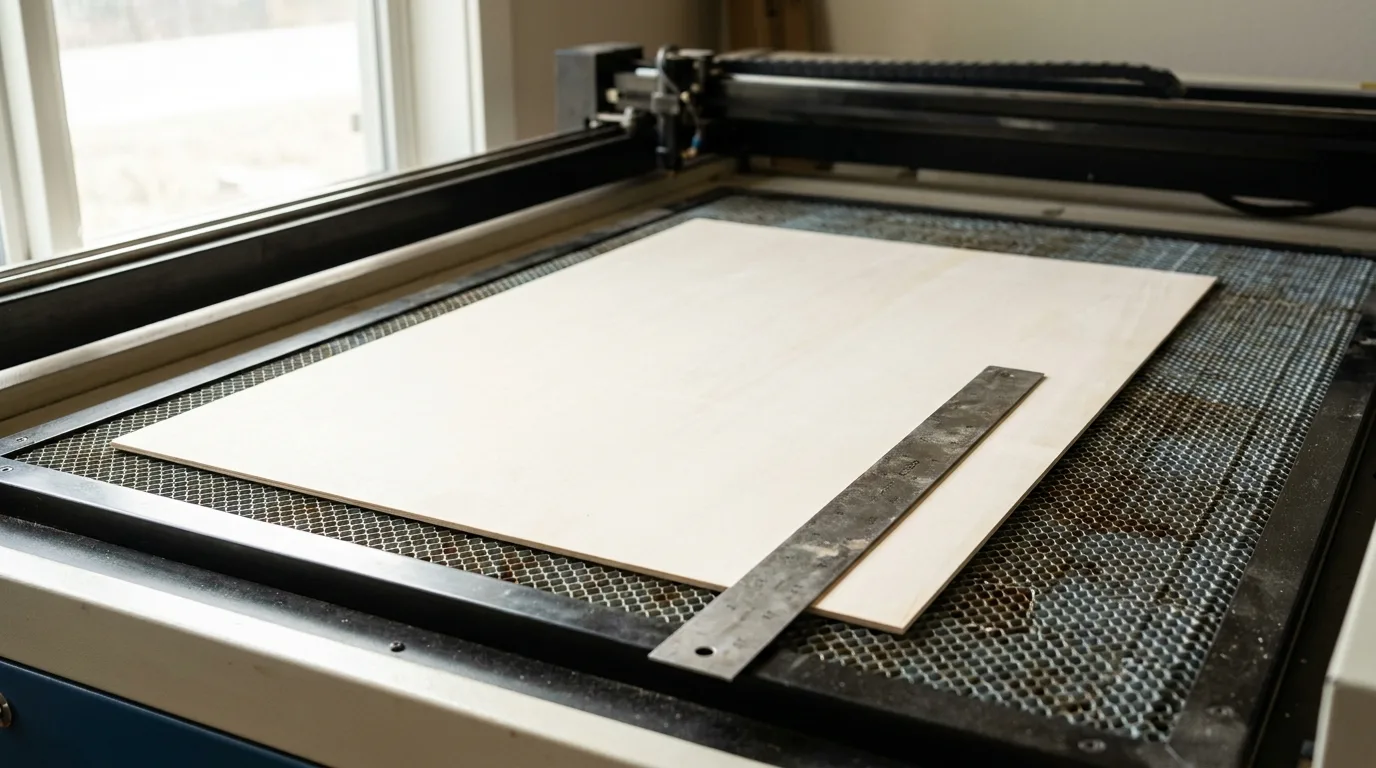
| Sheet flatness check | A warped or bowed sheet held against a straightedge shows daylight gaps where it lifts off the bed |
| Test grid | Cutting small identical test squares in all four corners plus center isolates whether the problem follows the bed, the material, or moves with the sheet if you rotate it |
These are quick shop checks, not a full machine calibration – but they narrow down the cause fast. Run all three before you touch a single setting or reach for a screwdriver.
If the flatness check comes back positive, the sheet’s history matters more than you’d think. Basswood bows and cups with humidity long before it ever hits your bed, so check out how to store and acclimate basswood sheets if warp keeps showing up on fresh stock.
I rotated a “bad” sheet 180 degrees on the bed and ran the grid again. The failure rotated right along with it – same spot on the sheet, different corner of the bed entirely. That’s the moment I knew it was the material, not the machine.
Why This Happens Even When Your Settings Are Right
Your settings aren’t wrong. The beam just isn’t landing at the same distance from the material everywhere on the sheet, and that distance is what actually determines cutting power at any given point. Nothing about your speed or power setting changed between corners – only the height of the surface did.
Focus distance controls how tightly the beam converges at the surface. A spot sitting even slightly higher or lower than the rest of the sheet gets a wider, weaker beam right there, even though your software sent identical speed and power to every single corner.
That’s a geometry problem, not a power problem. The laser did exactly what you told it to do – the surface just wasn’t where the software assumed it was, so the beam was already out of focus before it ever fired a single time.
That’s why cranking power on a bad corner usually backfires. I did it once – cranked power on a stubborn corner, got a worse, charred result, and only then bothered to check the bed level.
That corner sat proud by roughly the margin everyone cites as the danger zone: about 1mm of focus error is enough to measurably reduce cutting depth on a single pass. More power just burned a surface I was already too far away from to begin with.

How to Fix Inconsistent Cuts Across a Sheet
Fixing inconsistent cuts means fixing the geometry, not the power dial: relevel the bed, flatten the sheet, and check the honeycomb before you touch your settings again.
- Relevel the bed: Check all four corners and the center, not just the middle – a bed that’s dead level in the middle can still be off by enough at the edges to change your results.
- Clamp down warped sheets: Weight or clamp a bowed sheet flat instead of compensating with more power. Forcing a warped sheet through with extra passes just chars the surface – see prevent charring when laser cutting for more on that failure mode.
- Inspect the honeycomb: Worn, charred, or bent cells under the problem area change how the sheet sits. Replace or rotate the bed section if you find damage.
- Re-run the test grid: After each fix, cut the four-corner grid from earlier again. Don’t assume one fix solved it – confirm it.
I re-ran the test grid after releveling my bed and finally got four clean corners on the same sheet that had been failing for a week. Took ten minutes. Wish I’d done it first instead of last.
Common Mistakes When Diagnosing Inconsistent Cuts
The biggest mistake is treating a focus problem like a power problem – here’s what else trips people up.
- Increasing power or adding passes to force a bad corner through, instead of fixing the underlying geometry causing it.
- Checking focus once, at the center of the bed, and assuming it holds true across the whole work area.
- Assuming a sheet is flat without actually checking it against a straightedge – eyeballing it isn’t enough.
- Ignoring honeycomb wear as a possible cause, when a charred or bent cell can be just as disruptive as bad leveling.
Where to Buy Consistent, Flat Basswood Sheets
Crafteker’s laser-grade basswood ships flat and consistent out of the pack, which takes the material off your list of suspects when a cut goes wrong. Every 12×12 inch, 3mm sheet comes from the same tight density range, so if one corner still won’t cut, you know it’s setup, not stock – check best basswood sheets for more on what to look for.
Pricing: 3-pack $12.99, 5-pack $15.97, 12-pack $24.99 ($2.08/sheet – best value per sheet). Ships FBA on Amazon, and it’s worth clipping the 7% coupon on the listing page before you check out.
Ready to cut? Get the wood that works with these settings:
→ Buy Crafteker 12-Pack Basswood Sheets on Amazon – $24.99
Clip the 7% coupon on the listing page – buy 2 packs and save 20% automatically.
Also available: 5-pack ($15.97) · 3-pack ($12.99)
Frequently Asked Questions
Why does my laser cut one corner of the sheet but not another with the same settings?
It’s a local focus problem, not a power problem. About 1mm of focus error can measurably reduce cutting depth on a single pass, and that’s usually caused by bed leveling drift or sheet warp right at the spot that’s failing. Check flatness before touching your settings.
How do I check if my laser bed is level?
Run a straightedge or feeler gauge across all four corners and the center of the bed, not just the middle. Any gap or high spot you find is exactly where focus distance is shifting and cut quality is dropping. Ten minutes with a straightedge saves you a wasted sheet.
Can a warped sheet cause inconsistent cuts even if the laser bed itself is level?
Yes. A bowed sheet changes local focus distance the same way an unlevel bed does, so a level bed won’t save you if the material itself isn’t flat. Clamp or weight the sheet down before you cut, not after you’ve charred a corner.
Should I increase power to fix a corner that won’t cut through?
No. Extra power on a badly-focused spot usually just chars the edge instead of cutting cleaner – I’ve done this myself and made a stubborn corner worse. Fix bed or material flatness first, then re-run your test grid to confirm it actually worked.
Where can I buy consistent, flat basswood sheets for laser cutting?
Crafteker sells laser-grade 3mm basswood on Amazon: 3-pack $12.99, 5-pack $15.97, 12-pack $24.99 at $2.08/sheet, the best value of the three. Clip the 7% coupon on the listing page before you order, and it ships FBA for fast delivery.
About the author: Mike Dolan is a laser maker and wood materials specialist with 8+ years cutting basswood, birch, and MDF on diode and CO₂ machines. He tests every Crafteker basswood batch before listing.
Spent a whole Saturday convinced my laser was dying because one corner of every sheet wouldn’t cut through – turned out the bed wasn’t level on that side. Releveled it, ran the 4-corner test grid from this article, and finally got clean cuts on all four corners of the next sheet.