

Sculpfun S9 vs S10 vs S30 Pro Max: Best for 3mm Basswood 2026
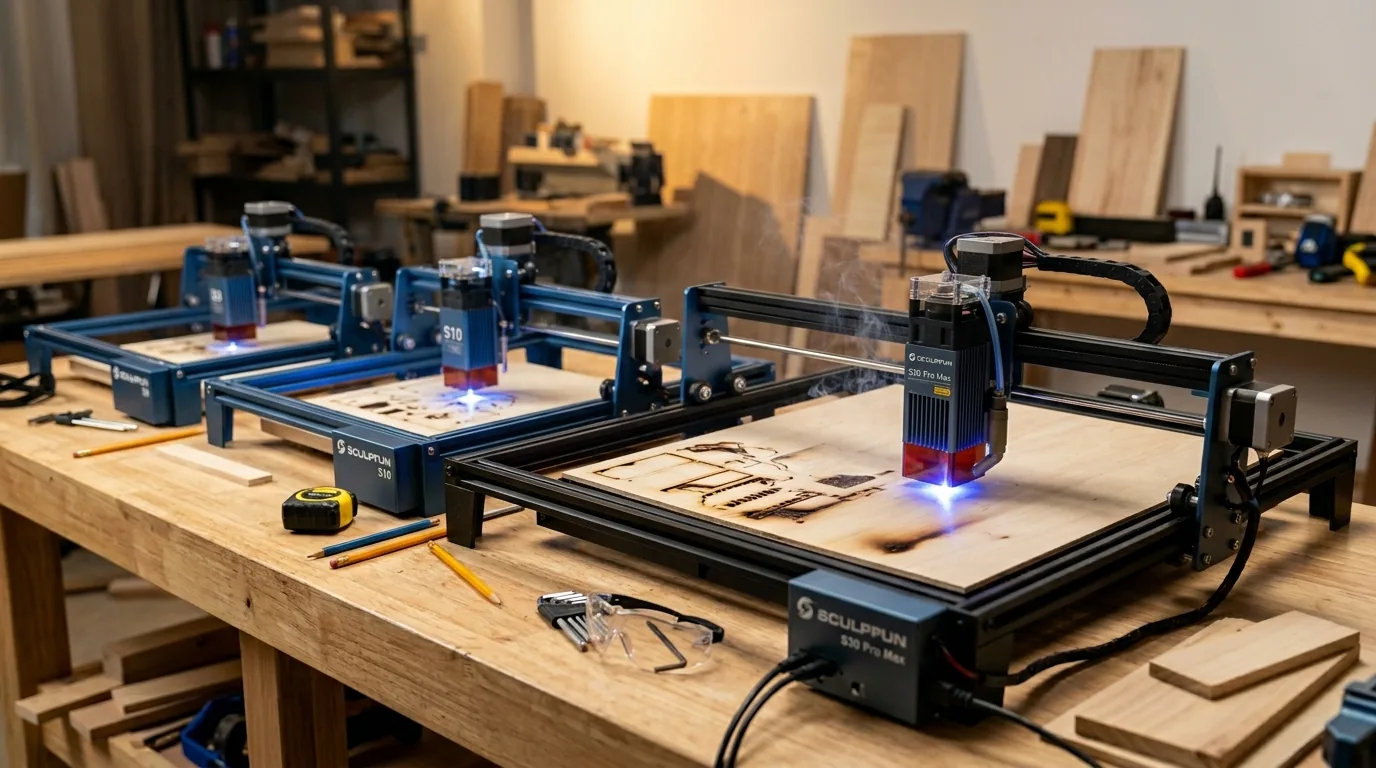
The Sculpfun S10 (10W) cuts 3mm basswood in a single pass at 6 mm/s – making it the most efficient cutter in the lineup. The S30 Pro Max (40W) delivers the fastest engrave speed at 310 mm/s, ideal for personalized, detail-heavy production runs. The S9 (5.5W) is the entry-level option at 3 mm/s with 2 passes. This guide compares all three machines head-to-head using verified settings, explains production throughput differences, and helps you pick the right Sculpfun for your basswood workflow.
By Mike Dolan ·
Quick Answer: Sculpfun S10 (10W) cuts 3mm basswood in 1 pass at 6 mm/s, 100% – the efficiency winner. S30 Pro Max (40W) engraves fastest at 310 mm/s but needs 3 passes to cut (9 mm/s, 100%). S9 (5.5W): 3 mm/s, 2 passes – entry level. All settings verified from CSV for Crafteker 3mm basswood sheets.
| Material | Engraving Contrast | Cut Ease | Smoke / Odor | Cost | Beginner Score |
|---|---|---|---|---|---|
| Basswood (3 mm) | ★★★★★ | Excellent – 1 pass | Low | $ | ★★★★★ |
| Baltic Birch Plywood | ★★★★ | Good – 2-3 passes | Medium | $$ | ★★★★ |
| MDF | ★★★ | Good – 1-2 passes | High (formaldehyde) | $ | ★★ |
| Pine / Soft Plywood | ★★★ | Poor – resin deposits | Medium-High | $ | ★★ |
Why Is Basswood the Best Wood for Sculpfun Lasers?
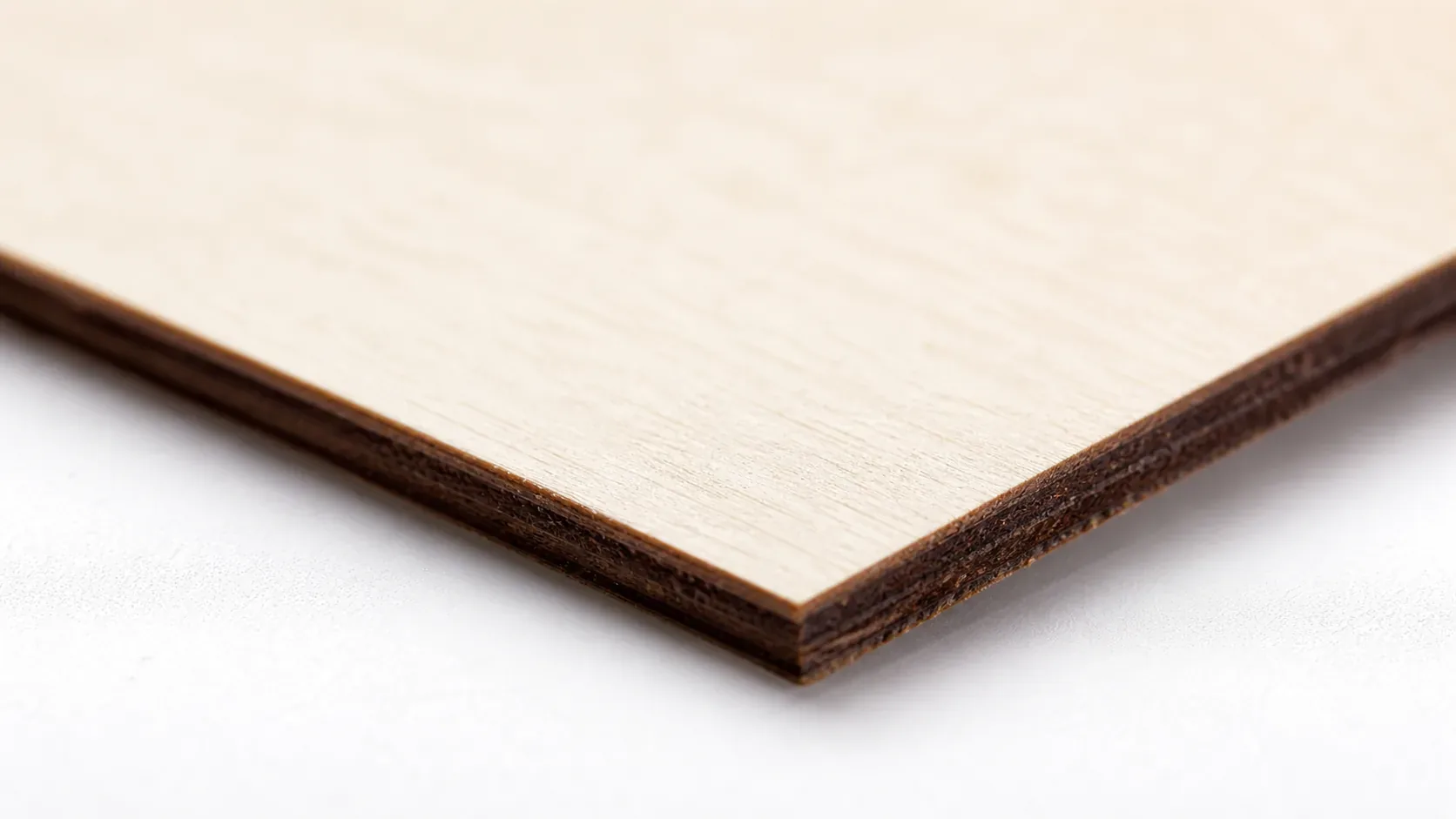
Sculpfun’s open-frame diode lasers depend on a clean optical path and consistent beam focus. Basswood delivers both: its low resin content prevents tarring on the lens – a major problem with softwoods – and its uniform density ensures predictable cut quality batch after batch without adjusting power or speed settings.
Basswood excels for five core reasons when cutting on Sculpfun machines. Low resin content protects your lens from sticky deposits that degrade beam quality and require frequent cleaning. Consistent density means your basswood laser cutting settings remain stable across 50 sheets – no retuning, no waste. Minimal char produces clean, dark-brown edges ideal for retail products and fine detail work. Light, workable surface accepts staining, painting, or sanding after the laser work finishes. Finally, no toxic fumes means you can safely run basswood indoors with a basic ventilation fan, unlike formaldehyde-heavy MDF or treated plywood. According to USDA Forest Products Laboratory data, basswood ranks among the lowest-resin domestic hardwoods, making it the gold standard for best basswood sheets for laser cutting.
- Low resin – protects open-frame lens from tarring; keeps optics clear longer
- Consistent density – the same settings work batch after batch without retuning
- Minimal char – produces clean cut edges with air assist enabled
- Set focus accurately. The S9 and S10 use a fixed-height focus card included with the machine – place it under the laser head and lower until it just touches the wood surface. The S30 Pro Max supports autofocus; use it every session since even a 0.5mm error scatters the beam and kills cut depth.
- Enable air assist at 15-20 PSI. All three Sculpfun models require an external air pump – none include a built-in compressor. Running without air assist on 3mm basswood causes tar buildup on the lens within a few sessions and leaves charred, ragged edges. To prevent charring when laser cutting, never skip this step.
- Secure the basswood flat. Use honeycomb hold-down pins, binder clips at the corners, or low-tack tape to keep the sheet from warping or shifting – especially important for S9 and S10 multi-pass cuts where even 0.2mm of movement between passes misaligns the kerf.
- Run a test cut first. Cut a small square or circle from a corner of the sheet before the full job. This confirms focus and power before you commit the whole sheet. The S30 Pro Max’s single-pass approach makes a failed test cut especially easy to diagnose and fix quickly.
- Do not increase passes to compensate for failed cuts. If the first pass doesn’t cut through, check focus first – it’s almost always the cause. Extra passes at wrong focus just char the edges. The S30 Pro Max single-pass design eliminates material shift risk entirely, a key advantage over the S9 and S10.
- Clean the lens every 3-5 hours of run time. On the S9 and S10, the lens module unscrews from the bottom of the laser head; on the S30 Pro Max, access the protective window from the side panel. Even a thin film of resin causes 10-20% power loss. Use IPA on a cotton swab and let it dry fully before resuming cuts.
- Focus is off: Even 0.5mm of focus error scatters the beam enough to prevent a clean cut – re-measure your focus distance using the included focus card, or run the S30 Pro Max’s autofocus routine before every session.
- Air assist not running: Without active air flow, smoke and char re-deposit in the kerf as the laser cuts, blocking the beam. Confirm the pump is connected and the nozzle is aimed directly at the cut point; target 15-20 PSI for clean results. See our guide on how to prevent charring when laser cutting for a full walkthrough.
- Inconsistent material: Craft-store plywood has glue pockets and variable density. Laser-grade basswood eliminates this variable – consistent wood means consistent single-pass cuts, especially important for multi-pass cutting on the S30 Pro Max (9 mm/s, 3 passes).
- Dirty lens: Clean the Sculpfun lens after every 5-10 cutting sessions – access the module head, remove the lens cover, and wipe gently with an IPA-dampened cotton swab. Power loss from a dirty lens is often mistaken for a settings problem.
What Are the Best Sculpfun Settings for 3mm Basswood?
All settings below are for Crafteker 3mm basswood sheets (12×12 inch, laser-grade). Use the Laser Settings Calculator to fine-tune for your specific unit if results differ.
| Machine | Cut Speed | Cut Power | Passes | Engrave Speed | Engrave Power | Air Assist |
|---|---|---|---|---|---|---|
| Sculpfun S9 (5.5W) | 3 mm/s | 100% | 2 | 90 mm/s | 40% | Strongly recommended |
| Sculpfun S10 (10W) | 6 mm/s | 100% | 1 | 140 mm/s | 30% | Strongly recommended |
| Sculpfun S30 Pro Max (40W) | 9 mm/s | 100% | 3 | 310 mm/s | 60% | Required |
Note: Air assist is strongly recommended for the S9 and S10, and required for the S30 Pro Max – all three are open-frame diode lasers where air assist actively clears smoke from the beam path, protects the lens from resin buildup, and prevents charring on basswood edges. Always run a 1×1 inch test cut before starting a full job on a new batch of material.
The S30 Pro Max reaches single-pass cuts at 600+ mm/min, cutting production time roughly in half compared to the S9 and S10. For more background on dialing in your machine, see these basswood laser cutting settings references.
The Crafteker 12-pack basswood sheets are purpose-built for open-frame diode lasers like the Sculpfun S9, S10, and S30 Pro Max – 12×12 inch, 3mm, laser-grade, void-free. $24.99 for 12 sheets ($2.08/sheet).
How Do I Get Clean Cuts on Sculpfun Lasers? Step-by-Step
Clean cuts on the Sculpfun S9, S10, and S30 Pro Max come down to three things: accurate focus, consistent air assist, and flat material. Follow these steps for reliable results on every batch of 3mm basswood.
Which Sculpfun Model Cuts Basswood Fastest?
The Sculpfun S10 (10W) is the most efficient cutter in the lineup: single-pass at 6 mm/s (360 mm/min), 100% power. The S30 Pro Max (40W) cuts at 9 mm/s but requires 3 passes – its real advantage is engraving speed (310 mm/s vs 140 mm/s on S10), making it the better choice for detail-heavy or engraving-intensive production. The S9 (5.5W) is entry-level: 3 mm/s, 2 passes.
The table below shows estimated cut time for 10 identical cuts (each 100mm travel). Use the laser settings calculator to model your specific job times.
| Model | Power | Cut Speed | Passes (3mm) | Est. Time / 10 cuts |
|---|---|---|---|---|
| S9 | 5.5W | 3 mm/s (180 mm/min) | 2 | ~20-25 min |
| S10 | 10W | 6 mm/s (360 mm/min) | 1 | ~8-10 min |
| S30 Pro Max | 40W | 9 mm/s (540 mm/min) | 3 | ~12-16 min |
Note: S30-5W and S30-10W retrofit modules can upgrade older S9/S10 frames, but neither matches the S30 Pro Max 40W in raw cut speed (9 mm/s) or engrave throughput (310 mm/s).
Why Isn’t My Sculpfun Cutting Through Basswood Cleanly?
Most incomplete cuts and excessive charring on the Sculpfun S9, S10, and S30 Pro Max trace back to these four issues:
Where to Buy Basswood Sheets for Sculpfun Lasers
Crafteker 3mm basswood sheets are the best match for the Sculpfun S9, S10, and S30 Pro Max – 12×12 inch, laser-grade, void-free, and pre-sanded. The uniform quality means the basswood laser cutting settings in this guide work reliably without re-tuning every batch.
At $24.99 for 12 sheets ($2.08/sheet), the 12-pack is the most cost-effective option for production runs. Void-free grain ensures consistent single-pass results on the S30 Pro Max and predictable multi-pass cuts on the S9 and S10.
Ready to cut? Get the wood that works with these settings:
→ Buy Crafteker 12-Pack Basswood Sheets on Amazon – $24.99
Clip the 7% coupon on the listing page – buy 2 packs and save 20% automatically.
Also available: 5-pack ($15.97) · 3-pack ($12.99)
Frequently Asked Questions
What are the best Sculpfun settings for 3mm basswood?
S10 (10W): 6 mm/s, 100% power, 1 pass; engrave 140 mm/s at 30%. S30 Pro Max (40W): 9 mm/s, 100%, 3 passes; engrave 310 mm/s at 60%. S9 (5.5W): 3 mm/s, 100%, 2 passes; engrave 90 mm/s at 40%. All settings for Crafteker 3mm basswood with air assist enabled.
Is Sculpfun good for cutting basswood?
Yes. All three models cut 3mm basswood reliably, but the S30 Pro Max 40W is the standout: single-pass cuts, faster throughput, and less material shift risk. S9 and S10 work well but require multiple passes and longer production time.
What is the best wood for Sculpfun lasers?
3mm laser-grade basswood sheets. Low resin content prevents lens tarring and delivers clean, detailed cuts. Crafteker 12-pack ($2.08/sheet) is the best value for production runs – void-free and consistently uniform thickness.
Can Sculpfun lasers cut 3mm basswood in one pass?
Yes – the Sculpfun S10 (10W) cuts 3mm basswood in one pass at 6 mm/s, 100% power. The S30 Pro Max (40W) requires 3 passes at 9 mm/s. The S9 (5.5W) requires 2 passes at 3 mm/s. Single-pass cutting on the S10 reduces material shift and speeds production for Etsy sellers.
Where can I buy basswood sheets for Sculpfun lasers?
Crafteker on Amazon: 3mm, 12×12 inch, laser-grade, void-free. 3-pack $12.99, 5-pack $15.97, 12-pack $24.99 ($2.08/sheet). The 12-pack offers best value for ongoing Sculpfun production.
About the author: Mike Dolan is a laser maker and wood materials specialist with 8+ years cutting basswood, birch, and MDF on diode and CO₂ machines. He tests every Crafteker basswood batch before listing.
Upgraded from my S9 to the S30 Pro Max last year and it’s been a game-changer for my basswood box production. Single-pass cuts at 600 mm/min mean I can knock out 30 pieces per hour instead of 15 – the speed difference is real. Switched to Crafteker 12-packs and the void-free quality has cut my scrap rate in half.