

Wood or Settings? A 5-Step Basswood Cut Checklist (2026)
The fastest way to know if it’s your basswood or your laser is a single test: run your exact settings on a known-good scrap piece, and if it cuts clean, the problem is the wood. This article walks through that test plus the machine-side and material-side checks that back it up, with links to deeper fixes for each specific cause.
By Mike Dolan ·
Quick Answer: Wood or settings issues on 3mm basswood are diagnosed with one test: cut a 50mm test square on known-good scrap – clean cut means the wood’s the problem, a failed cut means check focus and air assist (10-15 PSI) first.
| Material | Engraving Contrast | Cut Ease | Smoke / Odor | Cost | Beginner Score |
|---|---|---|---|---|---|
| Basswood (3 mm) | ★★★★★ | Excellent – 1 pass | Low | $ | ★★★★★ |
| Baltic Birch Plywood | ★★★★ | Good – 2-3 passes | Medium | $$ | ★★★★ |
| MDF | ★★★ | Good – 1-2 passes | High (formaldehyde) | $ | ★★ |
| Pine / Soft Plywood | ★★★ | Poor – resin deposits | Medium-High | $ | ★★ |
Is It the Wood or Your Laser? Start Here
Run your exact settings on a known-good scrap piece – even cardboard works – and you’ll have your answer in one cut. Clean edge means the problem is specific to this material. Same charred mess means look at your machine before you touch the wood supply.
Basswood earns its reputation partly from USDA Forest Products Laboratory data showing it’s low-density with an unusually consistent internal structure compared to most domestic hardwoods. That’s why it behaves predictably under a laser. But “consistent species” doesn’t mean “identical every sheet” – batches still vary, which is exactly why the scrap test matters instead of trusting your settings blindly.
I learned this the hard way. Weeks of blaming the laser. Re-leveled the bed, cleaned the lens, second-guessed my basswood laser cutting settings more times than I want to admit. Then I finally ran a scrap test – and the machine was fine the whole time. The wood wasn’t.
That’s the diagnostic value of a stable baseline material. When you know what “normal” looks like, deviations from it point straight at the batch instead of sending you down a mechanical rabbit hole chasing charring you can’t actually prevent by adjusting the machine.
- Low resin – fewer gummy-buildup symptoms on the lens that could get mistaken for a material problem
- Consistent density – gives you a real baseline to trust, so a deviating batch stands out immediately
- Minimal char – a workable surface that’s easy to inspect for glue pockets or voids when triaging a bad cut
- Light, workable surface – cut edges are easy to read at a glance instead of guessing under soot
- No toxic fumes – safe to run repeated diagnostic test cuts indoors without extra ventilation concerns
Machine Checks: Rule These Out First
Rule out your machine before you blame the wood. These five checks take a few minutes each and catch most of what people mistake for a bad batch of basswood – run through them in order before you touch a fresh sheet.
- Run a focus test on scrap material. Community reports say a 0.25mm difference in focus height can noticeably change cut quality on 3mm basswood.
- Check the lens and mirrors for haze or soot buildup.
- Verify air assist is delivering real pressure – aim for roughly 10-15 PSI minimum per community guidance, not just a soft breeze at the nozzle.
- Check bed flatness and confirm the material is clamped down flat.
- Run a fresh, simple test file with known-good settings to rule out a software or layer-settings mixup.
Worth flagging up front: the 0.25mm focus figure and the 10-15 PSI air assist number are forum and community-reported benchmarks, not numbers Crafteker measured in a lab. Treat them as a starting point, not gospel, since every machine and lens setup behaves a little differently.
If your cuts fail in the same spot every time no matter what sheet you load, that’s usually a focus problem – see our guide on fixing inconsistent cuts on one sheet for the deeper walkthrough.
This is the “machine sanity” branch of the checklist. If all five come back clean and the laser still can’t cut a straight line, you’re probably not looking at a settings problem anymore – you’re looking at the material.
Material Checks: Signs It’s the Wood, Not the Laser
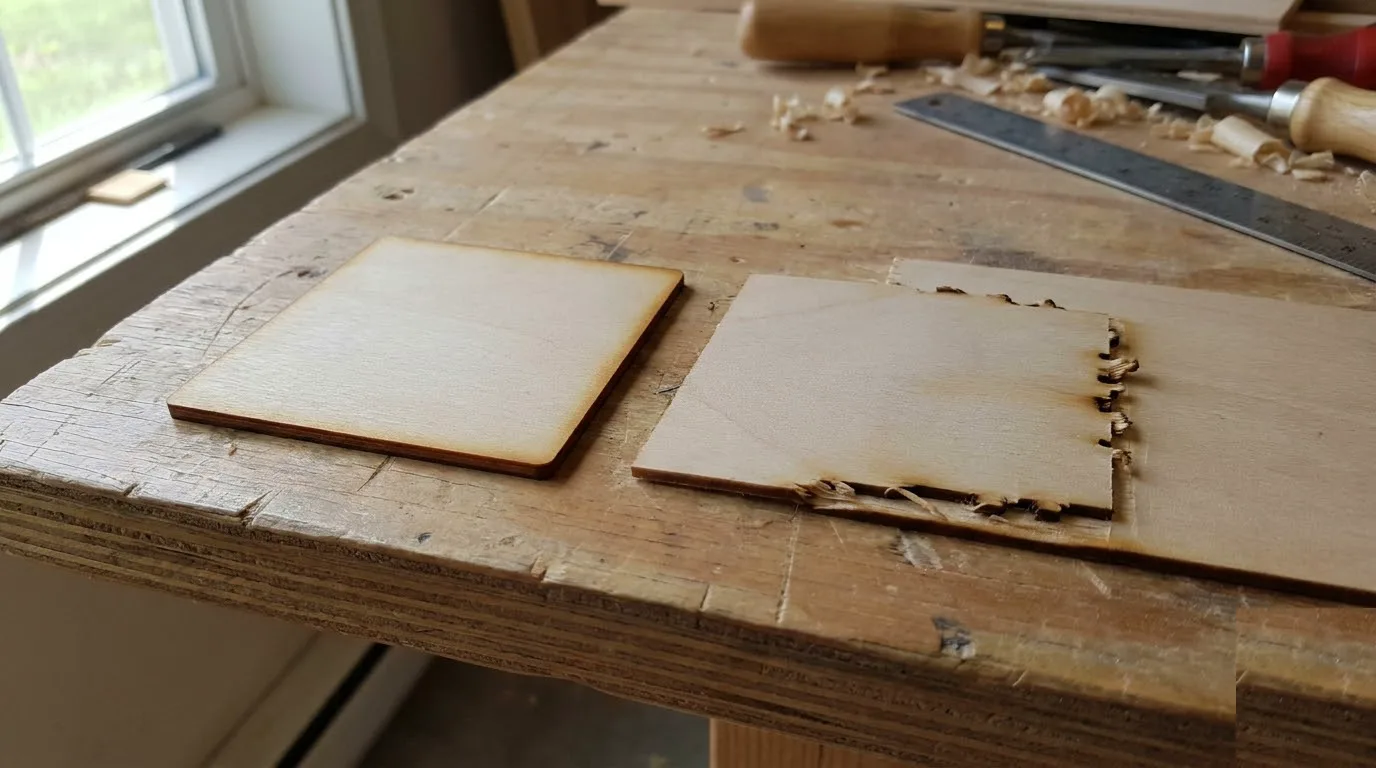
If the machine checks out clean, the wood itself is the next suspect. Glue pockets or voids inside basswood plywood show up as darker, harder lines at the cut edge – spots where the beam fights resin instead of clean fiber and leaves a ragged, incomplete kerf you can feel with a fingernail.
I ran a 50mm test square in three different spots on one suspect sheet and got three different results at identical settings – that inconsistency is the tell. Same laser, same power, same speed, different outcome means the sheet itself, not your setup, is the variable. For patterns to watch for, see spotting bad basswood batches.
Warping matters too – even a slight bow lifts part of the sheet out of the focal plane, so one corner cuts clean while another chars or skips. And if a sheet smells off or throws heavier, stickier smoke than usual, that’s often a sign of a lower-grade or inconsistent batch. Worth reading up on preventing warped basswood before your next run.
Between the machine checks above and these material signs, most laser problems on 3mm basswood come down to one or the other – in my experience it’s rarely both at once.

Material vs Machine: Quick-Reference Signs
Match your symptoms against these two columns to see which side of the problem you’re on. If you’re checking multiple boxes in one column, that’s your answer.
| Material-Side Signs | Machine-Side Signs |
|---|---|
| Localized failure on one sheet only | Failure across every sheet and material tested |
| Visible glue pockets or voids | Gradual worsening over time (lens or tube wear) |
| Warp or moisture in the sheet | Sudden change right after a bed or software change |
| Unusual smell during the cut | Uniform charring regardless of position on the bed |
| Problem disappears on a known-good scrap piece | — |
Basswood can also engrave differently front vs back due to face veneer grading, so check which face you’re cutting before assuming a bad batch. Here’s why basswood engraves differently front vs back.
Common Mistakes When Diagnosing Bad Cuts
Most wasted sheets and wasted afternoons come down to skipping the scrap test and jumping to conclusions instead. Watch for these four habits:
- Buying new wood first: Jumping straight to a new sheet before testing your current settings on a known-good scrap piece just moves the guesswork, it doesn’t remove it.
- Cranking power instead of checking the machine: Bumping power up again and again treats a symptom. Run the machine-sanity checks first, then adjust power if it’s still needed.
- Testing only one spot: A single test square tells you about that one spot. Cut a couple more elsewhere on the sheet or you’ll miss a localized material issue entirely.
- Realigning mirrors too soon: Major mechanical work should come after the simple stuff, not before. Check focus, lens, and air assist first – see our basswood laser cutting settings for a baseline before you touch anything mechanical.
Where to Buy Basswood That Passes Its Own Diagnostic
Crafteker 3mm basswood sheets are consistent and void-free, which removes the material variable more often than craft-store plywood. When something does go wrong, that consistency means it’s worth checking the machine side first instead of guessing at the wood.
Run our test card playbook on any fresh batch before a full run – it’s the standard way to dial in settings and catch a problem sheet early.
Ready to cut? Get the wood that works with these settings:
→ Buy Crafteker 12-Pack Basswood Sheets on Amazon – $24.99
Also available: 5-pack ($15.97) · 3-pack ($12.99)
Frequently Asked Questions
How do I tell if bad laser cuts are the wood or my settings?
Run your exact settings on a known-good scrap piece, even cardboard, before you touch your wood supply. Cuts clean? The problem is material-specific. Fails too? Check the machine first – focus, lens, and air assist take a few minutes and rule out the easy stuff.
What are signs of a bad basswood plywood batch?
Several signs point to the wood itself. Look for visible glue pockets or voids at the cut edge, inconsistent results across different spots on the same sheet at identical settings, warping, or an unusual smell with heavier, stickier smoke than normal.
What machine issues cause inconsistent laser cuts?
Focus drift is usually the biggest culprit. Community reports say even a 0.25mm difference in focus height can noticeably change cut quality. A dirty lens or mirrors, weak air assist below roughly 10-15 PSI, an untrue bed, or a leftover software or layer-settings mixup all add to the list.
Should I check the machine or the material first when cuts go bad?
Check the machine first, every time. Focus, lens cleanliness, and air assist are quick sanity tests you can knock out in a few minutes. Only move on to material checks, like testing several spots on the same sheet, once those come back clean.
Where can I buy basswood sheets that don’t need constant re-diagnosing?
Crafteker sells consistent, void-free 3mm basswood on Amazon in 3-pack ($12.99), 5-pack ($15.97), and 12-pack ($24.99, $2.08/sheet) sizes. The 12-pack is the best value per sheet and removes one common variable from your triage before you even fire up the laser.
About the author: Mike Dolan is a laser maker and wood materials specialist with 8+ years cutting basswood, birch, and MDF on diode and CO₂ machines. He tests every Crafteker basswood batch before listing.
Spent a whole weekend blaming my machine for charred edges until I ran the exact same settings on a scrap piece of pine I had lying around – cut through clean in one pass, so it was the basswood batch all along. Wish I’d done that test on day one instead of re-leveling my bed for nothing.